11 Free Google AI Ultra Tools that Replaces your Paid Tools: Google AI Studio + Gemini 3 Pro Included

Most people still think they need to pay hundreds of dollars monthly for great creative tools. But that’s no longer true. Google has quietly released a lineup of powerful tools under its AI Ultra program that now challenge or outperform many paid apps. These free Google AI Ultra tools are not gimmicks. They are practical, stable, and built into the Google ecosystem.
From coding to video, writing to design, these tools make daily tasks easier without the cost. Even better, you can sync them with platforms like VidAU to turn simple ideas into full content systems.
You’ll find smart assistants, creative engines, code generators, and even full studios. If you want better tools for work, school, content, or business and don’t want to pay more, this article shows you how to get started fast.
What Are Google AI Ultra Tools and Why Are They Free?
Google AI Ultra tools are advanced models and applications built to compete with top commercial tools, but without charging users upfront. These tools use Gemini models and are embedded across Google’s services.
Google offers these tools for free in many cases to build user habits, improve data training, and compete with rivals. You get access through a browser or mobile login, often with no setup. The Google AI Ultra keyword refers to the combined strength of this ecosystem: Gemini, AI Studio, Imagen, Veo, and more.
Before we list the top tools, here’s a breakdown of what you can expect:
- You won’t need to install anything
- Most work with your Google account
- Tools often connect directly with Docs, Sheets, Slides, YouTube, or Gmail
- Free plans have limits, but they’re generous for light to medium use
Top 11 Free Google AI Ultra Tools That Work Across Devices
The tools are free to use and work across devices. They also integrate well into existing workflows. You can now go from text prompt to usable video content using Google AI Ultra tools and VidAU.
1. Google AI Studio
Google AI Studio is the central place where you access and test Gemini models through a user-friendly interface. It supports rapid prototyping, creative tasks, and app development using AI responses.
Key Features
- Free access to Gemini models via playground and API
- Built-in support for prompts, image inputs, and export
- Ideal for testing before production
Best Use Cases
- Developers testing queries before deployment
- Writers generating content frameworks or outlines
- Creative teams experimenting with script prompts
Advantages
- No billing setup required to start
- Fast and responsive interface
- Supports real-time editing
Limitations
- Daily quota on calls or tokens
- Requires basic prompt structuring for quality output
Best For: Freelancers, developers, startup teams
Bonus Tip: Use Google AI Studio to generate video scripts, then push them to VidAU to convert to branded content in minutes.
2. Gemini 3 Pro
Gemini 3 Pro handles long prompts, multi-step questions, and image + text combinations. It works well for deep writing, summaries, brainstorming, and reasoning tasks.
Key Features
- Handles long context (up to 1 million tokens)
- Supports multimodal input
- Integrated into Google apps
Best Use Cases
- Long-form content, reports, and analysis
- Marketing outlines, customer journey flows
- Interactive learning or research
Advantages
- Smooth response generation
- Strong logical structure in answers
- Easy export to Docs or Sheets
Limitations
- Some regional limitations
- Requires Google One sign-in for full access in some areas
Best For: Writers, analysts, digital marketers
Bonus Tip: Use Gemini 3 Pro to write a UGC ad script, then pass it to VidAU’s Scriptify tool to create a video ad instantly.
3. Gemini (Base)
Gemini (free version) is a quick assistant that handles planning, ideation, research, and writing tasks. It’s available on web, mobile, and built into Google apps.
Key Features
- Chat-based interface
- Basic multimodal support
- Google Workspace integration
Best Use Cases
- Drafting blog ideas
- Planning social content calendars
- Quick summaries for meetings
Advantages
- Free and accessible to all users
- Easy to understand and interact with
- Ideal for short daily tasks
Limitations
- Not suitable for heavy content
- Limited image generation and deep reasoning
Best For: Content creators, remote workers, students
4. Gemini Code Assist
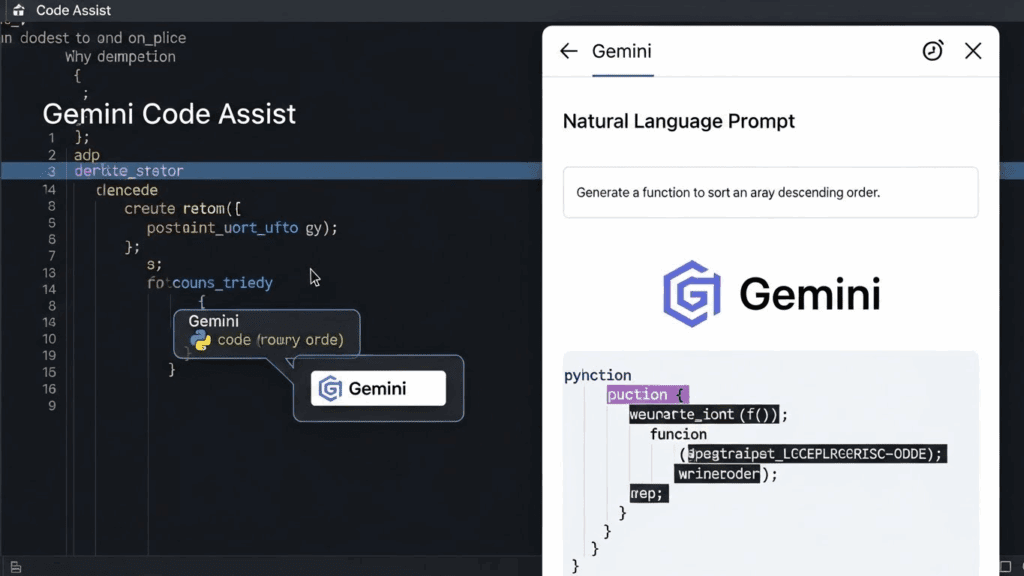
Gemini Code Assist provides real-time help with coding tasks directly inside your IDE.
Key Features
- Autocompletion and debugging suggestions
- Natural language queries in VS Code
- Multi-language support
Best Use Cases
- Writing boilerplate code
- Troubleshooting and bug fixes
- Speeding up prototype development
Advantages
- Supports fast dev work
- Understands coding prompts clearly
- Doesn’t require plugin overload
Limitations
- Limited to personal use
- Occasional syntax inconsistencies
Best For: Developers, coding beginners, software teams
5. Gemini CLI
Gemini CLI lets you run prompts and generate outputs straight from your terminal.
Key Features
- Lightweight Gemini interface for devs
- Text + image prompt support
- CLI access to Gemini APIs
Best Use Cases
- Prompt automation
- Content pipelines
- Testing AI interactions from command line
Advantages
- Super fast interaction
- No need to open web browser
- Simple and powerful for scripting
Limitations
- Not ideal for non-tech users
- Setup needed for authentication
Best For: DevOps, AI engineers, system admins
6. Nano Banana (Image Generator)
Nano Banana helps generate or edit photorealistic and stylized images using prompt-based control.
Key Features
- Fast image generation
- Control over lighting, skin tone, background
- Supports different styles and settings
Best Use Cases
- Mockups for campaigns
- Character concept visuals
- Product shots or ad material
Advantages
- Saves hours of editing
- Delivers brand-consistent visuals
- Works with minimal input
Limitations
- Prompt tweaking may be needed
- Lacks in-painting refinement
Best For: Designers, illustrators, ecommerce sellers
7. Veo 3 (Video Generator)
Veo 3 converts prompts into short video outputs that are ideal for testing campaigns or pitching visuals.
Key Features
- Text-to-video generation
- Scene description rendering
- Trial access in some Google regions
Best Use Cases
- UGC demo videos
- Creative trailers or explainer visuals
- Quick ad production
Advantages
- Zero production cost
- Fast delivery of video ideas
- Useable assets in seconds
Limitations
- Quality may vary
- Limited duration and export control
Best For: Brands, social marketers, UGC creators
Bonus Tip: Polish the video in VidAU using Glow Enhancer and audio sync.
8. Whisk (Image-to-Video Tool)

Whisk turns your visual prompts or static images into motion visuals and light animations.
Key Features
- Image-to-video capability
- Light movement simulation
- Works with static photo inputs
Best Use Cases
- Social story content
- Moodboard animations
- Light demos and pitch visuals
Advantages
- Converts photos to engaging motion
- Doesn’t require video editing skill
- Fun and simple to use
Limitations
- May lack timing control
- Limited export formats
Best For: Social creators, small business owners, students
9. Flow (Visual Storytelling Tool)
Flow helps creators build videos with structure—text to frames to scenes—using visual storytelling logic.
Key Features
- Visual storyboard logic
- AI-assisted scene transitions
- End-to-end story flow support
Best Use Cases
- Explainer video planning
- Scene breakdown for team projects
- Slide-based narratives
Advantages
- Great for scripting video ideas
- Strong visual cue control
- Works with image and text input
Limitations
- Not for full production rendering
- Needs VidAU or editing tool for final video
Best For: Educators, video marketers, agency teams
10. NotebookLM (Note & Research Tool)
NotebookLM simplifies summarizing PDFs, research docs, and long materials into usable notes.
Key Features
- Note generation and summarization
- Organizes research input by topic
- Works well with long docs
Best Use Cases
- Planning content pieces
- Research note cleanup
- Turning transcripts into highlights
Advantages
- Saves reading time
- High-quality summaries
- Exports to Google Docs easily
Limitations
- Not for deep creative writing
- Limited tone control
Best For: Students, marketers, SEO writers
11. Google Workspace AI Features
Gemini’s integration into Gmail, Docs, and Sheets speeds up everyday tasks.
Key Features
- Writing help in Docs
- Email reply suggestions
- Sheet formulas and summaries
Best Use Cases
- Email and copywriting
- Task planning
- Data handling and cleanup
Advantages
- Saves hours per week
- Familiar interface
- No learning curve
Limitations
- Requires internet access
- Not as advanced as standalone apps
Best For: Teams, VAs, admin professionals
Comparison Table: Best Google AI Ultra Tool Per Task
| Task Type | Recommended Tool | Output Format |
| Writing & Research | Gemini 3 Pro, NotebookLM | Text, outline, summary |
| Image Generation | Nano Banana | PNG, JPEG |
| Video Generation | Veo 3, Whisk | MP4, MOV |
| Planning & Drafting | Gemini Base, Docs AI | Notes, drafts |
| Coding Help | Gemini Code Assist | Code snippets |
| Automation & CLI Tasks | Gemini CLI | Scripted output |
How VidAU Works With Google AI Ultra Tools
VidAU bridges the gap between AI-generated content and final video production. Once you’ve created a script in Gemini or a visual in Nano Banana, you can import it into VidAU to generate professional-grade videos instantly. For marketers, content creators, and teams that want consistent, branded outputs, VidAU removes the friction of editing. It offers features like VidAU Scriptify, Glow Enhancer, and Audio Sync to polish your outputs and speed up delivery.
Creators who use Google AI Ultra tools for research, ideation, or asset generation often find VidAU to be the fastest way to finalize their work for platforms like YouTube, Instagram, or client presentations.
Conclusion
These 11 Google AI Ultra tools replace tasks you used to pay for. From video generation to scripting, the performance rivals premium tools without charging fees. When combined with VidAU, a free video generation tool that works with these outputs, you move from concept to polished video fast. You save money and time without cutting quality.
FAQs
- What is Google AI Ultra?
Google AI Ultra refers to a group of free, high-performance AI tools built on Gemini and other technologies. These tools handle writing, video, code, and planning. - Are Google AI Ultra tools really free?
Yes. Many tools like AI Studio, Gemini Chat, and NotebookLM are free to use without a subscription. - How do I access Google AI Studio?
Go to ai.google.dev and log in with your Gmail. You can start testing AI models right away. - Which free AI tool is best for video ads?
Use Veo 3 for quick generation or bring your script to VidAU, which turns it into a branded video. - Can I use these tools with VidAU?
Yes. You can generate images, scripts, or outlines with Google AI Ultra tools and finish your videos with VidAU for smooth, fast delivery.