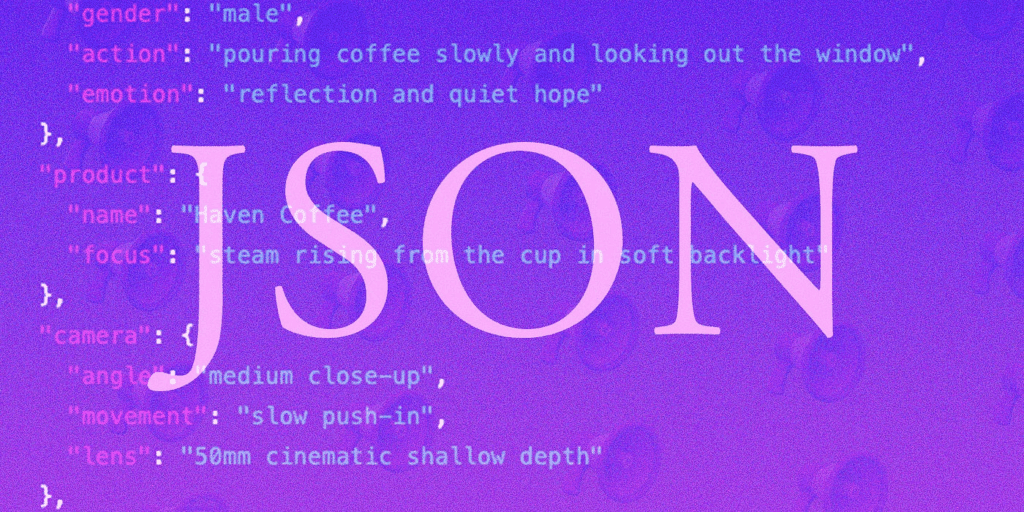
Using Grok + Midjourney + Suno: A Professional AI Video Production Workflow for Cinematic Content
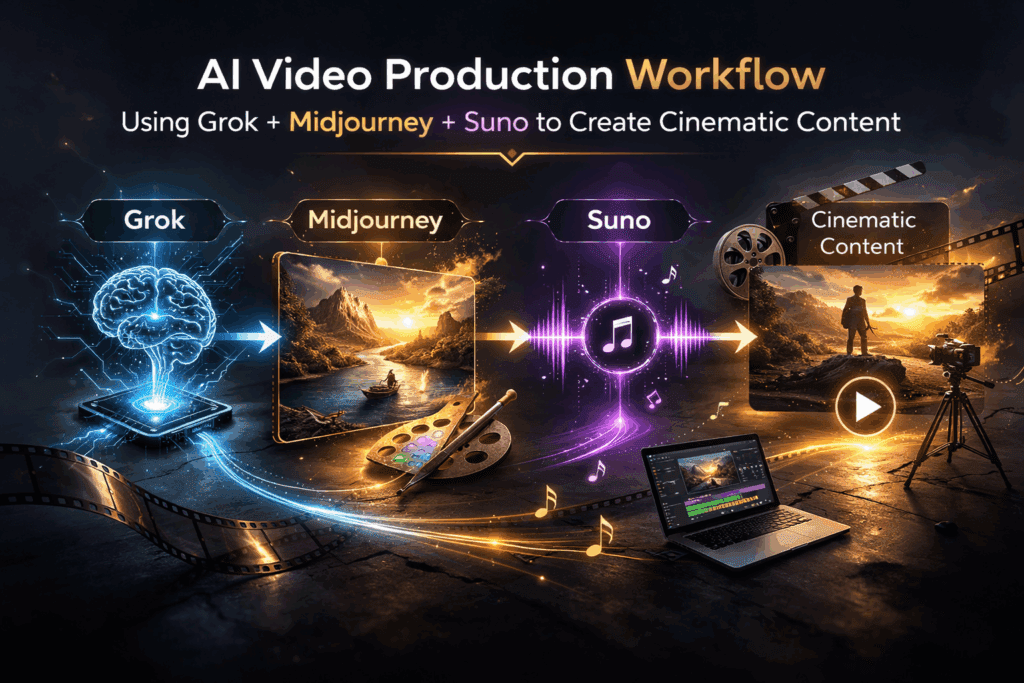
How I combined Grok with Midjourney to create cinematic content that feels less like prompting and more like directing.
Most creators use AI tools in isolation. They prompt Midjourney for visuals, jump to Suno for music, maybe stitch things together in Runway or Premiere, and hope the vibe aligns. The real breakthrough happens when you treat Grok as the creative control layer—the system that orchestrates style consistency, narrative coherence, and technical precision across tools.
This article breaks down a professional-grade workflow for integrating Grok with Midjourney and Suno to produce cinematic AI-driven video content. We’ll cover architecture, prompt engineering strategy, latent consistency, seed management, and production optimization.
1. Why Grok Is the Creative Control Layer in Modern AI Pipelines
Most generative tools are execution engines. Grok is a reasoning engine.
That distinction matters.
Midjourney excels at visual synthesis within its latent diffusion space. Suno excels at generative audio modeling—melody, harmony, texture. But neither tool manages cross-modal coherence. That’s where Grok becomes critical.
Grok’s Core Strengths in Creative Workflows
1. Narrative Structuring
Grok can structure multi-scene narratives with clear beats, emotional arcs, and visual motifs. Instead of prompting “cyberpunk city at night,” you generate a scene breakdown with:
– Visual anchors
– Lighting logic
– Camera language
– Color temperature
– Symbolic elements
This transforms prompts from descriptive to cinematic.
2. Prompt Abstraction & Refinement
Grok can translate high-level creative direction into diffusion-optimized prompt syntax. For example:
> “Neo-noir isolation with existential undertones”
Becomes:
> “wide-angle 35mm lens, low-key lighting, volumetric fog, rim-lit silhouette, wet asphalt reflections, desaturated teal-orange split tone, high dynamic range, cinematic depth of field”
This reduces trial-and-error iterations inside Midjourney.
3. Seed Parity Strategy
Maintaining stylistic consistency across multiple images requires seed discipline. Grok can:
– Recommend when to reuse seeds
– Track seed variations
– Suggest controlled mutations (low chaos values)
This approximates latent consistency without direct model control.
4. Cross-Modal Alignment
For video projects, audio must match visual tone. Grok helps translate visual descriptors into audio attributes:
– Color palette → tonal register
– Camera movement → rhythmic pacing
– Scene tension → harmonic progression
This ensures Suno outputs music aligned with visual storytelling.
2. Step-by-Step Workflow: Grok + Midjourney + Suno
Let’s break this down into a production-ready pipeline.
Phase 1: Concept Architecture in Grok
Start in Grok, not Midjourney.
Prompt structure:
Develop a 60-second cinematic concept about [theme].
Include:
– 5 scene breakdowns
– Camera lens suggestions
– Lighting direction
– Color grade logic
– Emotional progression
– Symbolic motifs
Grok outputs something like:
Scene 1 – Establishing Isolation
– 24mm wide lens
– Cold blue ambient lighting
– Static camera
– Sparse environmental detail
Scene 2 – Emotional Shift
– Slow dolly-in
– Warmer key light
– Subtle motion blur
This becomes your shot list.
Phase 2: Visual Generation in Midjourney
Now convert each scene into diffusion-optimized prompts.
A. Base Prompt Template
[Subject], cinematic still frame, 35mm film look, volumetric lighting, global illumination, high detail, dynamic composition –ar 16:9 –style raw –seed 1234
Use:
– `–style raw` for more photographic realism
– Controlled `–chaos` (5–10) for variation
– Consistent `–seed` for scene continuity
B. Latent Consistency Strategy
While Midjourney doesn’t expose raw latent controls, you can simulate latent consistency by:
– Keeping subject tokens identical
– Maintaining camera lens consistency
– Reusing seeds for character continuity
– Incrementally modifying lighting descriptors
Example scene evolution:
Scene 1 seed: 1234
Scene 2 seed: 1234 (add “warm rim light, subtle motion blur”)
And scene 3 seed: 1234 (add “rain particles, dramatic backlight”)
This preserves identity while shifting atmosphere.
C. Motion Planning for Video
Even if generating stills, think like a cinematographer.
Include:
– “shallow depth of field rack focus”
– “handheld subtle motion”
– “cinematic push-in”
These descriptors help later if importing into Runway or Kling for image-to-video interpolation.
Phase 3: Music Generation in Suno
Now translate the visual arc into audio language.
Ask Grok:
Translate this 5-scene cinematic arc into a music production brief.
Include tempo shifts, instrumentation, tonal evolution.
Example output:
– Scene 1: 60 BPM, ambient synth pads, low sub-bass
– Scene 2: Add analog pulse, subtle percussion
– Also,scene 3: Introduce strings, harmonic lift
– Scene 4: Percussive tension
– Scene 5: Minimal piano resolution
Feed that structured brief into Suno.
Key technique:
Match visual pacing to BPM.
If your final edit will be 60 seconds:
– 60 BPM → 1 beat per second (easy alignment)
– 120 BPM → 2 beats per second (faster cuts)
This creates rhythmic editing precision.
Phase 4: Assembly in Runway or NLE
Once visuals and audio are generated:
1. Import stills into Runway Gen-3 or Kling
2. Apply image-to-video motion
3. Use subtle camera drift or parallax
4. Keep motion consistent with original lens logic
Avoid over-animating.
Cinematic realism comes from restraint.
3. Advanced Best Practices for AI-Assisted Video Production
Now we move from workflow to mastery.
1. Control Noise Early
In diffusion systems, excessive stylistic tokens create latent instability.
Bad:
> hyper detailed ultra realistic 8k masterpiece dramatic epic insanely detailed cinematic HDR ultra sharp
Better:
> 35mm film still, volumetric lighting, soft grain, cinematic color grade
Less noise = more control.
2. Maintain Seed Discipline
Seed Parity Strategy:
– Lock seed for character shots
– Change seed for environmental transitions
– Document seed numbers in a shot spreadsheet
Treat seeds like camera setups.
3. Euler a vs. Other Schedulers (If Using ComfyUI)
If expanding beyond Midjourney into ComfyUI or Stable Diffusion:
– Euler a → More creative, painterly randomness
– DPM++ 2M Karras → Cleaner detail, cinematic sharpness
– LCM (Latent Consistency Models) → Faster iterations, useful for storyboard passes
Use LCM for:
– Rapid ideation
– Blocking shots
Switch to DPM++ for:
– Final renders
– High-fidelity frames
4. Visual Motif Locking
Choose 2–3 repeating motifs:
– Color (teal highlights)
– Object (red umbrella)
– Lighting style (rim-lit silhouettes)
Tell Grok to enforce motif recurrence across all scenes.
This creates subconscious continuity.
5. Audio-Visual Emotional Sync
Misalignment kills immersion.
If visuals brighten but music remains minor-key ambient, the piece feels disconnected.
Before finalizing:
Ask Grok:
> “Analyze emotional consistency between these visual descriptors and music structure.”
Refine accordingly.
6. Iterative Refinement Loop
Professional workflow:
1. Concept in Grok
2. Draft visuals (low chaos)
3. Review narrative coherence
4. Adjust scene progression
5. Regenerate with refined prompts
6. Produce final renders
Avoid generating finals too early.
The Bigger Picture: From Prompting to Directing

When creators rely only on Midjourney or Suno, they become prompt operators.
When they integrate Grok as the reasoning engine, they become directors.
Grok handles:
– Structural coherence
– Prompt optimization
– Cross-tool alignment
– Emotional continuity
Midjourney handles:
– Visual diffusion synthesis
– Texture and lighting realism
Suno handles:
– Sonic atmosphere
– Emotional pacing
The power is not in any single model.
It’s in the orchestration.
When used correctly, this workflow transforms AI from a novelty generator into a cinematic production system.
And that’s when AI art stops looking like “AI art” and starts looking like film.
Frequently Asked Questions
Q: Why use Grok instead of prompting Midjourney directly?
A: Grok acts as a reasoning and structuring layer. It helps design narrative arcs, maintain visual motifs, optimize prompts for diffusion systems, and align audio with visuals—something Midjourney alone cannot manage.
Q: How do I maintain character consistency in Midjourney?
A: Use consistent subject tokens, reuse the same seed for related shots, minimize prompt noise, and apply controlled chaos values. For advanced workflows, document seed usage and maintain lens and lighting continuity.
Q: What is Latent Consistency and why does it matter?
A: Latent Consistency refers to maintaining coherence within a model’s internal representation space. While Midjourney doesn’t expose raw latent controls, you can approximate consistency through seed reuse, stable descriptors, and controlled stylistic variation.
Q: How do I sync AI-generated music with AI visuals?
A: Translate visual pacing into BPM structure. Align scene durations to beat intervals and match emotional tone (lighting, color temperature, tension) with harmonic progression and instrumentation in Suno.
Q: Can this workflow scale to longer videos?
A: Yes. Expand the scene breakdown, use Grok to manage act structure, maintain seed logs for continuity, and batch-generate storyboard frames before producing final high-fidelity renders.