Top 15 Free Uncensored AI Image Generators for 2026
Uncensored AI image generator is becoming the main tool for creators who want freedom, high detail, and fast output. The new AI image models releasing in 2026 give better control, more realism, and new ways to use images inside AI video workflows. This guide covers the best free uncensored AI image generator, how they compare, and which AI image model performs best for advanced use cases.
What Are Uncensored AI Image Generators?
Uncensored AI image generators give you more creative freedom. They remove or reduce tight content filters. You can explore complex scenes, stylized art, raw concepts, and advanced character design without blocked prompts.
These generators are popular because they help creators work faster. They also fit well with AI video systems. You can create an image, pass it into a video model, then polish it later in VidAU.
You still need to use them responsibly. Output quality and ethics depend on the model you choose.
How Modern AI Image Models Handle Unrestricted Generation
AI image models shape realism, lighting, skin texture, motion cues, and style. In 2026, the strongest models focus on accuracy, clean details, and prompt freedom.
Here is how the top models compare:
- Nano Banana Pro vs ChatGPT: Nano Banana Pro offers a deeper texture, while ChatGPT remains better for guided style control.
- Midjourney vs Flux: Midjourney leans into stylized detail. Flux focuses on realism and consistency.
- Higgsfield Nano Pro: A hybrid model that works for both still images and motion frames.
- AI video generator links: These models create strong base frames for video tools, especially when you need realistic movement.
These models set the foundation for uncensored output. The right choice depends on your style and workflow.
Top 15 Free Uncensored AI Image Generators for 2026
These tools give you strong output without paid plans. Each one uses a modern AI image model that supports unrestricted prompts.
The List
- Flux 2 Pro Free
- Nano Banana Pro Free
- Malva AI
- Higgsfield Nano Pro Demo
- Stable Diffusion XL Unrestricted
- Playground Free
- Leonardo Free Tier
- Tensor Art Open Models
- Civitai Checkpoints
- Flux Vision
- Mage AI
- CF Spark Free
- Lexica Open Models
- Candide 4
- OpenFlux Vision Beta
Each generator gives you different strengths. Some excel in portraits, others in full-body shots, and some in abstract or cinematic scenes.
Flux 2 Pro vs Nano Banana Pro: Which Free Model Is Better?
Flux 2 Pro and Nano Banana Pro lead the free uncensored category in 2026. They both offer high-detail output and low restrictions, but they behave differently when tested across styles.
Comparison Table
| Feature | Flux 2 Pro | Nano Banana Pro |
| Prompt Freedom | High | Very High |
| Face Quality | Strong | Excellent |
| Texture Detail | Clean | More depth |
| Speed | Fast | Medium |
| Style Range | Natural | Natural + Stylized |
| Video Extension | Supported | Stronger motion base |
Best use:
- Flux 2 Pro suits creators who want stable, clean realism.
- Nano Banana Pro suits creators who want deeper detail for characters, fashion, or cinematic art.
Both models work well as base images for VidAU’s editing and video workflows.
AI Video Generators and Image Models: How They Connect
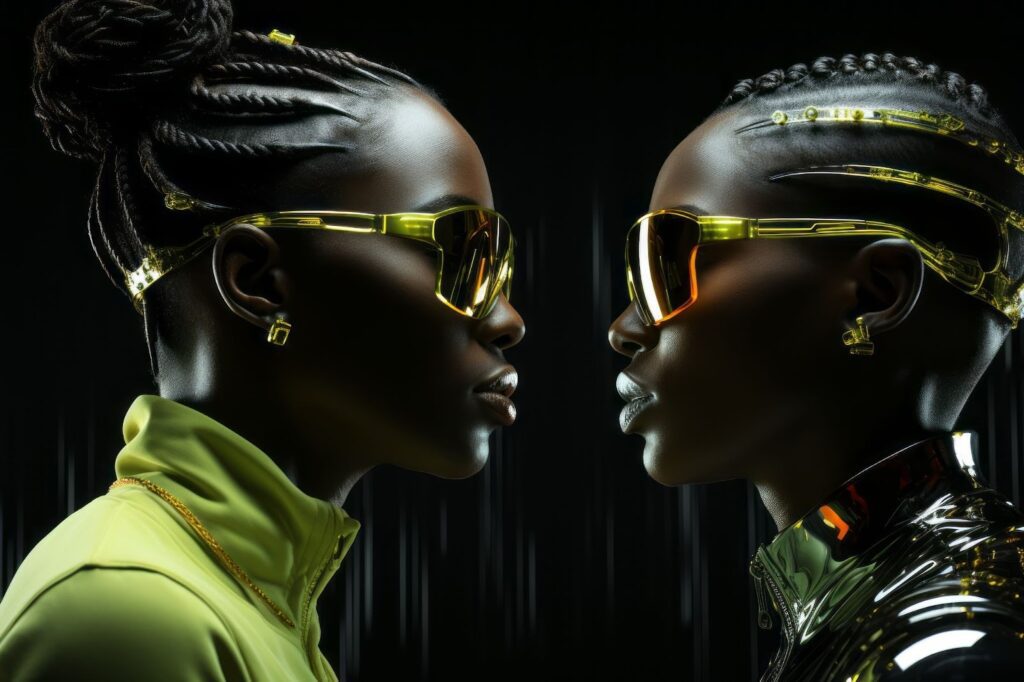
AI video generators now depend heavily on image models. They use the image as a seed, then extend it into motion. Models like Higgsfield Nano Pro, Flux Motion, and OpenFlux rely on strong still-image quality before animation begins.
This gives creators a full pipeline:
First image → motion frames → edited video in VidAU.
This helps produce high-quality ads, story concepts, and short clips at scale.
Malva AI, Midjourney, Flux, and Higgsfield: Which Model Gives the Best Uncensored Results?
Each model has a different strength.
- Malva AI: Sharp faces and clean lighting.
- Midjourney: Stylized beauty, not fully uncensored.
- Flux: Realistic faces, strong coherence.
- Higgsfield Nano Pro: Great for image-to-motion workflows.
- Nano Banana Pro: Best depth and texture detail across prompts.
If you want the strongest uncensored output in 2026, Nano Banana Pro leads for depth, while Flux 2 Pro leads for realism.
How to Choose the Best Uncensored AI Image Generator for 2026
Use this short checklist when selecting a model:
- Does it support unrestricted prompts?
- Also, does it create clean faces and hands?
- Does it work well for full-body scenes?
- Does it support video extension?
- Are you allowed to use outputs commercially?
- Is the free tier strong enough for daily work?
If you want fast video creation, choose a model that exports strong base frames for VidAU.
Conclusion
Uncensored AI image generators are getting stronger in 2026. They help creators work faster, explore deeper ideas, and build full visual workflows. Flux 2 Pro and Nano Banana Pro lead the free model category, while Higgsfield and Malva AI add motion and detail. These models also integrate well with AI video tools. When paired with VidAU for editing and polishing, they help creators produce clean, high-quality content at scale.
FAQs
1. Are uncensored AI image generators legal to use?
Yes, most are legal if you follow platform rules and avoid harmful or copyrighted prompt misuse. You must check the license of each model. Some allow commercial use. Others require attribution or restrict sensitive themes.
2. What makes an AI image generator “uncensored”?
It reduces or removes filters that block certain prompts. This gives you more creative freedom, but also more responsibility. Uncensored models rely on user intent rather than preset safety filters.
3. Which free tool gives the highest realism?
Flux 2 Pro is the strongest for realism. It produces sharp faces, smooth lighting, and natural textures. For deeper detail, Nano Banana Pro performs better.
4. Can uncensored image generators be used for ads?
Yes, as long as your output follows ad platform policies. Images must look real, not misleading. Many creators use uncensored models for character design, product mockups, or UGC-style visuals.
5. How do I use these models safely?
Avoid prompts that produce harmful themes. Check licensing for commercial use. Combine final images with editing tools like VidAU to ensure clean output and consistent brand style.