CapCut Template New Trend: Velocity Reverse & Instagram Template Tutorial
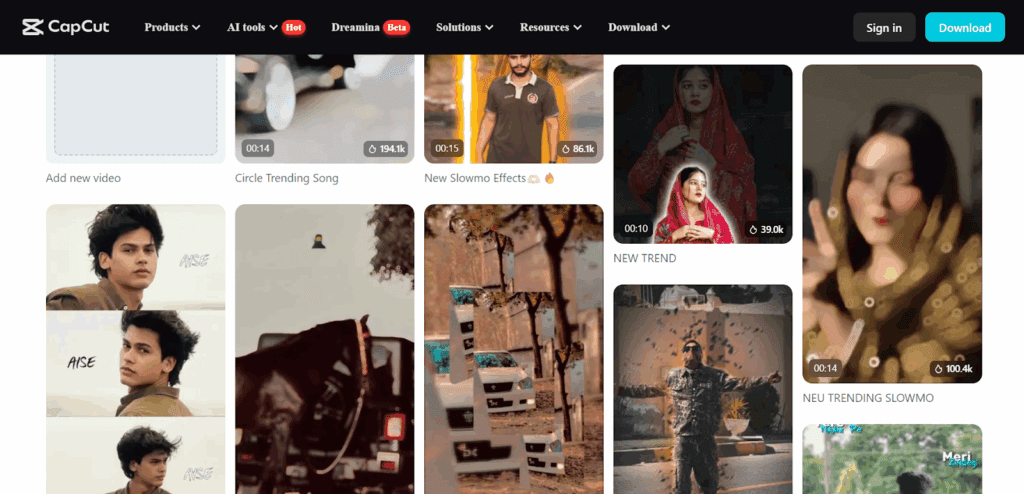
The CapCut template new trend for 2025, is the velocity reverse edit. It moves fast on beat drops, then slows down for dramatic impact. This style now takes over ShortsFeed, TikTok, and Instagram Reels. Many editors use it to create superhero edits, anime clips, and high-energy transitions.
You will learn how to use this trend, how to combine it with Instagram templates, and how to make a clean Iron Man edit that stands out. VidAU fits into this workflow when you need quick scripts or short voiceovers for your videos.
Try This CapCut Template New Trend
The new CapCut velocity reverse template uses speed ramps, reverse timing, and clean cutout transitions to create a strong visual impact.
Why Velocity Reverse Trend Blew Up
Velocity reverse works because it is simple, but looks advanced.
You get smooth, slow motion. You get fast pacing. Also, you get a clean loop for Reels and Shorts.
Creators also use it with cutout transition clips, which gives the video a sharp “jump-cut” effect.
Tools You Need
These tools help you start fast:
- CapCut mobile or desktop
- A velocity reverse template link
- A clear clip for a cutout
- Stable internet for timing sync
Follow This Simple Guide
You recreate the trend by loading a velocity template, applying reverse timing, and adding a cutout transition.
How to Use Velocity Reverse Templates
- Open CapCut.
- Tap Template.
- Search “velocity reverse.”
- Load any high-view template.
- Replace clips with your own footage.
- Apply slow motion on key beats.
- Add reverse motion to highlight the action.
Add Clean Cutout Transitions
CapCut’s cutout tool lets you isolate your subject.
- Tap Cutout
- Select Auto Cutout
- Add motion blur
- Add glow or neon outlines
- Sync the transition with the beat
This step makes your footage look more professional.
Learn These Instagram Tricks
Instagram templates help you recreate CapCut trends with one tap using built-in auto-sync and clip placement.
How to Find Instagram Templates
- Search “velocity reverse” inside Reels
- Scroll until you see the “Use Template” button
- Pick a version with beat-drop audio
Instagram templates are often the first place trends show up, before they move to CapCut’s trending list.
Combine Instagram Templates with CapCut Edits
You can merge both tools for a stronger effect:
- Make your base edit inside Instagram.
- Export the clip.
- Import into CapCut.
- Add reverse velocity.
- Add cutout transitions.
- Lastly, add color grading.
This workflow gives you more control over timing and VFX.
Create Iron Man Edit
You can make a viral Iron Man edit using reverse velocity and superhero-style VFX.
Step-by-Step Iron Man Edit
- Add the Iron Man clip.
- Tap Cutout to isolate the suit.
- Add slow motion to build tension.
- Add reverse timing on punch or blast.
- Also, add a glowing arc reactor overlay.
- Add shake and motion blur.
- Use a trending Marvel audio track.
Upgrade the Edit with Effects
Use these extra effects for a cleaner finish:
- Flame overlays
- Dust particles
- Neon text
- Anime-style impact frames
VidAU works well here if you need a quick voice script for a superhero intro.
Use These Viral Template Ideas
These templates help you create fast edits that work well on ShortsFeed and Reels.
Top Template Styles Right Now
- Velocity reverse
- Cutout transition jump-cuts
- Anime shock frames
- Flash + shake templates
- Loopable intro templates
Pick any of these to speed up your editing workflow.
Conclusion
The velocity reverse template trend is one of the easiest ways to create viral edits for 2025.
This trend works because it mixes speed, drama, and clean transitions. You can use it for superhero edits, fashion clips, travel reels, or product videos. Instagram templates also help you replicate this style with one tap.
When you need captions, scripts, or voice prompts for your edit, VidAU fits neatly into this process.
FAQs
1. What is the CapCut velocity reverse template?
It is a template that mixes slow motion, fast motion, and reverse timing to create smooth transitions. This style performs well on TikTok, Reels, and YouTube Shorts because it matches beat-drop audio formats.
2. Why is this CapCut template trending?
The trend blew up due to fast visual pacing, superhero edits, and anime-style transitions. It looks advanced but takes a few minutes to create using templates.
3. How do I add a cutout transition in CapCut?
Tap Cutout, select Auto Cutout, and add your motion blur or glow lines. Then sync the cutout movement to the beat. This gives the transition a clean professional look.
4. Can I use Instagram templates with CapCut edits?
Yes. Make a base edit inside Instagram using a “Use Template” reel, export it, and then import it into CapCut to add velocity, reverse timing, and VFX.
5. How do I make an Iron Man edit in CapCut?
Cut out the character, add slow motion, insert reverse timing on action scenes, and add glow overlays. Use a trending Marvel audio track to match the style.