38 Camera Movement Prompts for Cinematic AI Videos
Introduction: Why Camera Movement Prompts Matter in AI Video
Static shots are the fastest way to make AI-generated video feel artificial, with realistic camera movements, one can create cinematic AI Videos. Even with high-quality visuals, a locked-off camera immediately signals that the scene is synthetic. Professional filmmakers rely on camera movement to create emotion, depth, scale, and storytelling momentum. AI video tools work the same way—but only if you speak their language.
This guide solves a common problem for AI filmmakers and video content creators: not knowing the exact camera movement terminology that AI models respond to. Below is a comprehensive, practical catalog of 38 camera movement prompts that consistently produce cinematic results. These prompts are adapted from classic filmmaking techniques and expanded with AI-only movements that are impossible in the real world.
—
How to Use Camera Movement Prompts Step by Step
Before diving into the list, follow this process to get reliable results.
Step 1: Define the subject clearly
Always specify what the camera is moving around or toward. Example: “a lone astronaut standing on a red desert.”
Step 2: Add the camera movement prompt
Use one clear movement term per shot. Avoid stacking multiple movements unless you are advanced.
Step 3: Specify speed and mood
Words like slow, smooth, dramatic, or kinetic dramatically affect output quality.
Step 4: Lock perspective if needed
Phrases such as “cinematic framing” or “stable horizon” help prevent chaotic motion.
Step 5: Generate short clips first
Test movements in 3–5 second clips before committing to longer shots.
—
Classic Filmmaking Camera Movements Adapted for Cinematic AI Videos
These movements are grounded in traditional cinematography. AI models are trained on film language, so these prompts tend to be the most reliable.
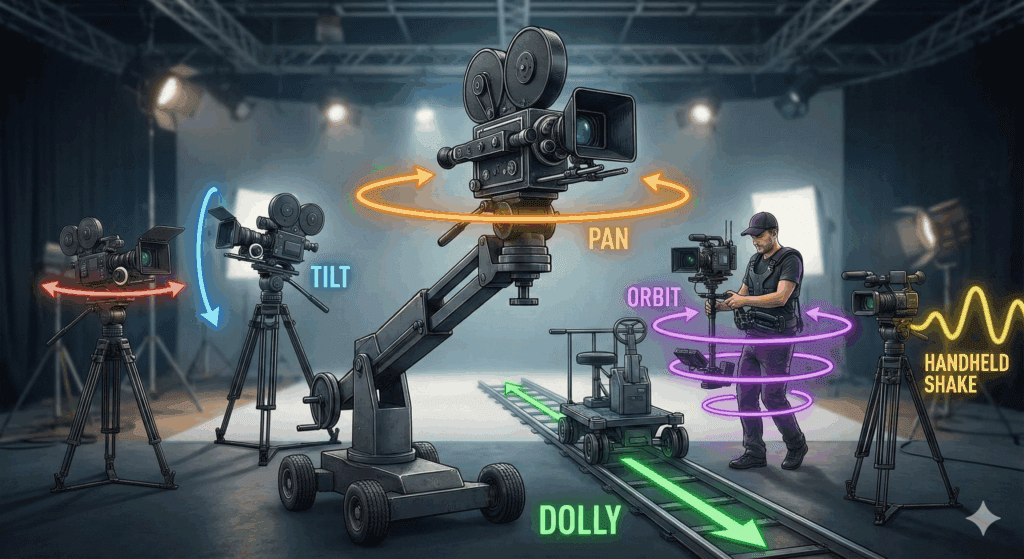
1. Dolly in – Moves the camera slowly toward the subject for emotional emphasis.
Prompt: “slow dolly in toward the subject, cinematic tension.”
2. Dolly out – Pulls away to reveal scale or isolation.
Prompt: “smooth dolly out revealing the full environment.”
3. Truck left – Horizontal movement left.
Prompt: “camera trucks left following the subject.”
4. Truck right – Horizontal movement right.
Prompt: “camera trucks right with smooth cinematic motion.”
5. Crane up – Vertical lift revealing scale.
Prompt: “cinematic crane up shot revealing the landscape.”
6. Crane down – Descending movement for grounding.
Prompt: “slow crane down toward the subject.”
7. Pan left – Rotational movement.
Prompt: “slow pan left across the scene.”
8. Pan right – Opposite rotational sweep.
Prompt: “controlled pan right with cinematic framing.”
9. Tilt up – Vertical rotation upward.
Prompt: “tilt up to reveal towering structures.”
10. Tilt down – Downward rotation.
Prompt: “tilt down to focus on the subject.”
11. Handheld camera – Natural motion.
Prompt: “subtle handheld camera movement, realistic.”
12. Steadicam follow – Smooth tracking motion.
Prompt: “steadicam follow shot behind the subject.”
—
AI-Only Camera Movements Impossible in the Real World
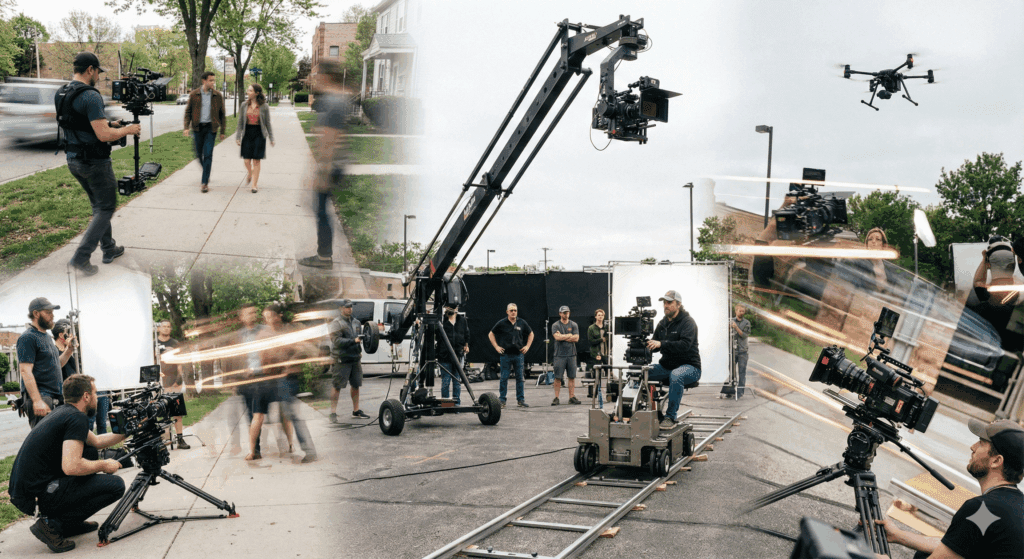
AI video tools unlock camera behaviors that physical rigs cannot achieve. These movements add a distinctly futuristic look.
13. Impossible orbit – Perfect 360-degree rotation with no rig.
Prompt: “perfect 360-degree orbit around the subject, ultra smooth.”
14. Through-object push – Camera passes through solid objects.
Prompt: “camera pushes through a wall into the next room.”
15. Scale shift zoom – Environment resizes mid-shot.
Prompt: “camera zooms out as the environment expands infinitely.”
16. Gravity-free drift – Floating motion.
Prompt: “camera drifts weightlessly through the scene.”
17. Time-warp dolly – Speed changes mid-move.
Prompt: “dolly movement with time slowing and speeding naturally.”
18. Morphing perspective shift – Perspective transforms.
Prompt: “camera perspective morphs from wide angle to top-down.”
—
38 Proven Camera Movement Prompts (Ranked)
Below is the full catalog, ranked by reliability and cinematic impact.
19. Slow cinematic push-in
Prompt: “slow cinematic push-in, shallow depth of field.”
20. Wide establishing flyover
Prompt: “wide aerial flyover establishing the scene.”
21. Low-angle rise
Prompt: “low-angle camera rising heroically.”
22. Over-the-shoulder drift
Prompt: “over-the-shoulder camera drifting forward.”
23. Locked subject orbit
Prompt: “camera orbits while subject remains centered.”
24. Reveal shot
Prompt: “camera moves from behind an object to reveal the subject.”
25. Parallax tracking
Prompt: “parallax tracking shot with layered depth.”
26. Macro push-in
Prompt: “macro lens push-in on fine details.”
27. Whip pan transition
Prompt: “fast whip pan transitioning to the next angle.”
28. Cinematic zoom compression
Prompt: “telephoto zoom compression, cinematic.”
29. Top-down descent
Prompt: “top-down camera descending toward the subject.”
30. Subject lead tracking
Prompt: “camera leads the subject, moving backward.”
31. Foreground-to-background slide
Prompt: “camera slides from foreground to background focus.”
32. Slow rotation push
Prompt: “subtle rotational push-in for tension.”
33. Environmental sweep
Prompt: “wide environmental sweep showcasing scale.”
34. Hyperlapse glide
Prompt: “smooth hyperlapse glide through the environment.”
35. Cinematic snap zoom
Prompt: “quick snap zoom with cinematic timing.”
36. Reverse dolly reveal
Prompt: “reverse dolly revealing a hidden detail.”
37. Spiral ascent
Prompt: “camera spirals upward around the subject.”
38. Infinite pull-back
Prompt: “camera pulls back infinitely, epic scale.”
—
Side-by-Side Prompt vs Output Examples in Cinematic AI Videos
Example 1
Prompt: “slow dolly in toward a futuristic city skyline at sunset.”
Output: The city gradually grows larger, lights intensify, and depth increases without jitter.
Example 2
Prompt: “perfect 360-degree orbit around a knight in armor.”
Output: The subject remains centered while the environment rotates smoothly.
Example 3
Prompt: “camera pushes through a window into a dark room.”
Output: Seamless transition through glass with no physical constraints.
—
Common Mistakes When Prompting Camera Movement
– Using multiple conflicting movements in one prompt.
– Forgetting to specify speed or smoothness.
– Combining handheld and cinematic stabilization terms.
– Overusing extreme AI-only movements in narrative scenes.
– Ignoring subject clarity, causing erratic motion.
—
Final Checklist for Cinematic AI Videos Camera Motion
– Define one clear camera movement per shot.
– Match movement to emotional intent.
– Use classic film terminology first.
– Experiment with AI-only movements sparingly.
– Test short clips before final renders.
– Maintain consistent motion style across scenes.
When used correctly, these 38 camera movement prompts will eliminate static shots and elevate your AI videos to a professional, cinematic level.
Frequently Asked Questions
Q: Do AI video tools understand real filmmaking camera terms?
A: Yes. Most AI video models are trained on film and video data, making standard cinematography terms like dolly, pan, and crane highly effective.
Q: Should I combine multiple camera movements in one prompt?
A: Beginners should avoid combining movements. Advanced users can combine them carefully, but clarity always produces better results.
Q: Are AI-only camera movements useful for storytelling?
A: They are best used for stylized or futuristic scenes. For grounded narratives, classic movements usually feel more natural.
Q: How long should AI camera movement shots be?
A: Short clips of 3–5 seconds are ideal for testing. Longer shots work best once movement behavior is confirmed.