Create Trending 3D Baby Dance Cartoon Videos Free with AI (No Watermark, One‑Click Workflow)
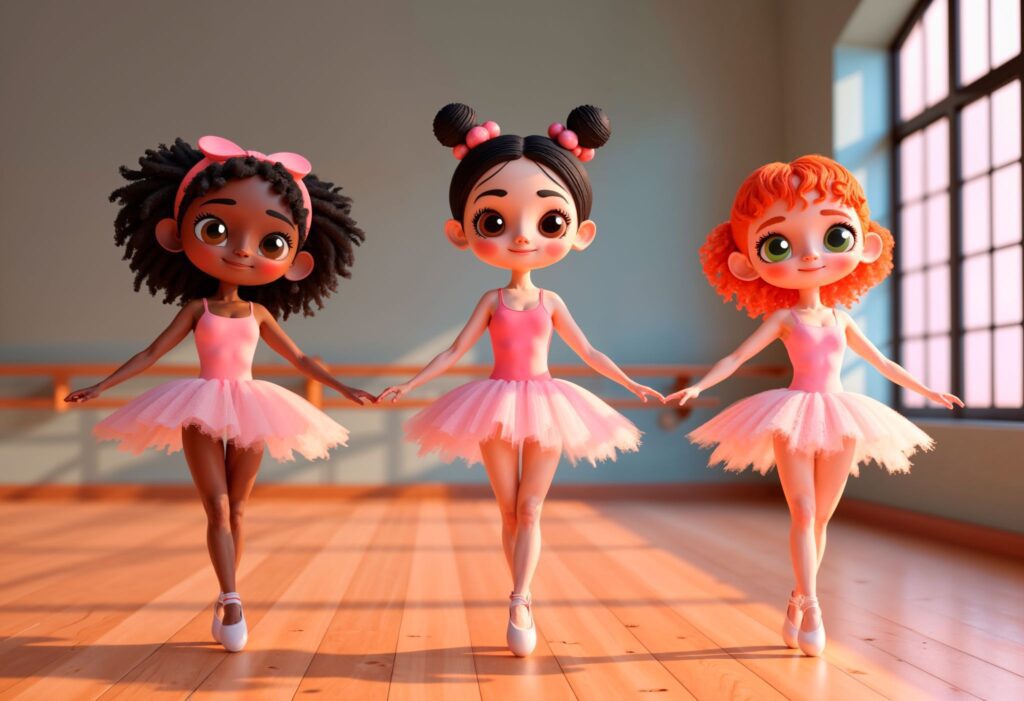
This free app creates trending 3D baby cartoon dance videos in minutes
Short‑form platforms are currently pushing 3D baby dance cartoons harder than almost any other animation format. The reason is simple: exaggerated motion, loop‑friendly choreography, and universal emotional appeal. The real challenge is not why they work, but how to create them fast, free, and without watermarks while keeping them algorithm‑friendly. This guide solves that using a ComfyUI‑based AI workflow optimized for one‑click cartoon dance generation.
Why 3D Baby Dance Videos Are Dominating Shorts
From TikTok to YouTube Shorts, these videos hit three ranking signals simultaneously:
- High motion density (constant movement every frame)
- Facial exaggeration (baby proportions boost retention)
- Loop‑safe choreography (seamless replay)
Traditional 3D animation takes hours. AI video models collapse that into minutes by using latent motion transfer instead of keyframes. When combined with Seed Parity, creators can regenerate variations of the same baby dancer while keeping facial identity consistent — critical for building recognizable characters.
The bottleneck used to be cost and watermarks. That’s where ComfyUI becomes the core visual engine.
Free One‑Click 3D Cartoon Dance Generation with ComfyUI
ComfyUI is a node‑based, open‑source interface for AI video generation. It’s 100% free, offline‑capable, and produces no watermark output.
Core Setup (One‑Time)
- ComfyUI (latest build)
- Stable Diffusion XL base model
- 3D Cartoon / Baby LoRA
- AnimateDiff motion module
- Euler A scheduler (best for rhythmic motion)
Once installed, you can create a one‑click workflow that converts a single prompt into a full dance clip.
Prompt Structure (Optimized)
3D baby cartoon character, chibi proportions, oversized head, dancing energetically, smooth body motion, Pixar‑style lighting, studio background
Key Technical Settings
- Sampler: Euler A (better beat synchronization)
- Steps: 20–24 (keeps motion fluid)
- CFG: 6–7 (prevents over‑stylization
- Seed: Locked (maintains character identity)
- Latent Consistency: Enabled (reduces frame jitter)
AnimateDiff handles the dance motion internally using temporal attention, meaning you don’t need motion capture or reference videos. This is what enables true one‑click generation.
Why This Beats Paid Apps
- No credit card
- No watermark
- Unlimited exports
- Full control over character style
• Re‑usable character seeds
This directly solves the core challenge of making trending dance videos without recurring costs.
Music, Timing, and AI Settings for Maximum Engagement
Even perfect animation fails without correct music alignment. AI video models don’t “hear” music, so timing must be engineered.
Best Music Strategy
- Use 100–120 BPM tracks
- Cut clips to 5–7 seconds
- Start motion on beat
When generating, set frame counts that align with BPM math:
• 24 FPS × 6 seconds = 144 frames
This creates natural loop points when paired with Euler A scheduling.
Loop Optimization Trick
Enable first‑last frame blending inside AnimateDiff. This ensures the final frame transitions smoothly back to frame one, boosting loop replays — a major Shorts ranking factor.
Export Settings
- Aspect Ratio: 9:16
- Resolution: 1024×1820
- Codec: H.264
- Bitrate: 8–12 Mbps
Once exported, add trending audio directly inside TikTok or Shorts to inherit discovery boosts.
Final Insight
Creators winning with 3D baby dance videos aren’t animators — they’re workflow designers. By combining ComfyUI, AnimateDiff, Euler A scheduling, and locked seeds, you can generate viral‑ready baby dance cartoons in minutes, completely free, and scale them endlessly for short‑form platforms.
This isn’t a trend you chase. It’s a system you run.
Frequently Asked Questions
Q: Is ComfyUI really free with no watermark?
A: Yes. ComfyUI is open‑source, runs locally, and exports clean videos with no watermark or credit card required.
Q: Do I need animation or 3D experience to create baby dance videos?
A: No. AnimateDiff handles motion automatically. You only adjust prompts, seeds, and basic scheduler settings.
Q: Why is Euler A recommended for dance animations?
A: Euler A preserves rhythmic motion better than other schedulers, making it ideal for beat‑based dance loops.
Q: Can I reuse the same baby character across multiple videos?
A: Yes. Locking the seed and LoRA combination ensures consistent character identity across all generations.