Creating Viral Hulk AI Videos: The Exact Text-to-Video Workflow Behind Millions of Views
Secret workflow behind viral Hulk AI videos that get millions of views — and why most creators fail to replicate them.
These Hulk-style AI videos don’t go viral by accident. They are engineered using a repeatable pipeline that combines precise text-to-image prompting, controlled image-to-video animation, and aggressive short-form optimization. The difference between a 10k-view flop and a 10M-view Hulk clip is not creativity — it’s technical discipline.
This deep dive reverse-engineers the exact workflow behind trending Hulk AI videos using modern visual engines like ComfyUI, Runway Gen-3, Kling, and Sora-style diffusion pipelines. If you’re a short-form creator aiming for viral reach, this is the system.
The Viral Hulk AI Formula: Why These Videos Work
Before touching tools, you need to understand the psychology and mechanics behind Hulk virality.
1. Instant recognizability: Hulk is a globally recognized IP. AI-generated Hulk content triggers instant pattern recognition in the first 0.3 seconds — critical for TikTok and Reels retention.
2. Hyper-real exaggeration: Viral clips exaggerate muscle mass, lighting contrast, and motion beyond realistic cinema. This is achieved through prompt weighting and aggressive CFG scaling.
3. Micro-narratives: Most viral Hulk videos are 5–8 seconds long, featuring one clear action: Hulk walking, smashing, turning, or staring down the camera.
4. Technical smoothness: No flicker, no face morphing, no jitter. Achieved via seed parity, latent consistency, and controlled motion models.
Every pillar of the workflow exists to protect these four principles.
Pillar 1: Text-to-Image Hulk Generation With Consistent Style
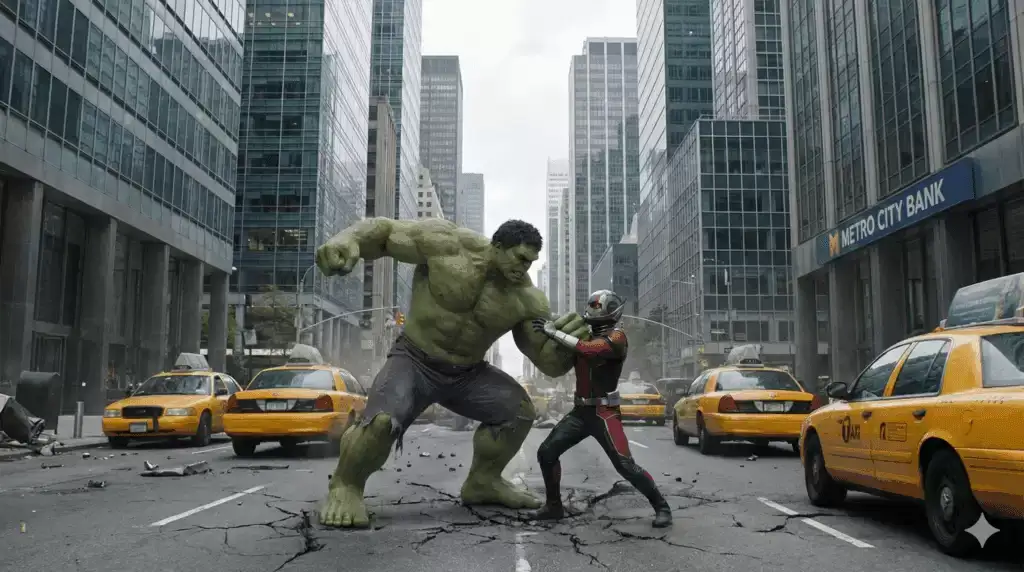
The foundation of every viral Hulk video is a single, ultra-high-quality keyframe image. If this image is weak, no video model can save it.
Recommended Engines
- ComfyUI (Stable Diffusion XL or SD 1.5 custom models)
- Optional: Midjourney v6 for concept exploration, then re-generate in SD for control
For viral Hulk content, creators overwhelmingly rely on SDXL-based Hulk LoRA stacks because they allow:
- Exact seed reuse
- Style locking
- High CFG without identity collapse
Core Prompt Structure (Battle-Tested)
Ultra-realistic Hulk, massive green muscular superhero, cinematic lighting, hyper-detailed skin pores, veins, 85mm lens, low-angle shot, dramatic rim light, dark moody background, ultra sharp focus, epic realism, IMAX cinematic still
Negative Prompt (Non-Negotiable)
cartoon, anime, blurry, low detail, deformed face, extra limbs, bad anatomy, plastic skin, oversharpened, watermark, logo
Critical Technical Settings
– Sampler: Euler a (preferred for aggressive contrast and muscle definition)
– Steps: 28–36
– CFG Scale: 7–9 (higher causes Hulk face collapse)
– Seed: Fixed (this enables seed parity later)
– Resolution: 1024×1024 or 832×1216 (vertical bias for Shorts)
Latent Consistency Trick
If you plan to generate multiple Hulk poses or expressions for the same video, keep:
- Same seed
- The same model
- Same LoRA weights
- Only change pose-related tokens
This preserves Hulk’s identity across frames and dramatically improves downstream animation quality.
Pillar 2: Image-to-Video Animation for Cinematic Hulk Motion
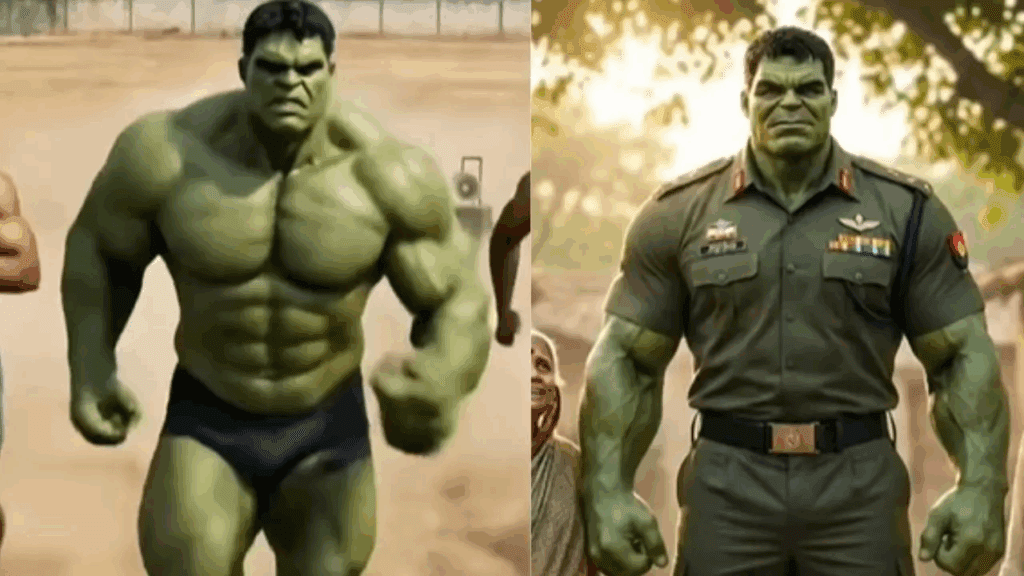
This is where most creators fail. They either over-animate or use default motion settings that cause flickering faces and melting muscles.
Best Image-to-Video Engines for Hulk Content
- Runway Gen-3 Alpha – Best for cinematic realism
- Kling AI – Excellent physics and muscle inertia
- Sora-style diffusion (when available) – Extreme realism, limited control
Runway Gen-3 Workflow (Proven Viral Stack)
- Upload your keyframe Hulk image
- Select Image-to-Video
- Duration: 5–7 seconds (sweet spot for Shorts)
- Motion Strength: Low to Medium
Motion Prompt Example
Hulk slowly walks forward, muscles flexing naturally, subtle camera push-in, cinematic motion, realistic body movement, no distortion
Why “Low Motion” Wins
Hulk is already visually overwhelming. High motion causes:
- Facial drift
- Arm duplication
- Muscle shimmer
Low-motion prompts leverage latent consistency, allowing the diffusion model to preserve structure while adding life.
Kling AI Muscle Physics Hack
Kling excels at secondary motion (muscle bounce, weight shifts). Use prompts like:
heavy muscular movement, realistic mass, slow powerful motion
Avoid words like fast, jumping, or exploding unless you want chaos.
Frame Consistency Settings
If available:
– Enable Temporal Consistency
– Disable auto camera shake
– Lock aspect ratio to 9:16
These reduce jitter and increase loopability.
Pillar 3: AI Video Editing and Viral Optimization
Raw AI video does not go viral. Edited AI video does.
Editing Tools (Mobile + Desktop)
– CapCut (mobile-first viral edits)
– Premiere Pro + After Effects (advanced control)
– Runway Video Editor (AI-enhanced cleanups)
Viral Edit Stack
- Hard cut at frame 1 – no fade-ins
- Contrast boost – Hulk thrives on crushed blacks
- Sharpen pass – mild, never exceed 10%
- Sound design – low-frequency bass hit at frame 0
Text Overlay Formula
Viral Hulk videos almost always include bold, curiosity-driven text:
Examples:
– “POV: Hulk sees you”
– “This Hulk AI looks real…”
– “AI is getting scary”
Rules:
– First word appears within 0.2 seconds
– Large, center-aligned
– White or neon green text
Loop Engineering (Advanced Trick)
Trim the final frame so Hulk’s motion direction matches the first frame. This creates a seamless loop, increasing average watch time by up to 40%.
Putting It All Together: A Repeatable Viral Workflow
Here is the exact repeatable system used by high-performing Hulk AI creators:
- Generate a single perfect Hulk image in ComfyUI using SDXL, Euler a, fixed seed
- Lock identity via latent consistency
- Animate minimally using Runway Gen-3 or Kling
- Edit aggressively for short-form using CapCut
- Post with curiosity text + loop optimization
This is not about artistic expression. It’s about engineering attention.
Once you master this workflow, you can swap Hulk for any viral character — Thor, Venom, Batman-style figures — and reuse the same technical backbone.
The creators getting millions of views are not better artists. They are better system builders.
Frequently Asked Questions
Q: Which AI model is best for creating realistic Hulk images?
A: SDXL-based models in ComfyUI with custom Hulk or superhero LoRAs provide the best balance of realism, control, and consistency. They allow fixed seeds, Euler a sampling, and latent consistency required for animation.
Q: Why do my Hulk AI videos flicker or distort?
A: Flicker usually comes from high motion strength, changing seeds, or weak source images. Use a fixed seed, low-motion prompts, and enable temporal consistency in image-to-video tools like Runway or Kling.
Q: How long should viral Hulk AI videos be?
A: The optimal duration is 5–8 seconds. This maximizes completion rate and loop potential on TikTok, Reels, and Shorts.
Q: Can this workflow be used for other characters?
A: Yes. The same text-to-image, image-to-video, and editing pipeline works for any recognizable character. Only the prompt and LoRA need to change.