Create Viral AI Cartoon Videos With Free Tools: A Step-by-Step Technical Playbook for 2026
Make viral AI cartoon videos like top channels using 100% free tools — without paying for expensive software, studios, or animation teams.
This guide is a deep technical breakdown of how modern viral AI cartoon channels are built using free AI tools, smart workflows, and algorithm-friendly animation techniques. If you’re an aspiring YouTuber or short-form creator, this is the exact pipeline used to create trending cartoon content at scale.
We’ll solve the core challenge: how to consistently create trending AI cartoon videos using only free tools, while maintaining visual consistency, motion quality, and high retention.
1. Best Free AI Tools for Cartoon Character Generation
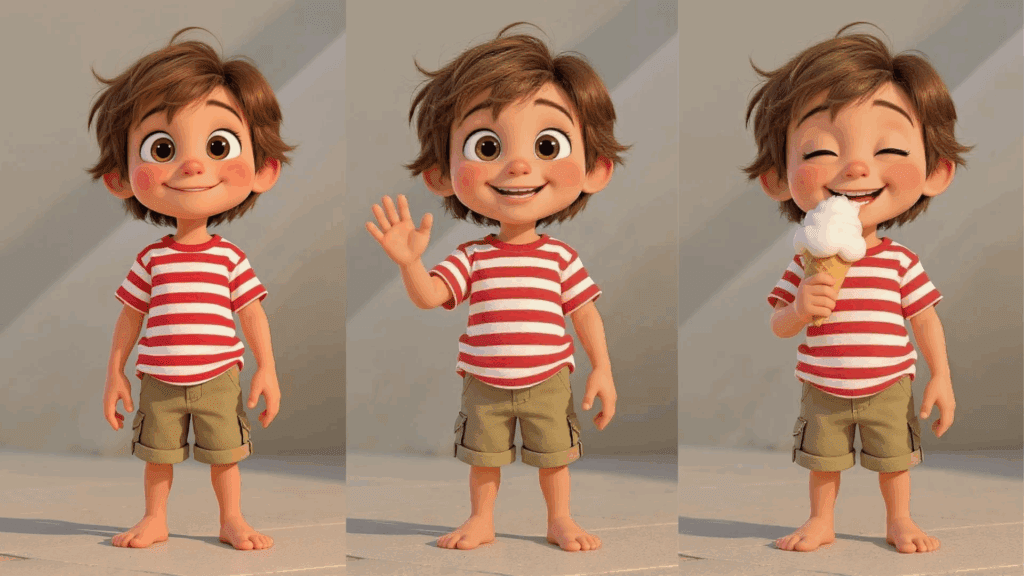
Every viral AI cartoon starts with character consistency. The biggest mistake beginners make is generating random characters for every scene. Viral channels lock down character identity using seed parity, LoRA control, and latent consistency.
Tool Stack (100% Free)
- Stable Diffusion (Automatic1111 or ComfyUI) – Character generation
- CivitAI – Free cartoon and anime LoRAs
- ComfyUI – Node-based control for repeatability
- Clipdrop Cleanup / GIMP – Manual cleanup and touch-ups
Why Stable Diffusion Beats Paid Tools for Cartoons
Stable Diffusion gives you:
- Full control over seeds
- LoRA-based character locking
- Prompt weighting
- Euler a / DPM++ schedulers for stylized looks
Paid tools often hide these controls. Viral creators don’t.
Step-by-Step: Creating a Repeatable Cartoon Character
1. Choose a Cartoon-Optimized Model
Use free models like:
- DreamShaper`
- ToonYou`
- Anything v5`
These models exaggerate facial features, which performs better in short-form algorithms.
2. Add a Character LoRA
Download a cartoon LoRA from CivitAI. LoRAs compress character identity into a lightweight file.
Prompt example:
, colorful cartoon boy, big expressive eyes, simple shading, thick outlines
3. Lock the Seed (Seed Parity)
Seed parity ensures the character’s face structure remains stable across generations.
– Set a fixed seed (e.g., `Seed: 34892177`)
– Change poses using ControlNet or prompt modifiers, not the seed
This is how viral channels maintain character identity across hundreds of videos.
4. Use Euler a Scheduler
Euler a creates sharper edges and stronger line definition, which compresses better on TikTok and YouTube Shorts.
Recommended settings:
– Steps: 20–28
– CFG: 6–8
– Sampler: Euler a
2. Animation Techniques That Get Millions of Views
Static images don’t go viral. Micro-motion does.
Viral AI cartoons rely on subtle, constant motion that keeps the viewer’s brain engaged without looking chaotic.
Free Animation Tools
- Runway (Free Tier) – Image-to-video motion
- Pika Labs (Free Credits) – Stylized animation
- ComfyUI AnimateDiff – Full local animation control
- CapCut Desktop – Free timeline editing
Technique #1: Latent Consistency Animation
Latent consistency means your character’s face doesn’t morph between frames.
In ComfyUI + AnimateDiff:
- Use the same seed across all frames
- Lock the latent noise
- Animate only camera movement or facial expressions
This prevents the “AI melting face” problem.
Technique #2: 3–5 Second Motion Loops
Most viral cartoon clips are:
- 3–7 seconds
- Loopable
- Optimized for rewatching
Example motions:
- Head tilt
- Eye blink
- Mouth movement
- Slight body bounce
Short loops boost retention and replay rate — a key Shorts ranking signal.
Technique #3: Image-to-Video With Runway (Free)\
Runway’s Gen-2 free tier is powerful if used correctly.
Workflow:
1. Upload your cartoon image
2. Prompt motion only:
“Subtle head movement, blinking eyes, slight camera push-in, cartoon style”
Avoid describing character details again — that causes identity drift.
Technique #4: Speed Ramping for Algorithm Retention
In CapCut:
- Cut every 1.2–1.5 seconds
- Add 5–10% speed ramps
- Zoom 3–5% every cut
This simulates traditional animation timing and keeps dopamine spikes high.
3. How to Replicate Successful Viral Cartoon Channels
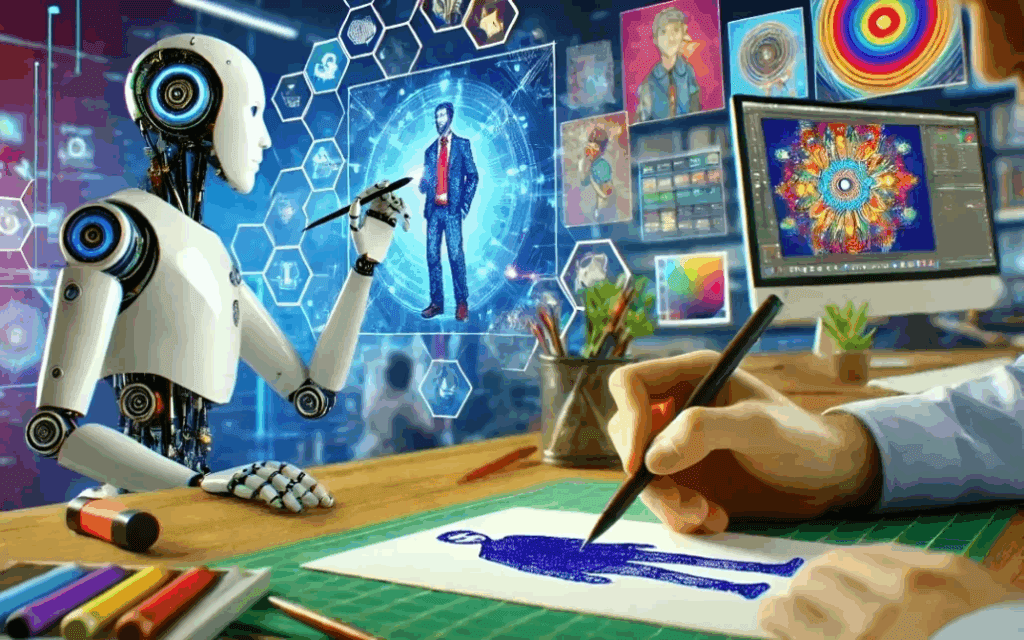
Viral creators don’t guess. They clone proven formats.
Step 1: Identify Repeatable Formats
Look for channels that:
- Reuse the same characters
- Change only dialogue or scenarios
- Post daily or multiple times per day
Common viral formats:
- POV cartoons
- Relatable humor
- Short moral stories
- Absurdist comedy
Step 2: Reverse-Engineer the Visual Engine
Most viral channels follow this pipeline:
- Character Generation (Stable Diffusion + LoRA)
- Motion (Runway / AnimateDiff)
- Voice (Free TTS like ElevenLabs free tier alternatives or XTTS)
- Editing (CapCut)
- Export in 9:16
They are not using complex 3D animation.
Step 3: Dialogue-First Creation
Dialogue drives virality more than visuals.
Write the script first:
- First line must hook in <1 second
- Punchline by second 6
- Loopable ending
Then animate to the dialogue, not the other way around.
Step 4: Batch Production With Seed Reuse
Professional AI cartoon channels batch content:
- Same seed
- Same character
- Different prompts
This allows you to produce 10–20 videos per hour once your workflow is locked.
Step 5: Export Settings for Maximum Reach
Recommended export:
- Resolution: 1080×1920
- FPS: 30
- Bitrate: 8–12 Mbps
Avoid 60 FPS — it increases file size without algorithm benefits.
The Free AI Cartoon Stack (Summary)
Character: Stable Diffusion + LoRA
Consistency: Fixed Seed + Euler a
Motion: Runway / AnimateDiff
Editing: CapCut
Distribution: YouTube Shorts, TikTok, Reels
This stack is already powering millions of views daily.
Final Thought
Viral AI cartoon content isn’t about expensive tools — it’s about control, consistency, and repeatability. Free tools give you more technical leverage than most paid platforms if you understand latent space, seed parity, and animation timing.
Master the workflow once, and you can publish endlessly.
That’s how top AI cartoon channels win.
Frequently Asked Questions
Q: Can I really make viral AI cartoon videos without paying for software?
A: Yes. Stable Diffusion, ComfyUI, Runway free tiers, and CapCut are enough to create professional-level viral cartoons if you control seeds, LoRAs, and animation timing correctly.
Q: What is seed parity and why does it matter?
A: Seed parity means using the same random seed across generations to maintain character identity. It prevents face and body drift, which is critical for recurring cartoon characters.
Q: Why do viral AI cartoons use short loops?
A: Short, loopable animations increase replay rate and average watch time, which directly boosts Shorts and TikTok algorithm ranking.
Q: Is Runway better than AnimateDiff?
A: Runway is faster and easier, while AnimateDiff offers more control. Viral creators often use both depending on speed vs precision needs.
Q: How often should I post AI cartoon videos?
A: Daily posting works best. With a locked workflow and seed reuse, creators can batch 10–20 videos in a single session.