Making Products Pop Against Matching Background Colors: Advanced Lighting & Composition Techniques for E-Commerce Photography
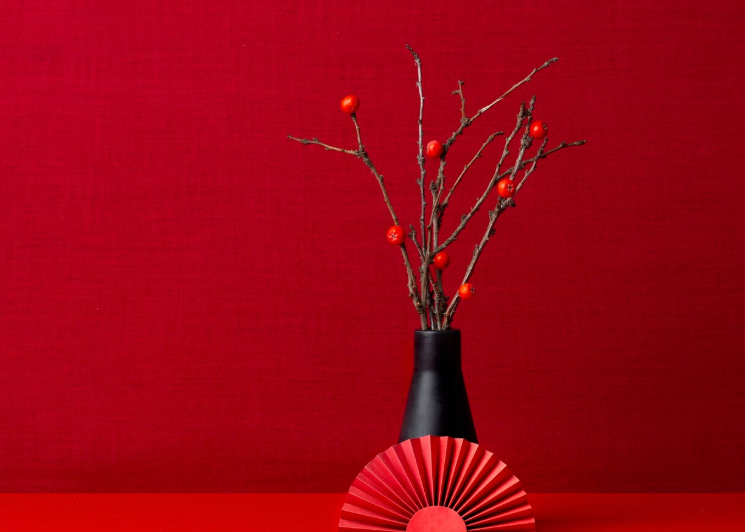
Ever shot a red product on red and watched it completely disappear? You’re staring at your monitor, squinting at what should be a premium E-Commerce product shot, but instead you’re looking at a blob of crimson where your carefully styled product has merged into the background like camouflage. This isn’t just frustrating—it’s costing you conversions. When products lack visual separation, customers scroll past, and your meticulously sourced inventory becomes invisible in the digital marketplace.
The monochrome challenge isn’t about avoiding same-color combinations—it’s about mastering them. High-end brands deliberately choose tonal backgrounds to create sophisticated, editorial looks that command premium pricing. The difference between amateur and professional monochrome photography lies entirely in understanding how light behaves on three-dimensional forms against two-dimensional planes.
The Monochrome Challenge: Why Same-Color Setups Fail
Before diving into solutions, understand the physics of your problem. Human vision relies on three primary mechanisms for object recognition: color contrast, luminance contrast, and edge detection. When you eliminate color contrast by matching your product to your background, you’re forcing your viewer’s visual system to work twice as hard using only the remaining two mechanisms.
The average e-commerce thumbnail displays at roughly 300×300 pixels on mobile devices. At this resolution, subtle tonal variations disappear entirely during compression, especially in JPEG format which prioritizes color information over luminance detail. Your carefully lit ruby-red lipstick against a burgundy backdrop becomes a uniform rectangle of RGB(180, 25, 35) after Instagram’s compression algorithm finishes with it.
This is where technical lighting precision transforms from optional to essential.
Lighting Architecture: Creating Depth Through Directional Control
The foundation of monochrome separation is understanding that you’re no longer painting with color—you’re sculpting with light intensity and direction. Your primary tool is the light ratio system, expressed as the mathematical relationship between your key light, fill light, and background illumination.
For monochrome setups, implement a minimum 3:1 lighting ratio between your product and background. If your background receives 100 watts of illumination, your product’s key light should deliver 300 watts. This creates a full stop of exposure difference, generating visible separation even after compression.
Position your key light at 45-60 degrees from camera axis—the classic Rembrandt position. This angle maximizes the three-dimensional form revelation through the interplay of highlight and shadow planes. For cylindrical products (bottles, cosmetics tubes, lipsticks), position the key light at exactly 52 degrees—the mathematical sweet spot where cylindrical geometry creates maximum specular reflection on the surface nearest camera while allowing the opposite edge to fall into graduated shadow.
Critical specification: Use hard light sources (small relative to subject distance) rather than soft boxes for monochrome work. Hard light creates defined shadow edges with rapid falloff, generating the crisp separation lines essential for same-color compositions. A 7-inch reflector at 4 feet produces dramatically better edge definition than a 36-inch softbox at the same distance.
Shadow Sculpting: Using Negative Space to Define Product Edges
In monochrome photography, shadows aren’t the absence of light—they’re active compositional elements that define form through contrast. Your goal is creating graduated shadow transitions that map the three-dimensional topology of your product onto the two-dimensional sensor plane.
Implement a three-shadow system:
1. Form Shadows: The natural shading that occurs on the non-illuminated side of your product image. Control density through fill light ratio. For textured products (leather goods, fabric, embossed packaging), maintain form shadows at 2-2.5 stops below key light to preserve texture detail in darker tones.
2. Cast Shadows: The shadow your product projects onto the background. This is your primary separation tool. Position your key light to cast a shadow 15-20% of product width, angled away from the primary viewing direction. The shadow edge gradient should transition from sharp to soft over 5-8mm—sharp enough for definition, soft enough to appear natural.
3. Core Shadows: The transitional zone between highlight and form shadow. On curved products, this appears as a darker band where surface angle prevents both key and fill light from reflecting toward camera. Enhance core shadows by positioning a black card (negative fill) opposite your key light, 18-24 inches from product. This absorbs ambient bounce, deepening the shadow gradient.
For backgrounds matching product color exactly, position your background 3-4 feet behind the product and light it separately with a dedicated background light positioned low and behind the product. Set this light 1.5-2 stops dimmer than your key light. This creates a subtle vignette effect where the background darkens toward the product, generating a tonal halo that separates even identically colored elements.
Highlight Mapping: Strategic Light Placement for Edge Definition
Edge lighting (also called rim lighting or kicker lights) becomes non-negotiable in monochrome setups. These accent lights graze the product surface from behind and slightly above, creating bright contour lines that separate the product edge from the background.
Position edge lights at 160-170 degrees from camera axis (nearly behind the product but slightly offset). Power should be 1.5-2 stops brighter than your key light—bright enough to create visible separation but not so bright they create blown highlights. For products with multiple edge angles, use two edge lights positioned at 135 and 225 degrees (symmetric positions behind-left and behind-right).
Material-specific edge lighting protocols:
- Matte surfaces (cosmetics packaging, unglazed ceramics): Use bare bulb edge lights at f/8 when key is f/5.6
- Semi-gloss surfaces (most product packaging): Use diffused edge lights through 1/4 grid cloth at f/6.3 when key is f/5.6
- Glossy surfaces (glass, polished metal, patent leather): Use highly diffused edge lights through full grid cloth or frosted acetate at f/5.6 when key is f/4
The goal is creating a 2-4 pixel bright outline in your final image that survives JPEG compression and remains visible at thumbnail sizes.
The Inverse Square Law: Your Secret Weapon for Separation
The inverse square law states that light intensity decreases proportionally to the square of distance from source. Double the distance, quarter the light intensity. This mathematical relationship becomes your primary tool for creating differential lighting between product and background.
Here’s the practical application: Place your product 4 feet from background. Position your key light 2 feet from product. The light reaching your product is four times more intense than light reaching the background (inverse square of distance ratio). This creates natural tonal separation through physics rather than additional lighting equipment.
For even more dramatic separation, use a focused spot with barn doors on your key light, flagging (blocking) light spill toward the background. This can increase the effective ratio to 8:1 or higher, creating strong separation even with identical colors.
Fresnel Effect and Material Properties in Monochrome Compositions
The Fresnel effect describes how reflectivity increases at glancing angles on all non-metallic surfaces. When light hits a surface straight-on, minimal reflection occurs. As the angle becomes more oblique (closer to parallel with the surface), reflectivity dramatically increases.
Exploit this by positioning your camera and key light to create glancing angle illumination on product edges. A red matte lipstick case image photographed against a red background will show dramatically brighter edges where light strikes at 75-85 degree angles, creating natural separation through physics rather than post-processing.
Material-specific Fresnel considerations:
- Plastics and acrylics: Strong Fresnel effect beginning at 60 degrees; position key lights to maximize edge angle illumination
- Powder-coated metals: Moderate Fresnel effect; benefits from steeper lighting angles (70+ degrees)
- Fabric and paper: Minimal Fresnel effect; requires conventional edge lighting rather than angle-dependent techniques
For highly reflective products (chrome, polished metal, glass), the Fresnel effect becomes so pronounced that you can create separation purely through angle control without additional edge lights.
Post-Processing Precision: Enhancing Contrast Without Color Shifting
Once you’ve captured maximum in-camera separation, post-processing amplifies these differences without introducing color contamination that breaks the monochrome aesthetic.
Luminosity masking workflow:
- Create a luminosity mask targeting the upper-midtone range (Zone VI-VII in zone system terminology)
- Apply a +0.3 to +0.5 EV exposure adjustment exclusively to this mask
- Create a second luminosity mask targeting lower-midtones (Zone IV-V)
- Apply a -0.2 to -0.3 EV exposure adjustment to deepen form shadows
- Feather both masks with 40-60 pixel radius gaussian blur to prevent visible transitions
This targeted adjustment increases local contrast while maintaining global color consistency. Unlike curves or levels adjustments applied globally, luminosity masking prevents the color shifting that occurs when you brighten or darken pixels that contain color information.
Clarity and texture enhancement:
Standard clarity adjustments (midtone contrast) often introduce color fringing in monochrome setups. Instead, use luminance-only sharpening:
- Convert image to LAB color space
- Apply Unsharp Mask exclusively to L (Lightness) channel: Amount 80-120%, Radius 1.5-2.0 pixels, Threshold 3-4 levels
- Return to RGB color space
This technique enhances edge definition and micro-contrast without amplifying color noise or creating chromatic aberration along high-contrast edges.
Dodging and burning for separation:
Create a dedicated dodge/burn layer (50% gray in Overlay blend mode) and manually paint separation using soft brushes:
- Burn (darken) the background immediately adjacent to product edges: 8-12% opacity, 200-300 pixel soft brush
- Dodge (lighten) the product edges themselves: 6-10% opacity, 100-150 pixel soft brush
- Burn the cast shadow to 15-20% deeper than captured: 10-15% opacity
This manual process creates subtle tonal gradients that enhance separation while appearing completely natural. The key is restraint—adjustments should be invisible individually but collectively create significant impact.
Frequency Separation for Texture-Based Differentiation
When color and general tonality match closely, texture becomes your differentiating factor. Frequency separation allows you to enhance texture (high-frequency information) independently from color and tone (low-frequency information).
Frequency separation workflow for monochrome products:
- Duplicate background layer twice (Low and High frequency layers)
- Apply Gaussian Blur to Low layer: Radius sufficient to eliminate texture (typically 8-15 pixels depending on resolution)
- Apply High Pass filter to High layer: Radius matching blur radius, set blend mode to Linear Light
- Enhance texture exclusively on High layer using subtle sharpening (Amount 20-40%, Radius 0.5-0.8)
- Optionally reduce texture on background by masking High layer to exclude background areas
This creates texture contrast between product and background even when tonal values are nearly identical—the product appears crisper and more detailed while the background recedes slightly through textural simplification.
Advanced technique: Create separate frequency separation layers for product and background, then apply subtle blur (1-2 pixel radius) to the background’s high-frequency layer while sharpening the product’s high-frequency layer. This creates texture-based depth that mimics selective focus but maintains edge-to-edge sharpness.
Advanced Techniques: Combining Practical and Digital Methods
The gradient lighting technique: Instead of uniform background illumination, create a gradual light-to-dark gradient across your background using a gridded spotlight positioned at extreme angle (nearly parallel to background surface). This creates a tonal ramp where the background transitions from slightly lighter than product at top to slightly darker at bottom, generating separation through graduated contrast rather than uniform tonal difference.
Position the gradient light to darken the background in the area immediately surrounding your product while keeping perimeter areas lighter. This creates a subtle vignette that draws attention to the product while maintaining the monochrome aesthetic.
Polarization control: For glossy products, use cross-polarization (polarizing filter on light source and camera lens, oriented 90 degrees apart) to eliminate surface reflections while maintaining edge highlights. This reveals product color and texture while reducing the specular reflections that often merge glossy products into glossy backgrounds.
Partial polarization (45-degree orientation rather than 90-degree) allows some specular reflection for edge definition while controlling excessive glare that eliminates tonal separation.
Multiple exposure blending: Capture three exposures—one optimized for product detail, one for background tone, one for edge highlights—then blend in post using luminosity masks. This provides complete control over the tonal relationship between elements, allowing you to create precise separation impossible with single-exposure lighting.
This technique excels for highly reflective products where lighting for edge separation creates overexposure on primary surfaces, or matte products where sufficient edge lighting creates background hotspots.
The separation formula: For consistent results across product lines, develop a mathematical approach:
- Background luminance target: 40-45% gray (102-115 on 0-255 scale)
- Product key highlight target: 75-80% gray (191-204)
- Product core shadow target: 18-22% gray (46-56)
- Edge highlight target: 90-95% gray (229-242)
Meter and adjust lighting to hit these specific values, creating consistent separation ratios across all monochrome photography regardless of actual color. This systematic approach eliminates guesswork and creates predictable, repeatable results.
The monochrome challenge isn’t about making products and backgrounds different—it’s about making identical colors appear different through masterful control of light intensity, direction, and post-processing precision. When you understand that separation exists in luminance rather than hue, the entire problem transforms from impossible obstacle to creative opportunity.
Your red product on red background isn’t disappearing because of poor color choice—it’s revealing inadequate lighting technique. Master these technical foundations, and you’ll create sophisticated monochrome imagery that commands attention and converts browsers into buyers, even at thumbnail scale on mobile devices where most purchasing decisions now happen.
Frequently Asked Questions
Q: What’s the minimum lighting ratio needed between product and background for same-color setups?
A: Implement at least a 3:1 lighting ratio (one full stop difference) between your product’s key light and background illumination. This creates sufficient tonal separation to survive JPEG compression and remain visible at thumbnail sizes on e-commerce platforms. For highly compressed formats or mobile display, consider increasing to 4:1 or 5:1 ratios.
Q: Should I use soft or hard light for monochrome product photography?
A: Hard light sources (small relative to subject distance) work better for same-color setups because they create defined shadow edges with rapid falloff, generating the crisp separation essential for monochrome compositions. A 7-inch reflector produces better edge definition than large softboxes. Reserve soft light for fill and background illumination only.
Q: How far should I position my product from the background in monochrome setups?
A: Position products 3-4 feet from the background to exploit the inverse square law. This distance allows light intensity to decrease significantly between product and background, creating natural tonal separation. Combined with a key light positioned 2 feet from product, this creates a 4:1 intensity differential through physics alone.
Q: What’s the best post-processing technique for enhancing separation without changing colors?
A: Use luminosity masking rather than global curves or levels adjustments. Create separate masks for upper-midtones (brighten by +0.3 to +0.5 EV) and lower-midtones (darken by -0.2 to -0.3 EV). This increases local contrast while preventing the color shifting that occurs with global adjustments. For sharpening, work exclusively in the L channel of LAB color space.
Q: How do I create edge definition on matte products against matching backgrounds?
A: Use dedicated edge lights positioned at 160-170 degrees from camera axis (nearly behind the product) at 1.5-2 stops brighter than your key light. For matte surfaces, use bare bulb sources; for semi-gloss, diffuse through 1/4 grid cloth. The goal is creating a 2-4 pixel bright outline that remains visible after compression and at thumbnail scales.
Q: Can I achieve monochrome separation with just one light?
A: Yes, using the inverse square law and strategic positioning. Place your single light close to the product (2 feet) with the background 4+ feet away. Use barn doors or flags to prevent light spill on the background. Add black cards opposite the light for negative fill to deepen shadows. While multiple lights provide more control, single-light setups can achieve adequate separation with proper distance ratios.