Facebook Marketplace Minneapolis: The Ultimate Guide for Local Buyers and Sellers

If you live in the Twin Cities or anywhere in Minnesota, chances are you’ve heard of Facebook Marketplace Minneapolis. If you’re looking to declutter your garage, furnish your first apartment, or find a sweet deal on a bike, Facebook Marketplace has become one of the top go-to platforms for local buying and selling.
But beyond the basics, there’s a lot more to uncover about how the Facebook Marketplace works in Minneapolis, specifically in terms of search tactics, safety tips, community trends, and what to do when things go sideways. This guide delves into everything you need to know to maximise your experience on Facebook Marketplace Minneapolis in 2026.
Facebook Marketplace Minneapolis is Facebook’s local buying and selling experience for people in Minneapolis and nearby Twin Cities areas. Shoppers use it to find furniture, cars, electronics, free items, and household goods, while sellers use it to list items locally, message buyers, and arrange pickup or delivery.
What is Facebook Marketplace Minneapolis?
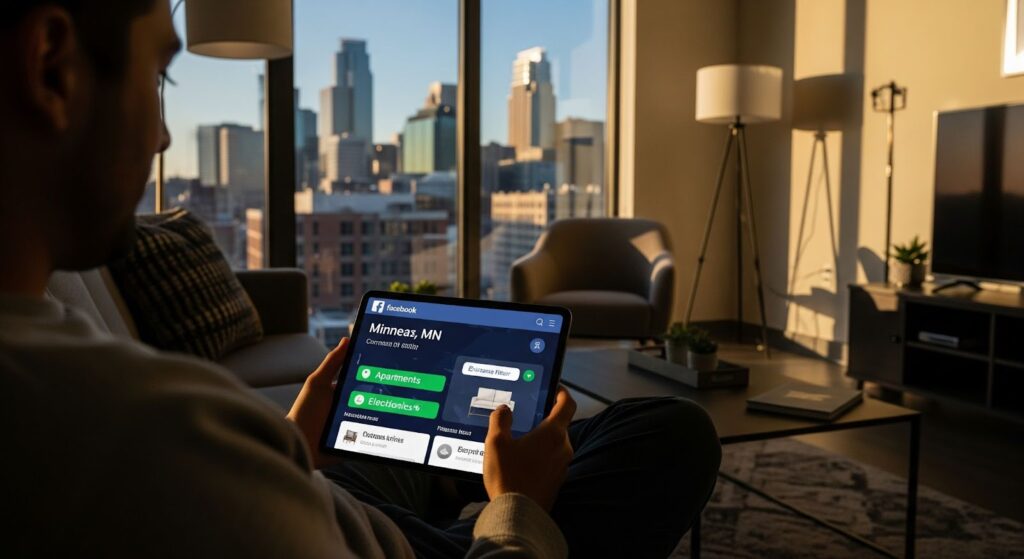
Facebook Marketplace Minneapolis is the regional interface of Facebook’s online buying and selling platform, optimised to connect residents of Minneapolis with people in nearby neighbourhoods, such as Saint Paul, Bloomington, Edina, and Brooklyn Park. Users can browse or list items ranging from furniture and electronics to clothing, cars, and rental properties, among other categories.
The platform works by automatically detecting your location and displaying listings relevant to your area. You can filter listings by distance, category, price, and even delivery options.
Why People in Minneapolis Love Facebook Marketplace
There’s a strong culture of community resale in Minneapolis. From eco-conscious students at the University of Minnesota to young professionals in Uptown or North Loop, many locals rely on Facebook Marketplace for both affordability and sustainability.
Here are just a few reasons why it’s so popular:
- Local Convenience: You can often find what you need within just a few miles of your home.
- Sustainability: Buying used helps reduce waste and carbon emissions.
- No Platform Fees: Unlike eBay or Amazon, Facebook doesn’t charge a listing fee for most local transactions.
- Community Trust: Since most users have profiles with photos and friend lists, there’s a layer of social trust baked in.
High-Demand Categories in Minneapolis
Based on recent search data and community trends, some of the top categories on Facebook Marketplace Minneapolis include:
- Used Furniture: Especially during apartment turnover seasons in spring and fall.
- Winter Gear: Think snowblowers, ski equipment, and heated jackets.
- Outdoor Items: Bicycles, grills, kayaks.
- Baby & Kids Items: Strollers, cribs, and baby clothes are always in demand.
- Used Cars & Trucks: A growing number of locals prefer buying vehicles directly from owners to save on dealer markups.
How to Access Facebook Marketplace in Minneapolis
- Open the Facebook app or go to Facebook on desktop.
- Select the Marketplace icon.
- Set your location to Minneapolis, MN.
- Adjust your search radius to include nearby areas like St. Paul, Bloomington, Edina, Brooklyn Park, Richfield, and Maple Grove.
- Filter by category, price, condition, pickup distance, and delivery options.
- Save searches for popular items like furniture, bikes, electronics, winter gear, and free stuff.
Tips for Buying on Facebook Marketplace in Minneapolis
- 1. Set Your Location Smartly: Make sure your Marketplace location is accurate. For best results, set it to Minneapolis or use nearby ZIP codes (e.g., 55401, 55408).
- 2. Use Smart Search Phrases: Different users title their listings differently. Try searching with variations like “Minneapolis Facebook Marketplace” or “Marketplace Facebook Minneapolis.”
- 3. Act Fast: In-demand listings — like IKEA furniture or working electronics — can disappear within minutes.
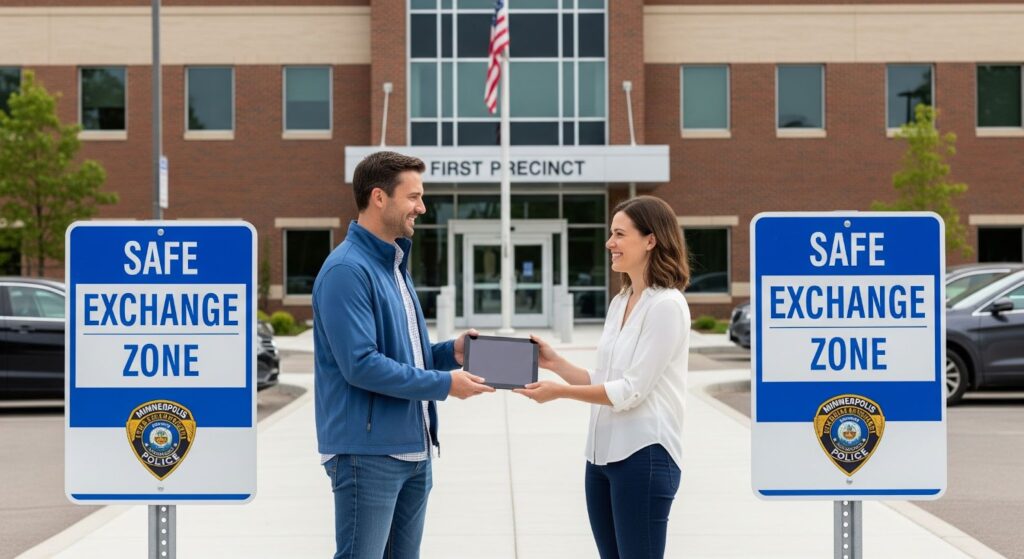
- 4. Be Safe When Meeting: Use public meetup spots. The Minneapolis Police Department offers safe exchange zones, and many grocery store parking lots are equipped with surveillance cameras.
- 5. Negotiate Gently: Minnesota Nice is a real thing. Lowball offers may come across as rude. It’s better to ask, “Would you be willing to take $X?”
Looking to flip products or scale your sales? Check our guide to affiliate selling on TikTok Shop.
How to Buy on Facebook Marketplace Minneapolis
| Buyer step | What to do | Why it matters |
|---|---|---|
| Set location | Use Minneapolis, MN and expand radius to nearby Twin Cities suburbs. | More listings without losing local relevance. |
| Compare prices | Check similar listings before messaging. | Helps avoid overpaying. |
| Review seller profile | Look for profile history, realistic photos, and consistent details. | Reduces scam risk. |
| Ask specific questions | Ask about condition, dimensions, pickup, defects, and whether the item is still available. | Saves time before meeting. |
| Avoid suspicious links | Do not click payment or verification links sent in messages. | The Minnesota Attorney General warns that scam links and fake payment requests are common in online shopping scams. |
| Meet safely | Choose a public, well-lit place or a designated safe-swap location where available. | The Minnesota Attorney General recommends public meeting places and notes many police departments provide safe zones. |
Tips for Selling on Facebook Marketplace in Minneapolis
- 1. Take Clean, Well-Lit Photos: Photos taken near windows or under natural daylight get more clicks.
- 2. Write Clear Descriptions: Include the item’s condition, dimensions, and pickup details.
- 3. Post at the Right Time: Listings posted in the evening (6–9 PM) often perform better.
- 4. Tag the Location Properly: Be sure to include Minneapolis in your description or title. This helps with search visibility for terms like “Facebook Marketplace Minneapolis.”
- 5. Respond Promptly: Buyers appreciate quick responses. Facebook even highlights fast responders with badges.
How to Sell on Facebook Marketplace Minneapolis
| Step | Action | SEO / conversion reason |
|---|
| 1 | Use a clear item title: “IKEA desk — good condition — Minneapolis pickup.” | Captures item + condition + location. |
| 2 | Upload 5–8 clear photos. | Better trust and click-through. |
| 3 | Include dimensions, condition, brand, pickup area, and price. | Reduces repetitive buyer questions. |
| 4 | Mention nearby pickup neighborhood, not your exact home address. | Balances local relevance and safety. |
| 5 | Respond quickly and keep communication inside Facebook Messenger. | Supports trust and platform safety. |
| 6 | Meet in a public place or safe-swap area for higher-value items. | Stronger safety guidance. |
| 7 | Mark the item as sold and remove duplicates. | Keeps listings clean and avoids buyer frustration. |
What to Do When You Need Help
Things don’t always go smoothly on Facebook Marketplace. You might encounter a seller who suddenly stops responding or receive an item that’s completely different from what was promised. In such situations, having access to reliable support becomes essential. That’s why many users turn to specific support-related search queries to find fast help. Among the top searches are:
- Facebook Marketplace support chat — for users looking for a direct messaging channel with Facebook’s help team.
- Facebook Marketplace support — a broader query for general assistance options.
- Contact Facebook Marketplace support — a search for exact steps to reach a human or support team.
These keywords highlight a growing need among Minneapolis users for clarity and quick resolutions when Marketplace transactions don’t go as planned.
Use Facebook’s Help Centre or access live chat if you run into transaction or account issues. Make sure to document your interactions, especially if you’re reporting a scam or needing a refund.
Avoiding Scams on Facebook Marketplace Minneapolis
While most users are genuine, there are always bad actors. Protect yourself by:
- Avoiding shipping-only listings (common red flags)
- Not clicking links sent in Messenger
- Verifying profiles (active profiles with history are more trustworthy)
- Using cash or trusted payment methods
Pro Tip: Explore Neighbouring Cities
Sometimes, expanding your radius can uncover better deals. Search for items in St. Paul, Richfield, Golden Valley, or even Maple Grove. Just make sure you’re okay with a bit of driving.
Safe Meetup Spots Near Minneapolis and the Twin Cities
For higher-value Marketplace exchanges, consider meeting in a public, well-lit place or a designated safe-swap location near the Twin Cities. Bloomington offers a Safe Swap Spot at Civic Plaza near the police department entrance, and Brooklyn Park Police lists designated exchange parking spaces at both police station locations with lighting and video security. Always check the city or police department page before going, because hours and access can change.
Bloomington states its Safe Swap Spot is at Civic Plaza, near the police department entrance, and Brooklyn Park says its designated exchange parking spaces are posted, well-lit, and covered by 24-hour video security cameras.
Minneapolis, Meet Your Digital Flea Market
Facebook Marketplace Minneapolis has evolved far beyond just a garage-sale app. It’s now one of the most active platforms for peer-to-peer selling in the Midwest.
If you’re trying to furnish your new apartment in Dinkytown or offload your snow boots before spring, you’ll find that the platform offers great variety, accessibility, and convenience. Just be sure to stay sharp, use filters wisely, and keep an eye out for scammers.
As the city continues to embrace online commerce, there’s no better time than now to become a pro at buying and selling on Facebook Marketplace — Minneapolis style.
FAQs
Q: Is it free to list items on Facebook Marketplace Minneapolis?
Yes, for local listings, Facebook does not charge a fee.
Q: How do I access Facebook Marketplace on mobile?
Open the Facebook app and tap the Marketplace icon (shop symbol) at the bottom of the screen.
Q: Can I get scammed on Marketplace?
Unfortunately, yes. Always meet in public places and avoid deals that seem too good to be true.
Q: What’s the best time to post listings?
Evenings and weekends usually generate the most traffic.
Q: What if someone doesn’t show up to buy my item?
You can report the buyer and relist your item. Try to confirm meetups shortly before the scheduled time to avoid no-shows.