Nano Banana Pro Image Editing + Google Flow AI Film Making: Create Stunning Cinematic Videos — Flow AI
The rise of flow ai tools in 2025 has introduced a new era of cinematic filmmaking and hyper-realistic image editing. With Nano Banana Pro Image editing and Google Flow AI Film Making, creators at any skill level can now produce studio-quality visuals, short films, and cinematic sequences with nothing more than prompts, images, and intuitive workflows.
Understanding Flow AI: How Nano Banana Pro Image Editing and Google Flow AI Transform Cinematic Creation
What Flow AI Means Today
In 2025, flow ai represents the next stage of generative creativity, where AI models flow seamlessly across image editing, video generation, motion sequencing, color grading, and storytelling.
Why Combine Nano Banana Pro Image Editing + Google Flow AI Film Making
Pairing Nano Banana Pro Image editing with Google Flow AI Film Making allows creators to:
- Generate ultra-clean, stylized edited images
- Use these images as scene templates for cinematic videos
- Maintain visual consistency and creative direction across frames
- Speed up the film-making process without compromising quality
Increased Realism Through Dual-Tool Workflow
When integrated, these tools produce film sequences that feel cohesive, intentional, and professionally crafted.
How to Use Nano Banana Pro Image Editing + Google Flow AI Film Making to Create Stunning Cinematic Videos — Step by Step (Flow AI Guide)
Step 1 — Prepare Your Base Image in Nano Banana Pro Image Editing
- Import your RAW or AI-generated image
- Clean facial features
- Enhance lighting
- Apply cinematic color grading
- Save the final image as your “hero frame”
Step 2 — Upload Enhanced Image to Google Flow AI Film Making
- Access the flow ai video workspace
- Choose “Scene Generation from Image”
- Upload your polished hero frame
Step 3 — Add a Cinematic Prompt
Describe the desired sequence. Example:
“Cinematic slow-motion shot, soft lighting, dynamic camera movement, dramatic atmosphere.”
Step 4 — Configure Flow Settings
Adjust:
- Video length
- Style intensity
- Motion level
- Camera direction
Step 5 — Generate and Review
Google Flow AI Film Making analyzes your Nano Banana image and converts it into a cinematic sequence.
Step 6 — Refine and Re-Generate
Adjust prompt, style, or settings and iterate for the best results.
Prompts for Nano Banana Pro Image Editing + Google Flow AI Film Making to Create Stunning Cinematic Videos — Step by Step (Flow AI Prompts)
Step 1 — Image Editing Prompts for Nano Banana Pro
Use these prompts to refine image quality before video generation:
- “High-definition portrait with cinematic shadows and soft ambient lighting.”
- “Color-graded image with teal-orange film tone and depth-of-field enhancement.”
- “Smooth skin texture, ultra-sharp eyes, realistic lighting.”
Step 2 — Google Flow AI Film Making Cinematic Prompts
After editing your base image, apply prompts such as:
- “Cinematic close-up film shot, slow camera push-in, dramatic lighting.”
- “Epic outdoor scene, dynamic camera movement, atmospheric tone, dust floating in sunlight.”
- “Heroic reveal shot, smooth motion, ultra-realistic rendering, emotional intensity.”
Step 3 — Motion & Camera Direction Prompts
Add motion-focused directions like:
- “Steady tracking shot following the character from behind.”
- “360-degree rotational camera movement around the main subject.”
- “Slow pan from left to right with soft depth transitions.”
Step 4 — Environment & Style Prompts
Enhance ambience with:
- “Warm golden-hour lighting with cinematic glow.”
- “Dark noir atmosphere with dramatic shadows.”
- “Sci-fi environment with neon reflections.”
Benefits of Using Flow AI With Nano Banana Pro Image Editing + Google Flow AI Film Making
Studio-Quality Visuals From Simple Inputs
With flow ai, even non-professionals can achieve:
- Cinematic lighting
- Realistic character motion
- Natural camera angles
- Smooth scene transitions
Consistency Across Frames and Scenes
Nano Banana Pro Image editing ensures every image used in the video pipeline is polished, color-balanced, and stylistically aligned, making Google Flow AI Film Making output more cohesive.
Faster Visual Production
What used to take days of editing and compositing is now possible within minutes with flow ai automation.
How Flow AI Enhances Nano Banana Pro Image Editing for Cinematic Video Production
Correcting Imperfections Before Video Generation
Nano Banana Pro Image editing allows you to fix:
- Facial inconsistencies
- Background mismatches
- Lighting issues
- Color tone variation
These improvements significantly boost Google Flow AI’s video interpretation accuracy.
Enhanced Prompt Control
A clean image gives Google Flow AI Film Making a stronger base to interpret motion, environment, and story direction.
Why Flow AI + Nano Banana Pro Image Editing Is a Game Changer
Accessibility for Creators
Filmmaking is no longer gated behind expensive cameras or studio environments.
Perfect for Short Films, Music Videos, Ads, and Social Content
You can quickly turn ideas into visually compelling sequences.
Common Mistakes to Avoid When Using Flow AI With Nano Banana Pro Image Editing
Over-Editing the Base Image
Flow AI performs best when details are preserved—not over-smoothed.
Using Unclear Prompts
Be specific about camera motion, lighting, style, and emotion.
VidAU For Nano Banana Pro Image Editing + Google Flow AI Film Making: Create Stunning Cinematic Videos
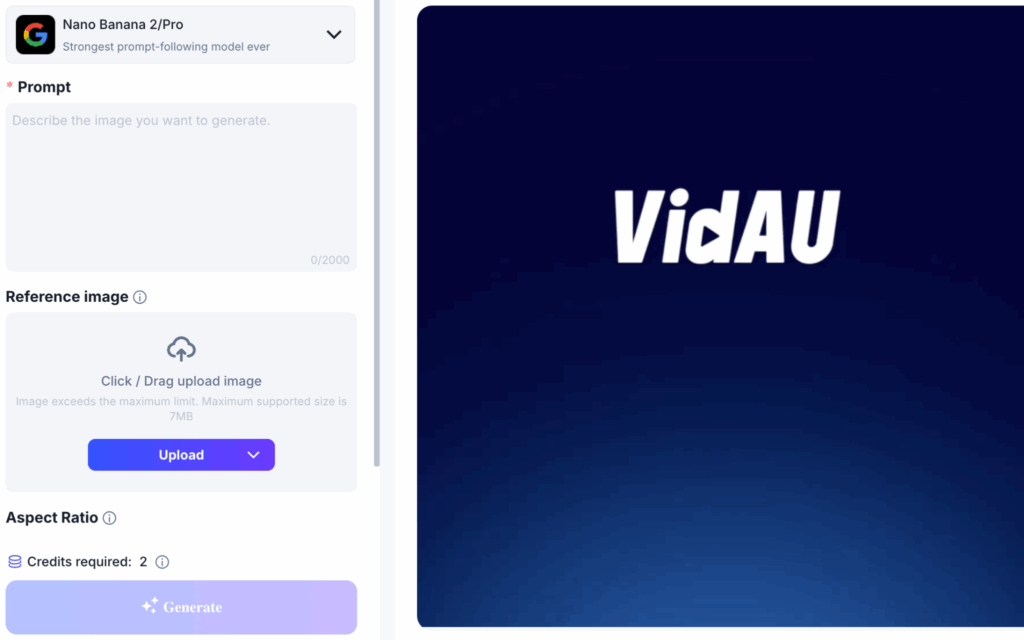
VidAU integrates Nano banana pro for film making and creating stunning cinematic videos. To generate long videos/ films or cinematic videos click here now, and download in a few seconds.
FAQs
What is Flow AI?
Flow AI represents advanced generative models that blend image editing and video creation using AI-driven cinematic interpretation.
Why should I use Nano Banana Pro Image Editing before Google Flow AI Film Making?
A clean, cinematic base image improves motion prediction and visual consistency in the final video.
Do I need filmmaking experience to use Flow AI?
No, both tools allow beginners to produce professional-grade videos with simple prompts.
Can I combine multiple edited images into a single Flow AI video?
Yes. Google Flow AI Film Making supports multi-scene transitions generated from different Nano Banana Pro edits.
What video styles can Flow AI create?
It can generate cinematic, documentary, sci-fi, fantasy, action, slow-motion, commercial-style, noir, and more depending on your prompts.