AI Cartoon Video Generation from Text: A Free Tool Stack for Automated YouTube Shorts and Reels

Create AI cartoon videos from text without animation skills by chaining modern generative video models, diffusion-based image synthesis, and open-source automation pipelines. The core challenge isn’t creativity, it’s engineering consistency, motion, and scale when converting scripts and images into animated cartoon videos using AI. This deep dive shows how YouTube creators can build a fully free or freemium AI cartoon video engine* using tools like *ComfyUI, Runway, Kling, Pika, and open-source schedulers, while maintaining character consistency, motion coherence, and batch production efficiency.
Text-to-Cartoon Video Generation Without Animation Skills
The first bottleneck for most creators is transforming a text script* into a visually coherent cartoon world. Traditional animation requires rigging, keyframes, and motion curves. AI replaces this with **latent-space generation** and *temporal diffusion.
Text-to-Image as the Foundation Layer
Every AI cartoon video pipeline starts with text-to-image diffusion*. Free, open-source models such as **Stable Diffusion (SDXL)** running inside *ComfyUI are ideal because they expose low-level controls that matter for animation:
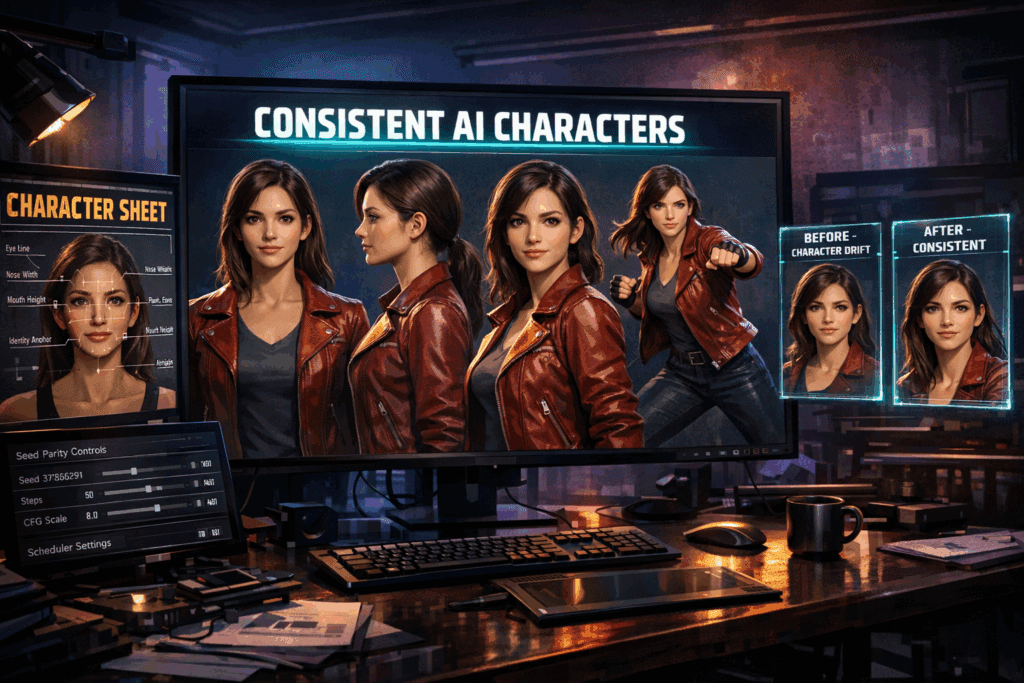
- Seed Parity: Locking seeds ensures your cartoon character looks the same across scenes.
- CFG Scale: Controls prompt adherence—higher for stylized cartoons.
- Euler a Scheduler: Favored for cartoon aesthetics due to sharper line retention.
- Latent Consistency Models (LCM): Reduce sampling steps while preserving style.
In ComfyUI, you design a node graph where your script is segmented into scene-level prompts. Each prompt outputs a keyframe image of your cartoon character in a different pose or camera angle.
Example prompt structure:
“Flat 2D cartoon character, thick outlines, vibrant colors, Pixar-style proportions, same character, consistent outfit, facing camera, neutral background”
By reusing the same seed and LoRA weights, you maintain character identity consistency, which is critical for episodic YouTube content.
Style Locking with LoRAs and Embeddings
To avoid character drift, creators rely on:
- Character LoRAs trained on 15–30 reference images
- Style embeddings for cartoon shaders
- Negative prompts to suppress realism
This allows text scripts to become visual storyboards automatically, without manual drawing.
Image-to-Video Animation Pipelines for Cartoon Characters
Once static cartoon images are generated, the next challenge is motion. Image-to-video AI models solve this using temporal interpolation* and *motion-conditioned diffusion.
Free and Freemium Image-to-Video Tools
- Runway (Free Tier)- Runway’s Gen-2 image-to-video mode allows creators to upload a cartoon image and animate it using motion prompts.
Key parameters:
- Camera motion tokens (pan, zoom, dolly)
- Motion strength (lower values preserve cartoon outlines)
- Frame coherence (prevents flicker)
Runway is excellent for beginners but limited in batch processing on the free tier.
- Kling AI (Free Credits)- Kling excels at temporal coherence, making it ideal for cartoon characters that need smooth motion. Upload a keyframe image and apply a motion prompt like:
“Character waving hand, subtle head movement, smooth loop”
Kling uses a latent motion prior, which reduces jitter common in cartoon animations.
- Pika Labs – Pika is popular for short-form content because it handles:
- Loopable animations
- Facial micro-expressions
- Simple camera motion
For cartoon videos, Pika performs best when images are flat-shaded and high-contrast.
Advanced: ComfyUI + AnimateDiff
For creators who want full control, AnimateDiff inside ComfyUI is the most powerful free option.
Technical advantages:
- Motion LoRAs for walking, talking, or gesturing
- Temporal attention layers for consistency
- ControlNet OpenPose to drive character movement
Pipeline flow:
- Text → Keyframe Image (SDXL)
- OpenPose skeleton (ControlNet)
- AnimateDiff video generation
- Frame interpolation (RIFE or FILM)
This stack produces higher-quality cartoon animation than most web tools, at the cost of setup complexity.
Bulk Cartoon Video Automation for Shorts, Reels, and Faceless Channels
The real power of AI cartoon video generation appears when you scale. YouTube Shorts and Reels demand volume, not just quality.
- Script-to-Video Automation
Creators typically start with AI-written scripts (ChatGPT, open-source LLMs). Each script is automatically:
- Split into scenes
- Converted into prompts
- Rendered as image sequences
- Animated into video clips
ComfyUI supports batch prompt ingestion, allowing you to render 50–100 cartoon scenes overnight using:
- Dynamic seed offsets (controlled variation)
- Prompt templates
- Latent caching for speed
- Latent Consistency for Speed
Using LCM models, you can reduce sampling from 30 steps to 6–8 without destroying cartoon quality. This is critical for bulk production.
When paired with Euler a schedulers, LCM preserves line art and color blocks better than DPM schedulers.
- Aspect Ratio Optimization for Shorts
Most cartoon videos fail because they’re not optimized for vertical platforms.
Best practices:
- Generate images at 1024×1792 (9:16)
- Lock character center mass
- Avoid horizontal camera pans
AnimateDiff supports vertical latent spaces natively, preventing cropping artifacts.
- Auto-Editing and Assembly
Once clips are generated:
- FFmpeg auto-joins scenes
- TTS engines (XTTS, Coqui) generate voices
- Auto-subtitles via Whisper
This creates a fully faceless cartoon channel with zero manual editing.
Free Tool Stack Summary (Visual Engine)
Text → Image
- Stable Diffusion SDXL (ComfyUI)
- LoRAs + embeddings
Image → Video
- AnimateDiff (ComfyUI)
- Runway / Kling / Pika (freemium)
Post-Processing
- FFmpeg
- RIFE interpolation
- Whisper subtitles
This modular stack lets creators replace tools as better free models emerge.
Why This Works for YouTube Creators
AI cartoon videos succeed because:
- Characters are consistent (seed parity)
- Motion is coherent (temporal diffusion)
- Production scales infinitely (batch automation)
Creators who master this pipeline can publish 10–50 Shorts per day, testing story hooks rapidly without animation skills.
Conclusion
AI cartoon video generation is no longer experimental—it’s an engineering problem with proven solutions. By understanding latent space behavior, schedulers, and motion conditioning, creators can build a free, automated cartoon studio that rivals traditional animation pipelines.
The creators who win in 2026 won’t animate—they’ll orchestrate AI.
Frequently Asked Questions
Q: Can I really create cartoon videos for free using AI?
A: Yes. Using open-source tools like ComfyUI, Stable Diffusion, AnimateDiff, and free tiers from Runway or Kling, you can produce cartoon videos with no upfront cost, aside from hardware or cloud usage.
Q: How do I keep my cartoon character consistent across videos?
A: Use fixed seeds, character-specific LoRAs, consistent prompts, and avoid changing schedulers mid-pipeline. Seed parity is the most important factor.
Q: Which scheduler is best for cartoon animation?
A: Euler a is widely preferred for cartoon styles because it preserves sharp outlines and flat shading better than other schedulers.
Q: Is AnimateDiff better than Runway for cartoons?
A: AnimateDiff offers more control and higher consistency but requires setup. Runway is easier and faster for beginners, especially for short clips.
Q: Can this workflow scale for YouTube Shorts and Reels?
A: Absolutely. With batch rendering, latent consistency models, and automated assembly, creators can generate dozens of cartoon videos per day.