Veo 3.1 vs Kling 3.0: Deep Technical Comparison for Complex AI Video Prompts
I ran the same 10 AI video prompts through Veo 3.1 and Kling 3.0 — the results shocked me.
Not because one model “won.” But because they failed in completely different ways.
If you’re an AI video creator trying to decide where to invest your time, the real question isn’t output quality — it’s control under complexity. How well does each model obey structured camera direction? Maintain latent consistency across cuts? Handle multi-step cinematic prompts without collapsing into visual entropy?
This deep dive breaks down what actually happens when you push Veo 3.1 and Kling 3.0 beyond simple one-shot prompts and into structured filmmaking scenarios.
Camera Movement & Motion Fidelity: Which Model Actually Follows Directions?
To test camera obedience, I ran identical structured prompts across both systems:
> “Cinematic handheld shot. Start with a wide shot of a rainy cyberpunk street at night. Slow dolly forward. At 3 seconds, tilt up to reveal a neon billboard. Subtle handheld shake. Shallow depth of field. 35mm lens.”
Veo 3.1: Strong Spatial Understanding, Moderate Motion Drift
Veo 3.1 demonstrates strong spatial interpretation of cinematic language. It clearly understands:
- Lens specifications (35mm vs 85mm)
- Depth of field cues
- Environmental lighting conditions
- Subject separation
However, under motion stacking (dolly + tilt + handheld), it shows what I’d call hierarchical motion flattening.
Instead of executing the dolly and tilt sequentially, Veo often blends them into a generalized forward drift with vertical framing adjustment. The movement feels “interpreted” rather than executed literally.
From a technical standpoint, this suggests Veo prioritizes latent scene coherence over strict instruction execution. It optimizes for visual plausibility rather than rigid camera path fidelity.
The upside:
- Extremely cinematic motion
- Natural motion blur
- Good temporal interpolation
The downside:
- Harder to achieve precise blocking
- Less deterministic camera timing
If you’re trying to storyboard exact motion beats, you may need prompt reinforcement like:
> “Strict timing. Dolly for first 3 seconds only. Then tilt upward. No simultaneous movement.”
Even then, enforcement isn’t perfect.
Kling 3.0: High Motion Compliance, Occasional Physics Artifacts
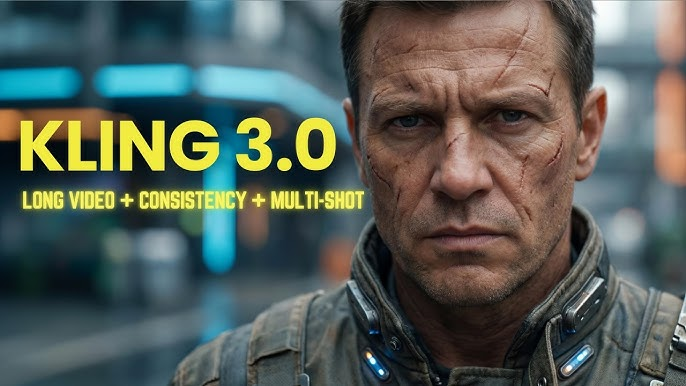
Kling 3.0 surprised me.
It follows camera directives more literally. When prompted with stepwise camera instructions, Kling often executes them in discrete phases.
The dolly happens.
Then the tilt.
Then handheld shake overlays.
This suggests Kling’s motion stack may be more explicitly conditioned — possibly separating motion tokens rather than blending them into a global latent movement pattern.
However, higher compliance introduces tradeoffs:
- Occasional unnatural acceleration
- Micro-jitters in handheld simulation
- Minor perspective warping during combined moves
In other words: Kling obeys you, but sometimes too rigidly.
From a creator perspective:
- If you need structured commercial shots → Kling wins
- If you want organic cinematic flow → Veo feels more film-native
Multi-Shot Sequences, Continuity & Temporal Consistency
Next, I tested structured multi-shot prompts:
> “Scene 1: Close-up of a woman in a red coat in a snowy forest. For scene 2: Over-the-shoulder shot as she walks forward. Scene 3: Wide shot revealing a cabin in the distance. Maintain consistent character appearance.”
This is where most models collapse.
Veo 3.1: Strong Character Cohesion, Soft Scene Transitions
Veo maintains character identity surprisingly well across scene changes — particularly with distinctive wardrobe.
Red coat?
Maintained.
Facial structure?
~80–85% consistent.
Hair texture?
Mostly stable.
This suggests strong latent identity anchoring, possibly reinforced through internal frame conditioning.
However, scene transitions feel generative rather than editorial.
Instead of a hard cut between Scene 1 and Scene 2, Veo often morphs environments slightly — as if blending latent states instead of performing a true shot break.
The result:
- Excellent visual continuity
- Slight loss of cinematic grammar
You get smooth transitions, but less editorial precision.
If you need actual shot separation, you must explicitly state:
> “Hard cut between scenes. No morphing transition.”
Even then, enforcement is probabilistic.
Kling 3.0: Cleaner Shot Boundaries, Weaker Identity Stability
Kling handles multi-shot segmentation more cleanly.
Scene 1 ends.
Scene 2 begins.
The transition feels more like a true cut.
However — identity consistency drops faster than Veo.
In my tests:
- Coat color sometimes shifted in hue
- Facial proportions drifted
- Snow density changed noticeably
This indicates weaker cross-shot latent locking.
Kling seems to treat each scene as a partially independent generation, even when prompted for consistency.
For multi-shot narrative work, this creates extra workload:
- More prompt reinforcement
- Possible need for reference frames
- Higher iteration count
If you’re building story-driven content, Veo currently handles identity continuity more reliably.
If you’re building ad-style modular scenes, Kling’s cut clarity is valuable.
Prompt Engineering Load: Which Model Requires Less Work?
This may be the most important factor for creators.
Because raw quality doesn’t matter if you need 12 iterations per usable shot.
Veo 3.1: Lower Prompt Density, Higher Semantic Interpretation
Veo is forgiving.
You can write:
> “Epic cinematic drone shot over a futuristic desert city at golden hour.”
And it delivers something production-ready.
It interprets mood and cinematic intent extremely well.
This suggests strong high-level semantic weighting — possibly emphasizing text embeddings trained heavily on film language.
However, when you try to micro-control:
- Exact timing
- Specific blocking
- Multi-phase motion
You need increasingly rigid syntax.
So Veo works best when:
- You describe the result
- Not the step-by-step mechanics
It excels at aesthetic interpretation.
Kling 3.0: Higher Control Ceiling, Higher Instruction Precision Required
Kling benefits from structured prompts.
It performs best when instructions are formatted almost like shot lists:
- Camera: slow dolly forward
- Lens: 50mm
- Motion: subtle handheld
- Lighting: high contrast rim light
In other words, Kling rewards technical prompt engineering.
It behaves more like a controllable rendering engine than an interpretive filmmaker.
If you’re used to working in ComfyUI pipelines or adjusting Euler a schedulers for diffusion precision, Kling will feel familiar — even if those controls are abstracted.
But beginners may struggle because vague prompts yield flatter results.
Latent Consistency & Motion Architecture Differences
Based on testing behavior, the underlying differences appear to be:
Veo 3.1 Priorities
- Latent scene coherence
- Character identity retention
- Cinematic naturalism
- Smooth motion interpolation
Tradeoff: Reduced mechanical obedience
Kling 3.0 Priorities
- Instruction segmentation
- Discrete motion compliance
- Clean shot boundaries
- Structured execution
Tradeoff: Identity drift & occasional physics artifacts
In technical terms:
- Veo optimizes for temporal smoothness over structural rigidity
- Kling optimizes for instruction compliance over latent blending
Neither approach is objectively superior.
They’re optimized for different creator archetypes.
Final Verdict: Which Should You Learn?
If you are:
Narrative Filmmaker
Choose Veo 3.1
- Better character continuity
- More cinematic motion feel
- Stronger emotional composition
Commercial / Product Creator
Choose Kling 3.0
- Better camera instruction obedience
- Cleaner multi-shot segmentation
- More predictable structure
Technical Prompt Engineer
Kling gives you more control headroom.
Visual Storyteller Who Values Vibe
Veo feels more “film-native.”
The Real Answer: It Depends on Control vs Interpretation
After 10 structured tests, here’s what actually shocked me:
Neither model fails under complexity.
They just interpret complexity differently.
Veo asks: What is the cinematic intention?
Kling asks: What are the explicit instructions?
If you understand that distinction, you stop fighting the model — and start designing prompts aligned with its architecture.
And that’s the real competitive advantage.
Not which tool is better.
But which tool matches how you think as a creator.
If you’re deciding where to invest learning time in 2026, don’t just evaluate output beauty.
Evaluate:
- How much prompt engineering you enjoy
- Whether you value deterministic control
- How important continuity is to your workflow
Because the best model isn’t the one that looks best.
It’s the one that reduces friction between your imagination and the timeline.
Frequently Asked Questions
Q: Which model is better for complex camera movements?
A: Kling 3.0 follows structured camera instructions more literally, making it better for precise multi-phase movements. Veo 3.1 produces more cinematic and natural motion but may blend movements rather than execute them sequentially.
Q: Which handles character continuity better across multiple shots?
A: Veo 3.1 maintains stronger character identity and wardrobe consistency across scenes. Kling 3.0 provides cleaner shot separation but may experience more identity drift between cuts.
Q: Which requires less prompt engineering?
A: Veo 3.1 generally requires less detailed prompting for cinematic results. Kling 3.0 benefits from structured, technical prompts and rewards users who provide explicit shot breakdowns.
Q: Is one model more suitable for commercial work?
A: Kling 3.0 is often better for commercial or product-focused work due to its higher instruction compliance and clearer shot segmentation.