Gemini Video Mastery: How to Use Google AI With Gemini 3.0 AI Pro Tools
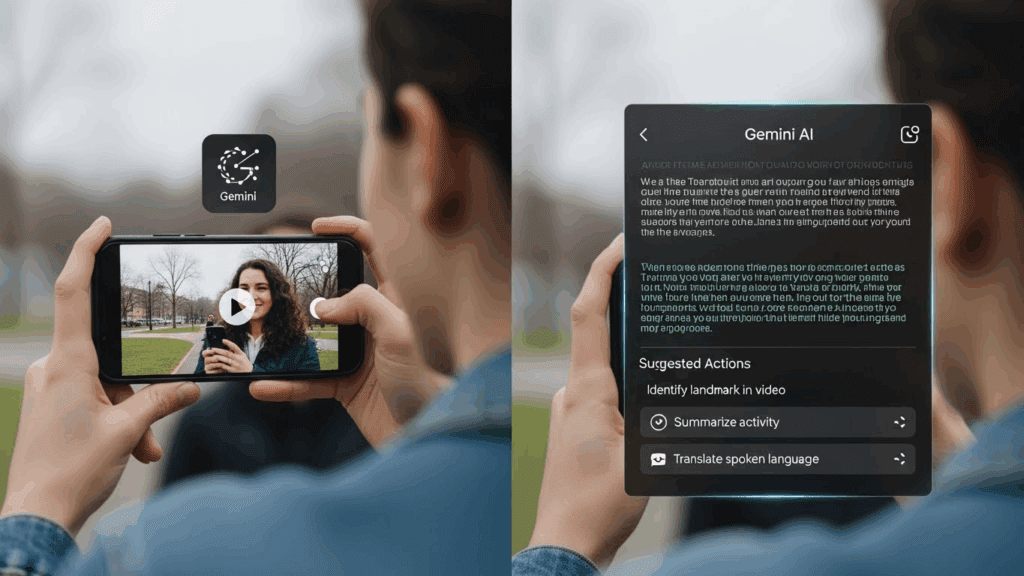
Gemini tools are changing how creators and marketers build content. You no longer need to learn prompt syntax or edit frame by frame. With Gemini 3.0 AI Pro, you generate answers, visuals, summaries, and workflows with speed and clarity. The gemini video workflow makes it easier to turn ideas into polished content without editing stress. When used right, it helps you automate research, content creation, and video ideation.
This guide breaks down how to use Google AI’s Gemini 3.0 tools for beginners, what each tool does, and how to combine them with video creators like VidAU.
How to Use Google AI With Gemini 3.0 AI Pro Tools
You can use Google AI inside Gemini 3.0 by working with text, files, or websites. The tools are now built directly into your Google Workspace (Docs, Gmail, Sheets, etc.) and Gemini Advanced. This gives you quick access to advanced AI help without switching platforms.
The process starts by enabling Gemini Advanced. Once you do that, here’s a simple workflow:
- Open Gemini from the app, web, or your Google Workspace
- Type your request in natural language (e.g., “Create a YouTube script for this topic”)
- Choose the right tool: Docs for writing, Gmail for email, Slides for presentations
- Paste text or link a file for Gemini to analyze
- Get AI-generated responses, revise if needed, and save the final draft
With Gemini 3.0 Pro, you work faster across formats. It reads long inputs, supports multimodal content, and understands context better than older versions.
What Are the Gemini 3.0 AI Pro Tools and What Do They Do?
Gemini 3.0 AI Pro tools are designed to improve productivity across different Google services. They allow creators, marketers, and business users to generate content, edit documents, and create visuals more efficiently.
Each tool fits a unique use case. Here’s a breakdown of what you get:
Gemini Advanced (Pro Version)
Gemini Advanced is the most powerful version of the platform. It supports large inputs, better reasoning, and integrates easily with docs, spreadsheets, and links.
- Upload large documents for summary or analysis
- Turn outlines into full scripts
- Convert text prompts into visual suggestions
- Pull data or summaries from URLs
This is where creators do heavy work like article drafting, video scripting, and research.
Gemini in Gmail and Docs
These integrations are for daily communication and document creation.
- In Gmail: Write, summarize, or reply to emails using prompts like “Write a follow-up email for this inquiry.”
- In Docs: Draft outlines, generate blog posts, fix grammar, or expand ideas
Perfect for remote teams, writers, and marketers.
Gemini for Sheets and Slides
These tools help convert text to structured visual content.
- In Sheets: Generate formulas, automate tables, and turn unstructured data into charts
- In Slides: Summarize content into slide decks, insert images, and build visual outlines from a single prompt
Gemini Web Chat and Mobile App
For casual users and creators on the move, the chat tool is the fastest way to access Gemini.
- Ask general questions
- Summarize articles on the go
- Use voice or image inputs
It provides a seamless mobile-first AI experience.
How to Get Started With Gemini Video in 3 Simple Steps

To set up Gemini for video workflows, follow this approach:
- Upgrade to Gemini Advanced
- Sign into your Google account
- Subscribe to a Google One Premium or Workspace Pro plan
- Enable Gemini Pro in your account
- Sign into your Google account
- Pick Your Use Case
- Choose whether you’re writing scripts, generating outlines, or summarizing videos
- Use Gemini Advanced to complete the content generation step
- Choose whether you’re writing scripts, generating outlines, or summarizing videos
- Turn It Into Video With VidAU
- Paste your Gemini-generated text into VidAU
- Choose your visual template or format
- Render your final video in HD, ready for publishing
- Paste your Gemini-generated text into VidAU
List of Gemini 3.0 AI Pro Tools with Use Cases
| Gemini Tool | Use Case | Video Workflow Relevance |
| Gemini Pro Chat | Generate prompts, outlines, scripts | Write hooks, intros, and storylines |
| Gemini for Docs | Long-form content formatting | Structure detailed video tutorials |
| Gemini for Gmail | Write marketing emails | CTA planning for email campaigns |
| Gemini for Sheets | Schedule planner, hashtag bank | Manage upload times and SEO keywords |
| Gemini Vision | Image recognition & description | Build visuals based on scene inputs |
| Gemini Extensions | Real-time data from Maps, YouTube, etc. | Add trend research to your content |
Gemini 3.0 Pro Pricing and Access
To access the full capabilities of Gemini video tools, you need a subscription to either Google One AI Premium or a Google Workspace plan with Gemini Advanced enabled.
- Google One AI Premium: $19.99/month (includes Gemini Advanced, 2TB cloud storage, and Gemini inside Docs, Gmail, and more)
- Workspace Business Plan: Custom pricing depending on team size, with Gemini tools included for admin-enabled accounts
Free-tier users only get limited access to Gemini 1.5 or basic Gemini chat. For video scripting and advanced workflows, Gemini 3.0 Pro is required.
What Makes Gemini 3.0 AI Pro Better Than Older Versions?
Gemini 3.0 AI Pro brings smarter processing, larger context handling, and better media support than earlier releases.
Here’s why it matters:
- Understand and process up to 1 million tokens, so long documents are no longer a problem
- Supports multimodal content (video, audio, code)
- It can auto-generate visuals and slides
- Learns context across tabs, documents, and formats
This makes Gemini more reliable for professional creators and marketers who want speed without sacrificing quality.
What Can You Use Gemini Video Tools For in Real Projects?

Gemini video tools can handle end-to-end content generation, including scripting, summarization, and creative breakdowns. These tasks usually take hours. With Gemini, they take minutes.
You can use Gemini for:
- YouTube script generation from titles or outlines
- Podcast or video transcript summarization
- Creating video shot lists for editors
- Generating TikTok captions or hooks
- Turning article summaries into educational video outlines
How VidAU Works With Gemini Video Outputs
VidAU turns Gemini text output into actual video content. This completes the content pipeline, taking your generated scripts or descriptions and turning them into videos that match your tone, pacing, and style. VidAU is ideal for:
- YouTubers who need fast shorts
- Marketers who repurpose blog posts into video ads
- Educators making video explainers
- Freelancers delivering video content fast
Conclusion
Combining Gemini video tools with VidAU creates a powerful video production workflow. Gemini handles your idea generation, content structuring, and scripting. VidAU handles the video build-up, visuals, transitions, and export.
The result is a streamlined process where you can turn one idea into multiple videos with minimal effort. This saves time, cuts costs, and helps creators focus on storytelling and quality.
FAQs
- What is Gemini 3.0 Pro used for?
Gemini 3.0 Pro is used for writing, summarizing, scripting, data analysis, and document generation inside Google Workspace. It supports creators, marketers, and remote teams. - Is Gemini 3.0 better than ChatGPT for content workflows?
Yes, especially if you use Google tools. Gemini integrates directly with Gmail, Docs, Sheets, and Slides. It reads your files and links, making it faster for everyday work. - How do I convert Gemini outputs into videos?
Use VidAU. After generating your script in Gemini, paste it into VidAU’s Script-to-Video tool. Add visuals, then export. - Can beginners use Gemini for video creation?
Absolutely. Gemini’s interface is simple. Prompts are conversational, and outputs are easy to edit or paste into other apps. - How do I activate Gemini tools inside my Google account?
Sign in to your Google Workspace or One Premium account. Open Docs, Gmail, or the Gemini interface. Enable AI features in settings or use the Gemini sidebar to start. - Do Gemini videos work for marketing campaigns?
Yes. Combine Gemini scripts with VidAU for UGC ads, tutorials, and promos. It saves time while keeping your content sharp.