Learn How to Use Google Flow for AI Filmmaking and Cinematic Videos
Google Flow is Google’s newest generative-AI filmmaking tool designed to help creators produce stunning cinematic videos with minimal effort. Powered by Veo 3, Imagen 3, and Gemini, Google Flow enables anyone, from filmmakers to marketers, to create cinematic scenes, realistic motion, advanced camera moves, and high-quality AI-generated storytelling.
As Google continues to expand its AI ecosystem through Google AI Plans, Flow has emerged as one of the most important innovations in text-to-video creation.
Below is the most complete guide you need to learn how to use Google Flow for AI filmmaking and cinematic videos, based on deep insights from Google Labs, Google’s official blog, creator demos, and TechCrunch’s coverage of Flow.
What Is Google Flow and Why Google Flow Is Transforming AI Filmmaking?
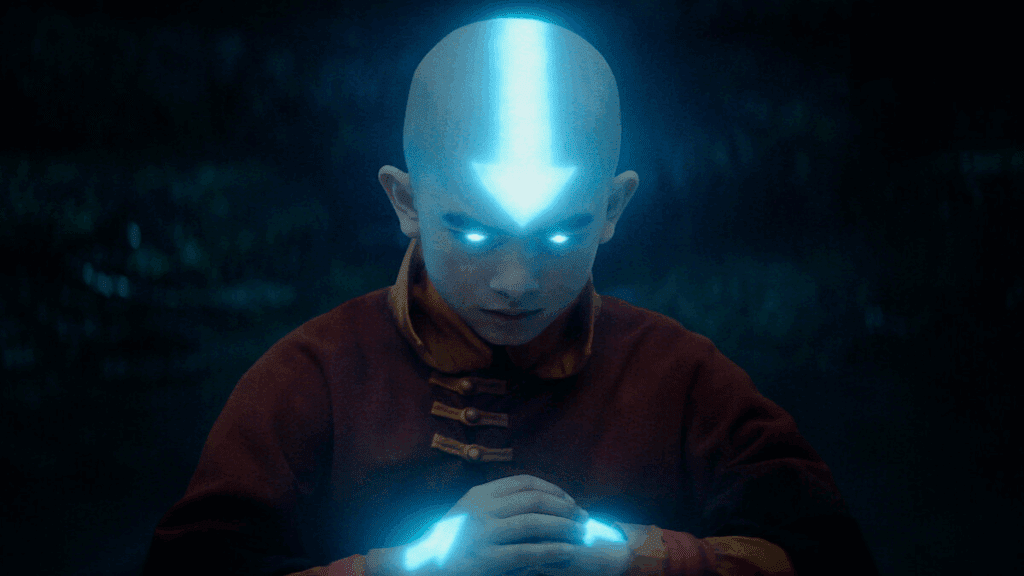
Google Flow is an AI-powered video tool created to help you generate cinematic videos using only text prompts, image references, and simple storyboard setups. This tool is currently accessible through Google Labs, and according to Google’s official announcement, Flow brings Veo 3’s video generation capabilities directly into a storytelling interface.
Core Capabilities of Google Flow
Google Flow is built to simplify cinematic video production:
- Text-to-video generation using Veo 3
- Cinematic camera movements (dolly, zoom, tracking, aerial shots)
- Multi-scene story generation
- Realistic motion, lighting, and shadow rendering
- Intelligent asset management across shots
- AI-generated audio and ambiance
- Precision editing using Google’s timeline system
Why Google Flow Matters for Creators
From YouTube filmmakers to TikTok creators and advertising agencies, Google Flow provides:
- Faster scene production
- Consistent character and style control
- AI-assisted directing workflows
- High-quality cinematic outcomes without large budgets
Features of Google Flow — Understanding Google Flow for Cinematic Video Production
To better understand Google Flow, we must examine the specific technical features highlighted on Google Labs, TechCrunch, and Google’s official AI filmmaking announcement.
Veo 3 — The Engine Behind Google Flow
Google Flow uses Veo 3, a model capable of generating:
- Hollywood-like cinematic realism
- Smooth camera movements
- Accurate physics
- Long-form scene consistency
- Natural lighting transitions
Scene Builder and Timeline Editor
Flow introduces an intuitive story editor that allows you to:
- Arrange shots in sequence
- Edit scenes frame by frame
- Add transitions between clips
- Extend scenes for longer video durations
AI-Generated Sound and Voice
Flow supports:
- Ambient audio
- Cinematic soundscapes
- AI-generated dialogues
- Sync with generated video footage
Learn How to Use Google Flow for AI Filmmaking and Cinematic Videos — Step-by-Step Tutorial
Below is the complete tutorial for mastering Google Flow based on insights from Google Labs and hands-on creator demos.
Step 1 — Access Google Flow
- Visit: https://labs.google/flow/about
- Sign in with your Google account
- Choose a Google AI Plan (if required for full video access)
Step 2 — Start a New Flow Project
- Click “Create New Flow”
- Select between text prompt, image reference, or storyboard mode
Step 3 — Write a Cinematic Prompt
Provide details such as:
- Camera angle
- Lighting style
- Character motion
- Cinematic atmosphere
Example: “A cinematic slow-motion shot of a warrior walking through neon-lit rain, shallow depth of field, 50mm lens effect.”
Step 4 — Generate and Preview the Clip
Flow will produce:
- A preview
- Camera paths
- Lighting simulation
- Motion render
Step 5 — Refine and Add More Scenes
Use the timeline editor to:
- Create sequence continuity
- Adjust pacing
- Maintain character consistency
Step 6 — Add AI Audio
Flow can generate:
- Voices
- Ambient sound
- Foley
- Cinematic audio layers
Step 7 — Export Your Final Cinematic Video
Export in:
- MP4 (default)
- High-resolution formats (depending on your AI plan)
VidAU For Generating AI Filmmaking and Cinematic Videos
Although Google Flow is a powerful option, VidAU is another rising platform creators use for AI filmmaking and cinematic video creation.
How VidAU Works for Cinematic Video Generation
VidAU provides:
- Text-to-video generation
- Avatar creation
- Script-to-scene automation
- Cinematic styles using AI motion systems
VidAU vs Google Flow
| Feature | Google Flow | VidAU |
| Model engine | Veo 3 + Gemini | Proprietary AI video model |
| Camera control | Advanced | Basic |
| Audio generation | Built-in | Limited |
| Scene editing | Timeline editor | Template-based |
When to Use VidAU
- Quick marketing videos
- Explainer videos
- Scripted content with avatars
- Beginners needing simple workflows
20 Prompts for Google Flow for AI Filmmaking and Cinematic Videos — Step-by-Step
Use the prompts below inside Google Flow to create cinematic videos:
- “Cinematic aerial drone shot of a futuristic city at sunrise with warm lighting and slow dolly-in motion.”
- “Epic fantasy forest with glowing spirits, shallow depth of field, slow panning shot.”
- “Sci-fi chase scene through neon-lit alleys, handheld camera effect, rainy atmosphere.”
- “Underwater exploration scene with divers and sun rays penetrating water.”
- “Western desert showdown with dust gusts and high-contrast lighting.”
- “Cyberpunk motorcycle ride at night with reflective rain and lens flares.”
- “Quiet emotional close-up of a character crying near a window with soft cinematic lighting.”
- “Space station interior walk-through with zero-gravity movements.”
- “Legendary warrior walking through battlefield ruins in slow motion.”
- “Magical castle reveal shot with sweeping crane movement and dramatic light rays.”
- “Romantic sunset beach shot with bokeh and warm cinematic tones.”
- “Horror hallway tracking shot with flickering lights and suspenseful ambience.”
- “Stormy ocean waves crashing against cliffs in dramatic slow motion.”
- “Historical kingdom market scene, wide-angle shot, vibrant medieval colors.”
- “Snowy mountain trek with wide panoramic camera movement.”
- “Haunted mansion reveal with dolly zoom effect and fog.”
- “Robot protagonist traveling through a desolate wasteland with cinematic dust effects.”
- “Fairytale garden scene with fluttering butterflies and golden-hour glow.”
- “High-speed futuristic racing scene with steady-cam chase sequence.”
- “Documentary-style wildlife shot of lions in golden savannah light.”
FAQ’s
Is Google Flow free?
Google Flow offers limited free access, but full features may require a Google AI Plan.
Can Google Flow make full movies?
Yes, but currently in short scenes. Longer productions require sequencing multiple generated scenes.
Does Google Flow support audio?
Yes, it includes ambient sound and AI-generated audio options.
What model powers Google Flow?
Flow uses Veo 3 for video, Imagen for visual consistency, and Gemini for reasoning.
Can I use Google Flow videos commercially?
Yes, depending on your subscription and Google’s usage policy at export time.