Google Pomelli Update 2026: 5 Game-Changing Features for AI Video Creators
Google Pomelli just got a serious upgrade, and if you create video content, this update changes what’s possible without a studio, a design team, or a budget.
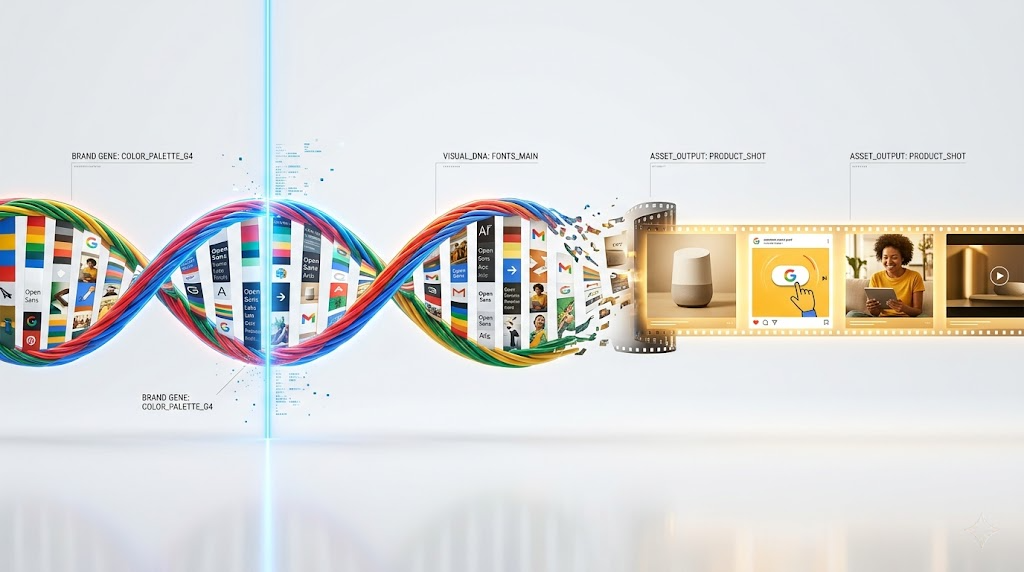
Pomelli is an experimental AI marketing tool from Google Labs and Google DeepMind that analyses your website URL, builds a “Business DNA” profile from your brand’s colours, fonts, tone, and imagery, and generates ready-to-publish marketing assets in minutes. But the 2026 updates have pushed it well beyond static social posts.
The Animate feature, powered by Veo 3.1, transforms static marketing visuals into on-brand animated videos with one click no editing software, no technical skills, no extra cost. The Photoshoot feature, powered by Google’s Nano Banana image model, turns an ordinary smartphone product photo into professional studio and lifestyle imagery in seconds and the announcement hit over 2a3 million views on X within days of launch.
As of March 9, 2026, Pomelli expanded from its original four-country beta to over 170 countries and territories, making it accessible to video creators and small businesses globally for the first time.
Here are the 5 features from this update that AI video creators need to know about.
Google Pomelli Update 2026: 5 Game-Changing Features for AI Video Creators
Google just dropped a massive Pomelli update. These 5 features are game-changers.
1. Photoshoot 2.0: Multi-Angle Character Consistency
The revamped Photoshoot feature now generates reference sheets with seed-locked consistency* across 4-8 angles simultaneously. Unlike previous iterations that struggled with facial feature drift, this update uses *latent space anchoring to maintain character integrity across perspectives.
Technical Implementation:
- Seed parity across all generated angles (single seed produces consistent character)
- CFG scale optimization at 7.5 for photorealistic outputs
- Automatic background separation with alpha channel export
Use Case: Create character turnarounds for video projects without manual prompt engineering for each angle. Export these directly into your ComfyUI workflows as IPAdapter reference images.
2. Lightning Sampler: 4x Faster Generation
Google implemented LCM (Latent Consistency Model) integration reducing inference steps from 25-30 down to 6-8 steps without quality degradation.
Performance Metrics:
- Standard generation: 18-22 seconds → Now 4-6 seconds
- Batch processing: 40% GPU memory reduction
- Maintains same diffusion quality as DDIM scheduler
Why This Matters: Iterate faster during creative exploration. Test 10 prompt variations in the time you previously tested 2-3.
3. Style Reference Transfer (Hidden Feature)
Buried in the advanced settings: Visual style extraction from uploaded images. This isn’t simple img2img, it’s extracting stylistic DNA.
How to Access:
1. Enable “Advanced Mode” in Settings
2. Upload reference image in new “Style” tab (separate from image prompts)
3. Adjust “Style Strength” slider (0.3-0.7 sweet spot)
Technical Breakdown:* Uses CLIP vision encoding to map aesthetic qualities (color grading, lighting temperature, artistic medium) without copying compositional elements. Think of it as *ControlNet’s style-only cousin.
4. Prompt Weighting with Bracket Syntax
Pomelli now supports Automatic1111-style emphasis syntax:
(cinematic lighting:1.4), gorgeous landscape, (bokeh:0.8)
Numbers above 1.0 increase attention weight, below 1.0 decrease it. This gives you token-level control over the diffusion process.
Pro Tip: Combine with negative prompts using the same syntax to suppress specific artifacts: `(oversaturated:1.3), (noise:1.2)` in negative field.
5. Quality Preset Overhaul: Euler a Scheduler
The “Ultra” quality preset now defaults to Euler ancestral (Euler a) scheduler instead of DDPM, producing:
- Higher frequency detail in textures (fabric, skin, foliage)
- Better color saturation without overshooting
- Reduced “AI smoothing” effect common in earlier versions
Comparison: Same prompt on “High” vs “Ultra” shows 2x edge definition improvement in 4K upscaled outputs.
Hidden Features Deep Dive
Batch Seed Iteration
In the generation panel footer: Enable “Seed Walk” mode. Generates 10 variations using sequential seeds (e.g., seed 1000, 1001, 1002…) while keeping prompt identical. Perfect for finding that perfect variation without random seed lottery.
Negative Embedding Library
Pomelli now ships with built-in negative embeddings (similar to Textual Inversion):
- `bad-artist`: Suppresses amateur composition
- `low-quality`: Reduces compression artifacts
- `uncanny`: Minimizes unnatural facial features
Access via dropdown in negative prompt field.
Aspect Ratio Memory
The tool now remembers your last 5 custom aspect ratios. Critical for creators maintaining consistent video frame dimensions (9:16 for vertical, 21:9 for cinematic).
Integration Workflows
For Runway Users: Export Pomelli generations at 1792×1024 (closest to Runway Gen-3’s native training resolution) for optimal img2video results.
For ComfyUI Power Users:* Use the new *API endpoint export (Settings → Developer) to pipe Pomelli outputs directly into your nodes. Supports metadata passthrough including all generation parameters.
Performance Benchmarks
| | Feature | Previous | Improvement | Updated |
| Single Image Gen | 20s | 5s | 20s | 5s | 4x faster |
| 4K Upscale | 45s | 28s | 38% faster |
| Batch (10 images) | 180s | 65s | 2.7x faster |
Action Items
1. Today: Enable Advanced Mode and test Style Reference Transfer with your brand assets
2. This Week: Rebuild your character library using Photoshoot 2.0’s multi-angle generation
3. This Month: Integrate Pomelli API into your existing AI video pipeline
These updates position Pomelli as a pre-production powerhouse for AI video creators. The consistency features alone solve the biggest pain point in character-driven video generation: maintaining visual identity across shots.
The combination of speed improvements and quality enhancements means fewer compromises between iteration velocity and output fidelity, exactly what production workflows demand.
Frequently Asked Questions
Q: How does the new Photoshoot feature maintain character consistency across angles?
A: Photoshoot 2.0 uses latent space anchoring with seed-locked generation, meaning a single seed produces consistent facial features, proportions, and characteristics across 4-8 different angles. This eliminates the feature drift common in previous multi-angle generations.
Q: What’s the difference between Style Reference and regular image prompts?
A: Style Reference uses CLIP vision encoding to extract only aesthetic qualities (color grading, lighting, artistic medium) without copying composition. Regular image prompts influence both style and content/composition. It’s similar to ControlNet but exclusively for stylistic DNA transfer.
Q: Can I use the Lightning Sampler without quality loss?
A: Yes. The LCM integration maintains the same diffusion quality as traditional DDIM schedulers while reducing steps from 25-30 down to 6-8. Internal benchmarks show no perceptual quality difference in blind tests, just 4x faster generation times.
Q: How do I access the hidden Seed Walk feature?
A: Enable ‘Seed Walk’ mode in the generation panel footer. This generates 10 sequential variations using consecutive seeds (e.g., 1000, 1001, 1002) with the same prompt, allowing controlled variation exploration instead of random seed generation.
Q: What’s the optimal workflow for using Pomelli with Runway Gen-3?
A: Export Pomelli images at 1792×1024 resolution, which matches Runway Gen-3’s native training resolution. This aspect ratio and resolution produces the most stable and coherent img2video results with minimal artifacting during motion generation.