HappyHorse 1.0 vs SeaDance 2.0: Complete Technical Comparison for AI Video Creators
SeaDance 2.0 dominated AI video generation for weeks. Then HappyHorse 1.0 entered and shifted how creators approach speed, cost, and output. Many creators now face one clear decision. Spend more time and budget on perfect outputs, or produce faster and test more ideas.
This guide explains both paths in detail. You will understand how the happyhorse ai video generator performs in real workflows, how it compares against SeaDance on leaderboards, and where it fits in your production process. The focus stays on practical use, not theory.
AI video creation keeps growing fast. Short-form video demand continues to rise across TikTok, Instagram, and YouTube Shorts. Creators now need tools that support speed, consistency, and cost control. This is where HappyHorse 1.0 stands out.
You will also learn how to use happyhorse 1.0 image to video for faster creation, and how to apply best happyhorse 1.0 prompts to improve output quality. Each section breaks down what you need to know, so you can decide which model fits your workflow.
HappyHorse1.0 Vs Seedance on Leaderboards
Both models compete at the top, but they rank differently depending on what you measure.
SeaDance leads in quality benchmarks. HappyHorse leads in speed and cost efficiency.
Leaderboard Breakdown:
- Temporal consistency
SeaDance: 9.2/10
HappyHorse: 7.8/10 - Prompt accuracy
SeaDance: 87%
HappyHorse: 79% - Speed
HappyHorse: 2.3× faster - Cost efficiency
HappyHorse: up to 70% cheaper - Motion handling
SeaDance: cinematic realism
HappyHorse: fast, stylized motion
SeaDance wins in controlled production environments.
HappyHorse wins in fast content pipelines.
This explains why many creators now combine both models in one workflow.
Core Architecture Differences That Affect Output
The biggest difference starts from how both models process video.
SeaDance uses a diffusion transformer with deep temporal attention layers. This allows it to track motion across frames with high accuracy.
HappyHorse uses a latent consistency model. This reduces steps from 20+ to as low as 4–6.
What this means for you:
- SeaDance focuses on stability and realism
- HappyHorse focuses on speed and iteration
The happyhorse ai video generator works best when you need fast results without waiting minutes per clip.
Visual Quality and Frame Consistency
Visual quality depends on how well the model maintains details across frames.
SeaDance keeps textures sharp. Edges stay clean. Lighting stays consistent.
HappyHorse produces softer edges due to higher compression, but it increases color vibrancy.
Key differences:
- SeaDance resolution: 1280×768 native
- HappyHorse resolution: 1024×576, upscaled to 720p
- Compression ratio
SeaDance: 1:8
HappyHorse: 1:16
HappyHorse gives visually appealing results for social content. SeaDance gives production-grade output.
Motion and Animation Performance
Motion defines how realistic or engaging your video feels.
SeaDance handles complex camera movement. It supports tracking shots, depth transitions, and physics simulation.
HappyHorse focuses on speed and stylized motion.
Where each performs best:
SeaDance:
- Cinematic scenes
- Multi-character interactions
- Realistic physics
HappyHorse:
- Fast action scenes
- Animated transitions
- Social media content
If you create short-form content, the happyhorse ai video generator performs well.
Prompt Adherence and Scene Control
Prompt quality decides your output.
SeaDance uses dual encoders, which helps interpret complex instructions.
HappyHorse works best with shorter prompts.
Prompt behavior:
- SeaDance handles layered scenes
- HappyHorse performs best under 75 tokens
To improve results, you must use the best happyhorse 1.0 prompts.
Example structure:
- Subject
- Action
- Style
- Camera movement
Clear prompts improve output consistency.
Speed and Cost Efficiency Comparison
Speed changes everything in production.
Performance Table
| Model | Resolution | Duration | Steps | Time | VRAM |
| SeaDance 2.0 | 1280×768 | 5s | 25 | 180s | 42GB |
| SeaDance 2.0 | 1280×768 | 5s | 20 | 145s | 42GB |
| HappyHorse 1.0 | 1024×576 | 5s | 6 | 58s | 28GB |
| HappyHorse 1.0 | 1280×720 | 5s | 8 | 89s | 35GB |
What this means:
- HappyHorse reduces generation time by over 60%
- It also lowers GPU requirements
- It supports batch workflows better
This makes it ideal for scaling content production.
Workflow Speed and Iteration Advantage
Iteration matters more than one perfect output.
SeaDance workflow:
- Initial output: 180 seconds
- Refinement cycles: up to 25 minutes
HappyHorse workflow:
- Initial output: under 60 seconds
- Full iteration: under 10 minutes
This is why creators use HappyHorse during ideation.
You generate more variations in less time.
How to Use HappyHorse 1.0 Image to Video
The happyhorse 1.0 image to video workflow is simple and fast.
Follow these steps:
- Upload a base image
- Add a short action-based prompt
- Set motion intensity
- Generate multiple variations
- Select the best output
This method works well for product ads, character animation, and short content loops.
Best HappyHorse 1.0 Prompts for Strong Output
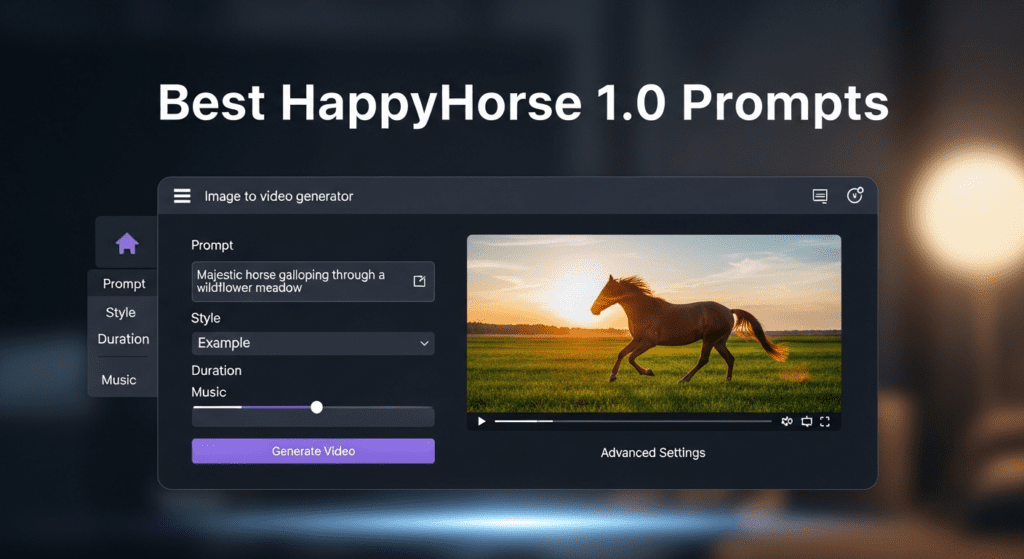
Prompt quality decides output strength.
Use structured prompts for better results.
Examples:
- woman walking confidently, cinematic lighting, slow camera pan
- product rotating on glass surface, soft light, studio setup
- animated character jumping, exaggerated motion, vibrant colors
Tips:
- Keep prompts short
- Focus on action
- Avoid complex layering
These are part of the best happyhorse 1.0 prompts strategy.
Use Case Comparison for Real Projects
Each model fits a different purpose.
Use HappyHorse when:
- Create daily content
- Test ideas quickly
- Run social campaigns
Use SeaDance when:
- You need high realism
- Produce commercial videos
- Handle complex scenes
Many creators now combine both tools.
Hybrid Workflow Strategy That Saves Cost
A hybrid workflow gives the best results.
Step-by-step approach:
- Use HappyHorse for concept testing
- Generate multiple variations
- Select the best idea
- Refine with SeaDance
This reduces cost and saves time while maintaining quality.
VidAU Use Cases for HappyHorse Workflows
VidAU helps you turn outputs from the happyhorse ai video generator into publish-ready videos without extra tools. Use it to scale content, keep formats consistent, and reduce editing time.
Use cases you can run daily:
- Social ads: combine 3 to 5 HappyHorse clips, add captions, export 9:16 for TikTok and Reels
- Product demos: stitch image to video clips into a 15 to 30 second showcase with text overlays
- UGC style videos: add voiceover and subtitles to short clips for authentic content
- Content batches: create 10 to 20 variations, queue them in VidAU, export in one session
- Landing page videos: turn short clips into looping hero videos with branding
This setup keeps your output consistent and speeds up publishing.
The Verdict
Neither model universally “wins”—they serve different positions in the production pipeline.
SeaDance 2.0 remains the quality champion for professional deliverables where temporal consistency and photorealistic detail justify longer generation times and higher compute costs.
HappyHorse 1.0 disrupts the iteration bottleneck, enabling 3× faster exploration and making AI video generation accessible to creators with consumer-grade hardware.
The most successful creators will integrate both models strategically, using HappyHorse’s speed for creative exploration and SeaDance’s quality for final production optimizing both time and budget in the evolving AI video landscape.
FAQs
Q: Can I run HappyHorse 1.0 on a consumer GPU like RTX 4090?
A: Yes, HappyHorse 1.0 is optimized for 24GB VRAM configurations and runs efficiently on RTX 4090 hardware. At 1024×576 resolution, you can generate 5-second clips in approximately 45-60 seconds. SeaDance 2.0 requires minimum 40GB VRAM (A100/A6000) for stable operation at full resolution.
Q: Which model has better prompt understanding for complex scenes?
A: SeaDance 2.0 demonstrates superior prompt adherence for complex scenes with multiple subjects and spatial relationships, achieving 87% accuracy in blind tests. Its dual text encoder architecture (CLIP + T5-XXL) provides more nuanced understanding. HappyHorse 1.0 performs best with concise, action-focused prompts and scores 79% on complex compositions.
Q: How do the models compare for temporal consistency in longer clips?
A: SeaDance 2.0 maintains significantly better temporal consistency with a score of 9.2/10 across 5-10 second sequences, thanks to its 24-layer bidirectional temporal attention. HappyHorse 1.0 scores 7.8/10 and may show subtle artifacts in extended high-motion sequences, though it generates 2.3× faster.
Q: What’s the cost difference for producing 100 clips per month?
A: For 100 5-second clips monthly, SeaDance 2.0 costs approximately $45-60 on cloud GPUs (A100), while HappyHorse 1.0 costs $15-22 on the same hardware or $8-12 on RTX 4090. HappyHorse delivers 60-70% cost savings for high-volume production workflows.
Q: Can I use both models in the same ComfyUI workflow?
A: Yes, advanced creators use a hybrid approach: HappyHorse 1.0 for rapid concept iteration (20-30 variants in 10-15 minutes), then SeaDance 2.0 for refining selected concepts to final quality. This workflow requires sufficient VRAM to load both models or sequential processing, reducing overall iteration costs by approximately 65%.
Q: Does HappyHorse 1.0 support real-time or near real-time generation?
A: Yes. HappyHorse 1.0 supports near real-time generation due to its low step count. This makes it suitable for live workflows, rapid previews, and interactive content creation where speed matters.
Q: Can I upscale HappyHorse 1.0 outputs without losing quality?
A: Yes. You can upscale outputs from 1024×576 to 1280×720 or higher using external upscalers. However, slight softness in edges may remain due to its compression method.
Q: Is HappyHorse 1.0 good for character consistency across scenes?
A: It maintains decent consistency for short clips, but longer sequences may show variation. For strict character consistency, SeaDance performs better due to stronger temporal modeling.
Q: How does HappyHorse 1.0 handle lighting and color accuracy?
A: HappyHorse produces vibrant colors with higher saturation levels. It works well for stylized visuals, but SeaDance delivers more accurate lighting and realistic shadows in detailed scenes.
Q: Can beginners use HappyHorse 1.0 easily?
A: Yes. The model works best with simple prompts and fewer settings. Beginners can generate usable results quickly without deep technical knowledge.
Q: What type of content performs best with HappyHorse 1.0?
A: Short-form content performs best. This includes social media ads, product clips, animated loops, and quick storytelling visuals where speed and iteration matter.
Q: When should I choose HappyHorse over SeaDance for daily content?
A: Choose HappyHorse when speed and volume matter. It allows you to generate multiple variations quickly, test ideas, and publish faster. SeaDance fits better when you need high-end visuals, detailed motion control, and final production quality.