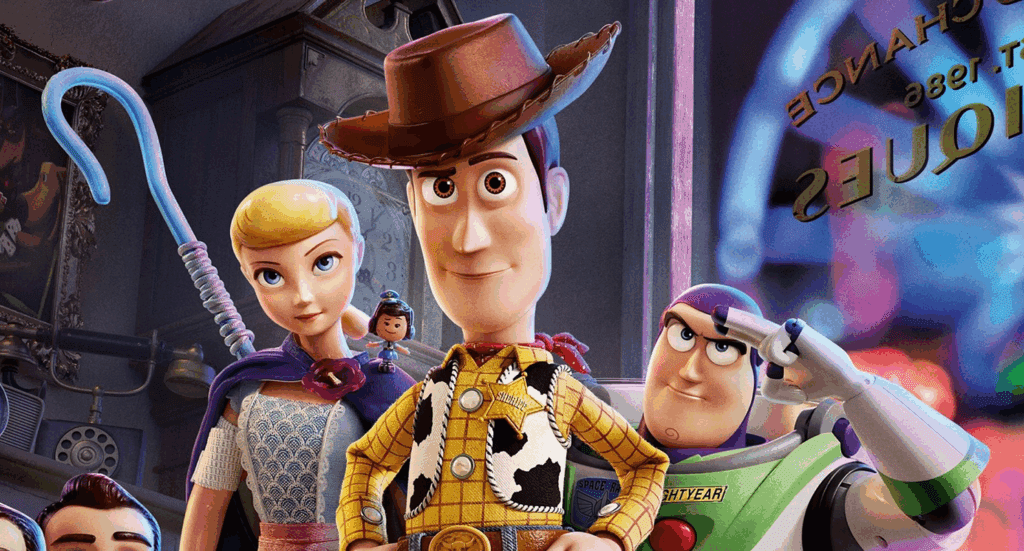
How to Create a Cartoon Video with Tools Like Canva AI Video Generator
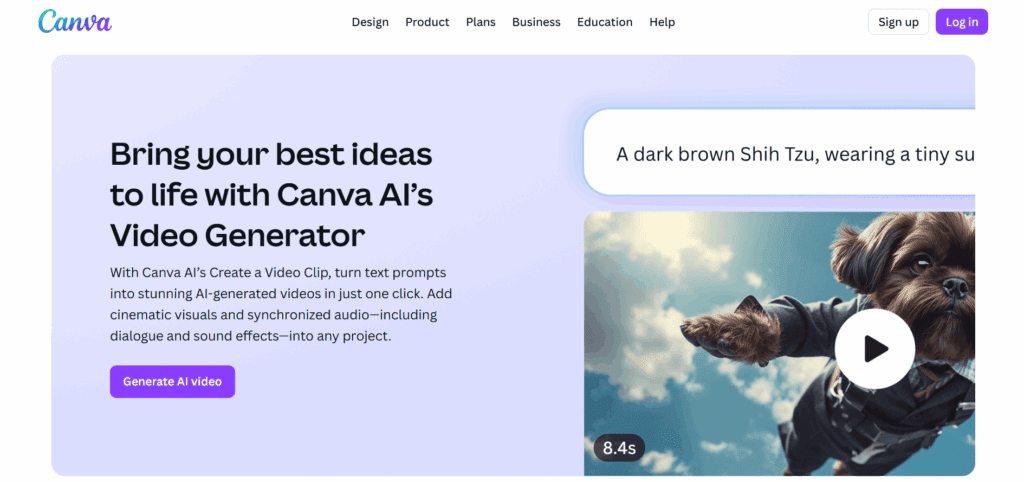
Creating cartoon videos no longer requires expensive software or professional animators. Thanks to AI-powered tools like the Canva AI Video Generator, you can design fun, engaging cartoon content in just a few clicks. Whether you’re making kids’ videos, short social clips, or animated stories, Canva and its alternatives give you everything you need to get started. This guide will walk you through how to use these tools effectively, explore what’s trending, and show you the best options for your content goals.
Try with VidAU: Why Cartoon Videos Are Trending for Kids’ Content
In recent years, cartoon videos have seen explosive growth across platforms like YouTube Kids, Facebook, and TikTok. They’re fun, safe, and engaging for young viewers. For content creators, cartoon videos offer a powerful way to build audiences and tell creative stories with minimal resources.
The Rise of Animated Content (e.g., Peppa Pig, JCB Cartoon, CS Toy)
Kids today grow up watching animated series like Peppa Pig, CS Toy, and JCB cartoons. These shows combine fun visuals, educational value, and lovable characters. As a result, the demand for similar cartoon content continues to rise.
Why Cartoons Like Tractor Stories and Funny Kids’ Animations Work So Well
Cartoon videos use humor, action, and repetition to capture young attention spans. Characters like talking tractors or playful animals are easy to animate and resonate with children. Bright visuals and cheerful soundtracks keep them coming back for more.
Test Canva First: Introduction to Canva AI Video Generator
Canva has evolved beyond static design. Its new AI Video Generator lets users turn text prompts into animated clips, even with cartoon effects. This makes it easy to produce short, engaging videos for kids using drag-and-drop tools and smart automation.
Key Features for Cartoon Creation
With Canva, you can:
- Generate short videos from scripts using text-to-video
- Apply smooth animations with Magic Animate
- Use timeline editing for scene control and pacing
No advanced editing skills are required. It’s perfect for beginners or small teams.
Cartoon Templates, Animation Effects & Motion Paths
Canva provides ready-made cartoon templates, animated icons, and sticker packs. You can also draw custom paths for movement and use Cartoonify to turn any photo into a cartoon character. It’s a fast way to create dynamic scenes.
Create With Ease: Step-by-Step – How to Make a Cartoon Video with Canva
Creating cartoon videos with Canva is quick and intuitive. Whether you’re producing a Peppa Pig-style skit or a tractor-themed animation, these tools make the process smooth.
Choose Your Theme (Tractor, JCB, Peppa Pig-Style, etc.)
Start with a theme that matches your audience. Young kids love vehicles, animals, and familiar characters. Use Canva templates or build your own scenes using cartoon elements.
Use AI Tools (Cartoonify, Magic Animate, Text-to-Video)
Canva’s AI features let you bring characters to life. Use Cartoonify to create fun visuals, apply Magic Animate for movement, and generate quick scenes with text-to-video.
Add Music, Dialogue, or Voiceovers
Engaging audio is key for kids’ content. Canva offers royalty-free music and allows you to record or generate voiceovers directly in the app. Choose upbeat, clear sounds to keep viewers entertained.
Export and Publish for Kids Channels
Once your cartoon is ready, export it as a high-quality MP4. Canva makes it easy to share videos on YouTube Kids, Facebook Watch, or short-form platforms like YouTube Shorts.
Explore New AI Tools: Best Alternatives to Canva for Cartoon Video Generation
While Canva is excellent for quick cartoon creation, some tools offer more specialized features for animation. These alternatives are gaining popularity, especially among creators who want voice-sync, advanced character actions, and automated scene generation.
The New AI Tool Replacing Canva AI for AnimatedCartoon Videos
One standout option is VidAU. It’s built for AI-driven animation and offers tools that go beyond Canva, including voice sync, automated storyboarding, and cartoon character libraries. Many creators are turning to VidAU for more control and faster results.
Comparison: Canva vs. VidAU vs. Animaker for Kids Content
| Tool | Best For | AI Features | Ease of Use | Price (Starting) |
| Canva | Quick, simple cartoon videos | Text-to-video, Animate | Very easy | $12/month |
| VidAU | Full cartoon automation | Voice sync, templates | Easy | Varies (Tiered) |
| Animaker | Character-based animation | Lip-sync, gestures | Moderate | $10/month |
Boost Kids Content: Final Tips for Creating Engaging Kids’ Cartoon Videos
Cartoon content works best when it feels simple and joyful. Whether you’re targeting toddlers or early school-aged children, use these tips to increase engagement and views.
Keep It Short, Colorful, and Fun
Kids have short attention spans. Aim for 1-3 minute episodes with bright visuals and clear, simple storytelling.
Use Familiar Characters or Vehicle-Based Stories
Children respond well to known characters or themes. Use tractors, JCBs, or animal-based characters to boost recognition and retention.
Where to Share: YouTube Kids, Facebook, Shorts, etc.
Distribute your content where parents and kids already go. YouTube Kids is ideal for series-style content, while Shorts and Facebook are great for quick bites and teaser episodes.
Conclusion
For casual users and beginners, Canva AI Video Generator remains a top pick. It’s fast, easy, and full of assets for kid-friendly animation. But if you’re looking for more advanced features, VidAU and Animaker are better suited. The right tool depends on your goals—for fast fun or full cartoon production, there’s now a solution for everyone.
FAQ
1. Can Canva create cartoon videos?
Yes. Canva offers templates, animated elements, and tools like Cartoonify and Magic Animate. These allow you to create simple cartoon-style videos fast, without needing animation skills.
2. What is the best AI for making cartoons?
It depends on your needs. Canva is great for fast, simple videos. But tools like VidAU are better for full automation, character animation, and lip-syncing.
3. Is Canva good for YouTube Kids videos?
Yes, especially if you want short, colorful videos. Its ease of use and ready-made templates make it ideal for quick YouTube Kids content.
4. Are there better tools than Canva?
For advanced cartoon videos, yes. VidAU and Animaker offer more animation features. But for most creators, Canva remains a strong starting point.