Master Viggle AI Motion Transfer: JST-1 Model Optimization Guide for Cleaner, Professional Results
Your Viggle AI results look bad because you’re missing these key settings.
If your motion transfers look warped, jittery, distorted, or just “off,” the problem isn’t the model — it’s your understanding of how Viggle’s JST-1 motion engine actually processes images.
Most intermediate users treat motion transfer like a simple overlay: upload a character, apply a dance, export. But JST-1 isn’t doing a surface-level animation swap. It’s performing latent pose reconstruction, structural remapping, and temporal synthesis across frames.
If you don’t prepare your input or configure settings correctly, the model has to “guess.” And when diffusion models guess, you get artifacts.
Let’s fix that.
1. Why Your Results Look Bad: Understanding the JST-1 Motion Engine
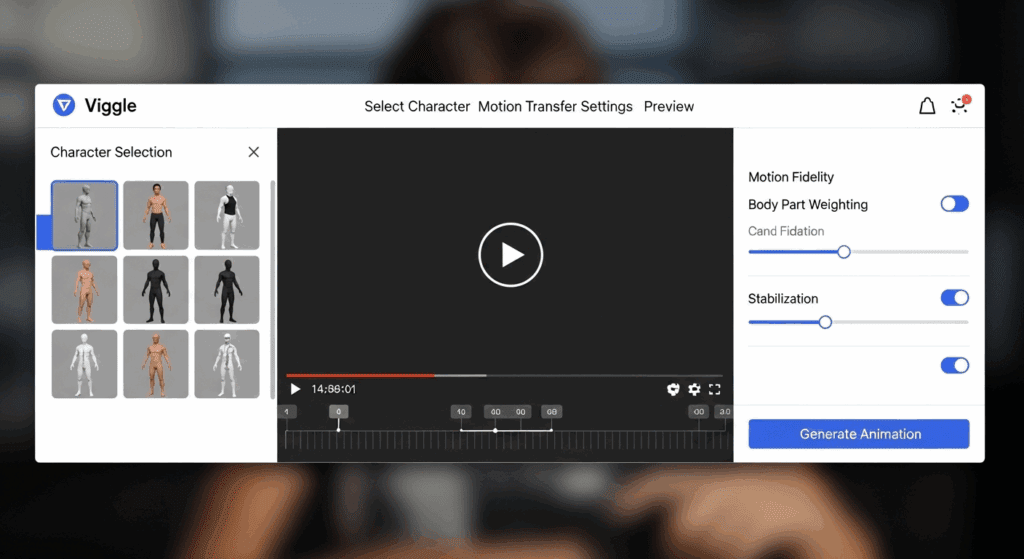
Viggle’s JST-1 is a joint spatiotemporal transformer-based motion transfer model. It works by:
1. Extracting skeletal pose and motion vectors from a driving video
2. Encoding your source image into a latent representation
3. Reconstructing that image across a sequence of frames using the target pose data
4. Maintaining temporal consistency via attention-based frame conditioning
If any of these stages are compromised, quality collapses.
The Three Internal Phases of JST-1
Phase 1: Pose Extraction
The driving video is processed into skeletal keypoints (shoulders, elbows, hips, knees, etc.). These become motion maps.
If the motion video contains:
– Motion blur
– Occluded limbs
– Extreme perspective distortion
The keypoint detection becomes unstable. That instability propagates across every generated frame.
Optimization Tip: Use high-contrast, front-facing driving footage with clean limb visibility. Avoid fisheye or wide-angle distortion.
Phase 2: Latent Encoding of Your Image
Your source image is encoded into a latent space similar to Stable Diffusion pipelines. The model extracts:
– Structural geometry
– Texture maps
– Edge contrast
– Semantic segmentation (clothing vs skin vs background)
If your image has:
– Busy backgrounds
– Cropped limbs
– Low contrast edges
– Overlapping objects
The latent structure becomes ambiguous.
Ambiguity = reconstruction instability.
This is where most users fail.
Phase 3: Temporal Reconstruction
JST-1 uses temporal attention to maintain consistency between frames. But it does not maintain perfect latent consistency automatically.
If your configuration allows too much creative deviation (high stochastic variance), each frame drifts slightly.
Drift becomes:
– Jitter
– Face warping
– Limb morphing
– Texture crawling
This is a seed and scheduler problem.
Let’s address it properly.
2. Image Preparation for High-Fidelity Motion Transfer
If you fix only one thing after reading this article, fix your image prep.
A. Use a Clean Silhouette
JST-1 reconstructs edges first. It relies heavily on silhouette clarity for motion remapping.
Best Practices:
– Plain or blurred background
– Strong contrast between subject and background
– Full-body visibility
– No cut-off limbs
If the model cannot clearly define where your character ends and the background begins, motion boundaries will ripple.
B. Match Pose Neutrality
If your starting image has extreme pose deviation from the first frame of the driving video, JST-1 must perform large structural deformation instantly.
Large deformation = higher reconstruction error.
For best results:
– Use a neutral A-pose or relaxed standing posture
– Avoid crossed arms
– Avoid dramatic torso twists
Think of the first frame as “pose zero.” The closer your image is to pose zero, the smoother the transition.
C. Resolution and Aspect Ratio Discipline
Most users upscale unnecessarily. JST-1 performs best when:
– Input resolution matches output resolution
– Aspect ratio matches driving video
If aspect ratios mismatch, the model performs latent stretching before animation even begins.
That introduces geometry distortion before motion is applied.
Ideal workflow:
1. Resize image to exact output resolution
2. Match subject scale to motion video
3. Ensure head-to-toe framing consistency
D. Edge Enhancement (Advanced Trick)
Before uploading your image, apply subtle edge enhancement or high-pass sharpening.
Why?
Diffusion-based encoders rely heavily on gradient contrast. Cleaner edge gradients = more stable structural reconstruction.
Don’t overdo it. 5–10% clarity boost is enough.
3. Advanced JST-1 Settings That Dramatically Improve Output
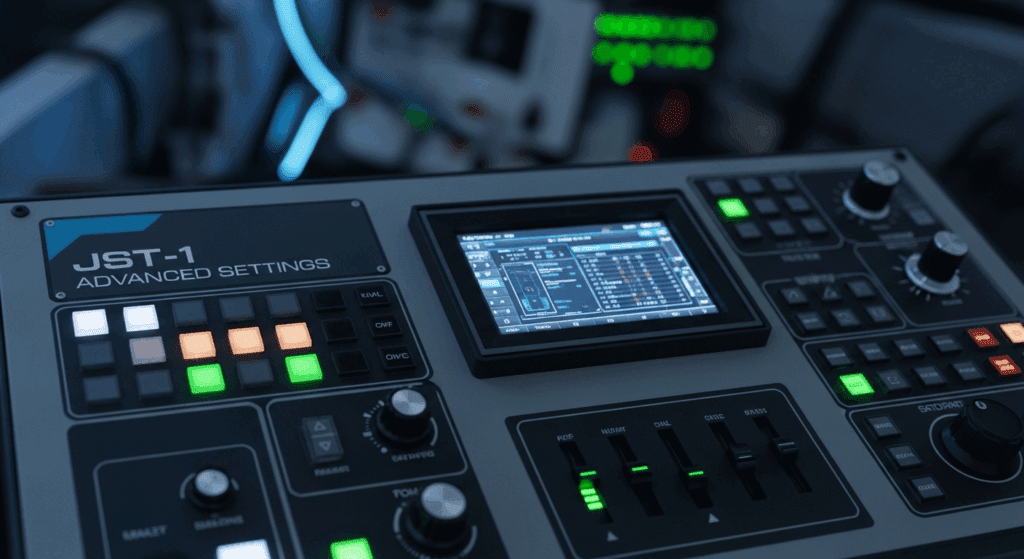
Now we move into the part most users ignore. This is where professional-level results happen.
A. Seed Parity and Temporal Stability
Every generation uses a random seed unless locked.
If your workflow allows seed variation between frames or re-renders, you introduce stochastic drift.
Solution:
– Lock your seed when testing variations
– Compare outputs under identical seed conditions
– Adjust only one variable at a time
Seed Parity ensures you’re measuring actual setting improvements, not randomness.
B. Control Stochasticity (Latent Noise Strength)
Higher motion creativity often means higher latent noise injection.
But with JST-1 motion transfer, you want:
Low noise = Higher structural preservation
High noise = Stylization but instability
For clean professional transfers:
– Reduce stochastic strength
– Prioritize structural adherence over stylization
If your character’s face morphs mid-animation, noise is too high.
C. Scheduler Selection (If Exposed in Advanced Interface)
If your Viggle environment exposes scheduler types (some advanced builds do), choose wisely.
Euler A scheduler:
– More creative
– More variation
– Less temporal stability
DPM++ or deterministic schedulers:
– Smoother frame transitions
– Better latent consistency
– Reduced flicker
For motion transfer, deterministic > creative.
You are not generating new scenes. You are preserving structure.
D. Frame Interpolation vs Native FPS
Many users try to “fix” jitter using frame interpolation after generation.
But interpolation does not fix structural drift.
Instead:
– Generate at slightly higher native FPS if possible
– Reduce motion intensity in driving clip
Extreme fast dance moves increase pose delta between frames.
Large pose delta increases reconstruction error.
Choose motion clips with smooth transitions, not chaotic bursts.
E. Latent Consistency Strategy
This is the concept that separates amateurs from professionals.
Latent Consistency means minimizing changes in latent encoding across frames except for pose transformation.
You maximize it by:
1. Using clean backgrounds
2. Reducing noise strength
3. Avoiding rapid camera motion
4. Maintaining lighting consistency
If lighting changes dramatically in your source image (harsh shadow gradients), JST-1 may interpret them as structural information.
That causes texture shifting.
Flat, even lighting produces superior results.
Putting It All Together: A Professional Workflow
Here is the optimized Viggle JST-1 workflow:
1. Select clean, high-visibility motion footage
2. Prepare full-body, neutral-pose character image
3. Remove busy backgrounds
4. Match resolution and aspect ratio
5. Slightly enhance edges
6. Lock seed
7. Reduce stochastic noise
8. Prefer deterministic scheduler (if available)
9. Avoid extreme first-frame pose mismatch
When done correctly, you get:
– Stable limbs
– Consistent facial geometry
– Minimal texture crawling
– Smooth temporal transitions
Your results stop looking “AI generated” and start looking production-ready.
The Real Reason Most Users Fail
They think motion transfer is animation.
It isn’t.
It’s controlled structural reconstruction across time.
Once you treat JST-1 like a latent transformation engine instead of a dance filter, everything changes.
You stop asking:
“Why is it glitching?”
And start asking:
“Where is latent instability being introduced?”
That shift in thinking is what separates casual users from advanced creators.
Master that and your Viggle outputs will immediately level up.
If your results still look bad after applying these principles, the issue isn’t the model.
It’s either pose mismatch, latent noise mismanagement, or silhouette ambiguity.
And now you know exactly how to fix all three.
Frequently Asked Questions
Q: Why does my Viggle motion transfer create warped or melting limbs?
A: Warping usually comes from pose mismatch or silhouette ambiguity. If your source image has cropped limbs, overlapping objects, or differs dramatically from the first frame of the driving motion, JST-1 must perform large structural deformations, which increases reconstruction error.
Q: Should I increase creativity settings to make the motion look more dynamic?
A: Not for clean motion transfer. Higher stochastic noise introduces latent drift, which causes flicker and face distortion. For professional results, reduce noise strength and prioritize structural preservation.
Q: Does locking the seed really matter for motion transfer?
A: Yes. Seed parity ensures consistent latent initialization. Without locking the seed, each render introduces randomness, making it impossible to diagnose whether improvements come from better settings or just chance variation.
Q: What type of driving video works best with JST-1?
A: High-contrast, front-facing footage with visible limbs and smooth transitions. Avoid motion blur, extreme wide-angle distortion, or chaotic rapid movements, as these reduce pose extraction accuracy.
Q: Can frame interpolation fix jittery results?
A: Interpolation can smooth motion visually, but it does not correct latent structural drift. The real fix is reducing stochastic noise, improving image preparation, and choosing smoother driving footage.