Image to Video: Animate Your Product Photos Into High-Impact Video Ads Built for Social Performance
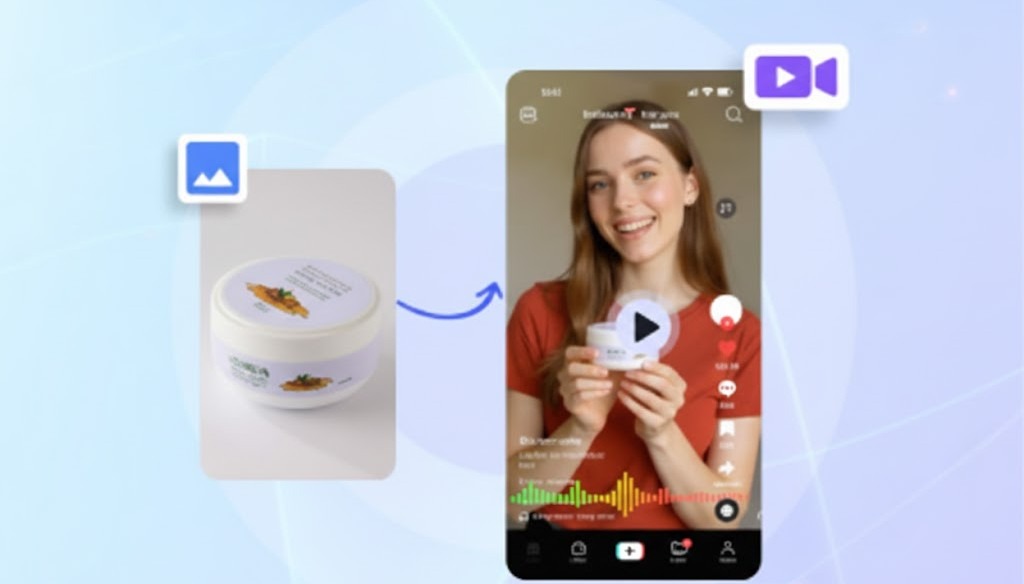
Image to Video transforms still images into dynamic, high-impact ads. Short-form platforms reward motion. TikTok, Reels and Shorts prioritise scenes with visible activity, changing camera angles and clear emotional intent. Static photos lose attention because the viewer’s brain resolves the image too fast and moves on. This is why still-image ads often peak quickly and fatigue rapidly.
Image to Video solves that limitation. You upload an image, describe the animation you want and VidAU generates a high-movement video designed for social engagement and conversion. The result behaves like a fully animated ad rather than a slideshow — even when you had only one image to start with.
This gives brands an alternative to video shoots, animators and long post-production timelines, while still delivering the pacing and storytelling required to sell on mobile feeds.
Usage Scenarios of Image to Video
| Goal | Recommended Use |
| Launch a new product fast | Use Image to Video instead of expensive shoots |
| Refresh ad creatives | Change background + expression + camera motion |
| UGC animation | Upload influencer images and animate holding the product |
| Seasonal campaigns | Update the environment (snow, summer, holiday décor) |
| Retargeting audiences | Make the same image feel fresh without reshooting |
What Image to Video Delivers
- Converts still images into smooth animated movement
- Preserves product visibility while increasing viewer retention
- Allows full creative direction using prompts (movement, pose, camera motion, emotion, stylization)
- Optional background generation to adapt the environment to the campaign
- Output optimized for TikTok, Instagram Reels, Facebook Reels and YouTube Shorts
Instead of searching for footage, you turn existing images into assets that behave like premium ads.
Why Image to Video Works
Video performance is driven by two critical factors:
- Early movement
If the first 1.5–2.0 seconds contain clear motion or emotional cues, viewers are less likely to scroll. - Message clarity
If the product or outcome is obvious without effort, cognitive load stays low and conversion likelihood increases.
Image to Video supports both.
The animation prompt controls the movement and emotion; the background determines context; and the output format aligns pacing with social feed expectations. This is what makes it perform better than traditional photo ads: the brain labels the content as “active” rather than “static,” which increases perceived value and viewing time.
Step by Step: How VidAU Image to Video Works
The workflow is built around four elements: image → motion → context → output.
Step 1 — Login to your Dashboard & Upload Your Image
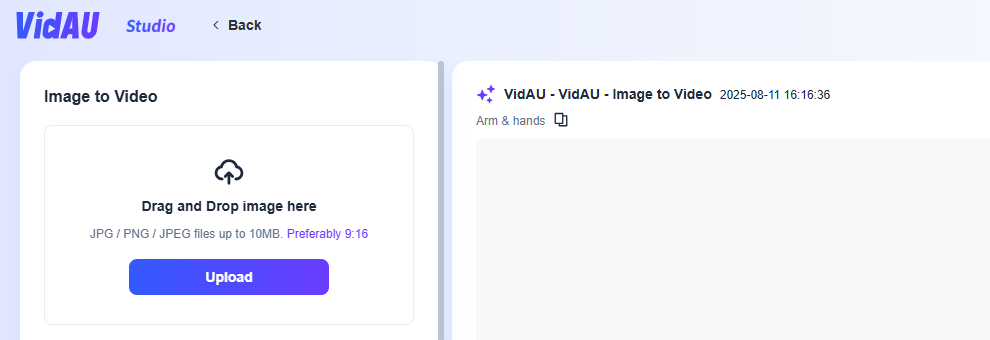
Open your VidAU dashboard. Select AI Image Editor (Image to Video) from the left panel, Drag and drop a JPG/PNG/JPEG (up to 10MB). For best results, use a vertical 9:16 image, as most ad placements are vertical.
Why this matters:
A clean upload gives the AI more reference points for pose, facial structure, edges and proportions. This reduces visual artifacts during motion mapping.
Step 2 — Add Your Animation Prompt (required)
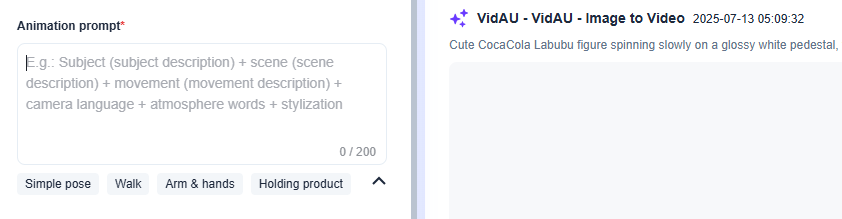
The prompt defines 70–80 percent of how the final video behaves.
It gives direction to the character or subject in the image.
The most reliable format is:
Subject + Action/Movement + Camera Style + Atmosphere + Stylization
Examples:
- “Model holding perfume bottle, slow arm movement, soft cinematic lighting, confident expression, gentle camera push-in”
- “Man wearing smartwatch, showing wrist upward, walking forward, bold tech lighting, product focus close-ups”
Preset quick options are also available:
- Simple pose
- Walk
- Arm & hands
- Holding product
Why this matters:
Movement triggers retention. Retention increases the chance of a CTA click. Prompts that include movement + emotion + camera direction produce the strongest results.
Step 3 — Add Background Prompt (optional)
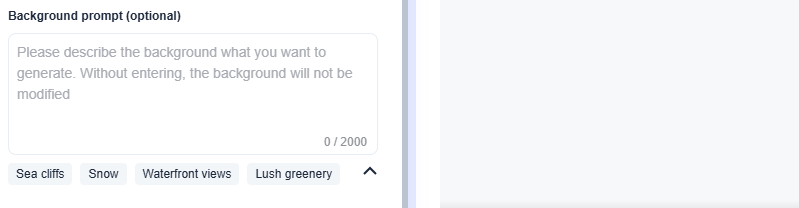
If you want the original background replaced, type the setting you want.
Examples:
- Outdoor fitness studio
- Luxury bathroom counter
- Streetwear fashion district
- Minimalist white product space
Quick preset backgrounds:
- Sea cliffs
- Snow
- Waterfront views
- Lush greenery
Why this matters:
Context helps the brain understand the product faster. For example, fitness equipment performs better in a gym scene rather than a neutral wall.
Step 4 — Select Output Count
Choose 1–5 video generations.
Insight:
Advertisers typically export 3–5 to test multiple hooks, emotions or backgrounds. The fastest scaling strategy is:
- Test many variations
- Spend on the one that peaks early
- Refresh before fatigue slows results
Step 5 — Generate
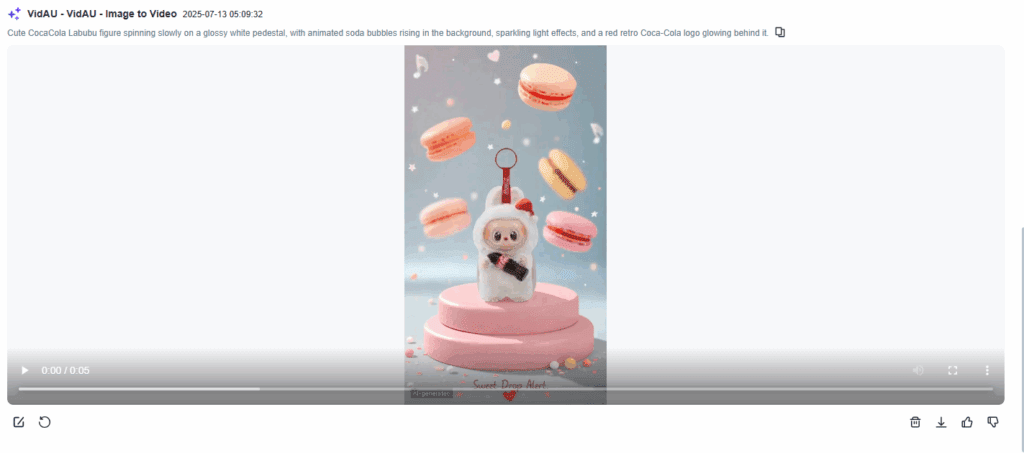
VidAU converts the image and prompts into animated motion.
The system:
- Maps body/face geometry to movement
- Adds gesture and camera motion
- Enhances lighting and atmosphere
- Maintains product visibility as the focal point
- Outputs a ready-to-use video for social ads
You preview, adjust if needed and download.
Where Image to Video Performs Best
- Products where motion helps demonstrate value (beauty, fashion, fitness)
- Influencer/UGC campaigns that need variations without reshoots
- Seasonal promotions with rapidly changing visuals
- Dropshipping and Amazon/Shopify products lacking video assets
- Retargeting audiences that need fresh visuals to continue clicking
This makes the tool especially useful for brands with small creative teams, limited budgets or high ad testing frequency.
Smart Tips for Higher Conversions
- Add a micro-movement in the first 1.5 seconds to prevent scroll-away
- Use a prompt with emotion or intention (smiling confidently, focused, excited)
- Keep the foreground subject centered to maximize product clarity
- Test multiple backgrounds — they influence click-through rate more than expected
- Refresh creatives every 7–10 days to stop fatigue before performance drops
Creative volume, not just targeting, determines how far paid campaigns scale.
What to Do Next
Once your videos are generated, launch variations simultaneously across multiple placements. Then track:
- Watch time (first filter for winners)
- Outbound CTR
- Add-to-cart and purchase rate
Pause weak performers early.Double budget on the best one.
Duplicate the winning prompt → change emotion or background → publish again.
This is how Image to Video becomes a repeatable growth system, not a one-time export.
FAQ
Do I need multiple images?
No. One image is enough.
Can I keep the original background?
Yes. If you skip the background prompt, the image background stays unchanged.
Do I need animation skills to use this?
No. Movement and camera logic are handled automatically.
How many versions should I generate for ads?
3–5 is ideal for A/B testing.
Does it export in TikTok, Instagram and Facebook formats?
Yes. Output is automatically optimized.