Is OpenClaw AI Safe for AI Agent Automation? Real User Guide
Automation now drives many digital tasks. Creators schedule posts, developers test workflows, and businesses run small systems that act on instructions. As a result, interest in autonomous systems continues to grow. OpenClaw ai allows a single ai agent to read files, trigger scripts, and manage workflows that normally require several tools.
Openclaw ai promises a way to run and manage an ai agent system that performs tasks across tools and files. However, new users still ask a simple question. Is OpenClaw safe to run on a personal computer or development environment? This guide explains how Openclaw ai works, how an AI agent behaves inside the system, and what steps help users operate the platform with confidence.
What Users Should Know About OpenClaw AI Security
Openclaw ai is generally safe when users install and configure the system carefully. The platform allows an AI agent to perform automated actions such as reading files, generating outputs, or interacting with scripts. Safety therefore depends on permission settings, system access rules, and the commands given to the ai agent.
Many developers test Openclaw ai inside controlled environments before running larger workflows. This practice reduces risk because the ai agent operates in a sandbox rather than a full system directory. As a result, mistakes or unexpected commands stay contained within the test environment.
The main safety factors include:
- Local installation control
- Limited file access
- Clear permission boundaries
- Human supervision of commands
When these practices guide the setup, Openclaw ai behaves like a structured automation framework instead of an uncontrolled program.
How Does OpenClaw AI Compare to Other AI Agent Systems?
Openclaw ai stands out because it focuses on structured task execution rather than conversational output. Many ai agent systems focus on chat interaction. Openclaw ai instead focuses on workflow automation.
The table below explains how Openclaw ai compares with other common automation frameworks used for ai agent workflows.
| Feature | Openclaw AI | Typical AI Agent Tools |
| Installation | Local setup | Often cloud based |
| File control | Direct file interaction | Limited file access |
| Workflow automation | Strong automation focus | Mixed capabilities |
| Custom scripting | Flexible | Often restricted |
| Control level | Developer driven | Platform driven |
Because Openclaw ai operates locally, developers gain deeper control over automation processes. However, this control also requires careful setup and monitoring.
Why Do Developers Use OpenClaw AI for AI Agent Automation?
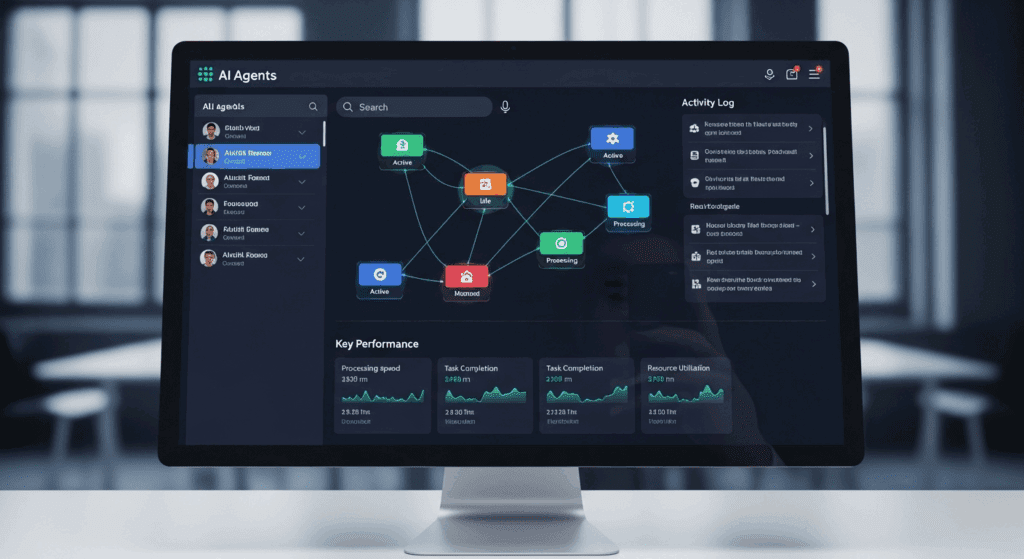
Developers use Openclaw ai because the system provides flexible automation for repetitive digital tasks. An ai agent running inside the framework performs tasks that normally require manual work.
For instance, a developer building a content workflow may instruct an ai agent to review files, generate summaries, and prepare structured data. This approach reduces manual work and speeds up development cycles.
Several advantages explain the growing interest in Openclaw ai.
- The system supports modular workflows. Each ai agent performs a defined role within the system.
- The framework supports experimentation. Developers test prompts and adjust behaviors quickly.
- The system operates locally, which allows deeper control over data and processes.
These factors make OpenClaw ai appealing for developers building complex automation pipelines.
Risks Users Should Know Before Running OpenClaw AI
Openclaw ai remains safe when configured properly, yet users must still understand potential risks before running an ai agent system.
Automation tools operate with instructions. If instructions grant excessive permissions, the ai agent may access files that users never intended to expose.
Several common risks appear during early setup stages.
File Access Permissions
An ai agent inside Openclaw ai interacts with directories and scripts. If users grant unrestricted access, the system may read or modify sensitive files.
Limiting directory access prevents this problem.
Unverified Script Execution
Some workflows trigger automated scripts. When scripts come from unknown sources, the ai agent may execute unsafe commands.
Users reduce this risk by reviewing scripts carefully before execution.
Poor Prompt Design
The ai agent depends on instructions written in prompts. Vague instructions create unpredictable results.
Clear prompts help the system perform tasks safely and accurately.
How to Run OpenClaw AI Safely With an AI Agent
Running OpenClaw ai safely requires structured setup practices. These practices limit risk while allowing the ai agent to operate effectively.
Developers follow several steps to maintain safe automation environments.
First, they create a dedicated workspace for the ai agent. This workspace isolates project files from the main operating system.
Second, they define permission boundaries. The ai agent receives access only to the directories required for its task.
Third, they monitor command outputs. Human supervision ensures the automation process stays within expected limits.
Finally, they test workflows gradually. Instead of launching large automation tasks immediately, developers start with small tasks and expand once stability improves.
These steps transform Openclaw ai into a controlled automation environment rather than an experimental tool.
How VidAU Supports Automated Content Workflows With AI Agents
VidAU supports automated video production workflows that benefit from ai agent systems such as Openclaw ai. Creators often manage multiple steps when producing video content. These steps include script preparation, media generation, and publishing.
Automation helps creators move faster through these stages. An ai agent can organize prompts, manage content ideas, and structure project files before production begins.
VidAU then converts text prompts or images into short videos ready for social platforms. The platform generates consistent visual outputs and helps creators maintain a steady publishing schedule.
Many creators combine automation workflows with VidAU in the following way.
- an ai agent organizes project prompts
- Openclaw ai manages task sequencing
- VidAU converts content ideas into visual videos
This workflow reduces manual effort and allows creators to focus on storytelling and audience engagement.
Can Beginners Use OpenClaw AI Without Technical Experience?
Beginners can run Openclaw ai successfully when they follow structured guides and start with simple automation tasks. The learning curve appears challenging at first because the system requires installation and configuration.
However, many tutorials guide new users through the process step by step.
Beginners often start with small ai agent experiments such as:
- document summaries
- structured data extraction
- prompt testing
Once users understand how the ai agent responds to instructions, they expand into more advanced workflows.
This gradual learning approach helps beginners gain confidence while reducing system errors.
Conclusion
Openclaw ai offers strong potential for automation when users understand how the system works. The platform allows an ai agent to perform structured digital tasks across files, scripts, and workflows.
Safety depends on responsible configuration. When users restrict file access, review scripts carefully, and monitor automation tasks, the system operates within clear boundaries.
Developers continue to explore Openclaw ai because automation saves time and simplifies repetitive processes. Meanwhile, creators combine automation frameworks with content platforms such as VidAU to speed up production and publishing.
Automation continues to shape digital workflows. Tools such as Openclaw ai help users build these systems in a structured and controlled way.
FAQs
- Is OpenClaw AI safe to install on a personal computer?
Yes. Openclaw ai runs safely when users install the system carefully and restrict file permissions. Testing the ai agent inside a dedicated workspace improves security.
- Does OpenClaw AI require coding knowledge?
Basic technical knowledge helps during installation and configuration. Many beginners still learn the system through tutorials and step by step experimentation.
- Can an AI agent inside OpenClaw AI access my private files?
Access depends on permissions defined during setup. Limiting directory access prevents the ai agent from reading sensitive files.
- Why do developers use OpenClaw AI for automation?
Developers use Openclaw ai because the framework supports structured workflows, script execution, and flexible automation tasks.
- How does OpenClaw AI work with content creation tools?
An ai agent can organize prompts and manage workflow steps before creators produce visual content. VidAU then transform those ideas into short videos ready for social platforms.