JSON Prompting in AI Video: Veo vs Runway vs Pika — A Technical Comparison for Advanced Creators
Which AI video tool has the best JSON prompt support? The answer might surprise you.
As AI video generation matures, text-only prompting is no longer enough for advanced creators. If you’re building repeatable pipelines, multi-shot sequences, or tool-integrated workflows with ComfyUI or custom orchestration layers, JSON prompting becomes critical. Structured control enables seed parity, shot-level parameter locking, scheduler selection, motion guidance, and style consistency across scenes.
But here’s the problem: not all AI video platforms treat JSON the same way.
In this deep dive, we’ll compare how Veo (Google DeepMind), Runway Gen-3, and Pika handle structured prompting, what’s truly controllable under the hood, and which platform you should choose based on your production goals.
1. How JSON Prompting Works Across Veo, Runway, and Pika

Before comparing platforms, let’s clarify what “JSON prompting” actually means in AI video.
At a technical level, JSON prompting allows creators to:
- Separate scene description from camera motion
- Lock seeds for reproducibility (seed parity)
- Define structured shot parameters (duration, fps, resolution)
- Control motion intensity and guidance scale
- Specify style embeddings or reference images
- Manage temporal consistency and latent continuity
Some platforms expose these controls directly. Others abstract them behind UI layers. That difference matters.
Veo: Structured Scene Graph–Style Prompting
Veo is the closest to a production-grade structured generation system. While public UI access may not expose raw JSON fields directly, Veo’s internal architecture is built around structured input blocks.
A typical Veo-style structured input includes:
- Scene description
- Subject descriptors
- Camera parameters (pan, tilt, dolly, lens type)
- Lighting model
- Motion intensity
- Duration
- Style constraints
Conceptually, it resembles:
{
“scene”: “Cinematic cyberpunk alley at night”,
“subject”: {
“type”: “humanoid android”,
“action”: “walking toward camera”
},
“camera”: {
“movement”: “slow dolly in”,
“lens”: “35mm”,
“depth_of_field”: “shallow”
},
“lighting”: “neon rim light”,
“duration”: 8,
“fps”: 24,
“style”: “high contrast cinematic”
}
How Veo Handles This Internally
Veo leverages advanced temporal modeling and latent consistency across frames. It uses transformer-based spatiotemporal attention, allowing structured fields to influence separate control pathways.
Key strengths:
- Better camera trajectory coherence
- Strong temporal consistency
- Cleaner subject retention across 6–10+ seconds
- Higher physical plausibility
Veo’s structure feels closer to a scene graph + diffusion hybrid system than simple text-to-video.
However:
- Public developer-level JSON APIs are limited.
- Fine-grained seed control is not always exposed.
- Scheduler selection (e.g., Euler A vs DPM++) is abstracted away.
In short: Veo supports structured prompting conceptually, but not always transparently.
Runway Gen-3: Parameterized Prompting with Controlled Abstraction
Runway sits in the middle.
While it doesn’t expose raw diffusion scheduler control (like ComfyUI), it does support structured control blocks through:
- Motion strength sliders
- Camera motion presets
- Seed locking
- Image-to-video conditioning
- Reference style guidance
- Extend mode with latent continuity
Runway’s internal system likely uses latent diffusion with temporal consistency modeling (similar to latent consistency models adapted for video).
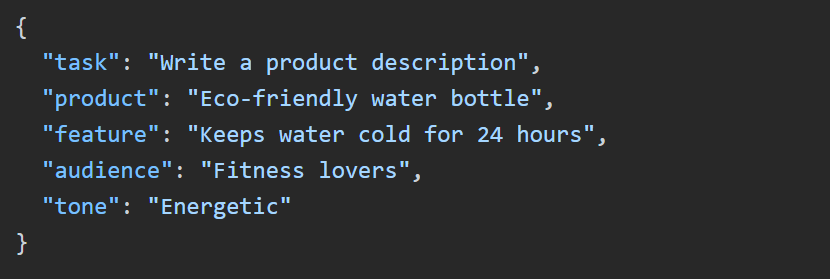
A pseudo-JSON abstraction for Runway might look like:
{
“prompt”: “Astronaut walking on a frozen alien ocean”,
“motion_strength”: 0.45,
“camera_motion”: “tracking left”,
“seed”: 123456,
“image_reference_weight”: 0.7,
“duration”: 5
}
What’s Technically Interesting About Runway
- Seed Parity: Reusing seeds yields similar composition, enabling iterative refinement.
- Latent Continuation: Extend mode preserves latent space continuity rather than regenerating from scratch.
- Motion Conditioning: Motion strength affects noise injection in temporal layers.
However, Runway does not expose:
- Diffusion scheduler choice (Euler a, DPM++ 2M, etc.)
- Direct CFG scale adjustments
- Frame-level seed overrides
- Multi-shot structured arrays in a single generation call
Runway’s JSON control is controlled—but limited.
It’s optimized for creators, not ML engineers.
Pika: Lightweight JSON-Like Controls with Prompt Weighting
Pika approaches structured prompting differently. It supports:
- Prompt weighting
- Negative prompts
- Aspect ratio control
- Basic motion instructions
- Image-to-video conditioning
Internally, Pika likely uses a diffusion-based backbone with temporal interpolation layers and motion conditioning modules.
A pseudo-structured Pika-style input:
{
“prompt”: “Anime warrior standing in wind”,
“negative_prompt”: “blurry, distorted face”,
“aspect_ratio”: “16:9”,
“motion”: “subtle wind movement”,
“seed”: 78901
}
Where Pika Differs
- Strong stylistic interpretation
- Faster turnaround
- Less deterministic seed behavior
- Limited temporal depth
Pika’s JSON capabilities are lighter and more stylistic than technical. It’s less about parameter orchestration and more about fast iteration.
2. Strengths and Limitations of Each Platform’s JSON Implementation
Let’s break this down across critical technical dimensions.
1. Seed Control & Determinism
Veo: Partial exposure. Deterministic internally but limited external seed control.
Runway: Reliable seed reuse. Good for iterative pipelines.
Pika: Seed reuse works but with higher variance.
If reproducibility matters (e.g., ad campaigns, episodic content), Runway currently offers the best balance.
2. Temporal Consistency
Veo wins here.
Its transformer-based temporal modeling handles:
- Character persistence
- Camera coherence
- Reduced morphing artifacts
Runway performs well in short clips (4–8 seconds), especially with Extend.
Pika is best for short, stylized motion rather than narrative continuity.
3. Scheduler & Diffusion Transparency
None of these platforms expose raw scheduler selection like ComfyUI.
You cannot explicitly choose:
- Euler a
- DPM++ 2M Karras
- Heun
These are abstracted away.
For creators who want that level of control, node-based systems like ComfyUI + Stable Video Diffusion remain superior.
4. Multi-Shot Structured Generation
Veo is architecturally closest to supporting multi-shot structured prompts.
Runway requires shot-by-shot generation.
Pika is mostly single-clip oriented.
If you’re designing cinematic sequences with JSON arrays of scenes, Veo has the strongest long-term potential.
5. Motion Conditioning Depth
- Veo: Deep scene-aware motion modeling
- Runway: Adjustable motion strength with practical results
- Pika: Stylized motion interpretation
Runway strikes the best balance between usability and control.
3. Which Tool Should You Choose Based on Your Use Case?
Now let’s solve the core challenge.
Choosing the right AI video tool that supports JSON prompting depends on your workflow sophistication.
✅ Choose Veo If:
- You need cinematic realism
- Care about camera physics
- You want strong temporal consistency
- You’re building narrative sequences
- You prioritize scene structure over raw parameter tweaking
Veo behaves like a high-level scene engine.
It’s less about diffusion micromanagement and more about structured cinematic intent.
✅ Choose Runway If:
- You need repeatable seeds
- You want balanced control and usability
- You’re iterating quickly for clients
- You use image-to-video heavily
- You extend clips frequently
Runway is currently the best practical JSON-style control environment for working creators.
It supports structured thinking without overwhelming you with ML-level complexity.
✅ Choose Pika If:
- You prioritize speed
- Create stylized content
- You don’t need long continuity
- You want quick iteration cycles
Pika’s JSON capabilities are lightweight—but efficient.
The Surprising Answer
If your definition of “best JSON prompt support” means:
- Most structured internally → Veo wins
- Most usable structured control today → Runway wins
- Fastest creative iteration → Pika wins
But for advanced AI creators building repeatable workflows with structured prompting logic, Runway currently offers the best balance of determinism, seed parity, and accessible parameter control.
Veo is the most technically advanced.
Runway is the most practical.
Pika is the most agile.
And if you truly need full JSON-level control over schedulers, noise injection, latent blending, and conditioning stacks?
You may still need ComfyUI or custom diffusion pipelines.
The future of AI video isn’t just better models.
It’s better structured control.
And JSON prompting is how we get there.
Final Takeaway
AI video creation is shifting from creative prompting to technical orchestration.
The creators who understand seed behavior, latent continuity, scheduler abstraction, and structured scene inputs will outperform those relying on pure text.
Choosing the right tool isn’t about hype.
It’s about how much control you actually need.
And now you know exactly where each platform stands.
Frequently Asked Questions
Q: Does any AI video platform expose full diffusion scheduler control like Euler a or DPM++?
A: No major commercial platforms like Veo, Runway, or Pika expose raw diffusion scheduler selection. Those controls are typically abstracted. For full scheduler-level control, creators need node-based systems such as ComfyUI with Stable Video Diffusion.
Q: Which platform offers the best seed reproducibility for iterative workflows?
A: Runway currently offers the most practical seed reproducibility for creators. Reusing seeds can maintain similar composition and framing, which is useful for client revisions and episodic consistency.
Q: Is Veo better for cinematic storytelling?
A: Yes. Veo’s stronger temporal modeling and structured scene handling make it better suited for cinematic storytelling, especially when camera coherence and character persistence are important.
Q: Can I use JSON arrays to generate multi-shot sequences in one call?
A: Most consumer-facing platforms do not yet support true multi-shot JSON array generation in a single call. Veo is architecturally closest to this capability, but practical implementations often require generating clips individually.
Q: When should I choose ComfyUI instead of these platforms?
A: Choose ComfyUI when you need full control over schedulers, CFG scale, conditioning stacks, custom motion modules, or integration into automated pipelines. It is ideal for technical creators who require deep parameter-level control.