Kling 2.6 Audio: Game Changer for AI Video Creation
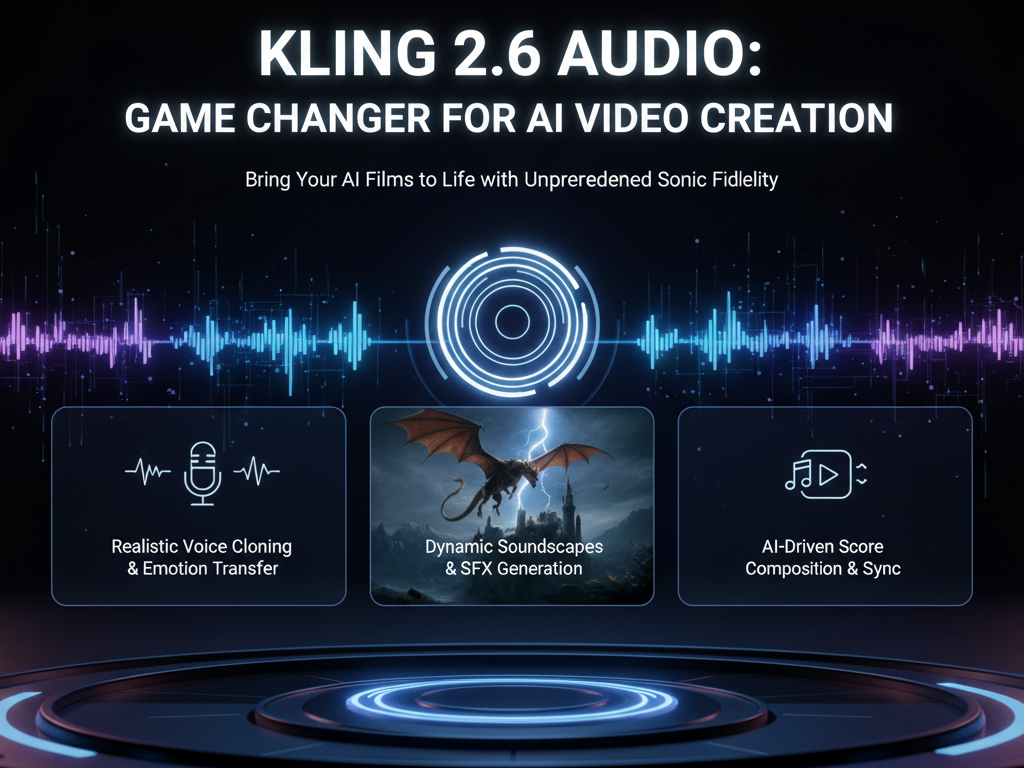
AI video just got voices. Everything changed. For years, AI video tools have impressed creators with visuals while falling short on sound. Robotic voices, broken lip-sync, and complicated workflows made AI video feel unfinished. Kling 2.6 Audio marks a turning point. With native audio generation, built-in lip-sync, and sound effects, Kling moves AI video from experimental to production-ready.
This article breaks down why Kling 2.6 Audio matters, how it compares to older workflows, and how AI video creators can use it today to publish faster and with higher quality.
The Core Problem: Why AI Video Audio Has Lagged Behind
AI video adoption has grown fast, but audio remained the weakest link. Most creators faced three major problems.
First, voice quality rarely matched visual quality. Even strong AI voices often sounded flat, synthetic, or emotionally mismatched to the video.
Second, lip-sync required extra tools. Creators generated video in one platform, exported it, then used separate lip-sync or dubbing software. This process increased cost, time, and technical friction.
Third, sound design stayed manual. Background sounds, ambient noise, and effects had to be added later in editing software. The result felt stitched together rather than cohesive.
These gaps prevented AI video from being truly production-ready, especially for marketing, education, and social media content.
The Angle: Why Kling 2.6 Audio Changes the AI Video Landscape
Kling 2.6 Audio solves these problems by making audio native to the video generation process. Instead of treating sound as an afterthought, Kling generates voices, lip-sync, and sound effects inside the same system.
This shift matters because it changes how creators work. You no longer build visuals first and patch audio later. You generate complete scenes with synchronized sound from the start.
Even more important, Kling 2.6 Audio is available for free. That removes the biggest barrier to experimentation and adoption, especially for independent creators and small teams.
Ranking the Top Kling 2.6 Audio Features for AI Video Creators
1. Native Voice Generation
Native voice generation is the most impactful feature in Kling 2.6 Audio. Instead of importing voiceovers, creators can generate speech directly with the video.
The voices sound natural, with better pacing and tone compared to earlier AI solutions. Because the system controls both video and audio, timing feels intentional rather than forced.
For AI video creators producing explainers, ads, or short-form content, this feature alone removes an entire production step.
2. Built-In Lip-Sync
Lip-sync has always been a pain point in AI video. Kling 2.6 Audio integrates lip-sync automatically, aligning mouth movements with generated speech.
This matters for credibility. Viewers quickly lose trust when lip movements look off, even by a small margin. Built-in lip-sync ensures faces feel alive and believable.
Unlike external tools, Kling handles lip-sync without manual adjustment or exports, saving hours per project.
3. Integrated Sound Effects
Sound effects often determine whether a video feels cinematic or flat. Kling 2.6 Audio allows creators to include environmental and action-based sounds as part of generation.
This integration creates cohesive scenes. Footsteps match movement. Background noise fits the setting. The result feels designed, not assembled.
4. Free Access and Low Barrier to Entry
Many advanced AI audio tools hide behind paywalls. Kling 2.6 Audio stands out by offering free access to these features.
This makes high-quality AI video accessible to freelancers, educators, and creators experimenting with new formats. Free access accelerates learning and adoption across the industry.
Step-by-Step: Creating an AI Video with Kling 2.6 Audio
- Define your scene and message
Start with a clear idea of what your video needs to communicate. Decide on tone, length, and setting. - Generate the video in Kling 2.
Input your visual prompt as usual. Focus on character placement and scene composition. - Enable native audio generation
Activate Kling 2.6 Audio and select voice options that match your character and message. - Review lip-sync automatically applied
Check facial movements and timing. In most cases, no adjustment is needed. - Add sound effects if needed
Include environmental or action-based sounds to enhance realism. - Export the finished video
Your output includes synchronized visuals, voice, and sound, ready for publishing.
Practical Examples for AI Video Creators
- Marketing videos: Product demos can now include natural narration and synced presenters without hiring voice actors.
- Educational content: Instructors can create AI-led lessons with clear speech and believable delivery.
- Social media shorts: Short-form videos benefit from fast production and strong audio hooks.
- Storytelling and concepts: Creators testing story ideas can prototype complete scenes instead of silent visuals.
Common Mistakes to Avoid
One common mistake is overloading scenes with sound. Just because you can add effects does not mean you should. Keep audio purposeful. Another mistake is ignoring voice tone. Choose voices that match the emotion and context of your video. Finally, avoid skipping review. Even strong AI outputs benefit from a quick quality check before publishing.
Final Checklist for Production-Ready AI Video
- Clear message and scene intent
- Native voice generation enabled
- Lip-sync reviewed and approved
- Sound effects used sparingly and intentionally
- Final export tested with sound on multiple devices
Conclusion: AI Video Enters a New Phase
Kling 2.6 Audio represents a real shift in AI video creation. By combining visuals, voices, lip-sync, and sound effects in one system, it removes the last major barrier to production-ready AI video.
For AI video creators and content producers, this update means faster workflows, lower costs, and higher-quality results. AI video finally sounds as good as it looks.
Next Steps
Start experimenting with Kling 2.6 Audio today and experience how native voices and lip-sync can transform your AI video workflow.
Frequently Asked Questions
Q: What makes Kling 2.6 Audio different from other AI video tools?
A: Kling 2.6 Audio generates voices, lip-sync, and sound effects natively, eliminating the need for external audio and dubbing tools.
Q: Is Kling 2.6 Audio really free to use?
A: Yes, Kling 2.6 Audio features are available for free, making advanced AI video audio accessible to more creators.
Q: Who benefits most from Kling 2.6 Audio?
A: AI video creators, marketers, educators, and content producers who need fast, high-quality, production-ready video content benefit the most.