Is Kling 3.0 Worth It for UGC Product Ads? A Technical Deep Dive for Marketers
I tested Kling 3.0 for product ads. Here’s what actually works:
Choosing the right AI video tool for UGC-style product advertising can quietly drain your budget. Between subscription tiers, credit systems, render retries, and prompt experimentation, trial and error adds up fast. The real question isn’t whether Kling 3.0 can generate video, it’s whether it can reliably produce high-converting product ads without endless tweaking.
This is a technical breakdown of Kling 3.0’s real-world performance for marketers evaluating AI video tools.
What Kling 3.0 Actually Delivers for Product Ads
1. Output Quality: Real Product Rendering
For product advertising, three things matter most:
- Object consistency across frames
- Realistic lighting and material response
- Stable motion without temporal artifacts
Kling 3.0 performs surprisingly well in object coherence. Compared to earlier diffusion-based video systems, Kling shows improved latent consistency across frames. In practical terms, this means your product (a bottle, cosmetic jar, supplement pouch, etc.) doesn’t “morph” mid-shot as often as it does in lower-tier video diffusion models.
However, consistency depends heavily on:
- Clear reference images
- Tight prompting
- Minimal scene complexity
When using a static product reference and prompting something like:
> “Close-up UGC-style handheld shot of a skincare bottle on a bathroom counter, soft natural morning light, shallow depth of field, realistic skin tones”
Kling maintains brand label legibility better than Pika 1.0 and is generally more stable than early Runway Gen-2 builds.
That said, when pushing dynamic movement (hand interaction, product rotation, pouring liquids), temporal drift increases. Frame interpolation can create micro-warping in logos and typography.
2. Motion Realism & Camera Behavior
Kling 3.0’s camera motion engine is one of its strongest features for UGC simulation.
It handles:
- Subtle handheld shake
- Push-ins and pull-outs
- Natural micro jitter
This is critical because UGC ads rarely look cinematic, they look human. Overly smooth camera paths (common in Sora-style outputs) can feel staged. Kling strikes a useful middle ground.
Under the hood, Kling appears to rely on stronger motion priors and improved optical flow guidance. The benefit: less frame tearing during slow pans.
The limitation: rapid scene changes still break coherence.
If you attempt:
> “Influencer grabs product, turns toward camera, walks outside, new lighting environment”
You’ll likely see:
- Lighting inconsistency
- Facial drift
- Background regeneration artifacts
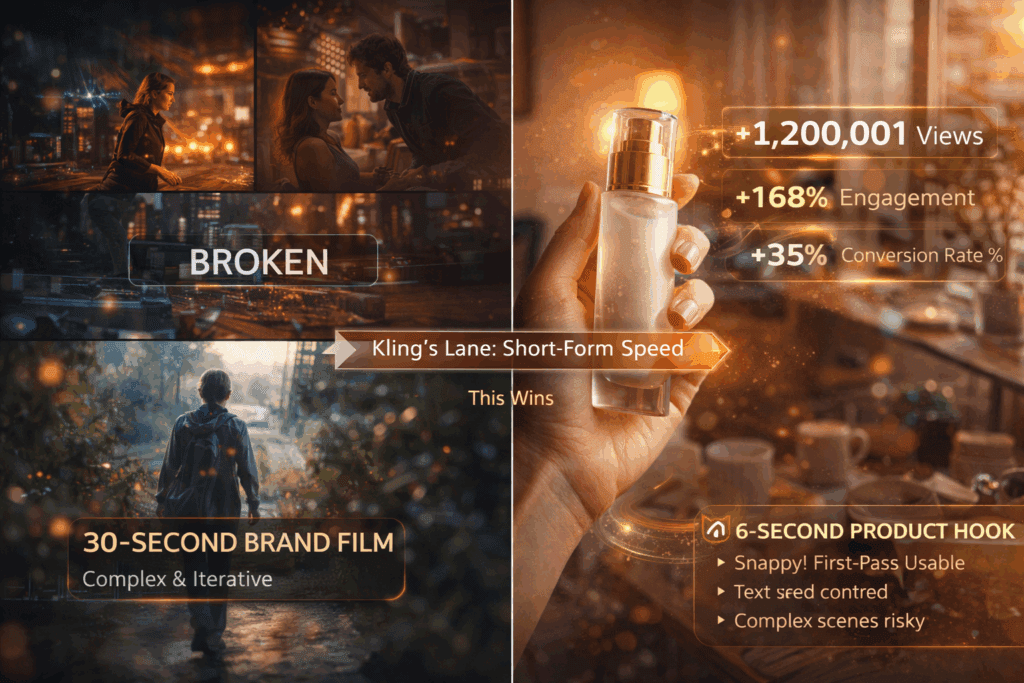
Kling is strongest in single-environment, 3–6 second shots.
3. Text & Branding Accuracy
Text rendering remains a weak spot, but less so than many competitors.
Logos can remain readable when:
- They are bold
- The camera remains mostly static
- The shot duration is under 5 seconds
Fine typography and small disclaimers? Still unreliable.
For compliance-heavy industries (supplements, fintech, medical), you’ll still need post-production overlays.
Kling 3.0 vs Other AI Video Tools for Ads
Let’s compare Kling 3.0 directly with other major AI video engines used in advertising workflows.
Kling 3.0 vs Runway (Gen-2 / Gen-3)
Runway Strengths:
- Better editing pipeline
- Strong inpainting tools
- More flexible post adjustments
Kling Strengths:
- More realistic UGC-style motion
- Better base lighting realism
- Fewer plastic-looking skin artifacts
Runway often requires iterative refinement using seed locking and multiple reruns to maintain product consistency. Kling’s default generations often look closer to usable on first pass.
However, Runway’s timeline editing tools make it superior for multi-shot ads.
Verdict:
- Single-shot UGC ad → Kling wins
- Multi-scene structured ad → Runway wins
Kling 3.0 vs Pika
Pika is fast and affordable, but struggles with:
- Temporal coherence
- Realistic human hand interaction
- Stable product geometry
Kling’s improved latent consistency gives it a noticeable edge in product ads. Pika is fine for abstract visuals or motion graphics, but less reliable for physical products.
Verdict: Kling is more “ad-ready” out of the box.
Kling 3.0 vs Sora (Early Benchmarks)
Sora produces extremely cinematic outputs with superior physics modeling. However:
- It often looks too polished for authentic UGC
- It may over-stylize lighting
- It’s not widely accessible
For brands seeking polished brand films, Sora likely wins.
For scrappy, native-feeling TikTok ads? Kling is more practical.
Kling vs ComfyUI (Custom Diffusion Workflows)
Advanced marketers using ComfyUI with Stable Video Diffusion can:
- Control seeds precisely
- Lock latent noise
- Adjust schedulers (Euler a, DPM++ 2M, etc.)
- Fine-tune control networks
This allows deeper optimization, including:
- Seed parity across scenes
- Latent upscaling
- Custom LoRA product training
But this requires technical expertise.
Kling trades flexibility for speed.
If you are not comfortable managing schedulers, denoise strength, and ControlNet pipelines, Kling is far more efficient.
Where Kling 3.0 Excels
✅1. Single-Product UGC Ads (3–6 Seconds)
Best format:
- Close-up product shot
- Influencer holding product
- Soft natural light
- One camera movement
Example structure:
- Hook: “I didn’t expect this to work…”
- Product reveal
- Subtle zoom-in
Kling handles this extremely well.
✅ 2. Beauty & Skincare
Skin texture rendering is relatively strong.
Specular highlights on glass packaging look realistic.
Soft bathroom lighting scenes perform consistently.
✅ 3. Lifestyle B-Roll
- Product on desk
- Coffee shop table scene
- Gym locker environment
- Minimal motion background
Low complexity = high reliability.
Where Kling 3.0 Falls Short
❌ 1. Complex Interaction Scenes
Multiple characters interacting with product increases:
- Limb distortion
- Contact-point glitches
- Object scale inconsistencies
❌ 2. Long Narrative Ads (10+ Seconds)
Drift accumulates.
Scene continuity weakens.
Lighting resets unpredictably.
You’ll spend more time correcting than generating.
❌ 3. Precise Brand Control
No deep seed-level control like custom diffusion stacks.
No advanced scheduler tweaking.
Limited deterministic reproduction.
For agencies needing frame-perfect repeatability, Kling lacks granular control.
How to Reduce Trial and Error with Kling
To avoid wasting time and credits:
1. Lock Scene Complexity
Keep:
- One location
- One subject
- One motion directive
Avoid compound prompts.
2. Use Clear Product Reference Images
High-resolution front-facing reference reduces:
- Label drift
- Color mismatch
- Geometry warping
3. Keep Shots Under 6 Seconds
Longer = higher temporal breakdown probability.
4. Add Text in Post
Don’t rely on generative text.
Use external editing for:
- Captions
- Claims
- CTA overlays
Is Kling 3.0 Worth It for Marketers?
If your goal is:
- Fast UGC-style creative testing
- Iterating TikTok or Meta hooks
- Generating multiple visual angles cheaply
Yes, Kling 3.0 is worth it.
If your goal is:
- High-end brand storytelling
- Multi-scene cinematic ads
- Full deterministic production control
You’ll likely need Runway, Sora (when accessible), or a hybrid workflow with ComfyUI.
The Bottom Line
Kling 3.0 is not a magic ad machine.
But it is one of the most efficient tools currently available for short-form, single-shot UGC product ads.
Its strengths lie in:
- Natural handheld motion
- Strong object consistency
- Usable first-pass outputs
Its weaknesses remain:
- Long-form continuity
- Complex interaction scenes
- Fine-grain brand control
For marketers tired of wasting weeks testing AI tools, the smart approach is simple:
Use Kling for rapid hook testing and visual variations.
Use editing software for polish.
Also Use advanced diffusion pipelines only when precision is required.
That’s how you minimize trial and error – and maximize creative velocity.
If your KPI is speed-to-creative and iteration volume, Kling 3.0 is absolutely competitive in 2026’s AI video landscape.
If your KPI is cinematic perfection, it’s not there yet.
The tool isn’t the strategy, but for UGC product ads, Kling 3.0 is currently one of the most practical engines available.
Frequently Asked Questions
Q: Is Kling 3.0 good for TikTok and Meta UGC ads?
A: Yes. Kling 3.0 performs especially well for short, single-shot UGC-style ads under 6 seconds. Its handheld motion realism and object consistency make it suitable for native-feeling TikTok and Meta creatives.
Q: How does Kling 3.0 compare to Runway for product advertising?
A: Kling produces more natural UGC-style motion and often delivers usable first-pass outputs. Runway, however, offers stronger editing tools and better multi-scene control, making it more suitable for structured ads.
Q: Can Kling 3.0 maintain accurate product branding and logos?
A: It can maintain bold, simple logos in short static shots, but small typography and compliance text are unreliable. For precise branding, text overlays should be added in post-production.
Q: When should marketers avoid using Kling 3.0?
A: Avoid Kling for long narrative ads, complex multi-character interactions, or when deterministic seed-level control is required. In those cases, advanced diffusion workflows or hybrid production pipelines are better options.