MiniMax Hailuo 2.3, How the AI Video Model Works for Creators
MiniMax Hailuo 2.3 is one of the strongest short-form AI video models released in 2025. It builds fast clips with stable motion, accurate lighting and clean character control. The model helps creators test ideas, build short scenes and explore visual directions without cameras, actors or editors.
This guide explains how MiniMax Hailuo 2.3 works, what upgrades it brings, where it performs well and how it fits inside real creator workflows. You also learn how VidAU supports the full advertising pipeline by turning short clips into product-ready ads.
Try MiniMax Hailuo Now
What MiniMax Hailuo 2.3 Is
MiniMax Hailuo 2.3 is a generative AI model that produces short videos from either text or image input. You describe a scene with a simple prompt or upload a reference image. The model builds a short clip with stable movement, smooth transitions and improved visual accuracy.
The model improves frame stability. Subjects move with fewer jumps or distortions. Lighting stays controlled across every second. The system produces content built for social formats where strong movement and clean scenes increase retention.
Hailuo 2.3 works well for creators who want fast results without long prompt engineering or complex settings.
MiniMax Hailuo 2.3 becomes the visual source for an end-to-end performance marketing workflow.
Step-by-Step Guide
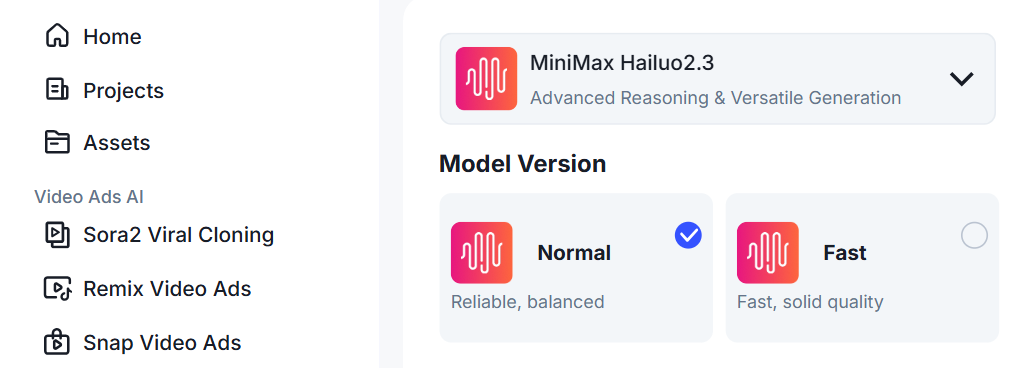
Step 1 – Open MiniMax Hailuo 2.3
Sign in to your VidAU dashboard. Click AI Image in the left navigation menu.
On the left sidebar, click Projects to view past work or start fresh. At the top of the workspace, open the model dropdown and select MiniMax Hailuo 2.3. You will now see the MiniMax Hailuo 2.3 header with the tag Better, cheaper and faster. The Prompt box and the Reference image panel appear on the page.
This is where every MiniMax Hailuo 2.3 image begins.
Step 2 — Write Your Prompt
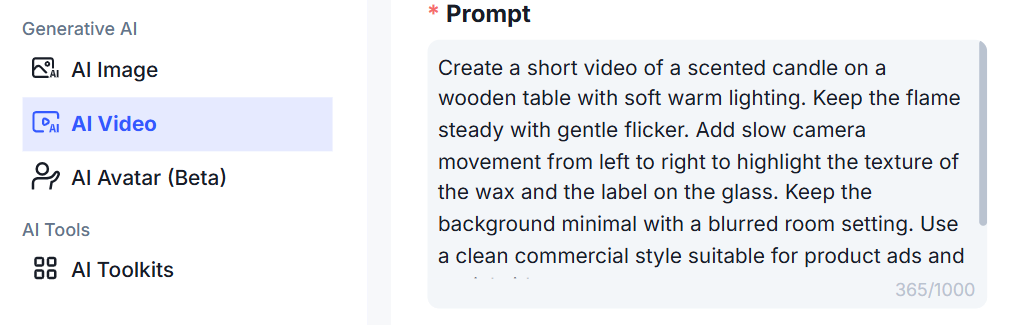
The prompt box tells MiniMax Hailuo 2.3 what to create. Keep the wording simple and visual. Describe what the viewer should see, not how the image should “feel.” Focus on the subject, the background and the lighting. A clear sentence works better than long paragraphs. For example, a ceramic mug on a wooden counter with soft morning light and a slow camera slide” gives the model a clear scene to build. Once the idea is set, type it in and stop. MiniMax Hailuo 2.3 handles the rest.
Prompt Example:
Create a short video of a scented candle on a wooden table with soft warm lighting. Keep the flame steady with gentle flicker. Add slow camera movement from left to right to highlight the texture of the wax and the label on the glass. Keep the background minimal with a blurred room setting. Use a clean commercial style suitable for product ads and social videos.
Result:
Step 3 — Upload a Reference Image
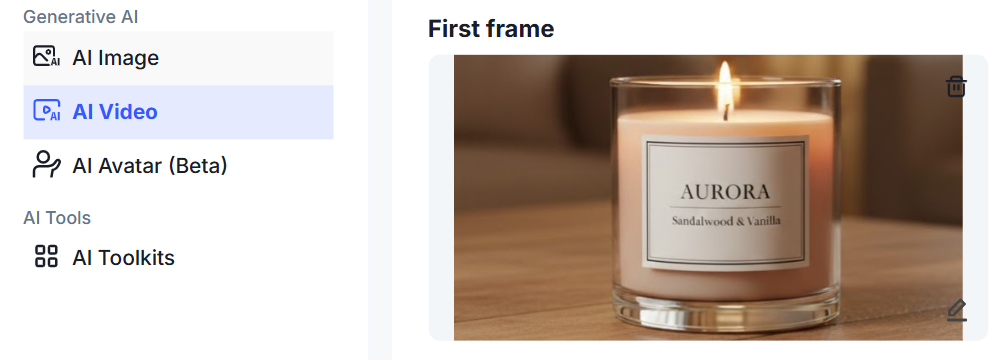
Below the prompt box, you can add a reference photo. This helps the model match your real product, brand colors or character design. If brand accuracy matters, upload the photo. If you want a free-style result, skip it. The moment the upload is done, MiniMax Hailuo 2.3links the prompt with your reference and prepares the visual settings.
Step 4 — Choose Your Aspect Ratio
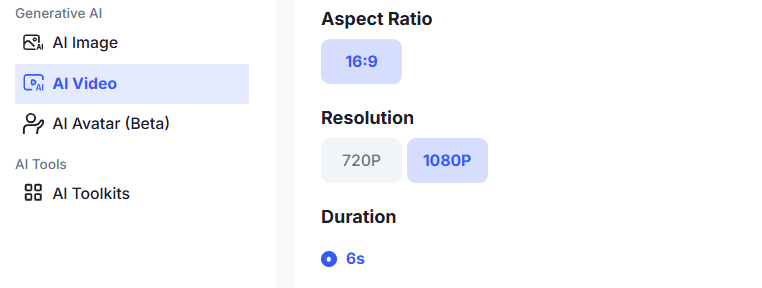
This setting controls the shape of your final image. Pick 9:16 if the picture is for TikTok, Instagram Reels or mobile viewing. if you want a square or portrait feed post pick 1:1 or 4:5 . Pick 16:9 for landscape layouts like YouTube thumbnails or website banners. Once you choose the ratio that matches where you will publish, MiniMax Hailuo 2.3 locks the frame to that format.
Step 5 — Review Credits and Generate
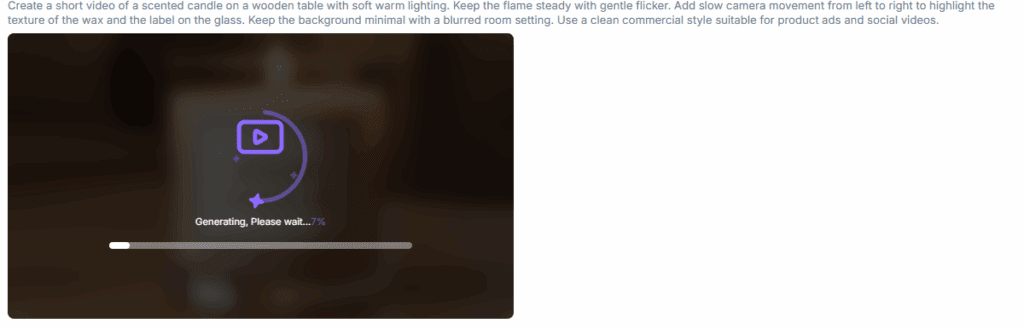
You will see the credit number under the aspect ratio. If everything looks correct, click Generate. MiniMax Hailuo 2.3 processes the image and shows a preview once it completes. Nothing else is needed. There is no editing, no setup and no waiting for long render times. If the result needs small adjustments, update the prompt and generate again. Each round gives a new polished version.
The Core Upgrades in MiniMax Hailuo 2.3
Hailuo 2.3 shows clear technical progress. These upgrades make it more reliable for short-form content and early-stage creative work.
Better Motion Tracking
The model understands body angles more clearly. It holds arms, legs and head positions with less drifting. This helps dance scenes, walks, runs and simple action shots.
Improved Scene Coherence
Background objects stay aligned across frames. Scene composition remains steady from start to finish. This reduces flicker and confusion.
Cleaner Lighting Control
The lighting stays consistent. Shadows appear natural and follow the position of the subject. Skin tones look more even. Reflections stay stable.
More Accurate Expressions
Hailuo 2.3 produces sharper expressions. Eyes, mouth and facial lines shift in a natural way. This makes emotional clips feel more real.
Style Variation
The model supports realistic, anime and stylized art. This helps creators build multiple directions when planning campaigns or branded content.
Faster Output
Short clips render quickly. You generate several variations and pick the strongest one for further edits.
Where MiniMax Hailuo 2.3 Performs Best

The model fits short-form platforms and fast-moving content workflows. It works well for creators who need visual ideas or product-aligned scenes without production crews.
Social Clips
TikTok, Instagram and YouTube Shorts reward fast motion. Hailuo 2.3 builds clear scenes that catch attention in the first seconds.
Product Concepts
You test camera angles, lighting and demo scenes before shooting real footage. This helps teams plan storyboards and ad directions.
Animated Storytelling
The movement quality helps creators produce short narrative scenes, branded moments and simple character loops.
Creative Ideation
Marketing teams use it for moodboards, asset variations and fast content tests during campaign planning.
Agency Drafts and Pitches
Hailuo 2.3 offers quick visuals that support early client presentations before the final production.
Limits You Need to Understand
The model is strong, but it has clear boundaries.
Short Clips Only
Most outputs stay between 6 and 10 seconds. You need editing tools for longer content.
Prompt Sensitivity
The accuracy of the scene depends on clear direction. Weak prompts lead to low-detail results.
Style Consistency
Some stylized scenes shift slightly across frames when the prompt lacks control.
No Full Advertising Workflow
The model provides a clip, not a ready ad. You still need CTAs, captions, hooks and formats.
This creates a gap that VidAU fills.
Where VidAU Strengthens the Workflow
MiniMax Hailuo 2.3 produces motion. VidAU produces results.
VidAU helps you turn a simple clip into a structured ad that performs across TikTok, Instagram, Facebook and YouTube. You build full product videos with transitions, captions, CTA overlays, subtitles and voice output.
With VidAU you:
- Create full ads using AI Video Generator
- Turn product photos into high-motion ads
- Produce variants with Product to Video Ads
- Convert images into short animated scenes
- Pull product info from URLs and build quick promos
- Write hooks and product lines with Script Generator
- Add subtitles and translations
- Build UGC-style avatar videos
- Export formats that match every platform
VidAU replaces manual editing and reduces production delays. You use MiniMax Hailuo 2.3 for scene generation, then use VidAU to create the final ad.
How MiniMax Hailuo 2.3 on VidAU Work Together

Hailuo gives you fast visuals. VidAU gives you structured output.
A simple workflow looks like this:
- Generate a short scene in MiniMax Hailuo 2.3
- Upload the clip to VidAU
- Add captions, hooks, transitions and CTAs
- Translate or subtitle the clip for global reach
- Export in the format that fits your platform
- Create variations and run tests
This workflow helps ecommerce sellers, marketers, creators and agencies publish performance-ready ads without a full production team.
Should You Use MiniMax Hailuo 2.3 on VidAU
MiniMax Hailuo 2.3 works well when you need fast clips, test scenes or concept visuals. It builds motion quickly, so you explore ideas without planning shoots or hiring editors. The model helps you shape early creative directions.
VidAU works when you need a finished ad. It gives you captions, hooks, CTAs, translations, subtitles and platform formats. You take a raw clip, a product photo or a URL and turn it into a full video that fits TikTok, Instagram, Facebook and YouTube.
You use both tools when you want speed and strong commercial output. Hailuo 2.3 builds the motion. VidAU adds the structure that helps a video perform. This workflow helps creators, sellers and agencies move from idea to publishable content without delays.
Final Thoughts
MiniMax Hailuo 2.3 gives creators a fast way to generate short clips with improved motion, lighting and scene control. It supports idea testing, creative drafts, moodboards and quick social content.
VidAU completes the workflow by turning these visuals into full product ads, branded videos and platform-ready deliverables. When combined, both tools help you move from idea to publishable content without waiting for shoots, editors or design teams.
FAQ
Does MiniMax Hailuo 2.3 support text prompts
Yes. You write a simple prompt and the model builds the clip.
Can it generate long videos
No. It creates short clips only.
Can I use the clips inside VidAU
Yes. You upload them and build full ads.
Does it support stylized output
Yes. It supports realistic and stylized scenes.
Which platforms fit MiniMax Hailuo 2.3 output
TikTok, Instagram, YouTube Shorts and product teasers.