n8n AI Agent Node · System vs User Messages, Tools & Multi-Agent Setup
How to Use the N8N AI Agent Node: System vs User Messages, Tools, and Multi-Agent Setup
Learn how to write effective System vs User messages, add tools with AI Agent Tool and fromAI, choose text-generation models, use Output Parsers, and build single or multi-agent workflows on one n8n canvas.
By the VidAU Editorial Team · n8n AI Agent node tutorial · Tools Agent, Conversational Agent, Plan and Execute Agent, AI Agent Tool node, fromAI, Output Parsers, LangChain Code Node, and VidAU creative workflows
Confused by System vs User messages in the n8n AI Agent node? This step-by-step tutorial shows how to structure both wire n8n AI agent node tools with the fromAI function and extend to a multi-agent workflow using the AI Agent Tool node on a single canvas.
If you are building with the n8n AI Agent node, the fastest wins come from getting System vs User messages right, picking the right AI models for text generation, and adding tools cleanly. I reviewed and analysed recent n8n and community walkthroughs and found that most confusion traces back to message roles, tool setup, and multi-agent routing on one canvas.
This tutorial is for n8n builders, automation engineers, and no-code teams who want a reliable pattern. I will show clear message patterns, a minimal build, how to use the fromAI function for faster tool setup, and how to scale with the AI Agent Tool node for a tidy multi-agent workflow.
Quick Summary
- N8n AI Agent node: use a concise System Message for role and guardrails, and a specific User Message for the task and inputs per run.
- AI Agent Tool node and fromAI: build multi-agent systems on a single canvas and generate tool definitions faster than manual setup.
- System vs User rule: System is a stable policy; User carries per-request data; add Output Parsers when you need structured JSON.
- Best fit: n8n builders creating research, data, or content agents using Tools Agent, Conversational Agent, or Plan and Execute Agent with GPT-class models.
In This Guide
- What the n8n AI Agent node is and how it works
- How System vs User messages work, with patterns and anti-patterns
- Step-by-step: a minimal agent with tools
- How to add tools to the n8n AI Agent node from AI
- How to choose AI models for text generation and add Output Parsers
- How to build a multi-agent workflow on one canvas
- Which agent type to choose and why
- Common mistakes and fast debugging tips
- Advanced options: LangChain Code Node and routing patterns
- Final Thoughts
- FAQ
What is the n8n AI Agent Node?
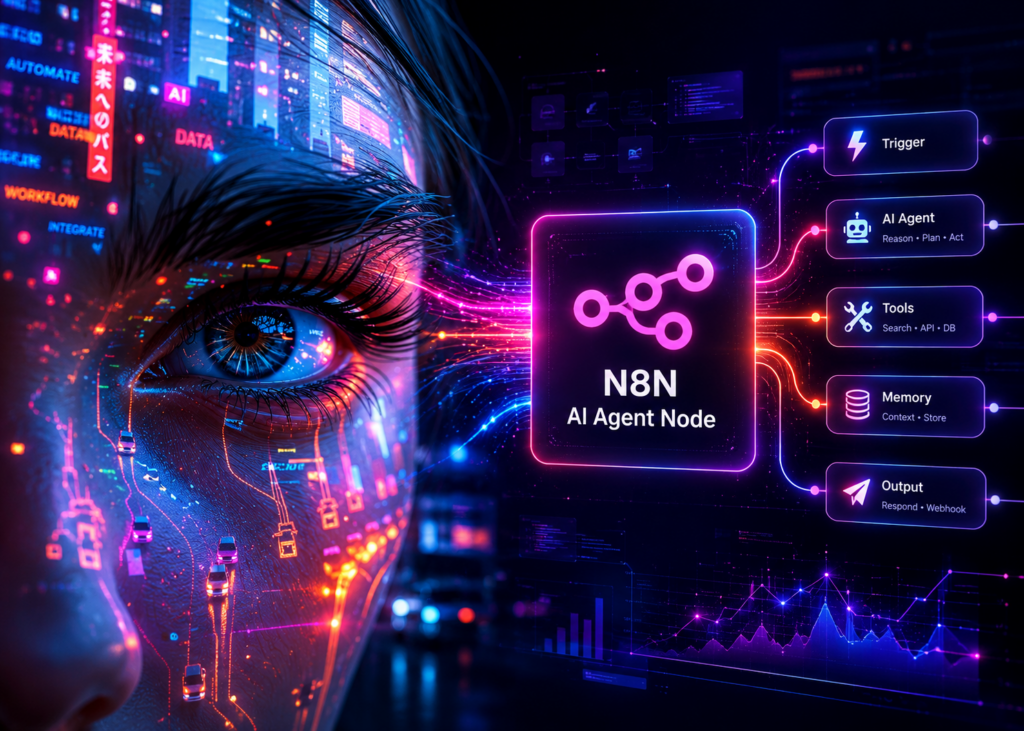
The n8n AI Agent node is a configurable large-language-model agent that accepts a System Message, a User Message, optional tools, and returns a response you can route through the rest of your workflow. It supports agent types like Tools Agent, Conversational Agent, and Plan and Execute Agent, and can run with different text-generation models and Output Parsers.
Definition
The n8n AI Agent node is a configurable LLM agent that uses a System Message, a User Message, optional tools, model settings, and optional Output Parsers to produce responses that can continue through the rest of an n8n workflow.
Who Is This For?
This guide is for:
- n8n builders shipping AI workflows that call APIs, scrape, summarize, or create content
- Automation engineers who want tool-using agents with guardrails
- No-code and low-code teams that need a maintainable, single-canvas multi-agent workflow
Best fit
This tutorial is strongest for n8n builders, automation engineers, and no-code or low-code teams that need maintainable AI workflows with tools, guardrails, structured output, and single-canvas multi-agent routing.
How do System vs User messages work in the n8n AI Agent node?
System Message sets role, policy, and non-negotiable constraints; User Message provides the specific task and inputs for this run. Treat the system as stable and the user as variable.
Example System Message pattern:
- Role: ‘You are a strict research assistant.’
- Policy: ‘Cite sources by title and URL.’
- Constraints: ‘If unsure, say you are unsure; output valid JSON when asked.’
- Capabilities: ‘You can call tools provided by the workflow.’
Example User Message pattern:
- Task: ‘Summarize these three URLs for a weekly report.’
- Inputs: ‘urls: [link1, link2, link3]; tone: concise; length: 150 words.’
- Output spec: ‘Return fields: title, key findings, sources.’
Anti-patterns to avoid:
- Putting step-by-step task instructions in the System instead of the User
- Overloading the user with policy and rules that belong in the system
- Leaving output format vague when you need structured data
- Mixing credentials, API keys, or internal notes into User content
Message rule
System is stable policy: role, rules, constraints, and capabilities. User is variable task data: the specific request, inputs, and output requirements for this run.
Step-by-step: how do I build a minimal agent with tools?
Follow this small, reliable path to a working agent.
1) Create a new workflow
Add a manual trigger or an incoming webhook for testing.
2) Drop an AI Agent node
Select agent type. For a first build, pick Tools Agent.
3) Write the System Message
Keep it under 120 words. Example: ‘You are a research assistant. Use tools to fetch data. If a tool fails, explain briefly and continue when possible.’
4) Write the User Message
Pass variables from previous nodes, such as ‘topic’, ‘urls’, or ‘deadline’. Example: ‘Summarize these urls for a weekly brief. Return JSON with: title, key_findings, links.’
5) Choose a model
Pick a GPT-class model or any supported AI models for text generation available in your credentials. Start with a balanced general model before trying smaller or specialized ones.
6) Add one tool
Include a safe, high-signal tool first, such as a fetch or search action you trust. Start small to confirm end-to-end behavior.
7) Test and inspect
Run once with clear inputs. Confirm the agent uses the tool when appropriate and that the response meets your output spec.
8) Add an Output Parser if needed
If you require valid JSON, apply an Output Parser configuration or a downstream validator node to coerce structure.
Key Takeaways
- Lock policy in System; pass run-time data in User.
- Add one tool first, verify, then expand.
- If structure matters, require JSON and parse it.
CTA: Act now
How do I add tools to the n8n AI Agent node from AI?
Use the fromAI function to generate tool definitions faster than manual configuration. I reviewed recent community tutorials showing that fromAI reduces the back-and-forth of naming, parameter mapping, and schema writing.
Fast setup pattern with fromAI:
- Open the AI Agent node Tools section.
- Choose to add a tool and look for the expression option.
- Use fromAI to describe the tool in plain language, including name, purpose, input fields, and success criteria.
- Review the generated definition. Ensure parameter names match your upstream nodes and that descriptions are unambiguous.
- Map inputs from prior nodes and test.
Practical prompts for fromAI:
- Name and purpose: ‘webpage_fetcher: fetch the full HTML from a single URL for parsing.’
- Inputs: ‘url: required string; timeout_ms: optional number (default 10000).’
- Output hint: ‘Return raw HTML; on error, return a short diagnostic message.’
Why this beats manual setup:
- Speed: draft names, descriptions, and parameters in one go
- Consistency: better alignment between tool description and expected use
- Maintainability: small edits to the fromAI prompt ripple correctly
Tip: keep tool names short and action-focused, add one or two crisp examples, and prefer typed parameters (string, number, boolean) over vague free text.
Tool setup tip
Use fromAI to draft tool names, descriptions, parameters, and success criteria faster, but always review generated definitions and confirm parameter names match upstream nodes before testing.
How do I choose AI models for text generation and add Output Parsers?
Choose a text model for the job, then add an Output Parser only when the response must be structured.
Model selection checklist:
- Task type: reasoning and tool-use vs pure chat; start with a general GPT-class model
- Latency vs cost: lighter models for quick routing; heavier models for research agents
- Context size: long documents or multiple tools may need larger context windows
- Determinism: lower randomness when you need strict formats
Output Parsers:
- When you need JSON, declare the schema in your User Message and add an Output Parser or validation step right after the AI Agent node.
- If the model still drifts, lower randomness and restate the schema briefly in both System and User.
Mid-workflow content tip:
- If your agent outputs ad copy, product scripts, or multilingual text, you can pass the result to external creation steps. For example, you can turn scripts into ad videos with Text to Video, create variations with VidAU AI Video, transform a product URL into a video concept with URL to Video, or generate narration via Text to Speech. VidAU is an AI video ad platform that generates video ads from product URLs, images, or scripts in 49 languages.
Additional creative options if your agent produces visuals or assets:
- Use UGC Avatars for spokesperson-style outputs
- Clean scenes with Object Remover
- Improve clarity using Video Enhancer
- Repurpose clips via VidAU Vid Remix
Turn n8n Agent Outputs Into Video Creatives
When your n8n AI Agent node outputs ad copy, product scripts, multilingual text, visuals, or campaign assets, route approved content into VidAU AI Video, Text to Video, URL to Video, VidAU Text to Speech, UGC Avatars, Object Remover, Video Enhancer, or VidAU Vid Remix.
VidAU workflow
Where VidAU Fits in n8n AI Agent Workflows
- Use the n8n AI Agent node for reasoning and routing: Keep role, policy, tool use, variables, and output structure inside your System and User message pattern.
- Use Output Parsers before creative handoff: Parse scripts, captions, URLs, product details, language targets, and asset requests into clean JSON or validated fields.
- Use VidAU AI Video, Text to Video, and URL to Video for generation: Turn approved agent outputs into ad videos, scripted concepts, or product-page-based video drafts.
- Use VidAU Text to Speech and UGC Avatars for voice and spokesperson formats: Generate narration or avatar-led creative variations when your workflow outputs multilingual text or spokesperson scripts.
- Use Object Remover, Video Enhancer, and VidAU Vid Remix for polish and iteration: Clean scenes, improve clarity, and repurpose clips after your n8n workflow validates the agent output.
How do I build a multi-agent workflow on one canvas?
Use the AI Agent Tool node to layer agents without juggling subworkflows. In n8n’s official walk-throughs, the AI Agent Tool node enables single-canvas multi-agent builds that are easier to visualize and debug than nested workflows.
A reliable three-agent composition:
- Agent A: Tools Agent for research and API calls
- Agent B: Conversational Agent for synthesis, tone, and QA
- Agent C: Plan and Execute Agent for breaking down complex tasks
Steps:
- Place Agent A, Agent B, and Agent C as separate AI Agent nodes.
- Add an AI Agent Tool node that points to Agent A, exposing its capability as a callable tool.
- Add another AI Agent Tool node for Agent C if you want planning as a tool.
- In Agent B, include both AI Agent Tool nodes as tools so it can route to research or planning.
- Keep System messages short and role-specific for each agent; avoid duplicating policy across all.
- Add a final Output Parser or validator after Agent B to standardize the deliverable.
Routing tips:
- Start with only one AI Agent Tool enabled, verify the interaction, then add the second
- Name tools by outcome, such as research agent and planner agent
- Log intermediate outputs from each node for fast inspection
I reviewed an n8n video that highlighted this single-canvas method as cleaner than multi-tab subworkflows, especially when debugging agent-to-agent calls.
Key Takeaways
- AI Agent Tool node turns whole agents into tools on the same canvas.
- Chain Tools Agent for data, Conversational Agent for voice, and Plan and Execute for decomposition.
- Add one tool at a time and observe intermediate outputs to catch drift early.
Which agent type should I choose and why?
Pick the simplest agent that meets the task. Here is a quick comparison you can use before you wire tools.
| Agent type | When to use | Notes |
|---|---|---|
| Tools Agent | Needs API calls or retrieval | Good default start |
| Conversational Agent | Dialogue, tone, QA | Pair after research |
| Plan and Execute Agent | Complex, multi-step tasks | Use sparingly first |
Agent selection tip
Start with Tools Agent when your workflow needs API calls, retrieval, or web actions. Add Conversational Agent for synthesis and tone, and use Plan and Execute Agent only when decomposition is truly needed.
Common mistakes and fast debugging tips
Frequent mistakes:
- Blurred roles: policies in User, tasks in System
- Tool overload: adding many tools before any end-to-end test
- Vague outputs: no schema when JSON is required
- Over-long prompts: exceeding model context with repeated instructions
- Silent failures: not logging intermediate tool outputs
Quick fixes:
- Rewrite System to only contain role and rules; move specific tasking to User
- Start with one tool and a small payload; scale after you see tool traces
- Add a minimal JSON schema and an Output Parser right after the agent
- Trim prompts; keep System under 120 words, User under 180 words to start
- Turn on execution logs and inspect node data between agents
Mistake to avoid
Do not add many tools before the first end-to-end test. Start with one tool, a small payload, clear logs, and a tight output schema so you can debug tool traces before expanding.
Advanced options: LangChain Code Node and routing patterns
When you need custom logic beyond the stock nodes, the LangChain Code Node can orchestrate bespoke chains, retries, or ranker-rescorer patterns. Use it sparingly; the AI Agent Tool node already covers many multi-agent needs. For tough outputs, add a second pass: a small verifier agent that only validates and repairs JSON.
I also reviewed an advanced community walkthrough showing how the LangChain Code Node exposes the mechanics behind LLM nodes; it is useful for specialized transforms, but most production teams get further, faster with AI Agent Tool nodes and well-written messages.
CTA: Try VidAU AI Agent
Advanced routing tip
Use LangChain Code Node only when stock nodes cannot handle your routing, parsing, retries, or ranker-rescorer pattern. For most production teams, AI Agent Tool nodes plus concise messages and Output Parsers are faster to build and easier to maintain.
Key takeaway
Final Thoughts
Treat System as policy and User as task, start with one trustworthy tool, and only then add multi-agent layers on the same canvas. The n8n AI Agent node, plus the AI Agent Tool node and fromAI, gives you a maintainable path from single agent to multi-agent without complexity sprawl.
If your agent outputs scripts, storyboards, or copy, consider sending them to creation steps like Text to Video or VidAU AI Video and adding narration via Text to Speech. Keep messages tight, tools minimal, and outputs parsed.
FAQ
Here are answers to common questions about the n8n AI Agent node, System Message vs User Message, fromAI, AI Agent Tool node, Tools Agent, Conversational Agent, Plan and Execute Agent, AI models for text generation, Output Parsers, multi-agent workflows on one canvas, anti-patterns, and when to use the LangChain Code Node.
What is the difference between System Message and User Message in the n8n AI Agent node?
System Message defines role, policy, and constraints that should not change between runs. User Message carries the specific task, inputs, and output requirements for this execution. Keep the system stable and short; keep it user-specific, variable, and linked to upstream data.
How do I add n8n AI agent node tools quickly without manual schema work?
Use the fromAI function when adding a tool. Describe the tool name, purpose, parameters, and expected behavior in plain language. fromAI drafts a definition you can review, map to input data, and test. It is faster and more consistent than writing the full tool schema manually.
Which agent type should I start with: Tools Agent, Conversational Agent, or Plan and Execute Agent?
Start with Tools Agent if your workflow needs API calls, retrieval, or web actions. Add a Conversational Agent to refine tone or summarize outputs. Use Plan and Execute Agent last, and only when you need decomposition. Simpler agents are easier to debug and maintain.
How do I choose AI models for text generation in the n8n AI Agent node?
Match the model to the task. Use a general GPT-class model for balanced reasoning and tool use, pick lighter models for quick routing, and prefer larger context windows for long documents. Lower randomness for strict formatting. Always test with your real prompt and payload sizes.
When should I use Output Parsers with the n8n AI Agent node?
Use Output Parsers whenever you need structured responses such as JSON. Declare a small schema in the User Message, then add an Output Parser or validator node downstream. If the model still drifts, lower randomness and restate a brief schema reminder in both System and User messages.
How do I build a multi-agent workflow on one canvas in n8n?
Use the AI Agent Tool node. Wrap Agent A and Agent C as callable tools, then let Agent B decide when to call them. This keeps every agent visible on a single canvas, simplifies debugging, and avoids multi-tab subworkflows. Add tools one at a time and log outputs.
What are common anti-patterns to avoid with the n8n AI Agent node?
Do not overload the system with task instructions, do not add many tools before a first test, and do not ask for structured output without a schema or parser. Avoid long, repetitive prompts. Keep credentials out of messages, and always log intermediate tool outputs to spot failures.
When should I use the LangChain Code Node instead of the AI Agent Tool node?
Use the LangChain Code Node when you need custom chain logic, specialized parsing, or experimental routing not covered by stock nodes. For most production agents, the AI Agent Tool node plus well-structured messages and Output Parsers will be faster to build and maintain.