N8N New AI Workflows Builder Demo and Full Review
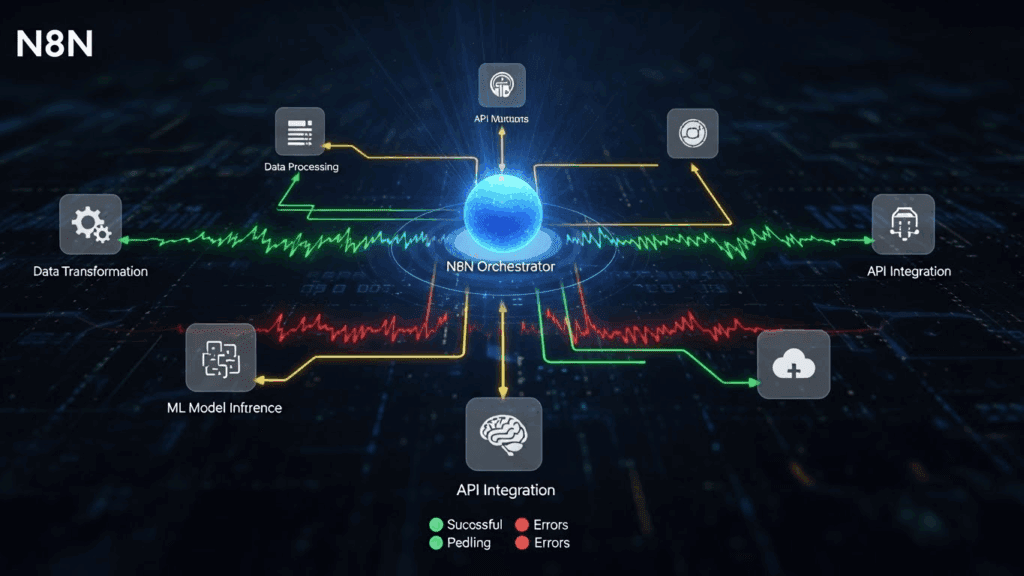
Building smart automations used to take hours of manual configuration. You had to drag nodes, test each connection, and troubleshoot every error. But with the latest N8N AI workflows builder, all that changes. You don’t need to code to automate anymore.
This review covers everything shown in the latest demo from how the builder works, to what’s new, how it stacks against traditional automation tools and how tools like VidAU can plug into that process for even better results. This guide follows the official demo video and breaks everything down in simple terms.
What Is the N8N AI Workflows Builder and How Does It Work?
The N8N AI workflows builder is a new way to create automations by simply typing your goal. You no longer drag nodes manually. Instead, you type a sentence like “Every time I get an email, save the attachment to Google Drive and notify me in Slack.” N8N then generates the full workflow automatically.
This new builder merges a chat UI with visual programming. You still get the traditional node editor, but now you start from your intention, and the workflow builds itself. It uses smart logic and recognizes tools, apps, and triggers you mention.
How the builder works step-by-step
Before using N8N’s AI workflows builder, understand how it turns ideas into actions:
- Enter your workflow goal in natural language (e.g., “When someone fills out my Typeform, send me a Telegram alert”)
- N8N builds a draft workflow using pre-set node structures and integrations
- You refine it by adding extra logic, filters, or edits manually
- Run and test the automation live
- Save and schedule for repeated tasks
This is a major shift from older automation builders that force users to think in nodes and paths. Then, you just describe what you want.
What Are the Main Features of the New AI Workflows in N8N?

N8N AI workflows are built to reduce friction and make automation accessible. You don’t need any coding knowledge. The system understands apps, tools, platforms, and triggers by name.
The standout features from the latest demo include:
Key upgrades shown in the demo
These improvements make N8N one of the easiest tools for building smart flows:
- Natural language input to auto-generate workflows
- Step-by-step conversation UI that shows how the logic builds
- Editable nodes after creation to fine-tune behavior
- Context-aware corrections if your request needs clarification
- Support for dozens of platforms including Google Sheets, Telegram, Discord, Airtable, and VidAU
You also get full editing rights. After the builder auto-generates a flow, you can jump in and manually modify it using the traditional node-based interface.
How Does the N8N AI Workflows Builder Compare to Other Automation Tools?
Compared to Zapier, Make, or Pipedream, the new AI workflows builder in N8N focuses more on usability and speed. While those tools offer node editors, N8N now lets you start with a sentence.
Table comparing N8N AI builder with similar tools
Below is a side-by-side breakdown to help you see the difference:
| Feature | N8N AI Workflows | Zapier | Make.com | Pipedream |
| Text-based workflow builder | Yes | No | No | No |
| Real-time prompt-to-flow | Yes | No | No | No |
| Editable logic after preview | Yes | Yes | Yes | Yes |
| Free tier with open features | Yes | Limited | Limited | Yes |
| Built-in AI node support | Yes | Experimental | No | Partial |
This makes N8N ideal for those who don’t want to drag and drop but still want advanced automation.
How to Build Your First AI Workflow in N8N
Getting started is simple if you follow these steps:
- Sign up for N8N Cloud or install locally: Go to n8n.io to create your account.
- Open the AI workflows builder: Click “AI Builder” in the dashboard.
- Describe your task: Be clear about what you want the workflow to do.
- Watch the draft generate: Let N8N create the workflow.
- Test the nodes: Check connections and logic.
- Edit and refine: You can adjust filters, conditions, or add new nodes.
- Run your workflow: Click “Execute” to launch it.
- Connect with tools like VidAU: Use webhooks or APIs to add more value.
This process helps you go from idea to working system in minutes.
Pros and Cons of Using N8N for AI Workflows
You should know the strengths and limits before jumping in. Here’s a quick breakdown:
Pros:
- Saves time by automating boring tasks
- Requires no coding knowledge
- Supports hundreds of tools and services
- Open-source, self-hostable or cloud-based
- AI workflows builder makes setup easier
Cons:
- Still requires some logic understanding
- Complex flows may need manual tweaking
- Interface can feel technical to new users
Despite those limits, it offers more flexibility than most no-code platforms.
Why Should Content Creators Use N8N AI Workflows with VidAU?
If you create content daily, using N8N AI workflows with VidAU simplifies your pipeline. You can generate videos, captions, or edits by linking prompt-based triggers with VidAU’s content builder.
For example:
- Use N8N to detect a new tweet or YouTube comment
- Auto-generate a script based on the topic
- Feed that into VidAU to create a video
- Post to social or store to Google Drive automatically
This entire flow runs without touching multiple tools. With N8N’s new builder, even beginners now automate content like pros.
Who Benefits Most from Using the N8N AI Workflows Builder?
Freelancers, marketers, agencies, product teams, and developers all benefit from this upgrade. But the biggest gain is for non-technical users who want automation but don’t write code. The following user types fits the best use cases:
- Marketers: trigger campaigns when users click links
- Content creators: turn ideas into videos via VidAU
- Freelancers: auto-send invoices or proposals
- Customer support teams: route queries based on keywords
- Dev teams: set logic tests or alerts for failed API calls
Conclusion
The updated N8N AI workflows builder gives automation a human-first interface. Instead of building flows node-by-node, you describe your logic and get a working structure instantly. This makes it easier for busy teams and solo workers to stay productive.
While N8N doesn’t connect directly to platforms like VidAU, its potential as a backend automation engine still stands strong. You can still set up notifications, form triggers, or file-based outputs that feed into tools that handle creative tasks.
For creators and teams looking to manage processes with fewer clicks, this is a smart upgrade.
FAQs
- What is an AI workflow in N8N?
It’s an automation flow built using N8N’s AI builder, where tasks are connected using logic nodes based on your prompt. - Do I need coding skills to use the AI workflows builder?
You don’t, Just write plain instructions and N8N builds the workflow for you. You can edit it visually. - Can I connect AI workflows with video tools like VidAU?
Absolutely. You can send AI-generated content to VidAU using webhook or API for automatic video generation. - How do I start building an AI workflow today?
Go to n8n.io, sign up, and click “AI Builder” to start generating flows using natural language. - 5. Is this better than Zapier or Make for beginners?
For non-coders and fast testers, yes. N8N’s builder is more intuitive and faster to set up.