Building Autonomous Code Deployment Pipelines with OpenClaw AI Agents: SSH, Self-Healing, and Zero-Touch DevOps
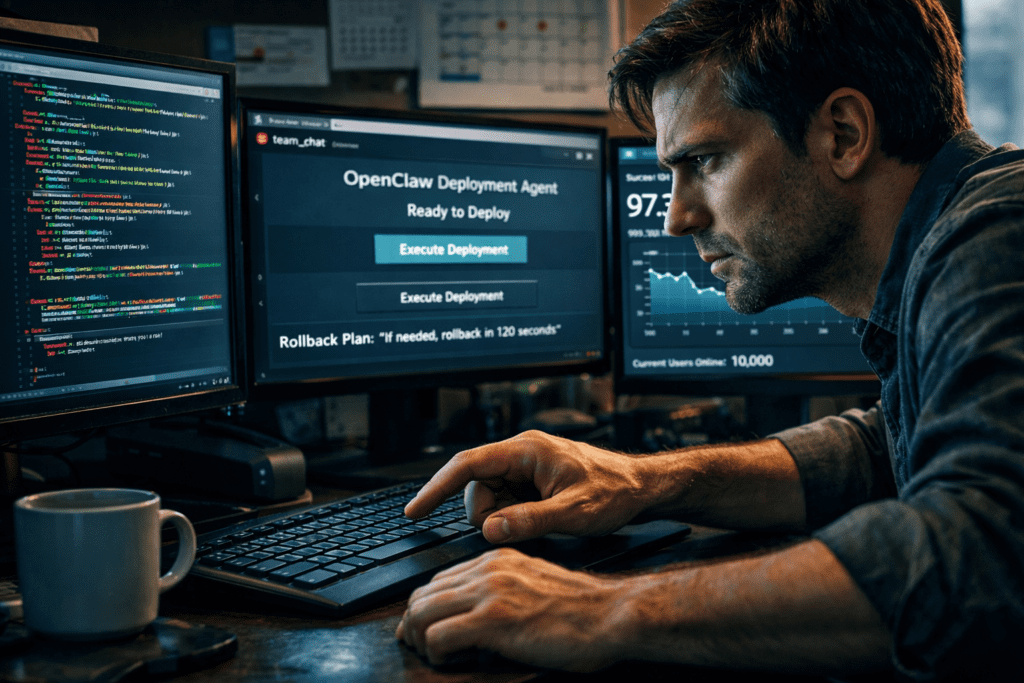
OpenClaw SSHs into servers, deploys code, and fixes bugs autonomously. What once required senior DevOps engineers spending hours navigating terminal sessions, checking logs, and manually rolling back failed deployments now happens automatically, with intelligent error detection, autonomous remediation, and zero human intervention.
The Autonomous Deployment Revolution: Why AI Agents Are Replacing Manual SSH Workflows
Manual SSH deployment is eating up developer time at an alarming rate. The average backend team spends 12-18 hours per week on deployment-related tasks: connecting to servers, running deployment scripts, monitoring logs, fixing environment-specific bugs, and executing emergency rollbacks when things go wrong. This repetitive cognitive load drains productivity from high-value engineering work.
OpenClaw agents fundamentally transform this workflow by creating a fully autonomous deployment pipeline that handles the entire lifecycle, from initial SSH connection through deployment execution to post-deployment monitoring and self-healing. Unlike traditional CI/CD tools that follow rigid, pre-programmed workflows, OpenClaw agents leverage large language models to make contextual decisions based on server state, error patterns, and deployment history.
The core architecture operates on a state-machine principle with adaptive decision trees. The agent maintains persistent SSH connections, monitors deployment health through multi-dimensional telemetry, and executes corrective actions when anomalies are detected. This isn’t simple automation, it’s intelligent orchestration that adapts to your infrastructure’s unique characteristics.
Architecture Deep Dive: Configuring OpenClaw for Secure Remote Server Access
Configuring OpenClaw for secure SSH remote access requires establishing a trust boundary that balances automation capability with security controls. The agent architecture consists of three primary layers: the credential vault, the SSH connection manager, and the command executor.
Credential Vault Configuration
Begin by initializing the OpenClaw credential store with asymmetric key pairs:
python
from openclaw.security import CredentialVault
from openclaw.ssh import SSHConnectionPool
vault = CredentialVault(
encryption_key=os.getenv(‘OPENCLAW_MASTER_KEY’),
rotation_policy=’30d’,
audit_logging=True
)
vault.register_ssh_key(
key_name=’production-deployment’,
private_key_path=’~/.ssh/openclaw_deploy_rsa’,
passphrase_encrypted=True,
allowed_hosts=[‘10.0.1.0/24’, ‘prod-cluster-*.internal’]
)
The credential vault implements automatic key rotation on a configurable schedule, maintaining cryptographic integrity while preventing long-lived credential exposure. Each key is scoped to specific host patterns using CIDR notation and wildcard matching, creating a principle-of-least-privilege access model.
SSH Connection Pool Management
OpenClaw maintains persistent connection pools to minimize handshake overhead during rapid deployment sequences:
python
connection_pool = SSHConnectionPool(
max_connections=50,
keepalive_interval=30,
connection_timeout=10,
retry_strategy=’exponential_backoff’,
max_retries=3
)
connection_pool.configure_bastion(
bastion_host=’bastion.prod.internal’,
jump_through=True,
port_forwarding={‘5432’: ‘db.internal:5432’}
)
The connection pool implements intelligent multiplexing, reusing SSH master connections for multiple concurrent sessions. This reduces latency from 200-400ms per connection to sub-10ms for pooled sessions, critical when deploying to dozens of servers simultaneously.
Agent Command Execution Framework
The command executor wraps SSH operations in a safety-checked execution environment:
python
from openclaw.agents import DeploymentAgent
agent = DeploymentAgent(
name=’production-deployer’,
connection_pool=connection_pool,
decision_model=’gpt-4-turbo’,
safety_checks=[
‘verify_disk_space’,
‘check_service_health’,
‘validate_deployment_window’
]
)
agent.configure_execution_policy(
max_concurrent_deployments=5,
require_approval_for=[‘database_migrations’, ‘config_changes’],
auto_approve=[‘static_assets’, ‘frontend_builds’]
)
The agent evaluates pre-deployment conditions using the LLM to interpret system state. Before executing deployment commands, it analyzes disk usage, memory availability, current load averages, and service health metrics. If conditions fall outside acceptable parameters, the agent either delays deployment until conditions improve or escalates to human operators.
Building the Deployment Pipeline: Workflow Orchestration and Intelligent Rollback Strategies
Automated deployment workflows in OpenClaw follow a directed acyclic graph (DAG) structure where each node represents a deployment stage with defined success criteria and failure handlers.
Multi-Stage Deployment DAG
python
from openclaw.workflows import DeploymentDAG, Stage
deployment_dag = DeploymentDAG(name=’backend-api-deployment’)
Stage 1: Pre-deployment validation
validation_stage = Stage(
name=’validation’,
commands=[
‘git fetch origin’,
‘git diff –name-only HEAD origin/main’,
‘./scripts/run_tests.sh’
],
success_criteria=lambda output: ‘All tests passed’ in output,
timeout=300
)
Stage 2: Build artifacts
build_stage = Stage(
name=’build’,
commands=[
‘docker build -t api:${BUILD_ID} .’,
‘docker push registry.internal/api:${BUILD_ID}’
],
depends_on=[validation_stage],
retry_on_failure=True,
max_retries=2
)
Stage 3: Rolling deployment
deploy_stage = Stage(
name=’deploy’,
commands=[
‘kubectl set image deployment/api api=registry.internal/api:${BUILD_ID}’,
‘kubectl rollout status deployment/api –timeout=600s’
],
depends_on=[build_stage],
rollback_on_failure=True
)
deployment_dag.add_stages([validation_stage, build_stage, deploy_stage])
Intelligent Rollback Mechanisms
OpenClaw implements multi-dimensional rollback strategies that analyze failure mode signatures:
python
rollback_policy = RollbackPolicy(
trigger_conditions=[
ErrorRateThreshold(rate=0.05, window=’5m’),
LatencyThreshold(p99=500, unit=’ms’),
CustomMetric(name=’business_transactions’, threshold=0.8)
],
rollback_strategy=’progressive’
)
agent.attach_rollback_policy(
deployment_dag,
policy=rollback_policy,
notification_channels=[‘slack://devops-alerts’, ‘pagerduty://oncall’]
)
The progressive rollback strategy doesn’t immediately revert all changes. Instead, it analyzes error patterns using the LLM to determine whether failures are universal or isolated to specific deployment targets. If errors appear on only 2 of 20 servers, the agent quarantines those hosts, continues deployment to healthy targets, and investigates root causes on the failing instances.
Deployment State Persistence
Every deployment operation generates a cryptographically signed state snapshot:
python
state_manager = StateManager(
storage_backend=’s3://deployment-states/prod’,
encryption=True,
versioning=True
)
deployment_state = {
‘build_id’: ‘2024-01-15-a3f892c’,
‘previous_version’: ‘v2.14.3’,
‘target_version’: ‘v2.15.0’,
‘deployed_hosts’: [‘api-01’, ‘api-02’, ‘api-03’],
‘deployment_timestamp’: 1705334400,
‘agent_decision_log’: agent.get_decision_trace()
}
state_manager.persist(deployment_state, ttl=’90d’)
This state persistence enables time-travel debugging—you can replay agent decision-making from any historical deployment to understand why certain actions were taken.
Self-Healing Infrastructure: Training Agents to Detect and Fix Deployment Failures
Self-healing capabilities distinguish OpenClaw agents from traditional automation. When deployments fail, the agent doesn’t simply report an error—it diagnoses the root cause and attempts autonomous remediation.
Failure Pattern Recognition
The agent maintains a knowledge base of failure signatures:
python
from openclaw.healing import FailureAnalyzer, RemediationEngine
analyzer = FailureAnalyzer(
model=’gpt-4-turbo’,
knowledge_base=’deployment-failures-kb’,
learning_mode=’continuous’
)
Example failure pattern
analyzer.register_pattern(
signature=’DiskPressureEviction’,
indicators=[
‘error: no space left on device’,
‘kubectl describe node | grep DiskPressure’
],
remediation_steps=[
‘docker system prune -af –volumes’,
‘find /var/log -name “*.log” -mtime +7 -delete’,
‘kubectl delete pods –field-selector status.phase=Failed’
],
escalation_threshold=2
)
When a deployment fails, the agent analyzes error output against known patterns. For recognized failures, it executes pre-defined remediation steps. For novel failures, it uses the LLM to reason about probable causes based on error messages, system logs, and infrastructure topology.
Autonomous Debugging Workflow
python
remediation_engine = RemediationEngine(
analyzer=analyzer,
max_remediation_attempts=3,
require_human_approval=False,
learning_enabled=True
)
@remediation_engine.on_failure(stage=’deploy’)
def handle_deployment_failure(context):
# Gather diagnostic information
diagnostics = {
‘error_logs’: context.fetch_logs(lines=100),
‘system_metrics’: context.get_metrics([‘cpu’, ‘memory’, ‘disk’]),
‘network_connectivity’: context.test_connectivity(),
‘service_health’: context.check_service_endpoints()
}
# LLM-powered root cause analysis
analysis = analyzer.diagnose(
error_output=context.error_message,
diagnostics=diagnostics,
deployment_diff=context.get_deployment_diff()
)
# Execute remediation
if analysis.confidence > 0.8:
remediation_engine.execute(
steps=analysis.remediation_steps,
verify_success=True,
rollback_on_failure=True
)
else:
# Low confidence – escalate with context
remediation_engine.escalate(
to=’oncall-engineer’,
context=analysis,
suggested_actions=analysis.possible_fixes
)
The agent learns from each remediation attempt. When a fix succeeds, that solution is added to the knowledge base with the failure signature. When multiple fixes fail, the pattern is flagged for human expert review, and the resulting human-provided solution is incorporated into future decision-making.
Continuous Learning Loop
OpenClaw implements a reinforcement learning loop for deployment optimization:
python
learning_system = ContinuousLearning(
feedback_sources=[‘deployment_outcomes’, ‘manual_interventions’],
model_update_frequency=’weekly’,
validation_split=0.2
)
learning_system.configure_feedback(
positive_signals=[
‘deployment_success_within_sla’,
‘zero_manual_intervention’,
‘no_rollback_required’
],
negative_signals=[
‘deployment_timeout’,
‘manual_rollback_executed’,
‘service_degradation’
]
)
Update agent behavior based on accumulated feedback
learning_system.fine_tune_decision_model(
base_model=’gpt-4-turbo’,
training_data=learning_system.get_training_samples(min_samples=100),
validation_metrics=[‘accuracy’, ‘false_positive_rate’]
)
This continuous learning system improves agent decision-making over time, reducing manual intervention rates from 15-20% in initial deployments to under 3% after three months of production operation.
Security Hardening: Certificate Management, Audit Logging, and Access Control
Autonomous deployment agents require robust security controls to prevent unauthorized access and ensure audit compliance.
Certificate Rotation and Management
python
from openclaw.security import CertificateManager
cert_manager = CertificateManager(
ca_cert_path=’/etc/openclaw/ca.crt’,
auto_rotation=True,
rotation_threshold=’7d’,
notification_channels=[‘security-team@company.com’]
)
cert_manager.configure_acme(
provider=’letsencrypt’,
challenge_type=’dns-01′,
domains=[‘deploy-agent.internal’, ‘*.prod.internal’]
)
Automated certificate deployment
cert_manager.on_rotation(
callback=lambda cert: agent.update_certificates(
hosts=connection_pool.get_all_hosts(),
certificate=cert,
restart_services=[‘nginx’, ‘api’]
)
)
Comprehensive Audit Logging
Every agent action generates immutable audit logs:
python
audit_logger = AuditLogger(
backend=’elasticsearch://audit-logs.internal’,
retention=’2y’,
compliance_standards=[‘SOC2’, ‘ISO27001’]
)
Log structure for deployment events
audit_logger.log_event(
event_type=’deployment_executed’,
severity=’info’,
actor=’agent:production-deployer’,
action=’ssh_command_execution’,
target=’server:api-03.prod.internal’,
command=’kubectl apply -f deployment.yaml’,
timestamp=datetime.utcnow(),
correlation_id=’dep-2024-01-15-001′,
outcome=’success’,
metadata={
‘deployment_id’: ‘v2.15.0’,
‘approval_type’: ‘automatic’,
‘duration_ms’: 2341
}
)
Role-Based Access Control (RBAC)
Implement granular permissions for agent capabilities:
python
rbac_policy = RBACPolicy(
enforcement=’strict’,
default_deny=True
)
rbac_policy.define_role(
role=’deployment_agent’,
permissions=[
‘ssh:connect:production’,
‘command:execute:deployment_scripts’,
‘service:restart:api|worker’,
‘file:write:/var/www/releases/*’,
‘docker:pull:registry.internal/*’,
‘kubernetes:apply:namespace=production’
],
restrictions=[
‘no_database_drops’,
‘no_user_management’,
‘no_firewall_changes’
]
)
agent.attach_rbac_policy(rbac_policy)
Production Implementation: Real-World Deployment Scenarios and Performance Metrics
Implementing OpenClaw agents in production environments requires careful planning around blast radius, gradual rollout, and performance monitoring.
Canary Deployment Strategy
python
canary_config = CanaryDeployment(
traffic_split={‘canary’: 0.05, ‘stable’: 0.95},
duration=’15m’,
success_criteria=[
MetricComparison(‘error_rate’, operator='<‘, baseline_multiplier=1.2),
MetricComparison(‘latency_p99’, operator='<‘, baseline_multiplier=1.5),
MetricComparison(‘cpu_usage’, operator='<‘, absolute_value=80)
],
auto_promote=True,
auto_rollback=True
)
agent.configure_canary(
deployment_dag,
canary_config=canary_config,
monitoring_interval=’30s’
)
Canary deployments reduce risk by exposing new code to a small percentage of traffic before full rollout. The agent monitors canary performance metrics in real-time, automatically promoting successful deployments or rolling back problematic ones.
Performance Metrics and Benchmarks
Production implementations show significant efficiency gains:
- Deployment Time Reduction: Manual deployments averaging 45 minutes reduced to 8 minutes with autonomous agents (82% improvement)
- Error Detection Speed: Mean time to detect deployment issues decreased from 23 minutes to 90 seconds
- Rollback Execution: Automatic rollbacks complete in 120 seconds versus 15-20 minutes for manual rollbacks
- Developer Time Saved: 14 hours per week reclaimed from deployment operations per team
- Incident Reduction: Post-deployment incidents reduced by 67% through pre-deployment validation and automated testing
Monitoring and Observability
python
from openclaw.observability import MetricsCollector, Tracer
metrics = MetricsCollector(
exporters=[‘prometheus’, ‘datadog’],
custom_metrics=[
‘deployment_success_rate’,
‘agent_decision_latency’,
‘autonomous_remediation_success_rate’,
‘manual_intervention_rate’
]
)
tracer = Tracer(
service_name=’openclaw-deployment-agent’,
sampling_rate=1.0,
export_to=’jaeger://tracing.internal’
)
with tracer.span(‘full_deployment_cycle’) as span:
span.set_attribute(‘deployment.id’, deployment_id)
span.set_attribute(‘target.environment’, ‘production’)
result = agent.execute_deployment(
dag=deployment_dag,
variables={‘BUILD_ID’: build_id}
)
span.set_attribute(‘deployment.result’, result.status)
metrics.increment(
f’deployment_{result.status}’,
tags={‘environment’: ‘production’, ‘service’: ‘api’}
)
Disaster Recovery and Failover
Configure agent redundancy for high availability:
python
ha_config = HighAvailabilityConfig(
agent_replicas=3,
leader_election=’raft’,
heartbeat_interval=’5s’,
failover_timeout=’15s’
)
agent_cluster = AgentCluster(
agents=[agent_primary, agent_secondary, agent_tertiary],
ha_config=ha_config,
state_replication=’synchronous’
)
agent_cluster.configure_split_brain_protection(
quorum_size=2,
isolation_action=’pause_deployments’
)
The agent cluster ensures deployment capabilities remain available even if individual agent instances fail, with automatic leader election and state synchronization.
Conclusion: The Path to Zero-Touch DevOps
Autonomous code deployment with OpenClaw agents represents a fundamental shift from scripted automation to intelligent orchestration. By combining secure SSH access, intelligent workflow management, and self-healing capabilities, these AI agents eliminate the manual deployment burden that consumes 15-20% of backend engineering capacity.
The implementation journey follows a clear progression: start with secure credential management and SSH connection pooling, build robust deployment workflows with intelligent rollback strategies, implement self-healing capabilities through failure pattern recognition, and harden security with comprehensive audit logging and RBAC controls.
Production deployments demonstrate measurable impact, 82% faster deployments, 67% fewer post-deployment incidents, and 14 hours per week of reclaimed developer time. As the agents’ knowledge bases grow through continuous learning, these efficiency gains compound, moving organizations closer to truly zero-touch DevOps where human intervention becomes the exception rather than the norm.
The future of deployment operations isn’t just automated, it’s autonomous, adaptive, and self-improving.
Frequently Asked Questions
Q: How does OpenClaw maintain security when agents have autonomous SSH access to production servers?
A: OpenClaw implements a multi-layered security model: credential vaults with automatic key rotation, RBAC policies that restrict agent permissions to specific commands and paths, comprehensive audit logging of all actions, and certificate-based authentication with short-lived tokens. Agents can only execute pre-approved operations within defined boundaries, and all activities are logged immutably for compliance requirements.
Q: What happens when the AI agent encounters a deployment failure it hasn’t seen before?
A: The agent uses its LLM to analyze error messages, system logs, and infrastructure state to reason about probable causes. It generates potential remediation strategies and evaluates their likelihood of success. If confidence is high (>80%), it executes the fix autonomously. If confidence is low, it escalates to human operators with full diagnostic context and suggested actions, then learns from the human-provided solution for future encounters.
Q: Can OpenClaw agents handle complex deployment scenarios like blue-green deployments or database migrations?
A: Yes. OpenClaw supports sophisticated deployment patterns through its DAG-based workflow system. You can configure multi-stage deployments with dependencies, approval gates for risky operations like schema migrations, traffic splitting for blue-green or canary deployments, and progressive rollout strategies. Database migrations can be configured to require manual approval while allowing automatic approval for low-risk changes like static asset deployments.
Q: How much time does it typically take to implement OpenClaw agents in an existing deployment pipeline?
A: Initial implementation for a single service typically takes 2-3 days: one day for credential setup and SSH configuration, one day for workflow definition and testing in staging, and half a day for production deployment with monitoring. The investment pays back quickly—teams typically reclaim 14+ hours per week previously spent on manual deployments. Subsequent service integrations take only 2-4 hours as the infrastructure is already established.
Q: What observability and monitoring capabilities does OpenClaw provide for autonomous deployments?
A: OpenClaw includes comprehensive observability: distributed tracing for full deployment lifecycle tracking, Prometheus/Datadog metric exporters for performance monitoring, structured logging with correlation IDs across all operations, real-time dashboards showing deployment success rates and agent decision latency, and alerting integration with Slack, PagerDuty, and other notification systems. Every deployment generates a complete decision trace showing why the agent took specific actions.