Master OpenClaw in Under an Hour – From Zero to Running Multiple AI Agents
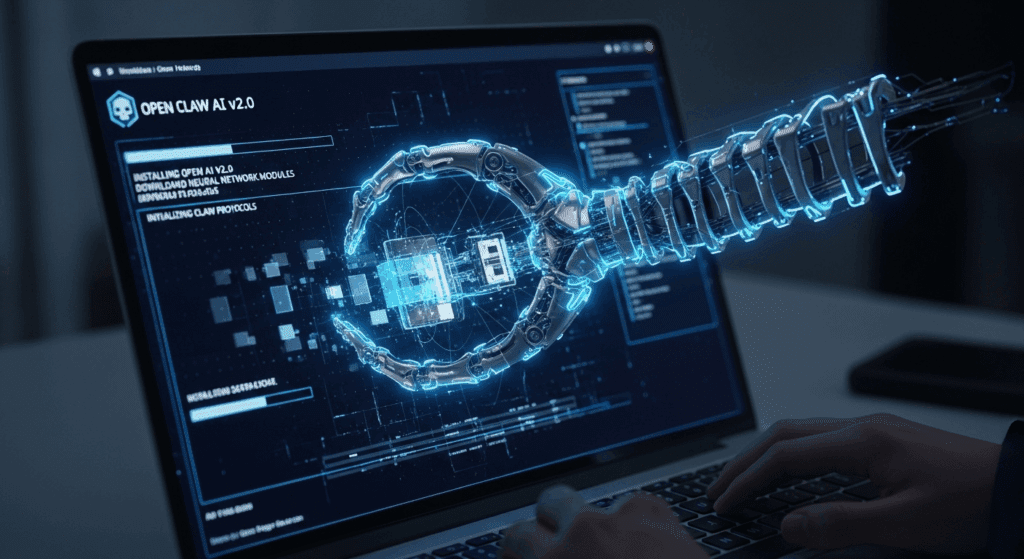
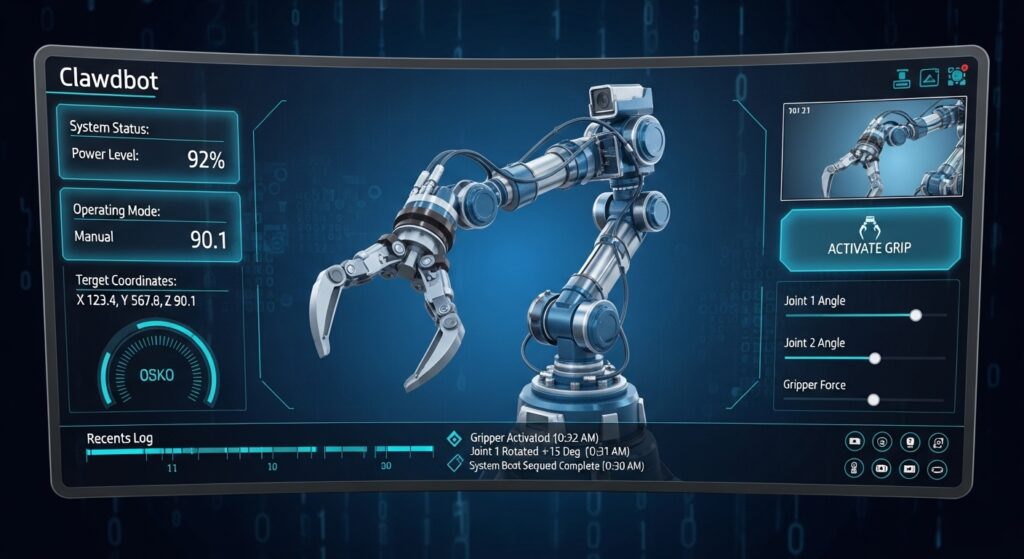
AI agents no longer operate alone. Today, developers build systems where multiple agents collaborate to research, analyze data, and produce results automatically. This approach saves time and enables advanced automation workflows. OpenClaw helps developers coordinate these AI agents. Instead of managing each model separately, OpenClaw works as a control layer that organizes how agents communicate, store knowledge, and execute tasks.
Creators also document these workflows through tutorials. Platforms such as VidAU help convert screen recordings, diagrams, or workflow demos into clear educational videos that simplify technical systems for beginners.
This guide explains how OpenClaw works, how to install it, how skills operate inside the system, and how to coordinate multiple AI agents effectively.
Installation and Environment Configuration
Prerequisites and System Requirements
Before diving into OpenClaw installation, ensure your system meets the minimum requirements: Python 3.10 or higher, 8GB RAM (16GB recommended for multi-agent workflows), and 10GB free disk space. OpenClaw operates as a lightweight orchestration layer, but the AI models it coordinates require substantial resources.
Start by creating an isolated Python environment to prevent dependency conflicts:
bash
python -m venv openclaw-env
source openclaw-env/bin/activate # On Windows: openclaw-env\Scripts\activate
This isolation proves critical when managing multiple agent instances with different library version requirements. Think of this as creating separate render pipelines in ComfyUI – each environment maintains its own dependency graph without interference.
Core Installation Steps
Clone the OpenClaw repository and install base dependencies:
bash
git clone https://github.com/openclaw/openclaw.git
cd openclaw
pip install -r requirements.txt
The requirements file includes essential packages: `langchain` for agent orchestration, `openai` for LLM connectivity, `chromadb` for vector storage, and `pydantic` for configuration validation. These components work together like a video generation pipeline – the LLM acts as your prompt encoder, ChromaDB serves as your latent space storage, and Pydantic ensures seed parity across agent instances.
API Configuration and Authentication
Create a `.env` file in your project root to store API credentials:
bash
OPENAI_API_KEY=sk-your-key-here
ANTHROPIC_API_KEY=sk-ant-your-key-here
SERPAPI_KEY=your-serpapi-key
OpenClaw supports multiple LLM providers, similar to how modern video tools offer various samplers (Euler a, DPM++ 2M Karras). Each provider exhibits different “inference characteristics” – OpenAI GPT-4 provides consistent, deterministic outputs (like DDIM schedulers), while Claude delivers more creative variance (akin to ancestral samplers).
Verify installation by running the health check:
bash
python -m openclaw.core.verify
This command validates API connectivity, checks dependency versions, and confirms your environment can spawn agent processes. A successful verification returns a green status for all components, similar to ComfyUI’s node validation before workflow execution.
Skills Framework: Building Practical Agent Capabilities
Understanding the Skills Architecture
OpenClaw’s skills system mirrors the node-based workflow architecture in ComfyUI or Runway’s motion brush system. Each skill represents a discrete capability – web search, file manipulation, code execution, or API interaction. Skills chain together to form complex agent behaviors, just as video generation nodes combine to create sophisticated visual effects.
The framework provides three skill categories:
1. Native Skills: Built-in capabilities like calculator, datetime, and string manipulation
2. Tool Skills: External API integrations (search engines, databases, web scrapers)
3. Custom Skills: User-defined functions for specialized tasks
Implementing Your First Skill
Create a custom skill for sentiment analysis. In the `skills/custom/` directory, create `sentiment_analyzer.py`:
python
from openclaw.skills.base import BaseSkill
from textblob import TextBlob
class SentimentAnalyzer(BaseSkill):
name = “sentiment_analyzer”
description = “Analyzes text sentiment and returns polarity score”
def execute(self, text: str) -> dict:
analysis = TextBlob(text)
return {
“polarity”: analysis.sentiment.polarity,
“subjectivity”: analysis.sentiment.subjectivity,
“classification”: self._classify(analysis.sentiment.polarity)
}
def _classify(self, score: float) -> str:
if score > 0.1:
return “positive”
elif score < -0.1:
return “negative”
return “neutral”
This skill operates like a ControlNet preprocessor in image generation – it analyzes input data and extracts structured information the agent can act upon. The execution method maintains deterministic behavior through consistent scoring algorithms, ensuring seed parity when rerunning identical inputs.
Registering and Testing Skills
Register your custom skill in `config/skills.yaml`:
yaml
custom_skills:
– name: sentiment_analyzer
module: skills.custom.sentiment_analyzer
class: SentimentAnalyzer
enabled: true
rate_limit: 100 # requests per minute
Test the skill in isolation before agent integration:
python
from openclaw.core.agent import Agent
agent = Agent(
name=”sentiment_bot”,
skills=[“sentiment_analyzer”],
model=”gpt-4″
)
result = agent.run(
“Analyze the sentiment: ‘OpenClaw makes agent development incredibly efficient!'”
)
print(result)
This testing approach parallels prompt testing in video generation – validate individual components before assembling complex workflows. The agent should return structured sentiment data with polarity scores and classifications.
Building Practical Use Cases
Combine multiple skills for real-world applications. Here’s a content analyzer that scrapes web pages, extracts key information, and generates summaries:
python
research_agent = Agent(
name=”researcher”,
skills=[
“web_scraper”,
“text_extractor”,
“sentiment_analyzer”,
“summarizer”
],
model=”gpt-4″,
temperature=0.3 # Lower temperature for consistent outputs
)
result = research_agent.run(
“Research public opinion on renewable energy from news articles published this week”
)
The temperature parameter functions like CFG scale in image generation – lower values produce deterministic, focused outputs, while higher values increase creative variance. For research tasks requiring consistency, maintain temperature between 0.2-0.4.
Multi-Agent Orchestration and Workflow Coordination
Designing Agent Hierarchies
Multi-agent systems mirror the parallel processing pipelines in video generation workflows. Just as Runway processes different frame regions simultaneously or ComfyUI batches latent generations, OpenClaw coordinates multiple agents to solve complex problems through task decomposition.
Implement a hierarchical structure with specialized agents:
python
from openclaw.orchestration import AgentTeam
Create specialized agents
researcher = Agent(
name=”researcher”,
role=”data_gathering”,
skills=[“web_search”, “web_scraper”, “pdf_reader”],
model=”gpt-4″
)
analyzer = Agent(
name=”analyzer”,
role=”data_processing”,
skills=[“sentiment_analyzer”, “data_processor”, “statistics”],
model=”gpt-4″
)
writer = Agent(
name=”writer”,
role=”content_generation”,
skills=[“summarizer”, “formatter”, “citation_builder”],
model=”gpt-4-turbo”,
temperature=0.7 # Higher creativity for content generation
)
Orchestrate as team
team = AgentTeam(
agents=[researcher, analyzer, writer],
coordination_mode=”sequential”, # Can also use “parallel” or “hierarchical”
shared_memory=True
)
The `coordination_mode` parameter determines execution flow, similar to frame interpolation strategies in video generation:
– Sequential: Linear execution (agent A → agent B → agent C), like traditional rendering
– Parallel: Concurrent execution for independent tasks, similar to multi-GPU batch processing
– Hierarchical: Supervisor agent delegates to workers, analogous to tiled upscaling workflows
Implementing Shared Memory Systems
Shared memory enables agents to access common context, functioning like the latent space in diffusion models – a shared representation layer all components can read and modify:
python
from openclaw.memory import VectorMemory
Initialize shared vector storage
memory = VectorMemory(
provider=”chromadb”,
collection_name=”team_knowledge”,
embedding_model=”text-embedding-ada-002″
)
team = AgentTeam(
agents=[researcher, analyzer, writer],
memory=memory,
memory_strategy=”selective” # Options: “full”, “selective”, “summary”
)
result = team.execute(
“Create a comprehensive report on AI agent frameworks, including market analysis and technical comparison”
)
The researcher agent stores findings in vector memory, the analyzer retrieves and processes this data, and the writer accesses both previous outputs to generate the final report. This mirrors the progressive refinement in video generation, where each pass builds on previous latent states.
Coordination Patterns and Message Passing
Implement sophisticated inter-agent communication using message queues:
python
from openclaw.messaging import MessageBroker
broker = MessageBroker(
backend=”redis”, # Or “memory” for development
queue_strategy=”priority”
)
Configure agent communication
team = AgentTeam(
agents=[researcher, analyzer, writer],
message_broker=broker,
communication_pattern=”broadcast” # Or “direct”, “pubsub”
)
Communication patterns define information flow:
– Broadcast: All agents receive all messages (high synchronization, higher latency)
– Direct: Point-to-point messaging (efficient, requires explicit routing)
– PubSub: Topic-based subscriptions (flexible, enables dynamic workflows)
These patterns parallel different rendering strategies – broadcast resembles synchronous frame-by-frame processing, while pubsub mimics asynchronous generation with dynamic batching.
Advanced Workflow: Autonomous Research Pipeline
Combine all concepts into a production-ready multi-agent system:
python
from openclaw.orchestration import Workflow
from openclaw.triggers import ScheduleTrigger, EventTrigger
Define workflow stages
workflow = Workflow(name=”market_intelligence”)
Stage 1: Data collection (parallel execution)
workflow.add_stage(
name=”collection”,
agents=[
Agent(name=”news_scraper”, skills=[“web_scraper”, “rss_reader”]),
Agent(name=”social_monitor”, skills=[“twitter_api”, “reddit_scraper”]),
Agent(name=”report_gatherer”, skills=[“pdf_reader”, “doc_processor”])
],
execution_mode=”parallel”,
timeout=300 # 5 minutes
)
Stage 2: Analysis (sequential processing)
workflow.add_stage(
name=”analysis”,
agents=[
Agent(name=”sentiment_analyzer”, skills=[“sentiment_analyzer”, “trend_detector”]),
Agent(name=”data_processor”, skills=[“statistics”, “data_visualizer”])
],
execution_mode=”sequential”,
depends_on=[“collection”]
)
Stage 3: Report generation
workflow.add_stage(
name=”reporting”,
agents=[
Agent(name=”report_writer”, skills=[“summarizer”, “formatter”, “chart_generator”])
],
depends_on=[“analysis”]
)
Configure triggers
workflow.add_trigger(
ScheduleTrigger(cron=”0 9 1″) # Every Monday at 9 AM
)
Execute workflow
workflow.run()
This workflow architecture mirrors video generation pipelines in Runway or ComfyUI – modular stages with clear dependencies, parallel processing where possible, and sequential refinement where necessary.
Troubleshooting and Performance Optimization
Common Installation Issues
Dependency Conflicts: If you encounter version mismatches, use `pip install –upgrade` for specific packages or create a fresh virtual environment. This is analogous to clearing ComfyUI’s custom nodes cache.
API Rate Limits: Implement exponential backoff and request queuing:
python
agent = Agent(
name=”rate_limited_agent”,
model=”gpt-4″,
rate_limit_config={
“requests_per_minute”: 60,
“retry_strategy”: “exponential_backoff”,
“max_retries”: 3
}
)
Memory Exhaustion: For multi-agent workflows processing large datasets, implement memory-efficient strategies:
python
memory = VectorMemory(
provider=”chromadb”,
max_memory_mb=2048, # Limit memory usage
eviction_policy=”lru” # Least recently used
)
Performance Optimization Techniques
Model Selection: Match model capability to task complexity. Use GPT-3.5-turbo for simple tasks (like using SD 1.5 for drafts) and GPT-4 for complex reasoning (like SDXL for final renders).
Caching Strategies: Implement response caching for deterministic queries:
python
agent = Agent(
name=”cached_agent”,
cache_config={
“enabled”: True,
“ttl”: 3600, # 1 hour
“cache_key_strategy”: “semantic” # Or “exact”
}
)
Semantic caching uses embedding similarity to match queries, similar to how video models cache similar latent representations.
Monitoring and Observability: Enable detailed logging for debugging:
python
from openclaw.monitoring import MetricsCollector
metrics = MetricsCollector(
backends=[“prometheus”, “console”],
track_metrics=[“latency”, “token_usage”, “success_rate”]
)
team = AgentTeam(
agents=[researcher, analyzer, writer],
metrics_collector=metrics
)
You’ve now mastered OpenClaw installation, skills implementation, and multi-agent coordination. This foundation enables building sophisticated autonomous systems that rival specialized SaaS solutions – all running on your infrastructure with complete control over data and behavior. Start with simple single-agent tasks, gradually introduce custom skills, then scale to multi-agent workflows as your confidence grows.
Frequently Asked Questions
Q: What are the minimum system requirements to run OpenClaw with multiple agents?
A: You need Python 3.10+, 8GB RAM minimum (16GB recommended for multi-agent workflows), 10GB free disk space, and API access to at least one LLM provider (OpenAI, Anthropic, or local models). For production multi-agent systems, 16GB+ RAM and SSD storage significantly improve performance.
Q: How do I choose between sequential, parallel, and hierarchical coordination modes?
A: Use sequential mode when tasks have strict dependencies (output of agent A required for agent B). Choose parallel mode when agents work on independent subtasks simultaneously. Select hierarchical mode when you need a supervisor agent to dynamically delegate work and aggregate results. Parallel offers best performance for independent tasks, while hierarchical provides most flexibility for complex workflows.
Q: Can I use local LLMs instead of API-based models like GPT-4?
A: Yes, OpenClaw supports local models through Ollama, LM Studio, or custom inference servers. Configure the agent with `model=”ollama/llama2″` or similar. Local models reduce API costs but require more hardware resources and may produce less consistent results than commercial models like GPT-4.
Q: What’s the difference between native, tool, and custom skills?
A: Native skills are built-in capabilities (calculator, datetime, string manipulation) that require no additional setup. Tool skills integrate external APIs (web search, databases) and need API credentials. Custom skills are user-defined functions you create for specialized tasks, offering unlimited extensibility for domain-specific requirements.
Q: How do I debug when agents produce unexpected results?
A: Enable verbose logging with `agent.set_log_level(‘DEBUG’)`, implement the MetricsCollector for detailed execution traces, test skills in isolation before agent integration, and use lower temperature values (0.2-0.3) for more deterministic outputs. The shared memory system also maintains execution history you can inspect for debugging complex multi-agent workflows.