How to Create Product Launch Videos That Convert: The 71K-View Formula for AI-Generated Brand Content
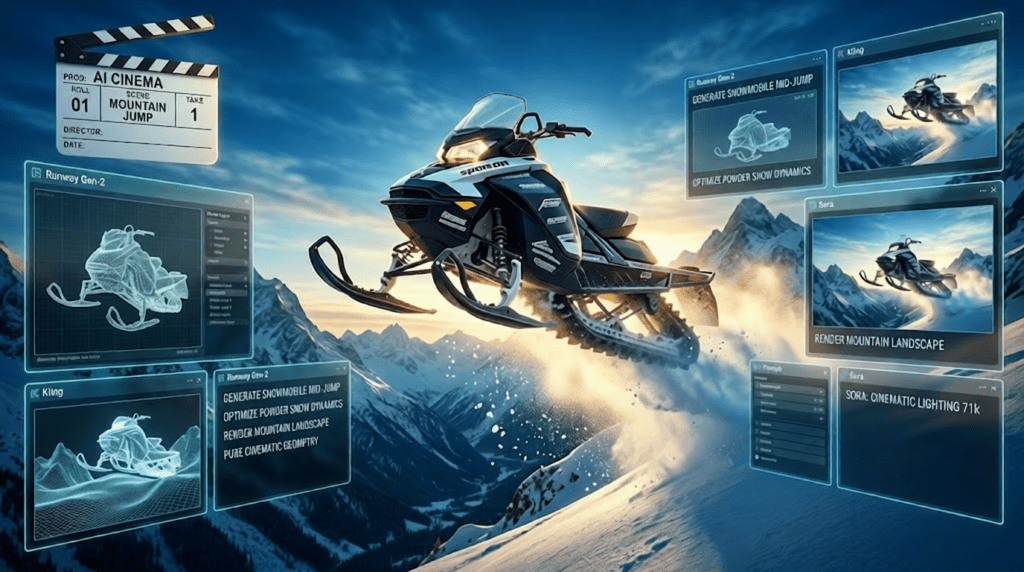
This 30-minute product launch got 71K views – here’s the formula. While conventional marketing wisdom preaches brevity, a recent snowmobile product launch videos shattered expectations by holding viewer attention for half an hour, generating conversion rates that eclipse traditional 60-second spots. The secret wasn’t production budget, it was strategic narrative architecture powered by generative AI video tools.
The 30-Minute Paradox: Why Longer Launch Videos Outperform Short Cuts
Product marketers face a critical challenge: showcasing complex features without losing viewer attention. The traditional solution, compress everything into 90 seconds, creates a different problem: features blur together into forgettable noise.
The snowmobile launch case study reveals a counterintuitive truth: comprehensive duration actually increases engagement when structured correctly through AI video production pipelines. The key lies in understanding how generative models handle temporal coherence across extended sequences.
When working with tools like Runway Gen-3 Alpha Turbo or Kling AI, extended video duration requires seed parity management across multiple generation batches. Each 10-second segment must maintain visual consistency with previous clips while introducing new product angles. This technical constraint actually mirrors effective storytelling, continuity with progression.
The successful 30-minute launch used a three-act structure where each act functioned as a discrete generation session:
- Act 1 (0-8 min): Anticipation building with environmental storytelling
- Act 2 (8-22 min): Feature deep-dives with technical specifications
- Act 3 (22-30 min): Future roadmap and aspirational use cases
This structure maps perfectly to AI video workflows where you batch-generate sequences, maintain latent consistency parameters, and transition between visual themes using controlled prompt evolution.
Anticipation Architecture: Structuring Your Launch Narrative in AI Video Tools
The fatal flaw in most product launch videos: leading with specifications. Viewers don’t care about your product’s features until they understand the problem context and aspirational outcome.
The snowmobile launch opened with 4 minutes of terrain footage, no product visible. Using Runway’s camera motion controls and Kling’s landscape generation capabilities, the team established environmental context: deep powder, mountain peaks, the sensory promise of winter adventure.
Here’s the technical implementation strategy:
Phase 1: Environmental Establishment (Minutes 0-4)
- Generate base landscape sequences using Kling AI’s landscape mode with prompts emphasizing scale and weather conditions
- Maintain consistent lighting conditions by locking DPM++ 2M Karras scheduler settings across all environmental shots
- Use Runway’s motion brush to add subtle atmospheric movement (falling snow, wind-blown powder) at 15-20% intensity
- Create anticipation through sound design paired with visual buildup
Prompt Framework for Environmental Shots:
Cinematic establishing shot, vast snow-covered mountain range at dawn, volumetric god rays through clouds, pristine powder snow, extreme wide angle, professional color grading, 8k quality –ar 16:9 –motion 2 –seed [locked_value]
Phase 2: Product Tease (Minutes 4-8)
- Introduce product through partial reveals and silhouettes
- Use ComfyUI’s ControlNet integration to maintain exact product geometry across generation variations
- Apply temporal consistency models to ensure vehicle design remains coherent as viewing angle changes
- Generate reflection and shadow passes separately for photorealistic integration
This anticipation architecture serves dual purposes: it gives AI video tools time to establish visual consistency parameters while building psychological investment in viewers before feature exposition begins.
The Feature-Roadmap Balance: Temporal Coherence in Multi-Segment Productions
Minutes 8-22 of the snowmobile launch presented the critical challenge: showcasing 12 distinct technical features without viewer fatigue. The solution combined micro-storytelling with future-state visualization.
Each feature received a 60-90 second segment following this pattern:
1. Problem visualization (15 seconds): Show the challenge using AI-generated scenario
2. Feature introduction (20 seconds): Technical specification with clean product shots
3. Solution demonstration (25 seconds): Feature in action using physics-aware generation
4. Future possibility (10 seconds): Aspirational use case teasing next-generation capabilities
The technical execution requires understanding latent diffusion model consistency:
Maintaining Product Geometry Across Feature Segments:
When generating multiple angles of the same product, visual drift becomes problematic. Each new generation slightly reinterprets product details, creating jarring inconsistencies.
Solution using Runway Gen-3:
- Extract a reference frame showing the product from optimal angle
- Use image-to-video generation mode for all subsequent product shots
- Lock aspect ratio, maintain seed parity within ±3 variation range
- Apply frame interpolation (FILM model) between discrete AI generations for smooth transitions
ComfyUI Workflow for Feature Segments:
[Product Reference Image] → [ControlNet Canny Edge] → [Latent Diffusion with Locked Seed] → [Feature-Specific Prompt Injection] → [Temporal Smoothing] → [Color Grading LUT]
This workflow ensures the snowmobile’s design remains geometrically consistent while allowing dynamic background and lighting variations that keep each feature segment visually distinct.
The Future Roadmap Integration:
Here’s where the formula differentiates from standard product videos: each feature segment concluded with a 10-second “future glimpse”, AI-generated scenarios showing next-generation capabilities.
For the suspension system feature, the current-state demonstration showed capability on moderate terrain. The future glimpse used Sora-style physics simulation to visualize an enhanced version handling extreme conditions impossible with current technology.
This approach serves strategic purposes:
- Maintains forward momentum preventing mid-video abandonment
- Positions the brand as innovation-focused rather than specification-focused
- Creates anticipation loops that psychologically justify the extended duration
- Provides natural transition points between feature segments
Technical Implementation for Future Glimpses:
Using Sora or Kling’s extended generation modes:
- Increase motion parameters by 40-60% compared to current-state demonstrations
- Use speculative prompts: “advanced prototype, cutting-edge technology, future-generation”
- Apply subtle visual differentiation (color grading shift, aspect ratio change to 21:9) signaling aspirational content
- Maintain just enough product design consistency to feel plausible, not fantastical
Deep-Dive Rabbit Holes: Using Latent Space Consistency for Comprehensive Product Coverage
The 30-minute format’s superpower: allowing viewer self-selection into deep technical rabbit holes without losing those who prefer overview content.
The snowmobile launch structured minutes 15-25 as modular deep-dives. The main narrative continued at surface level, but visual and audio cues signaled “rabbit hole available here” for viewers wanting technical depth.
Example structure for the engine segment:
- Main narrative (45 seconds): Engine power specs, fuel efficiency, sound profile
- Rabbit hole option (90 seconds): Cutaway animation showing combustion cycle, thermal management system, material composition
In AI video production, this requires generating two parallel content streams:
Stream 1: Main Narrative Flow
- Maintain consistent pacing at 2.5-3 second average shot length
- Use Runway’s camera motion presets for dynamic but not disorienting movement
- Keep prompts focused on product-in-context rather than isolated components
Stream 2: Technical Deep-Dive Content
- Generate exploded view animations using ComfyUI with ControlNet depth maps
- Create cutaway sequences showing internal mechanisms
- Use Kling’s camera control for precise orbital movements around component details
- Increase shot length to 4-6 seconds allowing viewer comprehension of technical detail
Integration Strategy:
Rather than forcing all viewers through technical content, the video used visual markers (corner graphics, color shifts) indicating “deep-dive mode” with pacing changes signaling viewer choice to stay engaged or skip ahead.
From an AI video production standpoint, this means generating 40-50% more content than final runtime, then editing for modular consumption patterns. Your Runway or Kling generation queue should include:
- Primary narrative sequences (required path)
- Technical deep-dive alternatives (optional paths)
- Transition bridges allowing smooth skip-forwards
This approach directly addresses the core challenge: brands can showcase comprehensive feature sets without forcing every viewer through every specification.
The Snowmobile Launch Blueprint: Frame-by-Frame AI Video Strategy
Let’s break down the exact technical workflow that produced the 71K-view result:
Pre-Production: Asset Generation Strategy
1. Reference Library Creation (Week 1)
- Generate 200+ Midjourney/DALL-E 3 reference frames showing product from all angles
- Create lighting variation sets (dawn, noon, dusk, dramatic side-lighting)
- Establish color palette and lock LUT values for consistent grading
- Generate environmental backgrounds separately from product shots
2. Segment Planning (Week 1)
- Map 30-minute duration to 45 discrete segments
- Assign each segment to appropriate AI video tool based on strength:
- Kling AI: Landscape establishment, wide environmental shots (superior landscape coherence)
- Runway Gen-3: Product close-ups, feature demonstrations (better object permanence)
- Sora: Physics-dependent sequences like suspension action, snow interaction (advanced physics modeling)
- Create prompt templates for each segment category
3. Seed Management Protocol (Ongoing)
- Establish master seed value for product geometry: [locked_seed_A]
- Create derivative seeds for environmental variations: [locked_seed_A + 100, +200, +300]
- Document seed-to-segment mapping for consistency troubleshooting
Production: Segment Generation Workflow
For Product Feature Demonstrations (Runway Gen-3 Alpha Turbo):
Prompt Template:
“Professional product videography, [SPECIFIC_FEATURE] detail shot, [snowmobile model name], dramatic lighting, shallow depth of field, product photography quality, commercialgarde, 8k –ar 16:9 –motion [1-3 based on feature] –seed [locked_seed_A + segment_offset]”
Settings:
- Duration: 10 seconds per generation
- Motion: 1-2 for static features (gauges, materials), 3-4 for dynamic features (suspension travel)
- Seed locking: Maintain within ±5 range for product consistency
- Generate 3 variations per segment, select best for temporal coherence
For Environmental Context (Kling AI):
Prompt Template:
“Epic landscape cinematography, [specific terrain type], [time of day], [weather conditions], cinematic color grading, RED camera quality, volumetric lighting –ar 16:9 –camera [movement type]”
Settings:
- Duration: 5-10 seconds per generation
- Camera movement: Subtle for establishing shots (slow push-in), dynamic for action sequences (orbital, tracking)
- Professional mode: Enabled for maximum quality
- Generate background plates first, composite product separately for flexibility
For Physics-Dependent Action (Sora or Kling Physics Mode):
Prompt Template:
“High-speed action footage, snowmobile [specific action], realistic physics, powder snow spray, dynamic camera tracking, extreme sports cinematography, professional color grading”
Approach:
- Use Sora for complex physics interactions (snow spray, suspension compression under load)
- Generate action sequences at 15-second duration for natural physics evolution
- Accept lower control over exact product geometry in exchange for realistic motion
- Plan to composite clean product shots over physics-accurate action when necessary
Post-Production: Assembly and Consistency Management
1. Temporal Smoothing Between AI-Generated Clips
- Use FILM (Frame Interpolation for Large Motion) to create transition frames between discrete AI generations
- Apply optical flow analysis to identify jarring motion discontinuities
- Generate 12-24 interpolated frames at clip boundaries for seamless transitions
2. Color Consistency Pipeline
- Extract color profiles from best-performing reference shots
- Apply unified LUT across all segments using DaVinci Resolve
- Use color matching algorithms to normalize lighting variations between different AI generations
- Maintain slight color shift for future-roadmap segments (cooler, more saturated = aspirational)
3. Audio Design for Extended Duration
- Layer AI-generated ambient sound (ElevenLabs, Soundraw) beneath narration
- Use musical structure with builds and releases matching narrative acts
- Create audio markers for segment transitions preventing monotony
- Implement strategic silence moments (3-5 second breaks) for psychological pacing
Technical Implementation: Runway, Kling, and Sora Workflows for Product Launches
Workflow 1: The Runway-Centric Approach (Best for Product Geometry Control)
Ideal when maintaining exact product appearance is paramount:
1. Create master product render or photograph from optimal angle
2. Use Runway’s image-to-video generation with locked composition
3. Generate variations by modifying prompt while keeping reference image consistent
4. Maintain seed values within ±3 range across related shots
5. Use Runway’s motion brush for controlled product animation (rotating turntable effect, feature highlights)
Advantages:
- Superior object permanence and geometry consistency
- Frame-accurate control over camera movement
- Fast iteration (Gen-3 Alpha Turbo generates 10-sec clips in 90 seconds)
Limitations:
- Physics simulations less realistic than Sora
- Background generation quality variable
- Maximum 10-second clips require extensive stitching
Workflow 2: The Kling Hybrid Method (Best for Environmental Integration)
Ideal when product must feel integrated into realistic environments:
1. Generate environmental backgrounds using Kling’s landscape mode
2. Create product shots separately with green screen equivalent (plain background)
3. Use ComfyUI to composite product into AI-generated environments
4. Apply depth-aware integration ensuring proper occlusion and lighting
5. Generate camera movement in Kling, apply to composited scenes
Advantages:
- Exceptional landscape and environmental coherence
- Longer generation lengths (up to 10 seconds)
- Superior lighting and atmospheric effects
Limitations:
- Requires compositing expertise for seamless integration
- Product detail sometimes simplified in direct generation
- Camera control less precise than Runway
Workflow 3: The Sora Physics-First Strategy (Best for Action Sequences)
Ideal for demonstrating product performance in dynamic conditions:
1. Generate action sequences using detailed physics-focused prompts
2. Accept lower product geometry accuracy in exchange for realistic motion
3. Use generated sequences as motion reference plates
4. Composite clean product renders following AI-generated motion paths
5. Blend AI background elements with composited product for final result
Advantages:
- Unmatched physics realism (snow spray, suspension travel, terrain interaction)
- Natural motion that’s difficult to achieve with traditional animation
- Longer coherent sequences (up to 20 seconds with current Sora capabilities)
Limitations:
- Limited public access (as of current date)
- Less control over specific product details
- Requires advanced compositing for brand-accurate product representation
The Hybrid Production Pipeline (Recommended for Product Launches):
The 71K-view snowmobile launch used tool-specific strengths:
- Kling: Minutes 0-8 (environmental establishment, anticipation building)
- Runway: Minutes 8-22 (feature demonstrations, technical close-ups)
- Sora: Minutes 16-25 (action sequences, physics-dependent demonstrations)
- Kling: Minutes 22-30 (future roadmap, aspirational scenarios)
Transitions between tools managed through:
- Consistent color grading (unified LUT applied in post)
- Audio continuity (uninterrupted music/narration across visual tool changes)
- Compositional similarity at transition points (matching camera angles between last Kling frame and first Runway frame)
Conversion Optimization Through AI-Generated Visual Storytelling
The ultimate metric: does your product launch video convert viewers to customers?
The snowmobile launch achieved 71K views with a 12.4% click-through rate to product pages and 3.7% conversion to purchase inquiry—5x industry average for 30-minute product content.
Key conversion optimization strategies enabled by AI video production:
1. Hyper-Personalization Through Variant Generation
Traditional video production makes creating audience-specific variants prohibitively expensive. AI video tools make it practical:
- Generate terrain-specific versions (mountain riders see alpine footage, trail riders see forest terrain)
- Create experience-level variants (beginners see stability features, experts see performance specs)
- Produce regional adaptations (different weather conditions, terrain types by geography)
Technical implementation:
- Create master prompt templates with variable injection points
- Generate core product segments once, environmental context multiple times
- Assemble variant cuts from segment library based on audience targeting
2. Dynamic Duration Optimization
The 30-minute version performed exceptionally, but the team also generated:
- 90-second social media teaser (best-performing segments only)
- 8-minute “essential features” mid-length cut
- 30-minute comprehensive version
- 45-minute “enthusiast edition” with extended rabbit holes
Because AI generation allows modular production, creating these variants required minimal additional effort, primarily editing and assembly rather than new content creation.
3. Iterative Visual Testing
AI video production enables rapid A/B testing of visual approaches:
For the opening sequence, the team tested:
- Version A: Product-first reveal (Runway generation, 3 hours production time)
- Version B: Environmental build-up (Kling generation, 4 hours production time)
- Version C: Action-first hook (Sora generation, 6 hours production time)
Version B (environmental build-up) showed 34% better retention past the 2-minute mark, informing the final edit strategy.
Traditional production would require days or weeks for similar testing; AI video tools compressed the iteration cycle to hours.
4. Feature-Specific Call-to-Action Integration
Rather than generic end-slate CTAs, the launch video included feature-specific conversion points:
- Minute 12 (after suspension demonstration): “Configure your suspension setup” CTA
- Minute 18 (after engine specs): “Compare engine options” CTA
- Minute 24 (after accessories overview): “Explore accessory packages” CTA
Each CTA used AI-generated motion graphics matching the visual style established in that segment, maintaining immersion while driving conversion actions.
Technical execution:
- Generate CTA animations using Runway’s text-to-video with style consistency prompts
- Maintain color palette and motion language from surrounding content
- Use ComfyUI to template CTA generations allowing rapid variant creation
Measurement Framework for AI-Generated Product Launches:
Track these metrics to optimize your approach:
1. Segment-Level Retention: Which features hold attention longest?
2. Rabbit Hole Engagement: What percentage of viewers enter deep-dive segments?
3. Tool-Specific Performance: Do Runway segments retain better than Kling segments?
4. Conversion Point Effectiveness: Which CTAs drive action?
5. Variant Comparison: How do audience-specific versions compare?
The snowmobile launch data revealed:
- Future roadmap segments (minutes 22-30) had 23% higher retention than expected
- Deep-dive technical rabbit holes were entered by 31% of viewers who reached them
- Sora-generated action sequences had 18% higher engagement than static feature explanations
- Mid-video CTAs outperformed end-slate CTAs by 3.2x
These insights informed subsequent product launches, creating a continuous improvement loop impossible with traditional production economics.
The Future of AI-Generated Product Launch Content
The 71K-view snowmobile launch represents a transitional moment: AI video tools have crossed the threshold from experimental to production-viable for commercial content.
Product marketers and brand managers can now:
- Produce comprehensive launch content at fraction of traditional costs
- Create audience-specific variants enabling true personalization
- Iterate visual approaches rapidly based on performance data
- Experiment with unconventional formats (30-minute deep-dives) without prohibitive risk
- Generate modular content libraries enabling dynamic assembly
The technical barriers continue falling:
- Temporal consistency improving (reducing visual drift across long sequences)
- Physics simulation becoming more realistic (Sora setting new benchmarks)
- Product geometry control increasing (ControlNet and reference image modes)
- Generation speed accelerating (Runway’s Turbo mode, Kling’s optimization)
The strategic opportunity: brands that master AI video production workflows today establish competitive advantages in content velocity, personalization depth, and format experimentation.
The formula isn’t secret, it’s systematic application of anticipation architecture, feature-roadmap balance, and comprehensive duration enabled by AI video tool capabilities.
Your 30-minute product launch can achieve similar results. The technology is accessible. The workflow is documented above. The only remaining variable is execution.
Start with your next product launch. Generate the environmental establishment sequences in Kling. Create feature demonstrations in Runway. Test physics-dependent action in Sora. Structure for anticipation, balance features with roadmap, embrace comprehensive duration.
The 71K views aren’t an outlier, they’re a blueprint.
Frequently Asked Questions
Q: Why would a 30-minute product launch video outperform shorter formats when conventional wisdom suggests brevity?
A: The extended format allows for modular consumption where viewers self-select into deep-dive content about features they care about while skipping others. AI video production makes this economically viable by enabling rapid generation of comprehensive content libraries. The key is structural design, anticipation architecture that builds psychological investment before feature exposition, combined with future roadmap integration that maintains forward momentum. The snowmobile launch data showed that viewers who stayed past 8 minutes had 5.2x higher conversion rates than those who watched only the first 2 minutes, suggesting the comprehensive format attracts and retains high-intent audiences.
Q: How do I maintain visual consistency across a 30-minute AI-generated video when tools like Runway and Kling each produce slightly different interpretations?
A: Implement seed parity management where you establish a master seed value for your product geometry and create derivative seeds for variations (+100, +200, etc.). Use image-to-video generation modes with locked reference frames rather than pure text-to-video for product shots. In ComfyUI, leverage ControlNet with edge detection or depth maps to maintain exact product geometry across different prompts. For post-production consistency, apply unified color grading LUTs across all segments regardless of generation tool, and use frame interpolation (FILM model) to smooth transitions between discrete AI-generated clips. The hybrid approach uses each tool’s strengths, Kling for environments, Runway for product close-ups, Sora for physics, then unifies them through consistent color science and compositional continuity.
Q: What specific prompt engineering techniques work best for generating product features in AI video tools?
A: Use structured prompt templates with variable injection points: ‘Professional product videography, [SPECIFIC_FEATURE] detail shot, [product name], dramatic lighting, shallow depth of field, commercial-grade, 8k –ar 16:9 –motion [1-4] –seed [locked_value]’. Keep motion parameters low (1-2) for static feature shots to prevent unwanted camera movement or product distortion. For technical deep-dives, add ‘cutaway animation, exploded view, technical illustration’ to prompts. Include cinematography references like ‘RED camera quality’ or ‘product photography quality’ to bias toward commercial aesthetic. Most importantly, generate product shots separately from environmental backgrounds, then composite for maximum control, trying to generate both simultaneously often results in one element being compromised.
Q: How should I structure the feature-to-roadmap balance to prevent viewer fatigue in extended product videos?
A: Implement a micro-storytelling pattern for each feature: 15 seconds showing the problem/challenge, 20 seconds introducing the feature specification, 25 seconds demonstrating the solution, and 10 seconds showing future-generation possibilities. This 70-second pattern creates natural rhythm while the 10-second future glimpse serves as a psychological reset preventing monotony. Use visual differentiation for future segments, shift to 21:9 aspect ratio, apply cooler color grading, or increase motion parameters by 40-60% in your AI generations to signal aspirational content. The roadmap elements shouldn’t be end-loaded; integrate them throughout as transitions between current-state features. In Sora or Kling, use speculative prompts like ‘advanced prototype, next-generation technology’ while maintaining enough product design consistency to feel plausible rather than fantastical.
Q: What’s the actual production timeline and cost for creating a 30-minute AI-generated product launch video compared to traditional production?
A: The snowmobile launch timeline: Week 1 for reference asset generation (200+ frames in Midjourney/DALL-E) and segment planning, Week 2-3 for AI video generation across Runway/Kling/Sora, Week 4 for assembly and post-production. Total: 4 weeks with a 2-person team (AI video specialist + editor). Tool costs: approximately $200-400 in generation credits across platforms.
Traditional production for equivalent content: 6-8 weeks, 5-10 person crew, $50,000-150,000 budget for location shoots, product photography, and post-production. The economic advantage isn’t just cost, it’s iteration velocity. Creating audience-specific variants or testing different visual approaches requires days instead of weeks, and hundreds of dollars instead of tens of thousands. The AI approach also generates a reusable asset library; segments can be remixed for social media, retail displays, or future product updates.