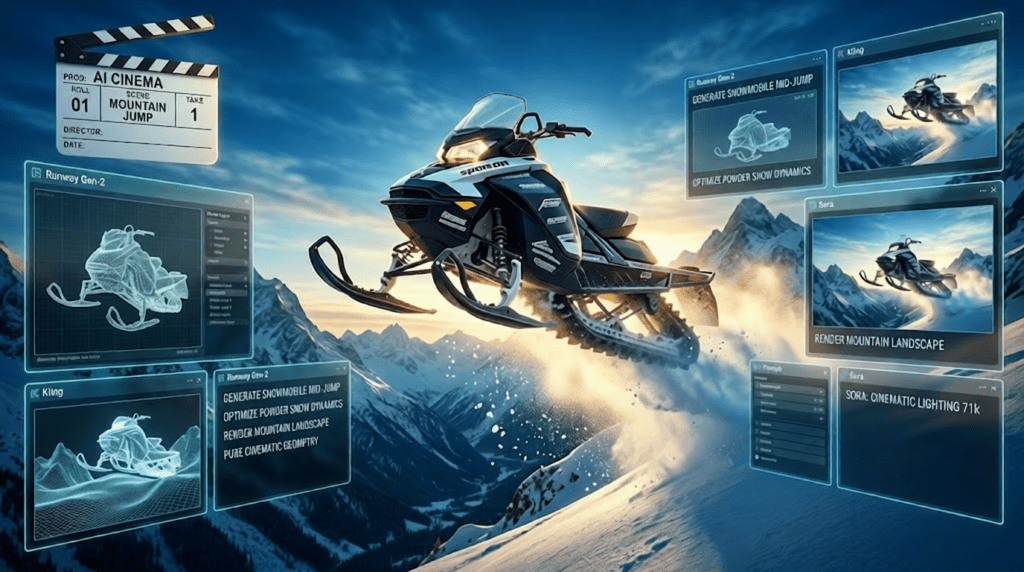
Technical Product Videos: How to Balance Specs with Storytelling Using AI Video Tools
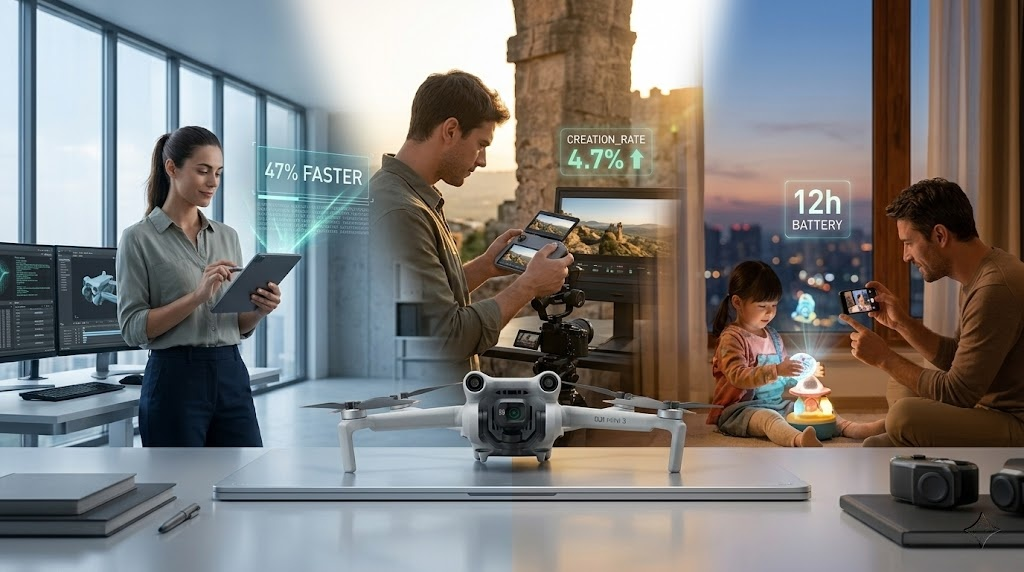
Why Spec Sheets Kill Engagement
Your product has a 47% improvement in processing speed, 12-hour battery life, and proprietary thermal management. So why did your last product videos get 23% viewer drop-off in the first 30 seconds?
Technical products face a paradox: B2C audiences need to understand capabilities, but they decide with emotion. Listing specs creates cognitive load; storytelling creates desire. The challenge isn’t choosing between technical credibility and emotional resonance, it’s architecting a visual narrative that delivers both simultaneously.
This is where AI video production transforms from novelty to necessity. Tools like Runway Gen-3, Kling AI, and ComfyUI workflows allow you to visualize abstract technical improvements as tangible user experiences, creating a translation layer between engineering achievements and customer value.
The Leadership Frame: Positioning Before Pixel Peeping
The Cardinal Rule: Context Before Specs
Before revealing any technical specification, establish category leadership positioning. This cognitive framing determines how audiences interpret every subsequent claim.
Traditional Approach (Fails):
- Opens with “Introducing the X-500 with quantum dot display technology”
- Audience reaction: “What is quantum dot? Why should I care?”
Leadership Frame (Works):
- Opens with “For three generations, we’ve defined what premium display technology means”
- Then: “The X-500 continues that leadership with quantum dot innovation”
- Audience reaction: “These are the display experts. This must be significant.”
AI Video Production Technique: Establishing Authority
Use Runway Gen-3 Alpha with camera motion controls to create a visual timeline:
1. Prompt Architecture:
Cinematic tracking shot moving through a minimalist gallery space, displaying three generations of product evolution on illuminated pedestals, warm golden hour lighting, camera dollies right-to-left showing progression, photorealistic, 24fps film grain
2. Seed Parity for Consistency:
- Lock seed value across shots (e.g., seed: 847392)
- Maintain visual continuity across product generations
- Use Euler a scheduler for smooth motion interpolation
3. Text Overlay Timing:
- 0:00-0:03: “2019: We pioneered…”
- 0:03-0:06: “2021: We advanced…”
- 0:06-0:09: “2024: We continue…”
This 9-second sequence establishes credibility before any spec appears. The audience now interprets technical claims through a leadership lens.
Translation Layer: Converting Technical Specs into Visual Benefits
The User Experience Bridge
Every technical specification has a human benefit. Your job is building the visual bridge between them.
Spec → Benefit Translation Framework:
| Technical Spec | Translation Phrase | Visual Metaphor |
| 47% faster processing | Responds before you finish thinking | AI sequence showing thought to instant result |
| 12-hour battery | Sunrise to sunset, uninterrupted | Time-lapse day cycle with device always active |
| Thermal management | Stays cool under pressure | Ice and heat contrast visual |
ComfyUI Workflow for Benefit Visualization
For abstract benefits like “processing speed,” use a latent consistency model workflow in ComfyUI:
Workflow Architecture:
1. Base Generation Node:
- Model: SDXL Turbo (for rapid iteration)
- Prompt: “Split-screen comparison, left side shows loading spinner and frustration, right side shows instant results and user satisfaction, clean product photography style”
- CFG Scale: 7.5 (balance between creativity and control)
- Steps: 25 (sufficient for product visualization)
2. ControlNet Integration:
- Add ControlNet (Canny edge detection)
- Input: Your actual product photography
- Ensures AI-generated benefits stay anchored to real product
3. Video Frame Interpolation:
- FILM interpolation node
- Generate 60fps smooth transitions
- Export as 24fps for cinematic feel with motion blur
4. Batch Processing for Variants:
- Create 3-5 variations using seed stepping (+100 per iteration)
- A/B test which visual metaphor resonates strongest
Critical Technique:* Use *img2img with low denoising strength (0.3-0.4) to keep AI generations product-accurate while adding dynamic environmental storytelling.
Segment-Based Messaging: Multi-Modal Narrative Architecture
The Segmentation Principle
B2C technical products serve multiple use cases. A smartphone serves:
- Professionals (productivity features)
- Creators (camera and processing)
- Everyday users (battery, reliability)
Single-message videos create weak resonance with all segments. Multi-modal narratives create strong resonance with each.
Kling AI for Segment-Specific Sequences
Kling AI’s Professional Mode excels at generating contextual application shots:
Segment 1: Professional Users (0:10-0:25)
- Prompt: “Business professional in modern office, seamless video call on device, confident presentation, natural window lighting, shallow depth of field, corporate environment”
- Key Spec Highlighted: Processing power, multitasking
- Text Overlay: “Handles three video calls while rendering presentations”
Segment 2: Content Creators (0:25-0:40)
- Prompt: “Content creator filming golden hour cityscape, checking device screen showing real-time color grading, urban rooftop, cinematic composition, vibrant sunset colors”
- Key Spec Highlighted: Display technology, camera capabilities
- Text Overlay: “See your vision exactly as you imagined it”
Segment 3: Everyday Reliability (0:40-0:55)
- Prompt: “Parent documenting child’s soccer game, device active from morning breakfast through evening, warm family atmosphere, authentic documentary style”
- Key Spec Highlighted: Battery life, durability
- Text Overlay: “From first light to final whistle”
Cross-Segment Consistency
Critical AI Video Technique: Maintain visual coherence across segments using:
1. Color Grading LUTs: Apply identical color profiles in post
2. Motion Speed Parity: Keep camera movement velocity consistent (Runway’s motion brush set to 25% intensity across all segments)
3. Product Rendering Seed Lock: Use the same seed for product-focused shots across all segments
AI Video Production Framework: Tools and Techniques
Tool Selection Matrix
For Leadership/Brand Sequences:
- Primary: Runway Gen-3 Alpha
- Rationale: Superior camera control, cinematic motion, photorealistic rendering
- Settings: Director mode, 10-second generations, seed locking for brand consistency
For Product Application Shots:
- Primary: Kling AI Professional Mode
- Rationale: Better at human-product interaction, contextual environments
- Settings: High-quality mode, natural motion emphasis, 5-second clips for editing flexibility
For Technical Visualization:
- Primary: ComfyUI with AnimateDiff
- Rationale: Complete control over technical accuracy, batch processing for variations
- Workflow: SDXL base → ControlNet product anchoring → AnimateDiff motion → Frame interpolation
The Hybrid Production Pipeline
Phase 1: Concept Validation (Days 1-2)
- Generate 15-20 style frames using Midjourney/DALL-E
- Test visual metaphors with target audience sample
- Lock style guide based on highest engagement
Phase 2: AI Generation (Days 3-5)
- Runway: Brand leadership sequences (5-7 clips)
- Kling: Application-specific scenarios (9-12 clips, 3-4 per segment)
- ComfyUI: Technical visualization overlays (6-8 elements)
Phase 3: Human Enhancement (Days 6-7)
- Professional color grading (FilmConvert or DaVinci)
- Sound design (never rely on AI-generated audio for products)
- Text animation (After Effects for precision)
- Real product B-roll integration (60/40 split: 60% AI, 40% real footage)
Implementation: Shot-by-Shot Breakdown
The Complete 60-Second Technical Product Video
:00-:09 — Leadership Establishment
- Tool: Runway Gen-3
- Visual: Product evolution timeline
- Audio: Cinematic score rises
- Text: None (let visuals establish authority)
- Technique: Locked seed, camera dolly motion
:09-:18 — Problem/Context Setup
- Tool: Kling AI
- Visual: User in context showing current friction point
- Audio: Score subtly shifts minor
- Text: “Every millisecond matters”
- Technique: Natural human motion, environmental storytelling
:18-:27 — Technical Innovation Reveal
- Tool: ComfyUI → After Effects composite
- Visual: Product with technical overlay showing innovation
- Audio: Transition sound, score builds
- Text: “47% faster. Instantly noticeable.”
- Technique: Blend AI-generated technical visualization with real product footage
:27-:42 — Segment Applications (5 sec each)
- Tool: Kling AI (3 separate generations)
- Visuals: Professional / Creator / Everyday scenarios
- Audio: Consistent score, segment-specific sound effects
- Text: Benefit-focused captions
- Technique: Seed stepping (+150 per segment) for variety within consistency
:42-:52 — Technical Specs Grid
- Tool: After Effects (with AI-generated background plate from Runway)
- Visual: Clean spec comparison vs. previous generation
- Audio: Score maintains energy
- Text: Specs displayed as achievements, not data
- Technique: Use Runway-generated abstract tech background, overlay crisp typography
:52-:60 — Leadership Reinforcement + CTA
- Tool: Runway Gen-3 (callback to opening shot)
- Visual: Product in aspirational context
- Audio: Score resolves
- Text: “Continue leading. [Product Name]”
- Technique: Match opening seed for visual bookending
Advanced Technique: Latent Consistency for Rapid Iteration
When clients inevitably request revisions (they always do), use Latent Consistency Models in ComfyUI:
Traditional vs. LCM Workflow:
- Traditional: 25 steps × 4 variations × 3 aspect ratios = 45 minutes
- LCM: 4-6 steps × same scope = 6 minutes
Implementation:
1. Use LCM-SDXL model for initial explorations
2. Lock winning concepts
3. Regenerate finals with standard SDXL (25 steps) for quality
4. Maintain seed values from LCM to standard for consistency
This accelerates the revision cycle from days to hours.
The Balancing Formula
Successful technical product videos follow the 70/20/10 rule:
- 70% Emotional Benefit Storytelling: User in context, problems solved, aspirational outcomes
- 20% Technical Credibility: Specs presented as achievements, innovation visualization
- 10% Brand Leadership: Opening/closing authority establishment
AI video tools make this balance achievable at scale:
- Runway handles the 70% (cinematic user experience)
- ComfyUI handles the 20% (technical visualization)
- Kling bridges both (contextual application)
The innovation isn’t that AI generates video, it’s that AI lets you simultaneously produce multiple narrative tracks (leadership, professional segment, creator segment, everyday segment) in the time traditional production creates one generic message.
Final Directive: Start every technical product video by asking “What does the audience feel before they understand?” Then use AI video tools to visualize that feeling, and anchor technical specs to it. Specs don’t create desire. Specs validate desire that visual storytelling already created.
Your technical specifications deserve better than bullet points. Give them the cinematic translation they need to become customer value.
Frequently Asked Questions
Q: What’s the ideal ratio of AI-generated footage to real product footage in technical videos?
A: Aim for a 60/40 split: 60% AI-generated contextual and benefit visualization, 40% real product B-roll. AI excels at creating aspirational contexts and visualizing abstract benefits (like ‘processing speed’ or ‘battery life throughout the day’), while real footage establishes product authenticity and tangible features. Always use real footage for close-ups of physical product details and UI interactions.
Q: Which AI video tool is best for showing product-human interactions?
A: Kling AI Professional Mode currently delivers the most natural human-product interactions with realistic hand movements and contextual environments. Runway Gen-3 excels at camera movements and cinematic brand sequences but can struggle with detailed human-object interaction. For close-up interaction shots, consider using ComfyUI with ControlNet anchored to real photography, then adding environmental storytelling through AI generation.
Q: How do I maintain visual consistency across multiple AI-generated segments?
A: Use three consistency techniques: (1) Seed locking, use the same seed value for product-focused shots across all segments, (2) Color grading LUTs, apply identical color profiles in post-production to harmonize different AI generations, and (3) Motion parity, keep camera movement speeds consistent by using fixed motion brush intensity values (typically 20-30% in Runway) across segments. Also maintain consistent lighting direction in your prompts (e.g., always specify ‘natural window light from left’).
Q: What’s the fastest way to iterate on client revision requests for technical product videos?
A: Use Latent Consistency Models (LCM) in ComfyUI for rapid exploration. LCM workflows reduce generation from 25 steps to 4-6 steps, cutting iteration time by 80%. Generate 3-5 variations using LCM, present to client for concept approval, then regenerate the selected option with standard SDXL (25 steps) for final quality. Critically, maintain the same seed value when moving from LCM to standard model to preserve the approved concept’s visual characteristics.
Q: Should I show technical specs as text overlays or visualize them with AI?
A: Always do both, sequentially. First visualize the benefit using AI (e.g., split-screen showing ‘before/after’ for processing speed), then reinforce with concise spec text. The formula: :00-:05 show visual benefit, :05-:07 text overlay with spec. This satisfies emotional decision-making first (visual benefit) and rational validation second (technical spec). Never lead with specs alone, human psychology processes visual metaphor 60,000x faster than text data.