Red on Red Product Photography: Complete Lighting Setup Guide for Monochromatic Challenges
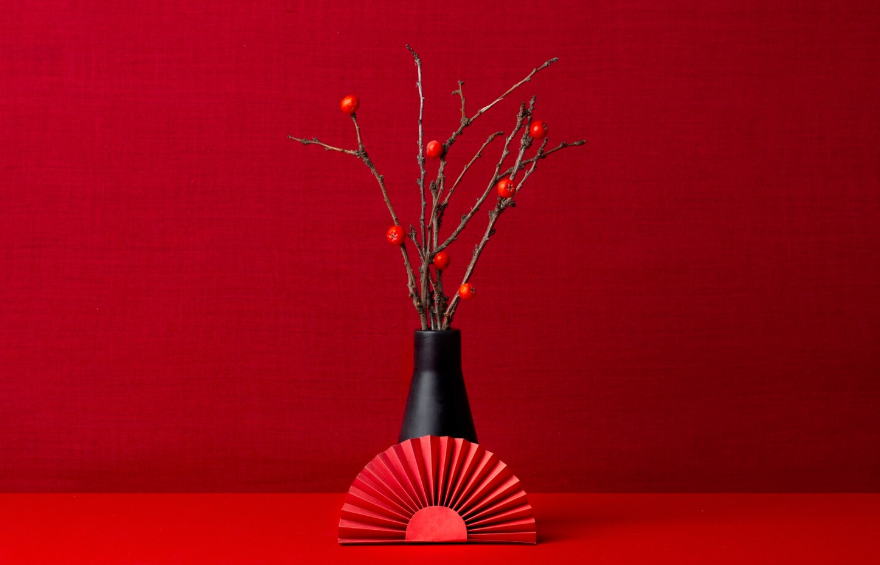
Master the Hardest Product Photography Challenge: Red on Red Product Photography
The Monochromatic Separation Problem
Photographing a red product on a red background represents the ultimate test of lighting mastery. Without color contrast to create natural separation, your images risk becoming flat, dimensionless compositions where subject and background merge into visual chaos. This challenge isn’t just academic—it’s a real-world scenario faced when maintaining brand consistency, shooting themed collections, or creating editorial content with strict color palettes.
The fundamental issue lies in how our visual system processes information. Human perception relies heavily on luminance contrast and edge detection. When color contrast is eliminated, you’re left with only three tools: light intensity variation, textural differentiation, and dimensional depth through shadow and highlight placement. Professional product photographers charge premium rates for monochromatic work precisely because it demands complete control over every light source and surface interaction.
This guide provides a systematic approach to conquering same-color product photography, focusing on precise lighting geometries, surface manipulation techniques, and camera configurations that transform challenging setups into portfolio-worthy images.
Three-Point Lighting Architecture for Same-Color Products
Key Light Positioning: The Foundation of Separation
Your key light serves as the primary separation tool in monochromatic setups. Position it at 45 degrees from your camera axis and 30-45 degrees above the horizontal plane. This creates critical shadows that define form and separate the product from the background.
For same-color scenarios, use a modifier that provides directional control—a softbox with grid or a focused reflector works best. The hardness of your shadows directly correlates to visual separation. While soft lighting flatters most products, monochromatic compositions often benefit from slightly harder light that creates definitive shadow edges.
Intensity matters critically here. Your key light should be 2-3 stops brighter than your background illumination. This luminance differential becomes your primary separation mechanism. Use a spot meter or your camera’s histogram to verify this relationship—the product’s highlight side should occupy a different tonal range than the background.
Fill Light Strategy: Controlling Shadow Density
In traditional product photography, fill light prevents shadows from going black. In monochromatic work, fill light becomes a precision instrument for controlling separation depth.
Position your fill light opposite your key light at approximately 60-75 degrees from the camera axis. The critical specification: your fill should be 3-4 stops less intense than your key light. This ratio ensures shadows remain visible and dimensional rather than filled to the point of flatness.
Consider using a large, diffused source for fill—a 4×6 scrim or large softbox positioned farther from the subject. Distance reduces intensity while maintaining even coverage. The goal is subtle shadow detail that preserves form without competing with your key light’s directional information.
For red-on-red and other saturated monochromatic scenarios, white or silver reflectors often work better than additional powered lights for fill. They provide controllable, subtractive fill that won’t introduce color temperature variations that become visible in post-processing when you’re pushing tonal adjustments.
Background/Rim Light: The Separation Secret
This third light creates the actual visual separation between product and background. Position it behind and to the side of your product, aimed at the background surface at a shallow angle.
The technique: create a gradient on your background where it’s slightly brighter than your product’s shadow side but darker than the highlight side. This graduated luminance creates a subtle halo effect that lifts the product optically from the background.
For a red product on red seamless paper, position your background light to create a hotspot that doesn’t extend to the product edges. Use barn doors or flags to control spill. The background should graduate from perhaps 40% luminance at the product edges to 70% luminance at the frame edges.
Alternatively, aim the background light to create a darker zone directly behind the product with brighter edges—a reverse gradient. This creates a subtle vignette effect that draws attention to the product while maintaining monochromatic color harmony.
Texture and Reflection Techniques for Depth Without Color Contrast
Surface Treatment Selection
When color can’t create separation, texture becomes your primary depth cue. The background surface treatment dramatically affects visual complexity.
For glossy products (red patent leather shoe on red background), use a matte background—seamless paper, fabric, or textured material. The reflectivity differential creates visual interest and prevents the merged, mirror-like appearance that occurs when reflective surfaces interact.
For matte products (red ceramic vase), introduce controlled reflection through background selection. A semi-gloss painted surface or acrylic sheet creates subtle reflections that add depth without overwhelming the subject.
The texture matching principle: opposite textures create maximum separation. Same textures (matte-on-matte or glossy-on-glossy) require more aggressive lighting differentiation to achieve equivalent separation.
Controlled Reflection Mapping
Reflections aren’t problems to eliminate—they’re tools to exploit. In monochromatic work, reflections create visual complexity that substitutes for color variation.
Position white or silver cards adjacent to glossy products to create controlled specular highlights. These bright reflections break up monochromatic surfaces and create visual waypoints that guide the eye through the composition.
For red products, consider warm-tinted reflectors (gold or light orange) that create highlights tonally distinct from the base red. These subtle color shifts within the red spectrum add sophistication without breaking monochromatic harmony.
Use black flags or negative fill strategically to create dark reflection lines that define product edges. A black card positioned to reflect in a glossy red surface creates a dark accent line that separates it from a red background more effectively than additional light.
Surface Angle Manipulation
The angle of background surfaces relative to your lighting creates dramatic separation opportunities. A completely vertical background lit from the side creates graduated illumination that can’t be achieved with flat lighting.
Consider angling your background slightly away from vertical—5-10 degrees backward. This angle change affects how light strikes the surface, creating natural gradients that separate from the product plane.
For small products, use curved backgrounds (cove setups) but position them strategically. Place your product forward in the curve where the background begins its upward transition. This positional choice means background areas near the product reflect light differently than distant areas, creating organic separation through geometry.
Camera Settings and Angles for Maximum Visual Separation
Depth of Field as Separation Tool
Shallow depth of field creates separation through selective focus, but monochromatic work requires different aperture strategies than typical product photography.
For maximum separation, use apertures in the f/4-f/5.6 range with longer focal lengths (85-135mm). This combination keeps your product sharp while introducing subtle softness to the background. Even minimal background defocus creates perceptual separation in same-color scenarios.
Position your product farther from the background—minimum 3-4 feet for small products, 6-8 feet for larger items. This distance, combined with moderate apertures and longer lenses, creates enough depth-of-field differential to separate planes even when color can’t.
The focus point matters critically. For products with depth, focus on the front-most element that contains important detail. This creates a sharp-to-soft gradient through the product itself, adding internal dimension that compensates for monochromatic limitations.
Camera Angle Selection
Camera height and angle dramatically affect how shadows fall and how much product surface area is visible against the background.
For same-color scenarios, slightly elevated angles (10-20 degrees above product center) often work best. This angle shows the top surface of the product while creating visible shadows that fall away from the camera, maximizing their separation effect.
Avoid shooting at product center height in monochromatic setups. This angle minimizes visible shadows and reduces the three-dimensional information that creates separation. Higher or lower angles create more dramatic shadow shapes that define form.
Consider side angles that show product profiles with maximum surface area variation. A three-quarter view reveals multiple surfaces catching light differently, creating luminance variation that wouldn’t exist in straight-on shots.
Exposure Strategy for Tonal Separation
Expose to preserve highlight and shadow detail simultaneously—critical in monochromatic work where you’ll push tonal adjustments in post.
Use your camera’s histogram to verify separation. In a successful red-on-red setup, you should see distinct histogram peaks representing product highlights, product shadows, and background tones. If these merge into a single peak, your lighting lacks sufficient separation.
Shoot in RAW format with extended dynamic range settings (HDR mode if your camera offers it without tone mapping). Monochromatic images require significant post-processing to maximize separation, and maximum bit depth preserves the subtle tonal distinctions you’ve created through lighting.
Consider exposure bracketing: capture your primary exposure plus ±1 stop variations. This provides latitude in post-processing and allows luminosity masking techniques that enhance separation beyond what single exposures permit.
White Balance and Color Temperature Control
Even in monochromatic work, color temperature affects final results. Slight color temperature variations become visible when working within a single color family.
Use consistent color temperature across all lights—5500K daylight-balanced strobes or continuous LEDs rated identically. Mixed color temperatures create subtle color shifts in red products, with some areas appearing orange-red and others purple-red, breaking monochromatic harmony.
Set a custom white balance using a gray card positioned in your key light. This ensures neutral color rendering as your baseline, allowing you to make intentional color decisions in post-processing rather than correcting for lighting inconsistencies.
For red products specifically, slight warming (5800-6000K) often creates richer, more saturated reds that separate better tonally. Test this during your shoot by reviewing images on a calibrated monitor.
Advanced Post-Processing and AI Enhancement Strategies

Luminosity Masking for Surgical Separation
Luminosity masks allow you to target specific tonal ranges for adjustment—essential for enhancing the separation you’ve created through lighting.
Create luminosity masks in Photoshop that isolate product highlights, midtones, and shadows as separate selections. Apply localized contrast enhancement to highlight areas, increasing their separation from background tones.
Use the “lighten highlights, darken shadows” principle specifically on product edges. Even subtle adjustments (+5-10 in highlights, -5-10 in shadows) create edge definition that enhances apparent sharpness and separation.
Consider frequency separation techniques that separate texture from tonal information. Enhance texture in the high-frequency layer while smoothing tonal transitions in the low-frequency layer, creating sophisticated depth that pure lighting can’t achieve.
AI-Assisted Depth Enhancement
Modern AI tools can enhance separation in post-processing, though starting with proper lighting remains essential.
Topaz Photo AI and similar tools offer depth-aware enhancement that can subtly increase background blur while maintaining product sharpness. Apply these judiciously—the effect should be imperceptible rather than obvious.
Neural filters in Photoshop, particularly depth blur and smart portrait effects (adapted for products), can add computational depth-of-field that enhances camera-originated separation.
For ultimate control, use depth map generation tools to create artificial depth information, then apply depth-based adjustments in 3D-aware editing applications. This advanced technique allows post-capture depth-of-field and atmospheric perspective effects.
Color Grading Within Monochrome
Even monochromatic images benefit from subtle color grading that creates variation within the color family.
In red-on-red scenarios, grade backgrounds slightly cooler (adding minimal magenta or purple undertones) while keeping the product neutral or slightly warm. This imperceptible color shift enhances separation at a subconscious level.
Use color grading to create tonal separation: desaturate backgrounds by 5-10% while maintaining product saturation. This subtle shift makes products appear more vibrant against backgrounds without breaking monochromatic harmony.
Consider split-toning techniques where highlights shift slightly warm and shadows shift slightly cool within the red spectrum. This creates dimensional complexity that flat monochromatic rendering lacks.
Contrast and Clarity Optimization
Local contrast adjustments make the difference between adequate and exceptional monochromatic images.
Increase clarity and texture on product surfaces while reducing these parameters on backgrounds. This creates perceptual separation through sharpness differential that complements your lighting separation.
Use the dehaze tool selectively on products to enhance micro-contrast and apparent sharpness. This makes products appear more three-dimensional even against same-color backgrounds.
Apply graduated filters or radial filters that subtly darken frame edges while keeping product areas brighter. This vignetting effect focuses attention while maintaining monochromatic color relationships.
Implementation Workflow: From Setup to Final Image
Successful monochromatic product photography requires methodical workflow:
Setup Phase:
1. Position product 4-6 feet from background
2. Establish key light at 45/45 degrees, meter for proper exposure
3. Add background/rim light to create gradient separation
4. Introduce fill light at 1/8-1/16 key light power
5. Add texture cards, reflectors, and negative fill for refinement
Capture Phase:
1. Set custom white balance
2. Configure aperture for desired depth-of-field (f/4-f/8 range)
3. Verify histogram shows distinct tonal peaks
4. Bracket exposures ±1 stop
5. Review on calibrated monitor, adjust lighting as needed
Post-Processing Phase:
1. Import RAW files, apply lens corrections
2. Create luminosity masks for selective adjustments
3. Enhance product highlights and shadow definition
4. Apply subtle background desaturation and tonal shifts
5. Use local contrast and clarity enhancement on the product
6. Apply final color grading within a monochromatic palette
7. Export with appropriate sharpening for intended use
This systematic approach transforms the monochromatic challenge from frustrating to formulaic, producing consistently separated, dimensional images regardless of color matching.
Conclusion: Mastering Monochromatic Product Photography
Same-color product photography represents advanced technical execution where lighting precision, surface understanding, and post-processing expertise converge. By treating color elimination as an opportunity rather than a limitation, you develop lighting skills that elevate all your product photography.
The red-on-red challenge teaches fundamental principles: separation through luminance rather than color, dimensional depth through shadow control, and visual interest through texture and reflection management. These skills transfer directly to every product photography scenario you’ll encounter.
Master monochromatic lighting, and you’ve mastered the most difficult variable in product photography—creating something visually compelling when the easiest tool (color contrast) has been deliberately removed from your toolkit.
Frequently Asked Questions
Q: What’s the minimum lighting setup needed for red-on-red product photography?
A: You need at least three light sources: a key light positioned at 45 degrees to create directional shadows, a background/separation light to create luminance differential between product and background, and either a fill light or large reflector to control shadow density. The key light should be 2-3 stops brighter than the background light to create proper tonal separation.
Q: How far should the product be from the background in monochromatic setups?
A: Position your product minimum 3-4 feet from the background for small items, and 6-8 feet for larger products. This distance allows you to light the background independently, creates space for depth-of-field separation when using moderate apertures (f/4-f/5.6), and prevents light spill from your product lighting affecting the background tone.
Q: What camera settings work best for same-color product photography?
A: Use apertures between f/4-f/8 with focal lengths of 85-135mm to create subtle background softness while maintaining product sharpness. Shoot in RAW format to preserve maximum tonal information for post-processing. Set custom white balance for color consistency across all lights, and expose so your histogram shows distinct peaks for product highlights, product shadows, and background tones rather than a single merged peak.
Q: Should backgrounds be matte or glossy for monochromatic product shots?
A: Use opposite textures for maximum separation: matte backgrounds for glossy products, and semi-gloss or reflective backgrounds for matte products. This texture differential creates visual interest and prevents the merged appearance that occurs when similar surface finishes interact. For red-on-red specifically, seamless matte paper works well for most products unless you’re intentionally creating reflection effects.
Q: How do you create separation in post-processing for monochromatic images?
A: Use luminosity masking to target specific tonal ranges—lighten product highlights by 5-10 points while darkening shadows by a similar amount to enhance edge definition. Increase clarity and texture on the product while reducing these on the background. Apply subtle color grading that makes backgrounds slightly cooler or less saturated than the product. Use local contrast adjustments and graduated filters to create subtle vignetting that focuses attention on the product.
Q: What’s the ideal key-to-fill light ratio for monochromatic product photography?
A: Use a 3-4 stop difference between key and fill light (key at 1:8 or 1:16 the power of fill). This ratio creates definitive shadows that provide form and separation while maintaining shadow detail. In monochromatic work, these shadows become your primary separation tool, so they need to be visible and dimensional rather than filled to the point of flatness that works in color-contrasted setups.