
How to Generate 3D models from any images with Rodin AI Gen-2
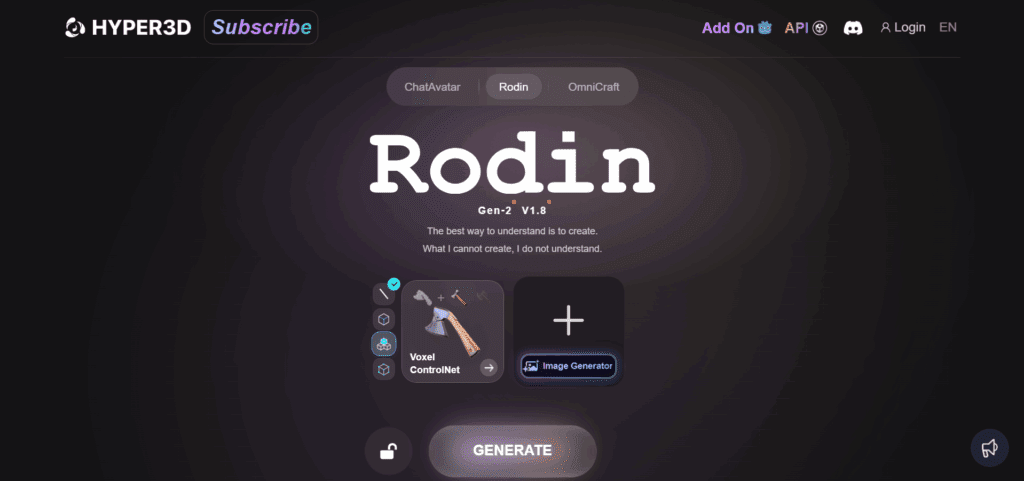
Rodin AI turns your photos into production-ready 3D models and videos with Gen-2. Upload one image or write a short prompt. Get clean geometry, sharper textures, and Auto Part Split for easy rigging and edits. In this guide, you learn the workflow, export options, smart alternatives like Tripo and Hunyuan 2.1, and how to move from image to 3D to video with VidAU and Comfy UI.
What Is Rodin AI and How Does It Work?
Rodin AI is an advanced AI 3D model generator that creates realistic 3D models and videos from simple images or text prompts. Its second-generation engine, Rodin Gen-2, can convert 2D images into lifelike 3D scenes using deep learning and neural rendering.
As a digital creator, I’ve used tools like Rodin AI to test how AI redefines 3D modeling. The software identifies depth, shape, and lighting to generate accurate 3D models, perfect for design, animation, and gaming.
Short Answer: Rodin AI turns 2D images into detailed 3D models using its Gen-2 AI rendering technology.
How Do Rodin AI Models Compare to Traditional 3D Design?
Traditional 3D modeling requires manual sculpting and texturing. Rodin AI models, however, automate this process by analyzing image data and generating realistic 3D structures in seconds.
Comparison Table: Rodin AI vs Manual 3D Modeling
| Feature | Rodin AI Models | Manual 3D Design |
| Time Required | Seconds | Hours or Days |
| Skill Level | Beginner-friendly | Professional skills needed |
| Output | AI-generated realistic models | Custom handcrafted models |
| File Types | GLB, OBJ, FBX | Custom exports |
Rodin AI Features That Make 3D Modeling Faster
Rodin AI has gained attention because it removes many of the slow steps normally involved in 3D modeling. Traditional 3D workflows often require manual sculpting, retopology, texturing, lighting adjustments, and rendering setup. Rodin AI shortens that process by turning prompts and images into ready-to-edit 3D assets within minutes.
One of the biggest time-saving features is AI text-to-3D generation. Instead of building models from scratch inside complex software, users describe the object they want and Rodin AI generates a usable 3D model automatically. This helps game developers, product designers, and video creators move from idea to prototype much faster.
Another feature that speeds up production is image-to-3D conversion. Users upload a reference image and Rodin AI creates a 3D version with depth and structure already mapped out. This reduces hours of manual modeling work, especially for ecommerce visuals, character concepts, and product mockups.
Rodin AI also improves workflow speed with automatic texture generation. Many traditional 3D projects slow down during the texturing stage because artists must manually apply materials and surface details. Rodin AI handles much of this process automatically, helping creators generate polished previews faster.
The platform supports quick iteration, which matters for creators testing multiple concepts. Instead of rebuilding scenes repeatedly, users adjust prompts, regenerate outputs, and compare variations rapidly. This helps creative teams experiment more without extending production timelines.
The table below highlights the features that help Rodin AI accelerate 3D creation workflows.
| Rodin AI Feature | How It Speeds Up 3D Modeling |
|---|---|
| Text-to-3D Generation | Creates 3D models from written prompts |
| Image-to-3D Conversion | Turns reference images into 3D assets quickly |
| Automatic Texturing | Reduces manual material setup |
| Fast Model Iteration | Generates multiple variations rapidly |
| AI Mesh Generation | Simplifies complex geometry creation |
| Export Compatibility | Speeds up workflow between 3D tools |
| Prompt-Based Editing | Allows quick revisions without rebuilding |
| Real-Time Previewing | Helps users review outputs instantly |
For content creators producing animations, ads, or product showcases, faster 3D modeling also improves video production speed. VidAU help bridge this process further by turning generated visuals and assets into short-form marketing videos for TikTok, YouTube Shorts, and ecommerce campaigns.
How to Use Rodin AI Step-by-Step
Rodin AI works best when you start with a clear image or a simple prompt. The goal is to give the tool enough visual direction so it can create a cleaner 3D model with fewer corrections later. This process helps creators move from a flat idea to a usable 3D asset faster.
First, upload your image into Rodin AI. Choose a clean reference image with good lighting, clear edges, and one main subject. Product photos, character concepts, toys, furniture, and simple object images usually work well because the AI can read their shape more easily.
Next, choose the model style that fits your project. You can guide Rodin AI toward a realistic, stylized, game-ready, or product-focused output depending on where the final model will be used. A realistic style works better for ecommerce and product previews, while a stylized model fits games, animation, and social content.
After that, generate the mesh. This is where Rodin AI turns your prompt or uploaded image into a 3D structure. Review the shape, surface, and proportions before moving forward. A clean mesh makes editing easier and helps the model perform better when exported into other 3D tools.
Once the mesh is ready, edit the output. Check the model from different angles and fix areas that look stretched, rough, or incomplete. You can refine the shape, adjust textures, improve surface details, and regenerate parts of the model when needed. This step matters because small corrections can make the final 3D asset look more professional.
Finally, export the model to Blender or VidAU depending on your workflow. Blender works well when you need deeper 3D editing, rigging, lighting, or animation setup. VidAU is useful when you want to turn your 3D assets into short-form videos, product clips, ads, or visual content for platforms like TikTok, Instagram Reels, and YouTube Shorts.
| Step | What to Do | Why It Matters |
|---|---|---|
| Upload Image | Add a clear product, object, or character image | Gives Rodin AI a strong visual reference |
| Choose Model Style | Select realistic, stylized, game-ready, or product-focused output | Helps match the final use case |
| Generate Mesh | Create the 3D structure from the input | Builds the base model |
| Edit Output | Refine shape, texture, and rough areas | Improves final quality |
| Export Model | Send the file to Blender or VidAU | Prepares the asset for editing, animation, or video content |
This step-by-step Rodin AI workflow helps users create usable 3D models without starting from a blank canvas. For creators, marketers, and ecommerce teams, it also connects 3D design with video production by making assets easier to refine, animate, and repurpose.
How Does Rodin 3D AI Create Models from Images?
Rodin 3D AI uses neural rendering to analyze pixel depth and generate 3D geometry. It reconstructs shapes layer by layer, creating realistic surface textures and lighting effects.
The Rodin Gen-2 update adds Auto Part Split, allowing creators to separate individual model components automatically, useful for animation or gaming applications.
Short Answer: Rodin 3D AI turns flat images into structured 3D models using neural rendering and Auto Part Split.
How VidAU Turns Rodin AI Models Into Videos
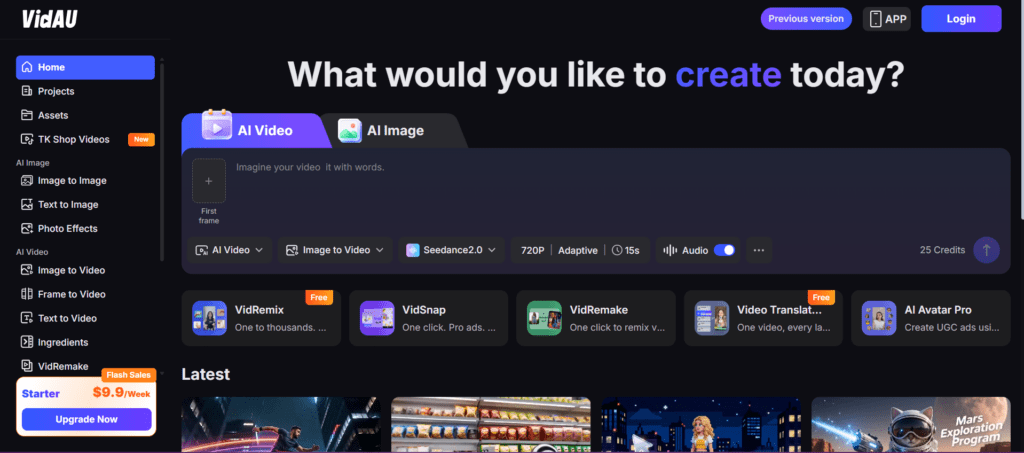
Creating a 3D model is only the first stage of content production. Most creators, ecommerce brands, and marketers still need animations, product videos, social ads, and short-form content that work across TikTok, Instagram Reels, YouTube Shorts, and landing pages. This is where VidAU helps extend the value of Rodin AI models.
Rodin AI generates the 3D assets, while VidAU helps transform those assets into marketing-ready videos. Instead of leaving a 3D object as a static render, creators animate products, create cinematic movement, add captions, build ad sequences, and produce scroll-stopping visuals for social platforms.
One major advantage is product showcase creation. Brands upload their Rodin AI-generated models into VidAU and convert them into dynamic product videos with rotating angles, zoom effects, lighting transitions, and animated scenes. This helps ecommerce stores present products more professionally without scheduling expensive studio shoots.
VidAU also improves short-form content production. Many social videos fail because static visuals do not hold attention long enough. By adding AI-generated camera movement, scene transitions, and motion effects, creators turn simple 3D assets into engaging clips optimized for mobile viewers.
For marketers running paid campaigns, this workflow speeds up ad production significantly. Instead of building every animation manually inside complex editing software, teams generate multiple ad variations faster. This helps with A/B testing hooks, visuals, CTAs, and audience targeting across different platforms.
Another strong use case is social media animation. A single Rodin AI model can become multiple pieces of content inside VidAU. Creators reuse one asset for TikTok ads, Instagram product teasers, YouTube Shorts, landing page videos, and ecommerce product demos without rebuilding the design from scratch.
The table below shows how Rodin AI and VidAU work together in a modern content workflow.
| Workflow Stage | Rodin AI Role | VidAU Role |
|---|---|---|
| 3D Asset Creation | Generates models from prompts or images | Imports finished assets |
| Product Visualization | Creates realistic object structures | Animates products into showcase videos |
| Social Content | Produces stylized 3D elements | Converts them into short-form videos |
| Advertising | Creates branded visual assets | Builds video ads with motion and captions |
| Camera Effects | Generates static perspectives | Adds AI-generated camera movement |
| Content Scaling | Creates reusable 3D assets | Produces multiple video variations quickly |
This workflow matters because short-form platforms reward motion-heavy content. Static images often struggle to compete in feeds filled with animations, transitions, and cinematic product clips. By combining Rodin AI with VidAU, creators move from idea to fully animated marketing content much faster.
Conclusion
Rodin AI and VidAU AI represent the next evolution in 3D content creation. With features like Auto Part Split, AI image-to-3D, and video generation, creators can bring static visuals to life instantly. Whether for gaming, design, or marketing, this AI duo simplifies how we build and share 3D experiences.
FAQs
Frequently Asked Questions About Rodin AI
1. What is Rodin AI used for?
Rodin AI is used for generating 3D models from text prompts or reference images. Designers, game developers, marketers, and content creators use it to speed up product visualization, character creation, concept design, and animation workflows without spending hours modeling objects manually.
2. Can Rodin AI create videos?
Rodin AI mainly focuses on 3D model generation. However, when paired with VidAU, creators turn those models into animated videos, product showcases, social ads, and short-form marketing content with camera movement and motion effects.
3. What makes Rodin Gen-2 different?
Rodin Gen-2 improves realism, texture quality, and workflow efficiency. Features like Auto Part Split, better mesh generation, and cleaner texture rendering help creators produce more accurate 3D assets with less manual correction.
4. Are there alternatives to Rodin AI?
Yes. Popular alternatives include Tripo AI, Tencent Hunyuan3D, and Meshy AI. These tools also focus on AI-powered 3D generation, text-to-3D workflows, and animation support.
5. Can I use Rodin AI with ComfyUI?
Yes. Many creators integrate Rodin AI outputs into ComfyUI workflows for advanced rendering, AI animation pipelines, and visual experimentation. This setup helps users combine multiple AI tools inside one production environment.
6. Is Rodin AI good for beginners?
Yes. Rodin AI simplifies many traditional 3D design steps, making it easier for beginners to create usable models without deep experience in Blender or advanced modeling software. The prompt-based workflow reduces technical complexity.
7. Can Rodin AI generate game-ready assets?
Rodin AI helps generate models suitable for early game development workflows, prototyping, and concept testing. Developers often refine the exported models further inside Blender or Unity before using them in full production environments.
8. Does Rodin AI support image-to-3D generation?
Yes. Users upload reference images and Rodin AI converts them into 3D assets. This feature works well for products, objects, collectibles, furniture, and character concepts where visual accuracy matters.
9. What file formats does Rodin AI export?
Rodin AI commonly supports standard 3D export formats used in Blender, Unreal Engine, Unity, and animation workflows. Export compatibility helps creators move assets between modeling, rendering, and video production tools faster.
10. How does VidAU improve Rodin AI workflows?
VidAU helps creators turn static Rodin AI models into dynamic marketing videos. Users add animations, transitions, captions, camera movement, and product showcase effects for TikTok, Instagram Reels, YouTube Shorts, and ecommerce campaigns.
11. Can Rodin AI help ecommerce brands?
Yes. Ecommerce brands use Rodin AI to create 3D product previews, promotional assets, and digital showcases without arranging expensive photoshoots or manual product rendering sessions. This speeds up content production for online stores.
12. Is Rodin AI better than traditional 3D modeling?
Rodin AI is faster for prototyping and rapid asset generation, while traditional 3D modeling still offers deeper control for advanced artists. Many professionals now combine both workflows to save time while maintaining creative flexibility.


