
AI Video Guide · Seedance 1.5 Pro
Seedance 1.5 Pro: Create High-Quality AI Videos Fast
Create cinematic AI video content from simple prompts and images on VidAU AI for product video ads, short-form content, and marketing visuals.
By the VidAU Editorial Team · Updated: date not provided · 8 min read
Seedance 1.5 Pro helps you create cinematic AI video content from simple prompts and images on VidAU AI.
You don’t need cameras, actors, or editing tools. You describe your idea, upload your frames, and the system builds a structured video scene with motion, lighting, and audio aligned. This makes it easier to produce product video ads, short-form content, and marketing visuals in minutes.
This guide shows you how to use Seedance 1.5 Pro on VidAU to create high-quality AI video content in easy steps.
Quick summary
- Seedance 1.5 Pro creates cinematic AI videos from simple prompts and images on VidAU AI.
- The model reads prompts and frames to build motion, lighting, camera flow, and aligned audio automatically.
- VidAU gives flexible generation controls including prompt length, image formats, aspect ratios, quantity, and credit-based usage.
- Better inputs improve output quality, especially detailed prompts, high-quality images, consistent frames, negative prompts, and seed values.
Contents
- What is Seedance 1.5 Pro and how does it work?
- Get Started with Seedance 1.5 Pro on VidAU
- How to Use Seedance 1.5 Pro on VidAU Video Generator
- How Seedance 1.5 Pro Produces Cinematic AI Video Output
- Practical Example: Create a Product Video
- Tips to Get Better Results with Seedance 1.5 Pro
- VidAU workflow support
- Conclusion
- FAQs
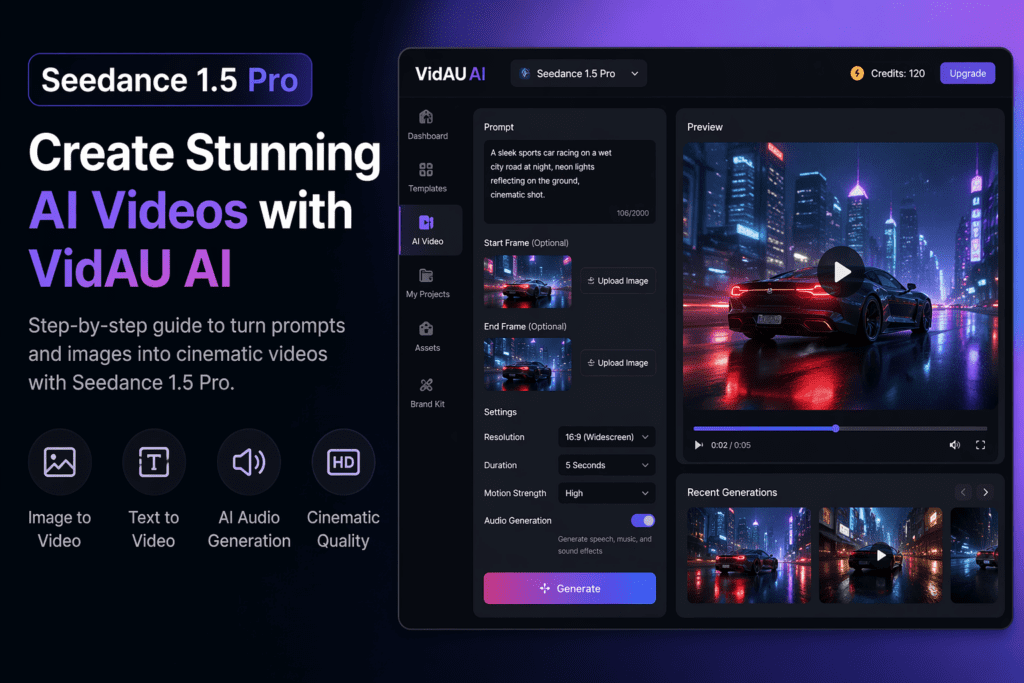
What is Seedance 1.5 Pro and how does it work?
Seedance 1.5 Pro is an advanced AI video generator that turns prompts and images into structured, cinematic video scenes. It reads your instructions, analyzes your start and end frames, and builds motion, lighting, and camera flow automatically.
The model focuses on semantic accuracy, which means it follows your prompt closely and keeps visuals consistent across frames. This results in smoother transitions, stable composition, and fewer visual errors compared to basic AI tools.
Seedance 1.5 Pro also generates audio and visuals together in one workflow. This keeps speech, music, and motion aligned, reducing the need for manual editing. When combined with frame inputs, it creates a natural sequence instead of disconnected animation, making it effective for product video ads and short-form content.
Why this matters
Seedance 1.5 Pro focuses on semantic accuracy, smoother transitions, stable composition, and fewer visual errors. It also generates audio and visuals together, helping speech, music, and motion stay aligned in one workflow.
Get Started with Seedance 1.5 Pro on VidAU
Before generating your first video, prepare your inputs.
Start with a clear concept. This could be a product video, a short ad, or a branded visual. Then prepare your start frame image. If you want to control the final scene, prepare an end frame as well.
Next, write your prompt. Focus on describing the scene clearly. Include motion, lighting, camera direction, and mood. If your video requires sound, decide the type of audio you want to generate.
Once these are ready, you can move into the generation workflow.
Seedance 1.5 Pro on VidAU gives you flexible control over how your AI video is generated.
- Prompt character limit: up to 2000 characters for detailed scene descriptions.
- Reference image formats: JPG, PNG, JPEG, WEBP, up to 10MB.
- Aspect ratios: 1:1, 16:9, 4:3, 21:9, 9:16, 3:4, 9:21.
- Generate quantity: create 1 to 4 video variations per run.
- Credits required: usage depends on your plan and generation settings.
| Setting | Supported option | How it helps |
|---|---|---|
| Prompt character limit | Up to 2000 characters | Supports detailed scene descriptions for motion, lighting, camera direction, and mood. |
| Reference image formats | JPG, PNG, JPEG, WEBP, up to 10MB | Lets you upload start and end frames as visual references. |
| Aspect ratios | 1:1, 16:9, 4:3, 21:9, 9:16, 3:4, 9:21 | Helps match your output to social, web, mobile, cinematic, and portrait formats. |
| Generate quantity | 1 to 4 video variations per run | Lets you compare outputs and choose the strongest version. |
| Credits required | Depends on your plan and generation settings | Usage changes based on the selected plan and generation controls. |
How to Use Seedance 1.5 Pro on VidAU Video Generator
Seedance 1.5 Pro follows a simple workflow: prompt, frames, settings, and export.
1
Enter Prompt & Upload Frames
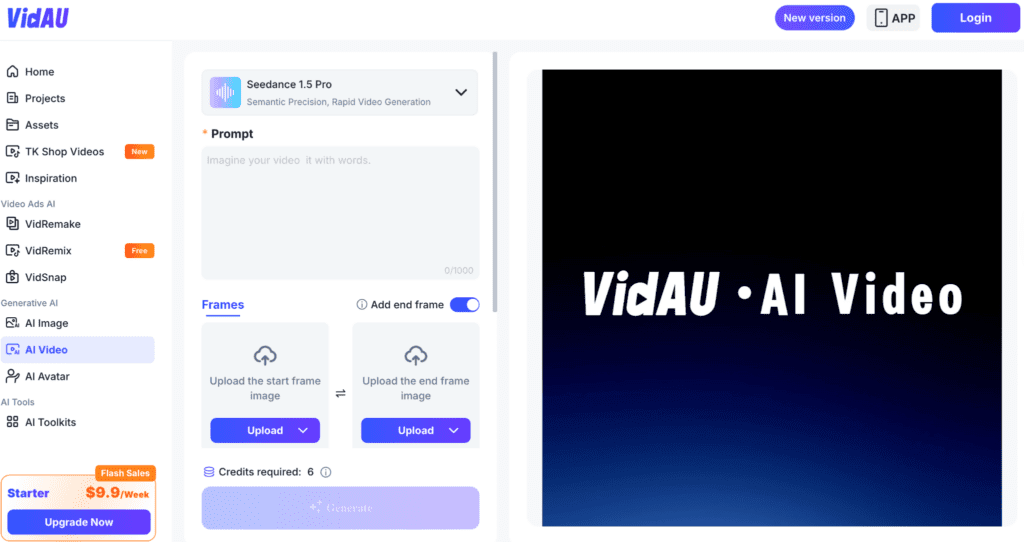
Enter your prompt into the input box on VidAU. Upload your start frame image and add an end frame if needed to guide the final scene.
2
Select Aspect Ratio
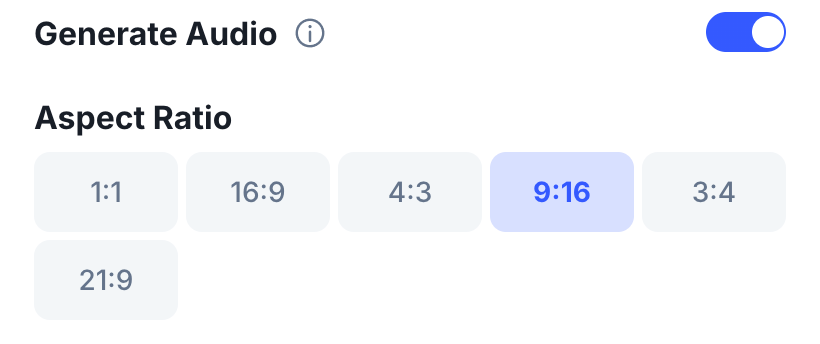
Choose the format that fits your platform.
- 1:1 for Instagram posts and general social use
- 9:16 for TikTok, Reels, Shorts, and Snapchat
- 16:9 for YouTube, websites, and presentations
- 4:3 for Facebook videos and general marketing content
- 3:4 for Pinterest and Instagram portrait posts
- 21:9 for cinematic ads and hero sections
Format tip
Select the aspect ratio based on where the video will be published. Vertical formats support short-form social platforms, while 16:9 works for YouTube, websites, and presentations. Use 21:9 for cinematic ads and hero sections.
3
Choose Resolution, Duration & Quantity
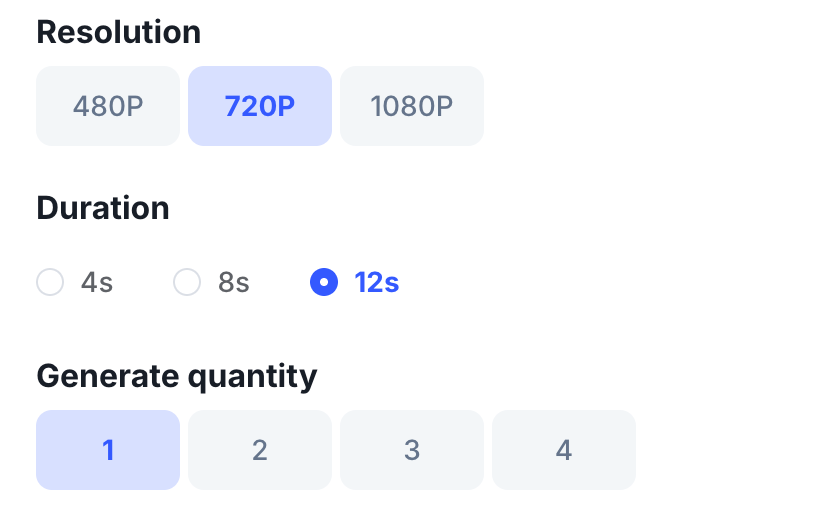
Select video quality, set duration, and decide how many variations you want to generate. Toggle on audio generation if you want the video to include speech, music, or sound aligned with the visuals.
4
Generate & Export
Click the Generate button on VidAU to start processing your video. Once the video is ready, preview it, make any prompt adjustments if needed, then export the final output for use.
How Seedance 1.5 Pro Produces Cinematic AI Video Output
Seedance 1.5 Pro turns your prompt and frames into a structured scene with stable motion and clean transitions.
Your prompt sets the direction for motion, lighting, and camera behavior. The start frame defines the opening shot, while the end frame guides how the scene resolves. The model fills in the movement between both, keeping composition consistent.
Settings refine the output. Choose the right aspect ratio for your platform, set a suitable resolution for clarity, and keep duration short for better performance. Generate a few variations to compare results.
Use negative prompts to remove issues like blur or extra objects. When prompts, frames, and settings align, the output looks cinematic and ready to use.
Watch out
Use negative prompts to remove issues like blur or extra objects. This helps keep the output cleaner when prompts, frames, and settings need to align for a cinematic result.
Practical Example: Create a Product Video
Let’s say you want to create a product video ad.
Upload your product image as the start frame. Add an end frame if you want to define how the scene ends. Then write a prompt that describes how the product should appear.
Example:
Create a cinematic 5-second product video with soft lighting, slow camera movement, and a clean background. Add subtle reflections and a premium ad feel.
Next, select a vertical aspect ratio for social media. Choose 1080p resolution for better clarity. Toggle on audio generation if needed. Generate multiple versions to test different outputs.
Choose the strongest version and use it for your campaign.
High-payoff tip
Generate multiple versions to test different outputs before choosing the strongest version for your campaign. This helps you compare creative directions without rebuilding the entire workflow.
Tips to Get Better Results with Seedance 1.5 Pro
Seedance 1.5 Pro responds directly to your inputs, so improving your inputs improves your results.
Write detailed prompts that clearly describe motion and lighting. Use high-quality images so the model has better references. Keep your frames consistent to maintain smooth transitions.
Avoid overloading the scene with too many elements. Simpler scenes produce cleaner results. Use negative prompts to remove unwanted details. Generate multiple variations and compare outputs before selecting one.
Use seed values when you want consistent outputs across multiple videos. This helps when creating a series of product ads or campaign visuals.
Common mistake
Avoid overloading the scene with too many elements. Simpler scenes produce cleaner results, especially when you want smooth transitions and stable composition.
Create high-quality AI videos faster with VidAU
Use Seedance 1.5 Pro on VidAU to describe your idea, upload frames, align visuals and audio, generate variations, and export cinematic videos for ads, social content, and campaigns.
VidAU workflow support for Seedance 1.5 Pro
VidAU supports the Seedance 1.5 Pro workflow by keeping the process focused on prompt, frames, settings, audio generation, variations, and export. You can describe your idea, upload start and end frames, select the right format, choose quality and duration, and generate structured video scenes without cameras, actors, or editing tools.
Prompt-guided scene creation
Use up to 2000 characters to describe motion, lighting, camera direction, mood, and the overall structure of your AI video scene.
Start and end frame control
Upload a start frame to define the opening shot and an optional end frame to guide how the final scene resolves.
Audio and visual alignment
Toggle on audio generation when you want speech, music, or sound aligned with the visuals in one workflow.
Variation testing
Create 1 to 4 video variations per run, compare outputs, and choose the strongest result for your product video ad, social content, or campaign visual.
Key takeaway
Conclusion
Seedance 1.5 Pro gives you a fast way to create AI video content on VidAU AI.
You define your idea, upload your frames, adjust your settings, and generate your video. The process stays simple, while the output works for product video ads, social content, and campaigns.
With the right inputs, you can create cinematic AI videos faster and test more ideas without relying on traditional production.
FAQs
Here are common questions about Seedance 1.5 Pro, Seedance 1.5, image-to-video generation, app access, API availability, and how it compares with other AI video tools.
What is Seedance 1.5 Pro?
Seedance 1.5 Pro is an AI video generator that creates short, cinematic videos from text prompts and images, including start and end frames, with synced audio and visuals.
What is Seedance 1.5?
Seedance 1.5 refers to the base version of the model. The Pro version adds better motion stability, prompt accuracy, and features for creating higher-quality video output.
Can Seedance 1.5 Pro turn images into video?
Yes. It uses a start frame and optional end frame to generate smooth motion between images, producing a coherent image-to-video sequence.
Is Seedance 1.5 an AI video tool?
Yes. Seedance 1.5 is an AI video system that converts prompts and images into structured video scenes with motion, lighting, and camera behavior.
Is there a Seedance 1.5 Pro APK?
Official access is typically via web platforms like VidAU. Be cautious with APK files from third parties, as they may be unsafe or unofficial.
Does Seedance 1.5 Pro have an API?
Some providers offer API access for programmatic video generation. Availability depends on the platform and access tier.
Seedance 1.5 vs 2.0: what’s the difference?
Newer versions usually improve motion quality, prompt understanding, and rendering stability. Check release notes to compare specific upgrades in 2.0.
Seedance 1.5 Pro vs Wan 2.6: which is better?
Seedance 1.5 Pro focuses on stable motion, prompt accuracy, and product video use cases. Wan 2.6 may differ in style or speed. Choose based on output quality and your workflow needs.
What is the Seedance 1.5 release date?
Release timing varies by provider rollout. Check the official platform or provider updates for the exact release date and version availability.