Snap Video Ads: How to Create High-Converting Short Videos
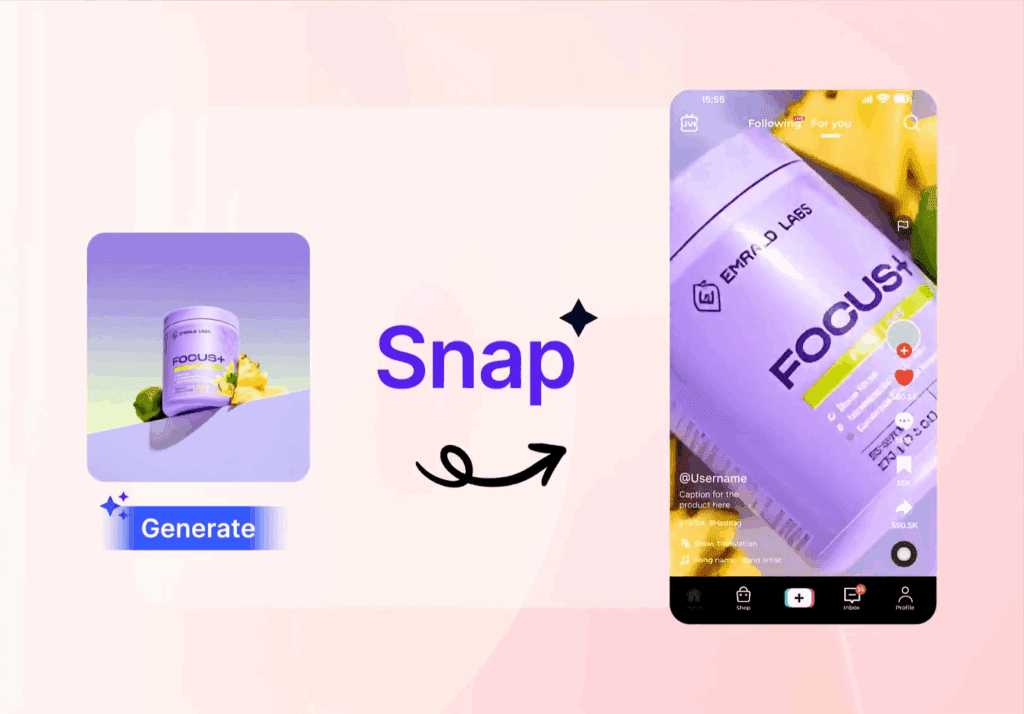
Snap Video Ads are vertical, full-screen videos that appear seamlessly between Snapchat Stories, Spotlight clips, and Discover content. This placement ensures your content reaches users while they are actively engaged and scrolling, maximizing visibility.
These short videos are designed for mobile-first consumption, making them ideal for Snapchat’s primarily young and highly interactive audience. By appearing full-screen, they capture attention immediately and encourage users to interact through swipes, taps, or augmented reality features.
Snap Video Ads are optimized for fast engagement and high retention. Their brief format allows brands and creators to deliver clear, focused messages that are easy for viewers to understand in seconds.
Using AI-powered tools like VidAU, you can create these ads without needing a full production team. VidAU allows you to turn product images, text, or URLs into polished vertical video clips, add captions, hooks, call-to-actions, and subtitles, and export them in Snapchat-ready formats. This workflow streamlines production, speeds up content creation, and helps marketers publish ads that drive measurable results.
Why Snap Video Ads Work
Snap Video Ads are effective because they are built around user behavior and designed to leverage Snapchat’s unique platform features. These ads deliver content that feels natural, engaging, and action-oriented.
- Full-Screen Format: Vertical, full-screen videos fill the entire mobile display, keeping viewers’ focus entirely on your content. Unlike traditional horizontal ads, Snap Video Ads feel native to the platform, eliminating distractions and increasing the likelihood of engagement. This format also allows brands to showcase products, animations, or messages with immersive visuals.
- Short Duration: Most Snap Video Ads are under 10 seconds, aligning perfectly with the way users consume content on Snapchat. Short, concise clips capture attention quickly, communicate a single key message, and maintain high retention even as users scroll rapidly through Stories, Spotlight, or Discover feeds.
- Interactive Features: Snap Video Ads offer interactive elements that increase engagement and conversions. Features such as swipe-up links, tappable filters, and AR lenses allow viewers to take immediate action, explore products, or participate in branded experiences without leaving the app. These interactive options make your ads feel more like content than interruptions.
- Precise Targeting: Snapchat provides detailed targeting options to ensure your ads reach the right audience. You can segment by age, interests, location, device type, and user behavior. This precision reduces wasted impressions and increases the relevance of your message, improving both engagement and ROI.
By combining vertical format, concise messaging, interactive features, and advanced targeting, Snap Video Ads create an ideal environment for brands and creators to connect with a highly engaged, mobile-first audience.
Creating Snap Video Ads with VidAU
VidAU streamlines the process of turning ideas into high-performing Snap Video Ads, allowing brands and creators to produce polished, mobile-ready content without a full production team. The platform integrates AI-powered tools to simplify every step of ad creation, from concept to export.
- AI Video Generator: VidAU’s AI tools transform text prompts, product images, or URLs into vertical video clips designed specifically for Snapchat. This allows creators to quickly generate visually appealing short-form content without cameras, actors, or complex editing software.
- Captions and Hooks: Add dynamic, attention-grabbing text overlays to your clips. Hooks such as “Limited Time Offer” or “New Arrival” capture viewers’ attention in the first few seconds, improving retention and engagement. VidAU makes it easy to test different phrasing for maximum impact.
- Call-to-Actions & Subtitles: Embed clear CTAs like “Swipe Up,” “Shop Now,” or “Learn More” to drive direct conversions. Subtitles, including multi-language options, ensure your ad reaches a global audience and makes the message accessible even when viewers watch without sound.
- Multiple Variations: Generate multiple ad versions with different visuals, captions, or hooks. This supports A/B testing to identify which combination of creative elements delivers the highest engagement and conversion rates.
- Platform-Ready Export: VidAU automatically formats your videos in Snapchat’s vertical 9:16 aspect ratio, optimizing resolution, file size, and quality for smooth playback. This ensures your ads look professional and native to the platform, ready to publish without additional editing.
Using VidAU, creators and marketers can move from concept to fully functional Snap Video Ads in minutes. The platform reduces production time, eliminates technical bottlenecks, and enables rapid testing, making it ideal for campaigns that demand speed and performance.
Step-by-Step Guide to Creating Snap Video Ads on VidAU
Step 1 – Open Snap Video Ads Tool
- Sign in to your VidAU dashboard.
- From the left sidebar, select Snap Video Ads under the Video Ads AI section.
- The workspace will show a Product Image upload area, Prompt box, Duration options, and Aspect Ratio selector.
Step 2 – Upload Your Product Image

- Click Upload or drag and drop your product image into the Product Image field.
- Supported formats: JPG, PNG, JPEG, WEBP. Maximum file size: 10MB.
- You can upload multiple products, models, or reference images if needed.
Step 3 – Write Your Prompt
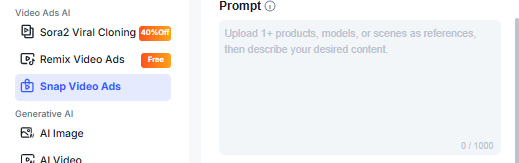
- Use the Prompt box to describe your desired video content clearly.
- Include details about the subject, background, lighting, and motion.
- Example Prompt); Create a 15-second vertical video, 9:16 aspect ratio, focused on a handcrafted ceramic mug placed at the center of a natural wooden table.Use soft morning sunlight entering from the left side, warm color temperature, with gentle highlights on the mug’s rim and handle. Maintain smooth, realistic shadows that move subtly as the camera shifts.Apply a slow, steady camera pan from left to right at eye level. Keep motion fluid and stable with no abrupt transitions. Emphasize the mug’s texture, glaze details, and slight imperfections to add realism.Keep the background minimal and softly blurred. Use a neutral interior setting with no visible clutter. Maintain shallow depth of field so the mug remains the clear focal point throughout the clip.Aim for a clean, commercial product style suitable for lifestyle ads, social media, or brand storytelling.
- Keep prompts concise and descriptive; avoid abstract instructions.
Step 4 – Choose Video Duration

- Select the desired clip length: 8s, 15s, 20s, or 30s.
- Shorter clips (8–15s) work best for Snapchat engagement and retention.
Step 5 – Select Aspect Ratio

- Set the correct Aspect Ratio for Snapchat vertical video: 9:16.
- VidAU automatically adjusts the frame to match your selection.
Step 6 – Check Credit Requirement
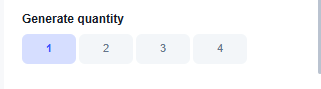
- Review the Credits Required displayed below the aspect ratio.
- Ensure your account has enough credits to generate the video.
- Select your desired the Quantity 1 to 5
Step 7 – Generate Video

- Click Generate to start AI processing.
- The platform will produce a vertical Snap Video Ad based on your uploaded image and prompt.
- Once complete, preview the video and make adjustments by updating the prompt or switching images.
Step 8 – Export & Optimize
- After generating, export the video in Snapchat-ready vertical format (9:16).
- Use VidAU’s caption, hook, CTA, and subtitle tools to make your ad performance-ready.
Best Practices for Snap Video Ads
Follow these tips to ensure your ads perform at peak levels:
- Keep Clips Short and Clear: Focus on one message or product per video. Avoid overcrowding content with too many visuals.
- Lead with Strong Visuals: Use motion, product close-ups, or bold colors in the first 2–3 seconds to capture attention.
- Clear Call-to-Actions: Explicitly tell users what to do next, like “Swipe Up to Buy” or “Learn More.”
- Test Multiple Variations: Experiment with hooks, captions, scenes, and timing to see which converts best.
- Maintain Brand Consistency: Use consistent colors, fonts, and tone across campaigns to reinforce recognition.
Visual Guide: How Snap Video Ads Work
Including a visual guide improves understanding and dwell time. You can illustrate the ad creation workflow with a clear step-by-step diagram:
1. Concept to AI Clip:
- Input product photo, text, or reference URL into MiniMax Hailuo 2.3.
- AI generates short, visually polished motion video.
2. Clip Customization:
- Add captions, hooks, call-to-actions, and brand colors.
- Include interactive elements like stickers, filters, or AR effects.
3. Subtitle & Translation Layer:
- Add multi-language subtitles for global campaigns.
- Ensure clarity in voice overs or on-screen text.
4. Export & Optimize:
- Export in Snapchat 9:16 vertical format with optimized resolution.
- Check file size and quality for smooth playback.
5. Publish & Test:
- Upload to Snapchat Ads Manager.
- Run A/B tests to measure engagement, swipe-up rate, and conversions.
Who Should Use Snap Video Ads
Snap Video Ads are ideal for:
- Ecommerce Brands: Showcase products quickly and drive direct conversions.
- Creators & Influencers: Produce attention-grabbing content for fast-scrolling audiences.
- Marketing Teams & Agencies: Launch campaigns quickly without full-scale production or large budgets.
Tips & Tricks for Higher Engagement and SEO Value
- Use Clear, Specific Prompts: Short, precise instructions give AI tools better context. Include style, tone, and format for more accurate outputs.
- Incorporate Hooks Early: Start videos or content with a question, bold statement, or intriguing fact to capture attention in the first 3 seconds.
- Leverage Trending Keywords: Include relevant terms your audience is searching for to improve discoverability. Use tools like Google Trends or TikTok search insights.
- Optimize for Mobile Viewing: Use vertical formats, readable text overlays, and subtitles to ensure content performs well on small screens.
- Experiment with Variations: Test different scripts, captions, or visual styles to identify which combinations drive higher engagement.
- Use Call-to-Actions Strategically: Add CTAs like “Swipe Up,” “Learn More,” or “Comment Your Thoughts” to guide viewer interaction.
- Repurpose Content Across Platforms: Adapt successful content for Instagram Reels, TikTok, YouTube Shorts, or Stories to maximize reach.
- Track Performance and Iterate: Monitor engagement metrics, watch time, and CTR. Refine prompts, hooks, and visuals based on what works.
If you want, I can also create a mini visual cheat sheet of these tips for readers to reference quickly. It would work well as part of the same section. Do you want me to do that?
Final Thoughts
Snap Video Ads combine immersive mobile-first content with precise audience targeting. Using VidAU, creators turn AI-generated visuals into structured, high-performing ads. The workflow reduces production time, lowers costs, and allows rapid iteration, helping brands and creators publish campaigns that perform effectively on Snapchat.
FAQ – Snap Video Ads with VidAU
Q1: What are Snap Video Ads?
Snap Video Ads are vertical, full-screen short videos that appear between Snapchat Stories, Spotlight, and Discover content. They are designed for mobile-first engagement and fast consumption.
Q2: How long can Snap Video Ads be?
VidAU allows you to create Snap Video Ads ranging from 8 to 30 seconds. Most effective ads are under 15 seconds for higher retention.
Q3: Can I use product images to generate videos?
Yes. You can upload product images, models, or reference photos into VidAU to create vertical video clips optimized for Snapchat.
Q4: Do Snap Video Ads support captions and CTAs?
Yes. VidAU lets you add captions, hooks, and call-to-actions like “Swipe Up” or “Shop Now” to boost engagement and conversions.
Q5: Can I create multiple ad variations for testing?
Yes. You can generate multiple versions of the same ad with different prompts, captions, or hooks for A/B testing to identify top-performing content.
Q6: What aspect ratio should I use for Snapchat?
Snap Video Ads should be vertical with a 9:16 aspect ratio. VidAU automatically formats your videos for Snapchat.
Q7: Do I need editing skills to create Snap Video Ads?
No. VidAU’s AI tools handle video generation, captions, hooks, CTAs, and subtitles, making it easy to produce professional ads without editing experience.
Q8: Can I use these videos on other platforms?
Yes. While optimized for Snapchat, you can export videos in formats suitable for TikTok, Instagram Stories, or other vertical video platforms.