Text-to-Video AI in 2026: How to Turn Scripts Into Fully Automated Videos Using Advanced Generative Workflows

Type your script, get a finished video, here’s how Text-to-Video AI tools do it all.
Manual video creation used to mean scripting, storyboarding, filming, editing, color grading, sound design, exporting, and optimizing. For YouTubers and social media managers trying to scale content, that workflow is a bottleneck.
In 2026, text-to-video AI systems have fundamentally changed production. With a properly structured script and a refined automation workflow, you can generate polished, publish-ready videos without touching a timeline.
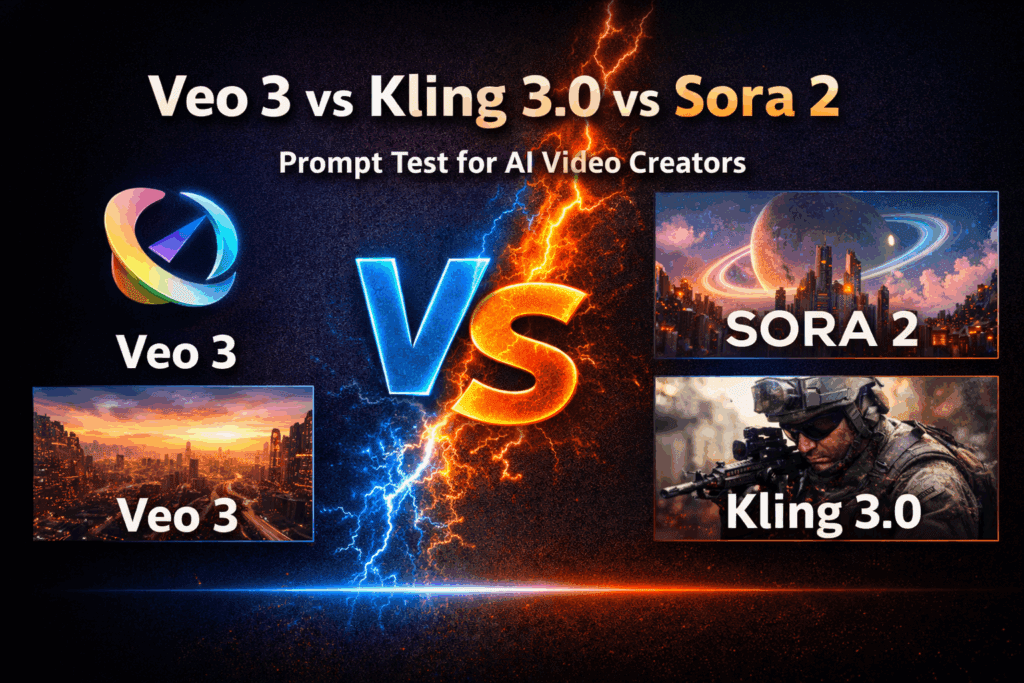
This guide breaks down how modern text-to-video AI works, how to prompt it for professional results, and how to convert written content into scalable video assets using tools like Runway, Sora, Kling, and ComfyUI.
Why Text-to-Video AI Is Replacing Manual Video Production
The core challenge of traditional production is friction:
– Shooting requires equipment and time
– Editing requires technical skill
– Revisions require re-rendering
– Scaling requires hiring
Text-to-video AI collapses this into a single input layer: structured language.
Instead of manually controlling cameras and keyframes, you control:
– Scene semantics
– Motion dynamics
– Camera instructions
– Lighting parameters
– Narrative pacing
Modern generative engines interpret your script through diffusion-based video models trained on multimodal datasets. They synthesize motion, depth, consistency, and cinematic behavior automatically.
The result? Script becomes scene. Scene becomes timeline. Timeline becomes export.
How Text-to-Video AI Tools Work in 2026 (Under the Hood)
Understanding the mechanics helps you produce better outputs.
1. Latent Diffusion for Video
Most advanced systems (Runway Gen-3, OpenAI Sora, Kling 2.0, open-source pipelines in ComfyUI) operate on latent diffusion models extended for temporal coherence.
Instead of generating individual images independently, they:
– Encode prompts into embeddings
– Generate frames in latent space
– Enforce temporal continuity through motion conditioning
– Decode into high-resolution video frames
2. Latent Consistency Models (LCM)
Latent Consistency reduces sampling steps while maintaining visual quality. For creators, this means:
– Faster generation
– Lower compute cost
– Near real-time previews
In ComfyUI, LCM nodes can reduce 50-step diffusion processes down to 6–8 steps without severe degradation.
3. Temporal Attention + Motion Conditioning
Video models introduce temporal cross-attention layers. These layers:
– Maintain subject identity across frames
– Track object motion
– Preserve camera movement logic
If you’ve ever seen a character “melt” between frames in older models, that was weak temporal conditioning. Modern engines use motion flow priors and optical flow stabilization.
4. Seed Parity and Reproducibility
Seed values determine noise initialization. Maintaining seed parity across iterations allows:
– Controlled variation
– Character consistency
– Scene regeneration with minor prompt changes
In ComfyUI or Runway’s advanced settings, locking the seed lets you iterate on lighting or camera movement without losing the character.
5. Scheduler Control (Euler a, DPM++, etc.)
Schedulers determine how noise is removed during diffusion.
– Euler a: Fast, dynamic, good for stylized outputs
– DPM++ 2M Karras: Cleaner, more cinematic results
– Heun: Balanced detail retention
For realistic YouTube-style talking scenes, DPM++ with 20–30 steps often produces stable detail. For social media stylized clips, Euler a at lower steps increases punchy contrast.
Understanding these controls turns you from “prompt guesser” into “generative director.”
Prompt Engineering for High-Quality AI Video Output
Bad prompt → generic stock-looking footage.
Good prompt → directed cinematic scene.
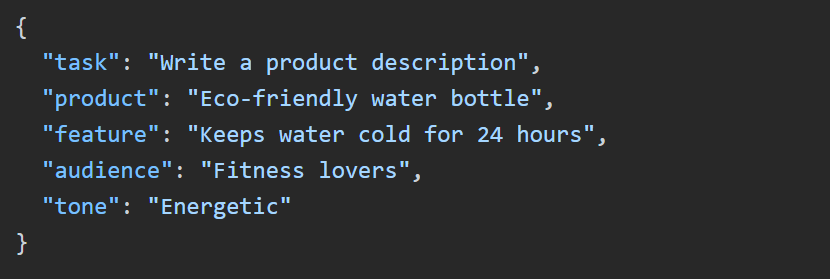
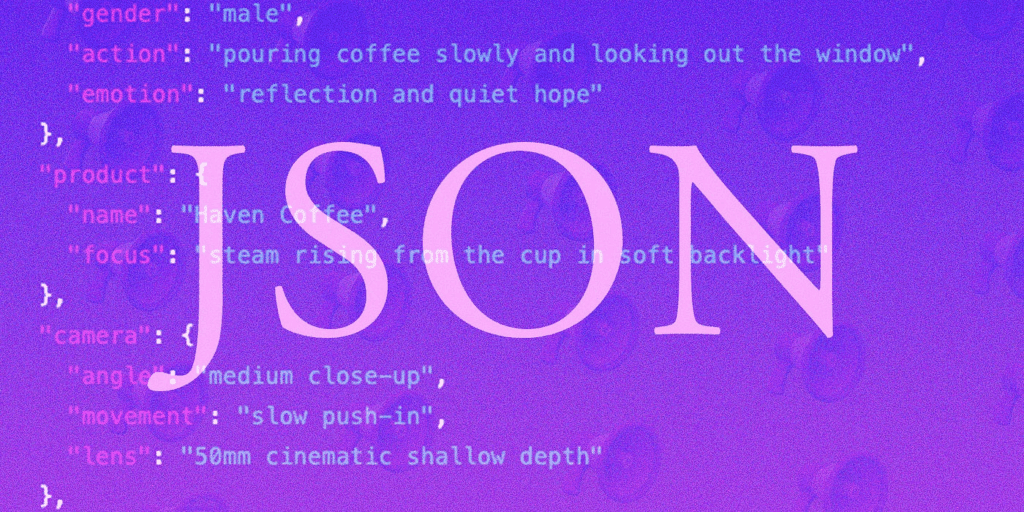
In 2026, prompting is structured, not poetic.
1. Use Scene Blocks
Instead of writing:
> A person talking about productivity.
Use structured prompting:
Scene: Modern home office
Subject: 30-year-old entrepreneur speaking confidently to camera
Camera: Medium shot, 50mm lens, shallow depth of field
Motion: Subtle handheld micro-movements
Lighting: Soft key light from window, warm rim light
Style: Cinematic YouTube educational
Resolution: 4K
Structured prompts reduce ambiguity in the attention layers.
2. Control Camera Physics Explicitly
Text-to-video systems simulate physical camera logic.
Specify:
– Dolly in
– Slow pan left
– Static tripod
– Crane shot
– Over-the-shoulder
Without camera instructions, models default to floating, unstable movement.
3. Use Negative Prompts Strategically
In tools like Runway and ComfyUI:
Negative prompt: distorted hands, extra limbs, flickering face, overexposed highlights
Negative conditioning suppresses common diffusion artifacts.
4. Maintain Character Consistency
For multi-scene videos:
– Lock seed
– Reuse character descriptor verbatim
– Use reference image conditioning (IP-Adapter in ComfyUI)
This creates cross-scene identity stability.
Converting Blog Posts and Articles Into Video Content
This is where automation becomes powerful.
Let’s say you have a 1,500-word blog post.
Step 1: Semantic Chunking
Use an LLM to:
– Break content into 5–8 narrative beats
– Extract key claims
– Generate scene suggestions
Each section becomes a scene prompt.
Step 2: Script-to-Storyboard Transformation
Transform paragraph into structured scene format:
Blog paragraph →
– Hook scene
– Supporting visual metaphor
– Data visualization scene
– Call-to-action close
Example:
Blog line:
> Most creators burn out because editing takes too long.
Video prompt:
Scene: Creator sitting at desk late at night
Lighting: Blue monitor glow, dark room
Emotion: Fatigue
Camera: Slow push-in
Symbolism: Timeline stretched infinitely on screen
Step 3: Automated Voice + Sync
Use AI voice systems with:
– Neural prosody modeling
– Emotion control tags
Then apply automatic lip-sync inside Runway or Sora.
Step 4: Batch Rendering Workflow
In ComfyUI, build a node graph:
1. Text input node
2. Prompt templating node
3. Diffusion video node
4. LCM acceleration node
5. Upscaler (ESRGAN or SDXL Refiner)
6. Audio merge
7. Export node
Now your blog becomes a render pipeline.
This is scalable content manufacturing.
Building a Scalable Automation Workflow

Here’s a practical stack for YouTubers and social media managers:
Option A: Cloud-Based (Fastest)
– Script → ChatGPT or Claude
– Text-to-video → Runway Gen-3 or Sora
– Voice → ElevenLabs
– Auto captions → Descript
– Export → 16:9 and 9:16 variants
Minimal technical setup.
Option B: Hybrid Pro Workflow
– Script segmentation → LLM
– Video generation → Kling for realism
– Stylized B-roll → Runway
– Custom scenes → ComfyUI with LCM
– Character consistency → IP-Adapter + seed locking
This gives higher creative control.
Option C: Fully Automated Pipeline
Using APIs:
1. RSS blog feed triggers workflow
2. LLM restructures article
3. Prompt templates auto-generate scenes
4. Video API renders scenes
5. Voiceover auto-synced
6. Final video stitched
7. Uploaded via YouTube API
Human involvement: strategy only.
Quality Optimization Checklist
Before publishing:
– Check temporal flicker
– Ensure consistent lighting
– Verify lip-sync alignment
– Review motion realism
– Upscale to 4K
– Apply mild color grading LUT
Even automated workflows benefit from final human review.
The Strategic Advantage in 2026
Creators who win are not those who edit fastest.
They are those who:
– Design better prompts
– Build reusable workflows
– Maintain brand visual consistency
– Iterate using seed parity
– Control diffusion parameters intentionally
Text-to-video AI is not just about speed.
It’s about converting knowledge into scalable visual media.
Type script.
Generate scenes.
Refine seeds.
Export at scale.
That’s the new production stack.
And for YouTubers and social media managers, it means one thing:
Content velocity without production burnout.
If you master the underlying mechanics — latent diffusion, schedulers, temporal conditioning, structured prompting — you’re no longer just using AI tools.
You’re directing generative systems.
And that’s where real scale begins.
Frequently Asked Questions
Q: What is the most important setting for consistent AI video characters?
A: Seed locking combined with consistent character descriptors is critical. For higher reliability, use reference image conditioning (such as IP-Adapter in ComfyUI) and avoid changing core subject wording between scenes.
Q: Which scheduler is best for realistic YouTube-style videos?
A: DPM++ 2M Karras is often preferred for realistic, cinematic results because it maintains fine detail and stable lighting across frames. Euler a is faster and more stylized but can introduce higher contrast artifacts.
Q: Can I fully automate turning blog posts into videos?
A: Yes. By combining LLM-based semantic chunking, structured prompt templating, text-to-video APIs (Runway, Sora, Kling), AI voice generation, and automated stitching via API workflows, you can create a near hands-free content pipeline.
Q: How do Latent Consistency Models improve video generation?
A: LCMs reduce the number of diffusion sampling steps required to generate high-quality frames. This significantly speeds up rendering while preserving visual fidelity, making batch production practical for creators.