Professional AI Video Workflow for Mass Production
Introduction: Why Most AI Video Workflows Fail Professionals

The AI video space is full of promise but short on professional-grade execution. Many editors and agencies try AI video tools once, get slow results, messy outputs, and poor integration, then abandon them entirely. The truth is not that AI video is unusable. The real issue is that most people use these tools incorrectly.
This article reveals a professional AI video workflow designed for mass production. It focuses on speed, consistency, and quality, using Filmora integration and credit-based generation to turn AI video from an experiment into a reliable production system.
The Core Problem With Current AI Video Tools
Professional editors face three recurring problems when working with AI video tools:
First, generation speed is slow. Many platforms require multiple prompts, retries, and long render times. This breaks production momentum.
Second, tools do not integrate well with existing editing software. Editors are forced to download clips, reformat assets, and rebuild timelines manually.
Third, output quality lacks consistency. Styles change, pacing feels off, and results often look amateur without heavy post-production.
These issues make AI video unsuitable for agencies that need predictable output at scale.
The “Forbidden” Professional AI Video Workflow Explained
The so-called forbidden workflow is not secret. It is simply ignored by most beginners. Professionals treat AI video as a generation layer, not a replacement for editing.
Instead of asking AI to create finished videos, this workflow uses AI to generate structured building blocks. Editors then assemble, refine, and brand those assets inside a professional editor like Filmora.
This shift in mindset turns AI video into a fast content engine rather than a creative bottleneck.
Step-by-Step Workflow for Mass-Producing Professional AI Videos
Step 1: Define the Output Before Generating Anything
Start with a clear video format. Define duration, aspect ratio, pacing, and brand tone. AI performs best when constraints are clear.
For example, decide that every video will be 45 seconds, vertical, with three visual beats and one call to action.
Step 2: Generate Video Segments, Not Full Videos
Use AI video tools to generate short clips or scenes instead of full-length videos. This reduces failure rates and speeds up iteration.
Generate multiple variations using credit-based systems. Filmora integration allows you to preview and manage these clips efficiently.
Step 3: Import Assets Directly Into Filmora
Filmora integration enables fast asset ingestion. Instead of exporting and re-uploading files, bring AI-generated clips directly into your editing timeline.
This step alone can save hours when producing content at scale.
Step 4: Assemble a Master Template
Create a reusable Filmora project with placeholders for AI clips, text, transitions, and music. Lock branding elements such as fonts, colors, and logo placement.
Once the template exists, each new video becomes an assembly task rather than a creative rebuild.
Step 5: Polish With Human Editing
This is where professionals win. Adjust pacing, cut awkward frames, normalize audio, and refine transitions. AI provides volume, but human editing delivers quality.
Step 6: Batch Export and Schedule
Export multiple videos in one session. Use naming conventions and folders that match your distribution channels. This completes a full mass-production loop.
Filmora Integration Solves Speed and Quality Issues
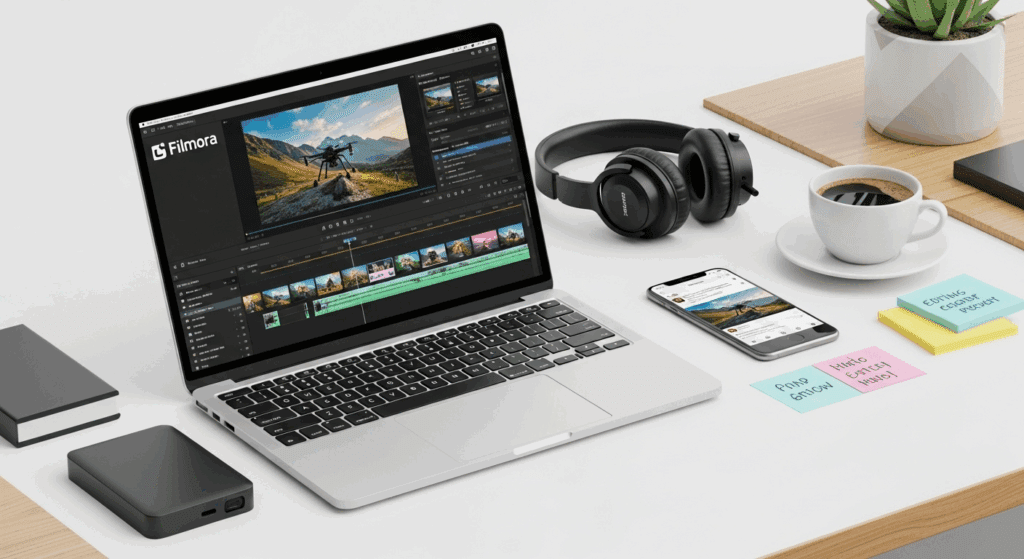
Filmora acts as the control center for this workflow. Its AI-friendly integration and credit-based generation model support rapid experimentation without waste.
Editors can generate ideas quickly, discard weak outputs, and keep only the strongest clips. Because everything flows into a familiar editing environment, there is no learning curve penalty.
This combination allows agencies to produce more videos without hiring additional staff.
Practical Use Cases for Agencies and Editors
Agency Content Packages
Agencies can offer AI-powered video packages that deliver high volume without sacrificing polish. This is ideal for social media retainers.
Idea Generation Under Pressure
When creative teams are stuck, AI clips provide visual starting points. Editors refine rather than invent from scratch.
Repurposing Long-Form Content
Use AI to generate short-form clips from a single source video. One webinar or interview can become dozens of social videos.
Real-World Example: Turning One Idea Into Ten Videos
Start with one core concept, such as a product feature. Generate five AI video variations focusing on different angles.
Import all clips into Filmora. Select the best three scenes from each variation. Assemble ten unique videos using the same template.
What would normally take days now takes hours.
Common Mistakes That Break AI Video Pipelines
One common mistake is expecting AI to replace editing. This leads to low-quality output and frustration.
Another mistake is generating full videos instead of modular clips. This wastes credits and time.
Finally, many teams skip templates. Without templates, scaling becomes impossible.
Best Practices for Scaling AI Video Production
- Standardize formats across clients.
- Limit AI generation to defined creative windows.
- Review outputs in batches instead of individually.
- Maintain a shared asset library inside Filmora.
- These practices keep production fast and predictable.
Final Checklist for a Professional AI Video Workflow
- Define output format before generation.
- Generate short AI clips, not full videos.
- Use Filmora integration for asset management.
- Edit with templates and locked branding.
- Batch export and distribute efficiently.
When used correctly, AI video becomes a professional multiplier, not a liability. This workflow proves that mass-producing professional-grade videos is not only possible but practical.
Frequently Asked Questions
Q: Is AI video suitable for professional agencies?
A: Yes, when used as a generation layer and combined with professional editing tools like Filmora, AI video can scale production without sacrificing quality.
Q: Why should I generate clips instead of full AI videos?
A: Short clips generate faster, cost fewer credits, and give editors more control over pacing and quality.
Q: How does Filmora improve AI video workflows?
A: Filmora integrates AI assets directly into a professional editing environment, enabling fast assembly, consistent branding, and efficient batch production.
Q: Can this workflow work with one source video?
A: Yes. One source video can be repurposed into multiple AI-assisted outputs using clip-based generation and templated editing.
Q: What is the biggest mistake professionals make with AI video?
A: The biggest mistake is expecting AI to deliver finished videos without human editing and structured workflows.