Stop Paying: Create Long AI Videos Free With The Gemini AI Video Generator
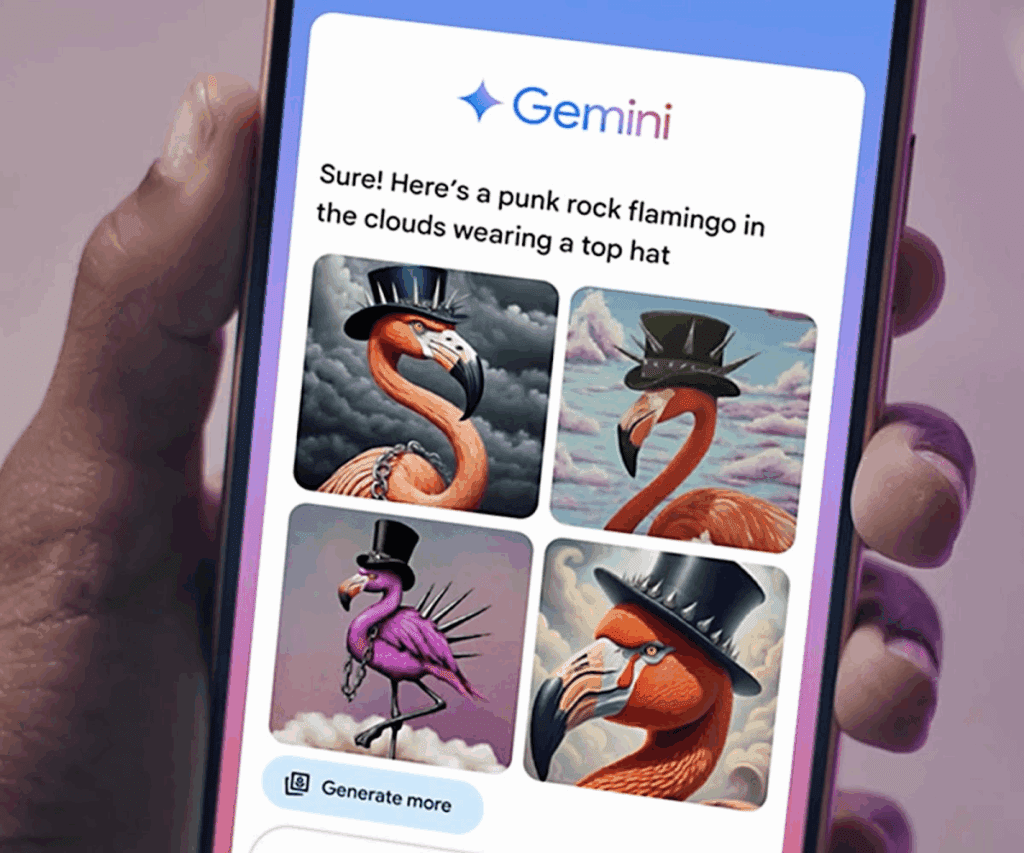
AI video tools keep adding limits, reducing free quality, and pushing creators into paid plans. Because of this, many people now search for the Gemini AI Video Generator, hoping to finally create long AI videos without spending money. And now, thanks to recent improvements in Gemini’s video reasoning, creators can generate smooth, extended clips that look surprisingly professional. Even better, Gemini keeps motion stable, holds color, and protects detail longer than most free tools. So creators began sharing long clips online, which pushed Gemini into the trending spotlight.
Why Creators Are Switching To The Gemini AI Video Generator

Creators are turning to Gemini because free plans in other tools stop them too early. Most platforms let you create 4–8 seconds before forcing an upgrade. However, Gemini behaves differently. It keeps scenes stable for much longer, so you can build extended sequences without hitting a paywall. As a result, creators who test Gemini often stay with it permanently.
Gemini Removes The Main Limitation: Length
Free AI tools usually collapse or fade after a few seconds. Gemini, however, continues motion naturally. Because of this, creators can chain moments into long, flowing scenes. This simple shift is why so many users now prefer Gemini when they want longer videos without paying.
Why This Shift Happened So Quickly
Creators began posting long Gemini clips on TikTok, Reddit, X, and YouTube. These examples looked stable and cinematic. So more people searched for Gemini, tested it, and discovered the same thing: long video generation finally feels free.
How To Build Long, Stable Videos With Gemini
Most AI video tools want big prompts. Gemini, however, works better when you give it moments, not full scenes. A moment is a tiny visual action—a soft glance, a slow pan, a gentle breeze, or a quiet room. Because Gemini understands small motions deeply, it extends them smoothly.
Now, instead of trying to force a massive scene, you guide Gemini through a sequence of micro-moments. This is the foundation of long, free video generation.
Start With A Clean, Anchored First Frame
Your opening frame sets the visual identity. When the first frame is clean, Gemini holds the structure longer. So creators often begin with something simple: a character standing in soft light or a room with clear geometry. This gives Gemini an anchor for the extended motion that follows.
Guide Motion Slowly To Gain More Video Time
Fast movements break continuity in most free tools. However, slow arcs, soft head turns, drifting light, or gentle pans help Gemini stretch clips further. As a result, your videos stay longer, smoother, and more cinematic.
Why Gemini Generates Longer Videos Than Most Free Tools
Most free AI video generators refresh internally every few seconds. This creates drift, flicker, blur, or motion collapse. Gemini, on the other hand, uses scene reasoning to keep details stable across time. Because of this, it can extend motion logically, instead of resetting the scene.
Gemini Holds Structure And Lighting Better
When a character turns or when lighting shifts, many models fall apart. Gemini, however, maintains structure and direction. So your extended video stays believable instead of breaking halfway through.
Color And Style Stay Consistent Across Frames
Other free tools often shift colors or soften faces as the video continues. Gemini preserves tone and texture for longer durations. This is one of the top reasons users describe it as “the first free tool that feels premium.”
The Creator Playbook For Free Long Videos In Gemini
Creators who consistently achieve long-form videos with Gemini use a few essential moves. These moves increase stability and extend video length without needing any paid features.
Use Emotional Prompting For Smooth Motion
Words like “soft,” “gentle,” “calm,” “slow glow,” or “steady movement” help Gemini create longer, more coherent scenes. Emotional cues guide the model toward transitions that feel natural.
Repeat Subtle Texture Cues To Protect Continuity
Light color, fabric texture, sky tone, shadow direction—these tiny signals keep the video stable. So creators repeat them through prompts or reference images. This protects long-form consistency and reduces flicker.
How Gemini Compares To Other AI Video Tools
Gemini stands out because it does not punish free users with strict time caps. Meanwhile, other tools limit clip length, reduce resolution, or require tokens for smooth transitions. This makes Gemini the easiest tool for free long videos today.
| Tool | Strength | Common Issue | Gemini Advantage |
| Gemini | Long videos free | — | Stable long-form |
| Pika Free | Fast creative variations | Short clip limits | Gemini continues longer |
| Runway Free | Clean visuals | Hard duration cap | Gemini gives more time |
| Kapwing Free | Easy timeline editing | Lower detail | Gemini stays sharper |
Because Gemini avoids the typical free-plan issues, creators see it as the best no-cost long video generator on the market.
What Makes Gemini Feel Like A Paid Tool—Even Though It’s Free
Gemini offers stability, motion clarity, and scene reasoning normally reserved for paid platforms. Because of this, many creators now use it as their main video engine.
You get:
- Long video sequences with no paywall
- Smooth, cinematic transitions
- Better motion structure
- Clear lighting and color consistency
- Zero credit usage
- Easy prompts that beginners understand
So even though Gemini is free, it produces results that compete with premium tools.
Conclusion
The Gemini AI Video Generator gives creators something rare: long, stable, high-quality videos without subscriptions. As the model continues to trend, creators are discovering new ways to stretch scenes, soften transitions, and build cinematic stories for free. With moment-based prompting, texture cues, and slow visual motion, you can create long AI videos that look paid—even though Gemini never asks for a credit card.
If you want to stop paying for AI video tools, Gemini is the best place to start.
Frequently Asked Questions
1. Can Gemini really create long videos for free?
Yes. Gemini supports extended video generation without requiring a paid plan.
2. Why are creators switching to Gemini?
Creators switch because Gemini handles long video sequences better than most free tools.
3. Is Gemini trending now?
Yes. Many long Gemini clips have gone viral, which boosted search demand.
4. Do beginners get good results with Gemini?
Yes. Gemini works with simple prompts and is easy for new users to understand.
5. How does Gemini keep long videos stable?
It maintains lighting, texture, and scene memory across time.
6. Can Gemini replace paid video tools?
For long free videos, yes. Many creators already use it instead of premium tools.
7. What videos does Gemini handle best?
Cinematic scenes, slow storytelling shots, emotional moments, and guided motion.