GPT-5.1, Gemini 3 Pro, Kling 2.0, Claude Opus 4.5: The AI Models Redefining 2026

AI has moved past the “chatbot era.” The top AI models in 2026 behave more like full digital engines, able to write, see, understand, generate, predict, summarize, design, and automate workflows. When people search for types of AI models, they’re usually trying to figure out which models actually matter right now, what they’re built for, and how they fit into real work.
Below is the clear, simple breakdown of how each model works, what it’s best at, and why creators, teams, and businesses keep switching between them.
Why These Four Models Lead 2025
Creators and teams rely on GPT-5.1, Gemini 3 Pro, Kling 2.0, and Claude 3.7 because they each dominate a different lane:
- GPT-5.1: reasoning and long-form thinking
- Gemini 3 Pro: multimodal and video
- Kling 2.0: cinematic video generation
- Claude Opus 4.5: accuracy, analysis, and structured workflow
These aren’t “alternatives.” They’re specialized tools. Once you understand the strengths of each type, you know exactly when to switch models depending on the task.
1. GPT-5.1 — The Deep-Thinking Language Model
GPT-5.1 is built for depth. It holds long context, solves complex instructions, and maintains structure in big projects. This is the model people turn to when they need logic, planning, writing, or multi-step reasoning.
Key Features
- Handles extremely long documents without losing track
- Writes in consistent tone across large projects
- Understands instructions with very few examples
- Strong at coding, math reasoning, and step-by-step logic
- High accuracy with follow-ups and revisions
Mind Blowing Use Cases
- Writing articles, scripts, reports, and long documents
- Research summaries and content planning
- Software development and refactoring
- Multi-step problem-solving
- Creating workflows and automations
Why people choose GPT-5.1
It holds the entire project in its head. You can build full content pipelines, course outlines, product specs, and app logic without the model losing direction.
How GPT-5.1 works:
- Input a prompt describing the content you need.
- GPT-5.1 generates an initial draft.
- Review the output for accuracy and style.
- Edit and finalize for publishing.
Common mistakes you’re making
- Relying on AI without reviewing facts.
- Using vague prompts, which produce unclear content.
Example: A social media manager types a product announcement prompt, receives a polished caption from GPT-5.1, edits small details, and posts directly to Instagram.
Data Point: GPT-5.1 can reduce content drafting time by up to 60% for long-form articles and multi-step projects.
2. Gemini 3 Pro — The Multimodal + Video Powerhouse
Gemini 3 Pro is built for creators who work across text, images, audio, and video. It understands scenes, analyzes footage, processes long-form video, and connects all of it in one prompt.
Key Features
- Reads and understands long videos
- Strong at image editing and enhancements
- Multimodal reasoning across text + visuals
- Works well with mobile tools (Android ecosystem)
- Fast at summarizing long content
Mind Blowing Use Cases
- Explainer videos and educational content
- Video analysis and highlight extraction
- Photo editing workflows
- Breaking down lectures, podcasts, and livestreams
- Creating storyboards and shot lists
Why people choose Gemini 3 Pro
It’s the most visual model. If your workflow touches video or images, Gemini feels like a natural fit.
Steps to use Gemini 3 Pro effectively:
- Upload source files (video, text transcript, PDF).
- Use the Deep Think mode for complex synthesis.
- Give a direct prompt for output format (e.g., “Create 5 action items in a JSON list.”).
- Review the extracted data and reasoning trace.
- Refine the output.
Common Mistake you’re making: Using it for highly specialized tasks without clear input instructions.
Example:
A creator wants to generate a short video. They input text prompts for narration and images. Gemini 3 Pro produces both visuals and script. The creator adjusts timing and adds final edits.
Data point: Gemini 3 Pro processes projects 50% faster than previous versions.
3. Kling 2.0 — The Cinematic Video Generator
Kling 2.0 is the update that pushed AI video into the “near-real footage” category. It produces 4K clips, stable character motion, clean cinematography, and supports English and Chinese voices.
Key Features
- High-detail 4K generation
- Realistic motion and camera behavior
- Strong at character consistency
- Handles fast action and complex scenes
- Works well with storyboard-style prompts
Mind Blowing Use Cases
- Ads, UGC videos, short films
- Fashion shoots, product demos, lifestyle clips
- VFX concepts and pre-vis
- Music visuals and TikTok edits
Why people choose Kling:
It gives the most cinematic look. Motion, lighting, and camera language feel natural — closer to real filmmaking than any other model right now.
Workflow Checklist:
- Write a clear prompt (list camera moves and sound needs).
- Add a character image (if needed).
- Select the camera move (e.g., track forward, pan left).
- Make the Video (works for 5s and 10s clips).
- Check that sound and motion match up.
Common Mistake you’re making: Using Kling for complex content, which may produce low-quality output.
Example: A marketer needs captions for five Instagram posts. Kling generates them in seconds. The marketer edits tone and posts.
Data Point: Kling 2.0 generates short cinematic clips twice as fast as the previous version while keeping motion stable.
4. Claude Opus 4.5 — The Structured, Accurate Analyst
Claude Opus 4.5 is built for clean, correct outputs. It’s the model that teams use for analysis, planning, and anything that needs clear structure. It responds well to frameworks, lists, tables, and step-by-step formats.
Key Features
- Extremely high accuracy
- Strong at understanding long documents
- Great with structured responses and organized thinking
- Calm, stable writing tone
- Best at technical analysis and complex reasoning
Mind Blowing Use Cases
- Business analysis and strategy breakdowns
- Research-heavy tasks
- Data summaries and reports
- Writing technical documents
- Legal, financial, and operational workflows
Why people choose Claude:
When the goal is clarity, precision, and structure, it delivers the cleanest output.
Steps for effective use:
- Provide detailed instructions or content.
- Let Claude process the context.
- Review and edit output for accuracy.
Common Mistake you’re making: Giving vague or incomplete instructions, which lowers output quality.
Example: A team uploads meeting notes to Claude. It generates a clear summary and action points, saving hours of manual work.
Data point: Claude can reduce human editing time by up to 40% in trials.
How These 2026 AI Models Compare
Here’s the quick, simple breakdown:
| Model | Version | Best For | Strength | Speed | Cost |
| GPT | GPT5.1 | Text content | Writing and editing | Medium | Medium |
| Gemini | Gemini 3 Pro | Mixed content | Visual and audio tasks | Fast | High |
| Kling | Kling 2 | Short tasks | Quick drafts and summaries | Very Fast | Low |
| Claude | Claude Opus 4.5 | Long content | Structured documents | Medium | Medium |
Workflow Checklist for Using AI Models Effectively
To maximize output and minimize errors, follow this checklist:
- Define your task clearly.
- Choose the right AI model.
- Prepare clean input.
- Run the model and review output.
- Edit and finalize content.
Example: A creator wants a short video script. They define the topic, choose Gemini Pro 3, input text prompts, review visuals and script, and finalize the content.
Conclusion
Understanding the types of AI models in 2026 helps you pick the right tool for your workflow. GPT-5.1 excels at text, Gemini 3 Pro handles multimodal projects, Kling speeds up quick tasks, and Claude works best with context-heavy content. Matching the model to your project improves efficiency and output quality.
Frequently Asked Questions
What are the main types of AI models available today?
text-focused, multimodal, lightweight task-oriented, and context-aware AI.
How do I choose between GPT5, Gemini Pro 3, Kling, and Claude?
Match your task type, speed needs, and content complexity to each model’s strengths.
How does Gemini 3 Pro differ from GPT-5.1?
Gemini 3 Pro is designed to understand text, images, and video together in one go. GPT-5.1 focuses on adaptive thinking speeds and specialized tools for code work.
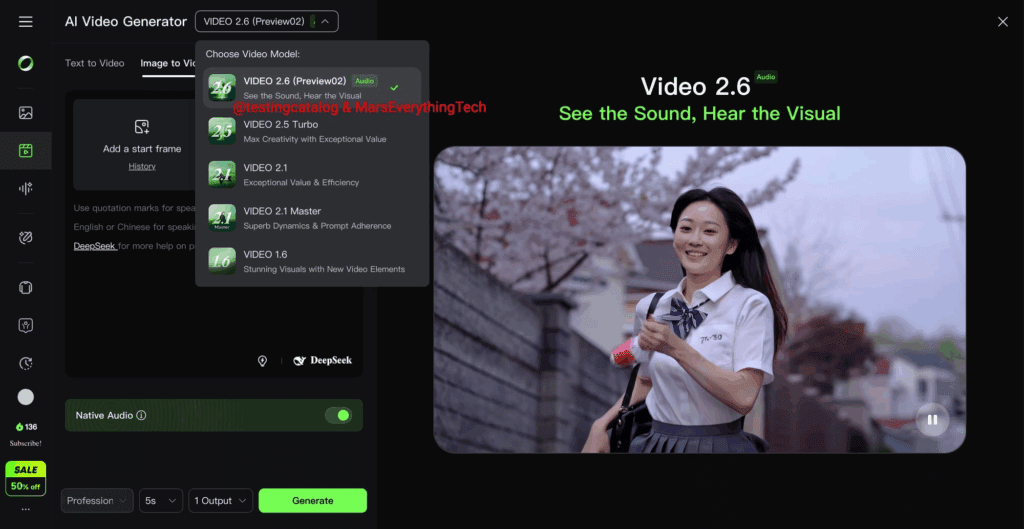
Can Kling Video 2.6 create videos longer than 10 seconds?
Kling Video 2.6 is built for short, high-quality clips. It makes 5 or 10-second clips with sound. You need to join these clips together in an editor to make a longer video.
Which model is best for sending out many pieces of content quickly?
Claude 4.5 Sonnet is best for high-volume work. It is smart, fast, and gives good results when handling many complex jobs quickly.
What does “Deep Think mode” do in Gemini 3 Pro?
Deep Think mode tells Gemini 3 Pro to use more time to think about a request. This makes the answer better, more complete, and more reliable for the hardest questions.
What makes GPT-5.1 the right choice for a programmer?
Programmers should choose GPT-5.1 for its tools that automatically fix and change code. They should choose Claude 4.5 Sonnet for understanding large, complex code projects.