Common Veo 3 JSON Prompt Mistakes That Destroy AI VFX Ad Quality (And How to Fix Them)
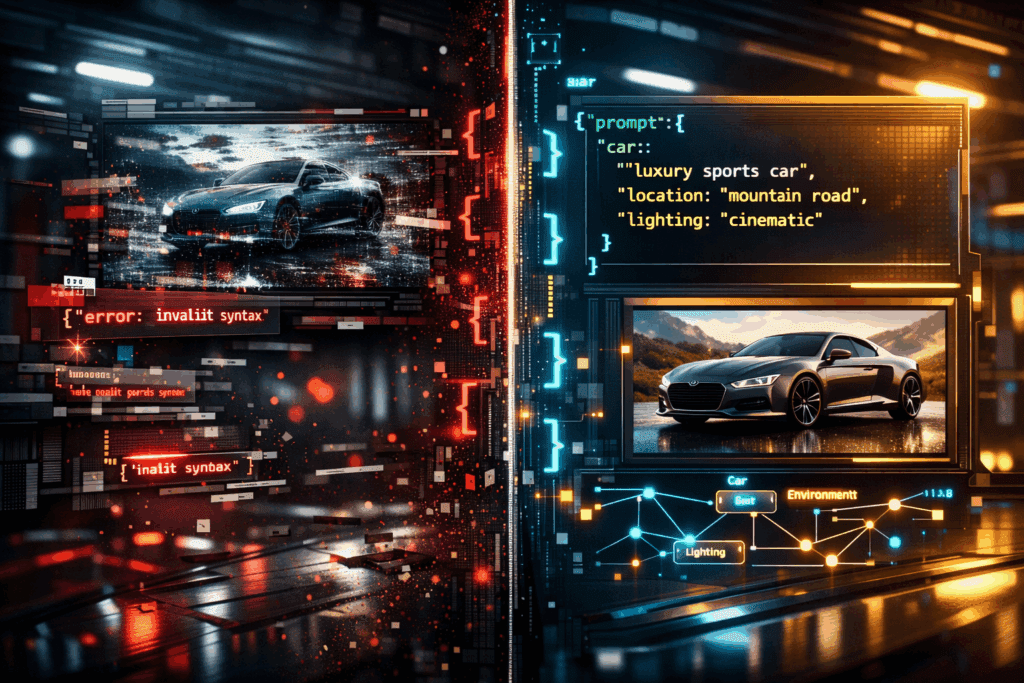
This one JSON mistake is destroying your Veo 3 AI ads.
If you’re building cinematic VFX ads with Veo 3 and your outputs look unstable, inconsistent, low-detail, or completely off-brief, the problem may not be your creative direction.
It’s your JSON.
Advanced AI video systems like Veo 3 rely heavily on structured prompt schemas. Unlike casual text prompting, JSON-based prompting defines scene logic, camera behavior, physics cues, and temporal consistency parameters in a machine-readable hierarchy. When that hierarchy breaks, the model doesn’t “kind of understand.” It collapses latent intent entirely.
Let’s break down the most common JSON mistakes creators make, and exactly how they sabotage output quality.
1. The Most Common JSON Formatting Errors in Veo 3 Prompts
Mistake #1: Invalid JSON Syntax (Trailing Commas & Broken Brackets)
This sounds basic, but it’s the number one silent killer.
Common examples:
- Trailing commas after the final object
- Missing closing braces
- Using smart quotes instead of straight quotes
- Mixing single and double quotes
Example of broken JSON:
{
“scene”: {
“environment”: “futuristic city”,
“lighting”: “neon glow”,
}
}
That trailing comma after “neon glow” can cause partial parsing failure. Some systems attempt recovery, but recovery often strips entire subtrees of your prompt.
Result?
- Lighting defaults to generic values
- The model falls back to prior latent assumptions
- Visual coherence drops
In VFX ads, this shows up as:
- Flat lighting
- Inconsistent reflections
- Loss of cinematic contrast
Mistake #2: Collapsing Hierarchical Structure
Veo 3 relies on semantic grouping.
Bad structure:
{
“car”: “red hypercar”,
“camera”: “slow dolly”,
“rain”: “heavy”,
“sound”: “thunder”
}
Better structure:
{
“scene”: {
“environment”: “rain-soaked highway”,
“weather”: “heavy rain”
},
“subject”: {
“type”: “red hypercar”
},
“camera”: {
“movement”: “slow dolly”,
“lens”: “85mm anamorphic”
},
“audio”: {
“fx”: “distant thunder”
}
}
Why this matters:
Veo 3’s transformer layers interpret grouped attributes as co-dependent signals. When structure collapses into flat key-value pairs, you lose relational encoding.
This affects:
- Object permanence
- Motion continuity
- Latent consistency across frames
In VFX ads, this manifests as:
- The car changing shape mid-shot
- Rain disappearing between cuts
- Camera motion jitter
Mistake #3: Conflicting Parameter Definitions
Example:
{
“lighting”: “low key cinematic”,
“exposure”: “high exposure”,
“time_of_day”: “midnight”
}
You’re giving the model incompatible lighting instructions.
When conflict exists, Veo 3 attempts weighted reconciliation in latent space. This causes:
- Contrast instability
- Overexposed highlights
- Noise amplification in darker regions
In diffusion-based video systems (especially those using Euler a schedulers), conflicting guidance increases stochastic drift across frames.
Translation: your ad flickers.
Mistake #4: Ignoring Temporal Cohesion Fields
Creators often focus only on visual descriptors and forget temporal keys like:
- motion_consistency
- subject_lock
- camera_path
- frame_interpolation_mode
Without these, Veo 3 defaults to probabilistic motion sampling.
That means:
- Hair moves differently every frame
- Product logos morph subtly
- Reflections slide unnaturally
In high-budget VFX ads, this destroys perceived production value.
2. How Broken JSON Structure Destroys Video Generation Quality
Let’s go deeper technically.
Latent Consistency Breakdown
Veo 3 encodes your JSON into structured conditioning vectors. When structure is malformed:
- Node relationships weaken
- Cross-attention weighting becomes unstable
- Frame-to-frame embeddings drift
This reduces latent consistency.
Result in VFX ads:
- CGI elements detach from real environments
- Composites feel “AI-generated” instead of photoreal
Seed Parity Disruption
When JSON parameters shift or fail parsing, your seed may remain constant, but the conditioning graph changes.
That breaks seed parity.
You think you’re iterating safely.
But you’re actually regenerating a new probabilistic branch.
This is why:
- Shot 1 looks perfect
- Shot 2 (same seed) looks completely different
The structure changed – not the seed.
Scheduler Sensitivity (Euler a & Temporal Sampling)
Most high-fidelity video models use variants of Euler ancestral sampling (Euler a) or similar schedulers.
When your JSON includes:
- Conflicting motion speeds
- Unclear camera axes
- Missing interpolation parameters
The scheduler compensates via noise injection.
This produces:
- Micro-jitter
- Texture crawling
- Frame shimmer
In luxury VFX ads, this instantly lowers brand perception.
Scene Graph Fragmentation
Veo 3 effectively builds an internal scene graph from your JSON.
If object relationships are not clearly nested (e.g., reflection tied to product, shadow tied to light source), the graph fragments.
Fragmentation leads to:
- Floating shadows
- Reflections not matching motion
- Inconsistent depth of field
Your ad stops feeling physically simulated.
3. Quick Structural Fixes to Rescue Your AI VFX Ad Projects
Now let’s solve it.
Fix #1: Validate JSON Before Every Render
Use:
- JSON lint tools
- Schema validation
- Strict formatting editors
Never paste raw JSON directly into Veo without validation.
Create a locked master template like this:
{
“scene”: {},
“subject”: {},
“camera”: {},
“lighting”: {},
“motion”: {},
“render”: {}
}
This prevents structural collapse.
Fix #2: Maintain Clear Semantic Grouping
Always nest attributes under logical parents.
Bad:
“reflection”: “sharp”
Good:
“lighting”: {
“reflection”: {
“intensity”: “high”,
“surface”: “wet asphalt”
}
}
This reinforces relational conditioning.
Fix #3: Eliminate Parameter Conflict
Before rendering, ask:
- Do lighting and time_of_day align?
- Does motion_speed match camera type?
- Are exposure and dynamic range compatible?
Create a compatibility checklist.
In professional workflows (similar to ComfyUI node graphs), consistency between nodes ensures stable diffusion paths. Treat JSON the same way.
Fix #4: Lock Temporal Controls Explicitly
Add fields like:
“motion”: {
“subject_lock”: true,
“motion_consistency”: “high”,
“frame_blend”: “optical_flow”
}
This reduces stochastic drift and preserves product geometry.
Critical for:
– Automotive ads
– Cosmetic product macros
– Tech device reveals
Fix #5: Use Versioned JSON Iterations
Instead of rewriting prompts casually, version them:
- v1_base_structure
- v2_lighting_adjusted
- v3_camera_refined
Keep structure stable while adjusting only one subtree at a time.
This preserves seed parity and isolates performance changes.
The Big Takeaway
Most creators blame Veo 3 when their AI ads look unstable.
But Veo 3 is extremely sensitive to structure.
JSON is not just formatting.
It’s the blueprint of your scene graph.
It defines:
- Latent conditioning
- Temporal stability
- Motion coherence
- Rendering physics assumptions
When you treat JSON like casual text, you get casual results.
When you treat it like a technical schema, like a node-based compositing graph, your AI VFX ads start looking like seven-figure productions.
Fix the structure.
Preserve semantic hierarchy.
Eliminate conflict.
Lock temporal consistency.
Your visuals will instantly level up.
Frequently Asked Questions
Q: Why does my Veo 3 video flicker even when using the same seed?
A: Flickering often occurs due to structural changes in your JSON prompt rather than seed variation. If the conditioning graph shifts because of formatting errors or conflicting parameters, seed parity breaks and the model generates a different probabilistic branch.
Q: Does JSON structure really affect visual quality?
A: Yes. Veo 3 interprets structured JSON as relational scene data. Poor hierarchy weakens cross-attention relationships, leading to reduced latent consistency, unstable motion, and fragmented scene graphs.
Q: What is the safest way to iterate on Veo 3 prompts?
A: Use a locked master schema and version your prompts. Modify only one structured subtree at a time (e.g., lighting or camera). This preserves seed parity and makes performance differences measurable.
Q: How can I improve motion consistency in AI VFX ads?
A: Explicitly define temporal controls such as subject_lock, motion_consistency, and frame interpolation modes. This reduces stochastic drift in diffusion sampling and stabilizes frame-to-frame object geometry.