AI Video Ads Guide · 2026
VidAU Video V2.2: How to Create Reliable, Cost-Effective AI Video Ads
Generate commercial-ready 1080P video ads with native audio, image anchoring, prompt controls, and scalable creative testing using VidAU’s proprietary V2.2 model.
By Sarah Iruoje Updated April 2026 · 7 min read
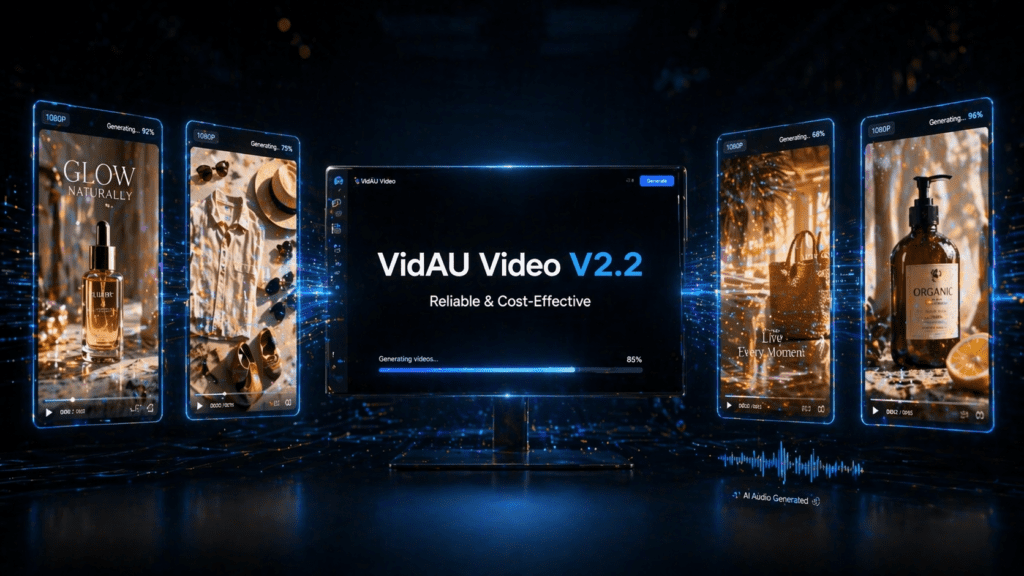
VidAU Video V2.2 is VidAU’s proprietary AI video generation model built specifically for commercial ad performance. Positioned as the Reliable and Cost-Effective model in VidAU’s stack, V2.2 is designed for marketers, sellers, and creators who need consistent, high-quality video output at scale without the cost and complexity of premium third-party models.
Unlike models built for cinematic experimentation, VidAU Video V2.2 is engineered around the formats, hooks, pacing, and visual structures that drive ad clicks and conversions. It generates 1080P video up to 8 seconds with native audio generation, first frame image anchoring, negative prompt control, and quantity variation from a single interface.
For performance marketers running high-volume creative testing, e-commerce brands building product ad libraries, and agencies delivering client creative at speed, VidAU Video V2.2 provides one of the most direct paths from brief to published ad inside the platform.
Quick summary
- Best for: Reliable ad production at scale.
- Output: 1080P resolution, 8-second video duration.
- Built-in tools: Native audio, image anchoring, negative prompts, seed control.
- Creative testing: Generate up to 4 variations per run.
- Use cases: E-commerce ads, retargeting, A/B testing, catalog campaigns.
Contents
What Makes VidAU Video V2.2 Different
VidAU Video V2.2 is not a general-purpose video generation model. It is built for one specific outcome: commercial ad performance. Every parameter, every default setting, and every output format is optimized around what drives results in paid media.
- Reliability at Scale: Consistent visual quality across one generation or one hundred. Ideal for structured A/B testing where creative consistency matters.
- Cost-Effective Production: Lower generation cost than premium third-party models, making it practical for catalog campaigns and frequent creative refreshes.
- Commercial Output by Default: Framing, pacing, and visual structure designed for TikTok Ads, Meta Ads, YouTube, and Google campaigns.
Why VidAU Video V2.2 Works for Ad Production
- Native Audio Generation: Generate ambient sound, music, and environmental audio with video in one pass.
- First Frame Image Anchoring: Upload a product image to anchor the scene and maintain visual consistency.
- Negative Prompt Control: Exclude unwanted styles, elements, or tones directly in generation.
- 1080P Output: Ready for modern ad placements without upscaling.
- Multiple Aspect Ratios: 9:16 for mobile-first placements and 16:9 for horizontal placements.
- Generate Quantity: Create 1 to 4 variations per run for testing.
- Seed Control: Reproduce a consistent campaign style across multiple assets.
Pro tip
Use first-frame product images plus multiple quantity generation to quickly build test-ready ad variations for the same SKU.
Why VidAU Video V2.2 Works for Ad Production
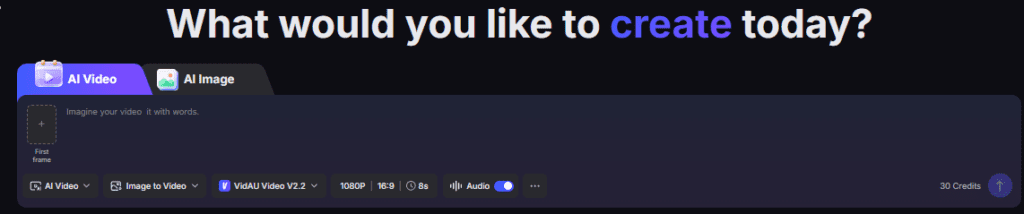
Native Audio Generation VidAU Video V2.2 includes a Generate Audio toggle enabling native audio production alongside video in a single pass. Environmental sound, background music, and ambient audio are generated simultaneously with the visual output. Toggle it on for complete, sound-ready ad creative. Toggle it off for silent video output when you intend to add custom audio in post.
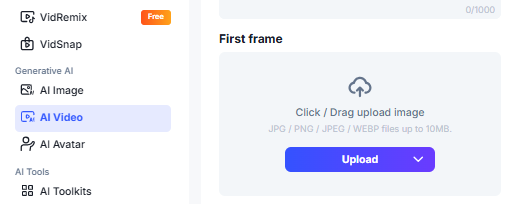
- First Frame Image Anchoring Upload any image as your first frame and V2.2 builds the video scene from that visual starting point. For e-commerce brands, this means uploading a product photo and letting V2.2 generate the motion, environment, and scene around it automatically. Your product stays anchored and consistent throughout the generation no drift, no visual inconsistency between input and output.
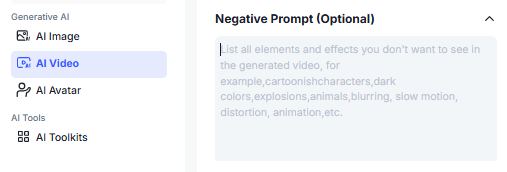
- Negative Prompt Control V2.2 includes an optional Negative Prompt field allowing you to explicitly exclude visual elements, styles, tones, or content from your generation. If your brand guidelines exclude certain visual elements, or your brief requires a specific aesthetic that avoids particular styles, the Negative Prompt field enforces those boundaries directly in the generation process.
- 1080P Output Every V2.2 generation exports at 1080P resolution the standard minimum for commercial ad placements across TikTok, Meta, YouTube, and Google. Outputs are platform-ready from the first generation without resolution upscaling or quality adjustment.
- Multiple Aspect Ratios V2.2 supports 9:16 and 16:9 aspect ratios covering the two primary formats for modern paid social and digital video advertising. 9:16 for TikTok Ads, Instagram Reels, and Snapchat. 16:9 for YouTube, Google Display, and horizontal placements.
- Generate Quantity Generate 1, 2, 3, or 4 variations per run. A/B test different outputs from the same brief before committing to a final creative maximising the value of every generation without multiplying your production cost.
- Seed Control Set a fixed seed to reproduce a consistent visual style across multiple generations. For brand campaigns requiring visual coherence across a full ad set same colour grading, same motion style, same compositional approach fixing your seed ensures every asset looks like it belongs in the same campaign.
Step-by-Step Guide to Creating Videos with VidAU Video V2.2
- Open the AI Video Generator: Sign in to your VidAU dashboard and choose VidAU Video V2.2.
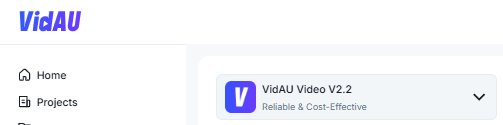
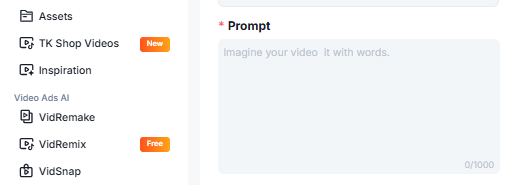
- Write Your Prompt: Describe subject, background, motion, lighting, and mood.
- Upload First Frame: Add JPG, PNG, JPEG, or WEBP files up to 10MB.
- Set Generate Audio: Turn on for instant sound-ready ads or off for post-production control.

- Choose Aspect Ratio: 9:16 for TikTok/Reels, 16:9 for YouTube and Google.

- Add Negative Prompt: Remove clutter, text overlays, or off-brand visuals.
- Set Quantity and Seed: Generate up to 4 versions and keep style consistency if needed.
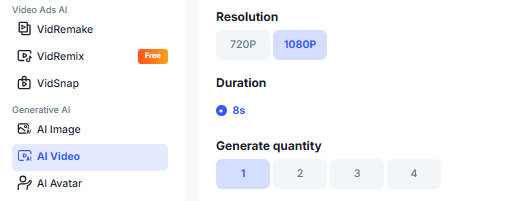
- Generate and Export: Review output, refine prompt, and publish.
What You Can Create with VidAU Video V2.2
| Use Case | How V2.2 Helps |
|---|---|
| Product Video Ads | Turn product photos into motion ads with generated scenes and audio. |
| E-Commerce Catalog Ads | Create ads across many SKUs efficiently. |
| A/B Testing | Generate multiple creative angles in one run. |
| Retargeting Creative | Short focused ads built for repeat exposure campaigns. |
| Brand Campaign Sets | Use fixed seeds for visual consistency. |
| Silent Captioned Ads | Generate visuals only and add custom voiceover later. |
Best Practices for VidAU Video V2.2
- Lead with a strong first-frame product image.
- Write prompts like a production brief, not vague concepts.
- Use negative prompts to stay on-brand.
- Fix seeds for multi-ad campaign consistency.
- Generate four variations to maximize testing efficiency.
- Use audio strategically depending on publishing workflow.
Who Should Use VidAU Video V2.2
- E-Commerce Brands: Efficient production across large product catalogs.
- Performance Marketers: Better structured testing with multiple creative versions.
- Agencies: Faster client delivery with consistent output quality.
- Dropshippers and Affiliates: Fast ad testing at lower cost.
- Growth Teams: Continuous creative refreshes without expensive production cycles.
Conclusion
VidAU Video V2.2 fills the most important gap in any ad production workflow reliable, cost-effective, commercial-quality video at scale. While premium models in VidAU’s stack offer cinematic range and stylistic experimentation, V2.2 delivers what performance marketers and e-commerce brands actually need on a daily basis: consistent output, credit efficiency, and commercial-ready quality from the first generation.
Native audio generation, first frame anchoring, negative prompt control, and seed-based campaign consistency make V2.2 the most practical model for structured creative testing, large catalogue production, and high-frequency ad refreshes. At 1080P in 8 seconds, it produces exactly the format that drives results in TikTok Ads, Meta Ads, and Google Video without the cost or complexity of premium third-party models.
Create Cost-Effective AI Video Ads with VidAU
Launch commercial-ready video creatives faster with reliable output, native audio, and scalable testing tools.
Key takeaway
VidAU Video V2.2 is built for marketers who value dependable output, lower production cost, and fast campaign execution. If your priority is ad performance at scale rather than experimental filmmaking, V2.2 is a practical model built for that exact purpose.
Frequently Asked Questions
What is VidAU Video V2.2 best used for?
What resolution does VidAU Video V2.2 export?
Can I generate multiple ad versions at once?
Does the model support audio generation?
Which aspect ratios are supported?