How to Create Viral Dancing Baby Videos with Viggle AI: Motion Transfer, Latent Consistency & TikTok Optimization (2026 Guide)
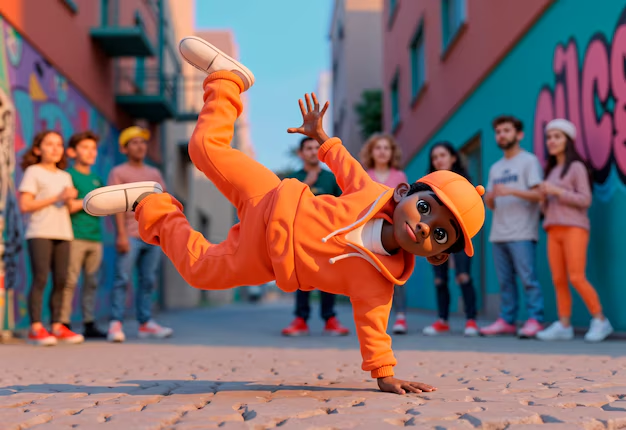
Those hyper-realistic dancing babies flooding your feed? Here’s how to make them yourself with Viggle AI.
If you’ve spent more than five minutes on TikTok in 2026, you’ve seen them: ultra-realistic babies hitting flawless choreography, moonwalking in diapers, or performing K-pop routines with uncanny precision. They look real. They move naturally. And they rack up millions of views.
This isn’t traditional animation. It’s AI motion-transfer technology*, powered by tools like * Viggle AI, combined with modern diffusion workflows and TikTok-native optimization strategies.
In this deep dive, you’ll learn:
– How motion transfer actually works under the hood
– Why dancing baby content is outperforming most AI trends
– The exact step-by-step workflow to create your own viral video
– Advanced techniques using latent consistency, seed control, and scheduler optimization
Let’s break it down.
Why Dancing Baby AI Videos Are Dominating TikTok in 2026
Before the technical breakdown, we need to understand why this format works.
1. Cognitive Dissonance = Retention
Babies are associated with limited motor control. When viewers see one executing professional-level choreography, it creates cognitive contrast. That unexpected realism boosts:
– Average watch time
– Replays
– Shares
– Comment engagement
TikTok’s 2026 algorithm heavily prioritizes loop completion rate* and *multi-watch behavior. Dancing babies trigger both.
2. Hyper-Realism Has Entered the “Uncanny Sweet Spot”
In 2024–2025, AI humans often fell into the uncanny valley. But with improved temporal consistency models and motion-transfer refinement, AI video now sits in a psychological “sweet spot” believable but surprising.
Viggle AI leverages pose-driven animation and diffusion-based refinement to preserve:
– Facial identity coherence
– Limb proportion consistency
– Stable lighting across frames
That consistency prevents the distracting artifacts that used to kill engagement.
3. It’s Remixable and Scalable
Creators can:
– Swap dance references
– Change music trends
– Test different baby archetypes
– Iterate rapidly using seed parity
This makes the format perfect for high-volume TikTok testing.
Now let’s talk tech.
How Motion-Transfer Technology Animates Static Images
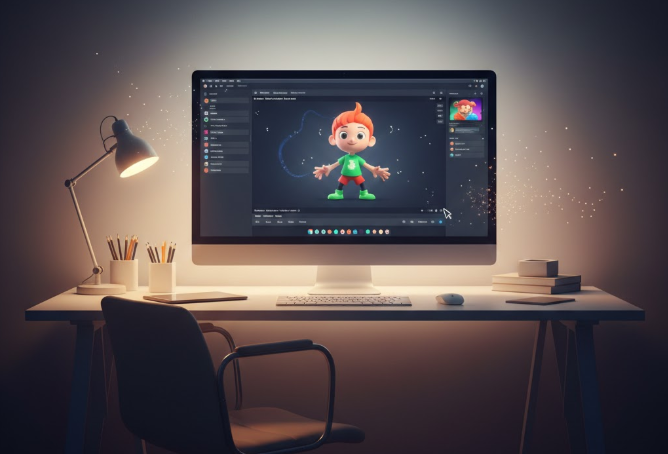
At the core of this trend is motion transfer, a process that maps movement from a source video onto a static character image.
The Three-Layer Architecture
Most modern motion-transfer systems (including Viggle AI) operate on three core layers:
1. Pose Extraction (Source Video)
2. Identity Encoding (Target Image)
3. Latent Motion Synthesis (Diffusion Engine)
Let’s break these down.
1. Pose Extraction
The system analyzes a reference dance video using pose-detection models such as:
– OpenPose
– MediaPipe
– Proprietary transformer-based skeletal trackers
This generates frame-by-frame skeletal keypoints:
– Shoulder rotation
– Hip angle
– Knee bend
– Head tilt
– Arm trajectory
The result is a temporal motion map – essentially a choreography blueprint.
2. Identity Encoding
Next, your baby image is encoded into latent space.
The AI extracts:
– Facial geometry
– Skin texture
– Lighting gradients
– Proportional body structure
Using diffusion-based encoders, the model converts the image into a latent representation. This ensures identity persistence across frames.
Advanced platforms apply Latent Consistency Models (LCMs) to:
– Reduce flickering
– Preserve facial coherence
– Maintain clothing texture stability
3. Latent Motion Synthesis
This is where the magic happens.
The skeletal motion data is injected into the latent representation of your baby image.
Using diffusion schedulers (commonly Euler a* or *DPM++ 2M Karras in advanced pipelines), the system iteratively refines each frame while conditioning on:
– Pose sequence
– Identity embedding
– Temporal coherence constraints
Each frame is generated with reference to previous frames, ensuring smooth animation.
Modern systems also use temporal attention layers so that the model “remembers” prior frames during rendering.
The result? A baby that appears to naturally execute professional choreography.
Step-by-Step Workflow: From Baby Photo to Viral TikTok Video
Now let’s build one.
This workflow focuses on Viggle AI as the primary motion-transfer engine, with optional optimization using tools like Runway or CapCut.
Step 1: Choose the Right Baby Image
Not all images perform equally.
Ideal Image Criteria:
– Front-facing or slight 3/4 pose
– Visible arms and legs
– High-resolution (minimum 1024px height)
– Even lighting
– Minimal background clutter
Why?
Motion-transfer systems perform better when limb boundaries are clearly defined. Occluded arms create morphing artifacts.
If generating the baby with a diffusion model:
– Use fixed seed values for reproducibility
– Use Euler a scheduler for sharper structural definition
– CFG scale: 6–8 for realism balance
Pro tip: Generate multiple babies with seed parity testing. Keep pose constant, vary seeds, and test which face generates the highest engagement.
Step 2: Select a High-Energy Dance Reference
The motion source determines virality.
Look for:
– Clear full-body framing
– Strong hip movement
– Recognizable trending dance
– Sharp directional transitions
Avoid:
– Heavy motion blur
– Fast camera pans
– Cropped limbs
Upload this reference into Viggle AI.
The system extracts the motion skeleton automatically.
Step 3: Apply Motion Transfer in Viggle AI
Inside Viggle:
1. Upload baby image
2. Upload dance reference
3. Enable “Character Consistency Mode” (if available)
4. Set motion intensity to medium-high
Advanced tip:
If the platform allows motion scaling, avoid maxing it out. Over-amplified motion creates limb distortion.
Render a 5–10 second clip first.
Always test short before committing to long renders.
Step 4: Improve Temporal Stability (Optional Advanced Step)
If you notice:
– Flickering textures
– Eye warping
– Hand morphing
Export frames and run them through a temporal consistency pass using:
– Runway Gen-4 consistency tools
– ComfyUI with a temporal control node
– Optical flow interpolation
For ComfyUI users:
– Use LCM LoRA for faster refinement
– Keep denoise strength below 0.35 to avoid identity drift
Step 5: Enhance for TikTok Performance
Raw AI output is not optimized content.
You must package it.
Add:
– Trending audio
– On-screen caption hook in first 1.5 seconds
– Subtle camera zoom (3–5%)
– Loop-friendly ending (match final pose to first frame)
Loop engineering is critical.
TikTok’s ranking model in 2026 heavily favors seamless loops.
To create a perfect loop:
– Trim final frame to match first
– Use crossfade of 2–3 frames
– Slight reverse-blend technique
This increases multi-view loops.
Step 6: Export Settings for Maximum Reach
Recommended settings:
– Resolution: 1080×1920
– FPS: 24–30
– Bitrate: 8–12 Mbps
– H.264 encoding
Avoid over-compression. TikTok re-encodes uploads, so clean input matters.
Advanced Optimization Strategies
If you want to dominate this niche, go beyond single uploads.
1. Batch Variation Testing
Change only one variable at a time:
– Seed
– Dance reference
– Camera zoom intensity
– Caption hook
Track retention curves.
2. Use Emotional Anchors
Babies performing:
– Aggressive hip-hop
– Romantic Latin dance
– Dramatic cinematic choreography
The bigger the emotional mismatch, the stronger the engagement spike.
3. Scale with Template Pipelines
Build a repeatable workflow:
1. Generate 5 baby identities
2. Store seed values
3. Apply 3 trending dances
4. Batch render
5. Edit in CapCut template
This allows you to produce 15+ videos in a single session.
Common Mistakes That Kill Virality
– Overly exaggerated motion scaling
– Poor lighting in base image
– Ignoring loop mechanics
– Using non-trending audio
– Posting without a hook caption
Remember: AI quality gets attention. Packaging gets views.
The Big Picture: Why This Format Isn’t Going Away
Dancing baby AI content sits at the intersection of:
– Motion-transfer realism
– Emotional surprise
– Meme remix culture
– Scalable AI production
As generative video models continue improving temporal stability and latent consistency, character-driven motion remixing will only get easier.
Creators who master this workflow now will dominate future identity-transfer trends — from pets to stylized avatars to hyper-real celebrities.
The barrier isn’t technology anymore.
It’s execution.
Now you know the system.
Go build your first viral dancing baby.
Frequently Asked Questions
Q: What makes Viggle AI better for dancing baby videos than standard text-to-video tools?
A: Viggle AI specializes in motion-transfer workflows, meaning it maps real dance movements onto a static character image. Standard text-to-video tools generate motion from prompts, which often leads to inconsistent limb behavior. Motion transfer preserves realistic choreography and improves temporal stability.
Q: How do I reduce flickering in AI dancing videos?
A: Use platforms that apply latent consistency models (LCMs) or temporal attention layers. If exporting frames, run a temporal smoothing pass using tools like Runway or ComfyUI with low denoise strength (under 0.35) to prevent identity drift while improving frame coherence.
Q: What scheduler settings work best when generating the baby image?
A: For sharp structural realism, Euler a is a strong choice. If using advanced diffusion workflows, DPM++ 2M Karras can improve smooth gradients. Keep CFG between 6–8 to balance realism and prompt adherence.
Q: How do I make the video loop seamlessly on TikTok?
A: Match the final pose to the first frame, trim precisely, and apply a subtle 2–3 frame crossfade. Designing choreography that ends in a neutral stance similar to the opening frame increases multi-watch behavior.
Q: Can I scale this into a full content strategy?
A: Yes. Create multiple baby identities with fixed seeds, store them for repeat use, and apply trending dance references weekly. Batch rendering and template editing allow high-volume production optimized for TikTok’s engagement algorithm.