How to Create Viral Character Animation Memes with Viggle AI Motion Transfer
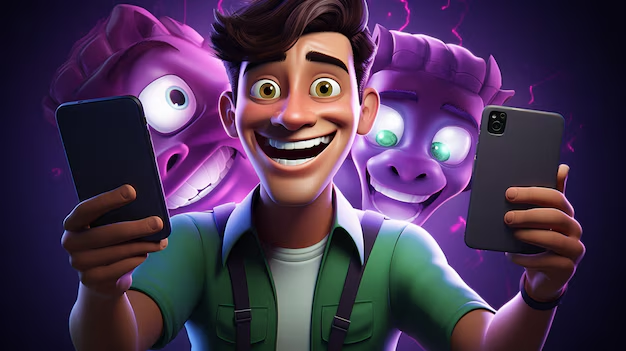
This AI tool is behind every viral character meme you’ve seen today. If your feed is flooded with SpongeBob hitting the griddy, anime villains doing TikTok dances, or hyper-realistic characters breaking into meme choreography, you’re looking at Viggle AI motion transfer in action.
For meme creators struggling to stand out, static images are no longer enough. Animation increases watch time, replay loops, and algorithmic boosts. Let’s break down how to use Viggle AI strategically, not randomly, to engineer viral character memes.
Why Character Animation Memes Outperform Static Posts
Static memes rely on instant comprehension. Animated memes leverage loop psychology + motion salience.
Here’s what’s happening technically:
– Motion Transfer Models map skeletal keypoints from a source video onto a target character image.
- Viggle uses pose estimation and latent motion encoding to preserve movement continuity.
- Loopable animations increase average watch duration, a key ranking signal on TikTok, Reels, and Shorts.
From an AI pipeline perspective, motion transfer introduces:
- Temporal coherence (consistent limb positioning across frames)
- Latent Consistency (stable character identity during motion synthesis)
- Reduced flicker via optimized sampling strategies
The result? A meme that feels native to short-form video platforms instead of repurposed from Reddit.
If you’re still posting PNGs, you’re competing in 2018’s algorithm.
Choosing High-Impact Motion Templates in Viggle AI
The difference between 500 views and 5 million views isn’t the character, it’s the motion template.
Step 1: Select Motion with Built-In Loop Energy
Look for:
- Dance loops (2–4 second repeatable cycles)
- Exaggerated arm swings
- Recognizable TikTok choreography
Short, cyclical motion improves loop retention metrics. Viggle’s motion transfer engine performs best when the source motion has:
- Clear skeletal separation
- Minimal occlusion
- Stable camera framing
Step 2: Optimize Character Input Image
For clean motion transfer:
- Use high-resolution PNG (1024px+ recommended)
- Full-body visibility
- Clear limb separation
- Neutral pose (T-pose or relaxed stance works best)
This improves pose alignment accuracy and prevents distortion artifacts.
Step 3: Maintain Seed Parity for Variations
If you’re testing multiple versions (different outfits, characters, or captions), keep:
- Same motion template
- Same timing
- Controlled generation seed (if available)
This ensures consistent motion rhythm across variations — useful for A/B testing.
Step 4: Enhance with Secondary Tools (Optional)
After exporting from Viggle:
- Add camera shake in CapCut
- Apply subtle motion blur
- Increase contrast for mobile-first visibility
These micro-optimizations increase perceived production value.
Trending Viggle AI Memes Breaking the Internet
Let’s reverse-engineer what’s working.
The “Unexpected Character Dance” Format
Serious character + absurd dance.
Examples:
- Horror villains doing cheerful TikTok trends
- Historical figures hitting modern choreography
- Hyper-realistic 3D characters doing low-quality meme dances
Why it works:
- Cognitive dissonance = shareability
- Recognizable IP boosts immediate recognition
- Motion exaggeration increases replay value
The “Hyper-Real Reaction Loop”
Creators animate:
- Reaction images
- Famous meme faces
- Stylized avatars
Instead of static expressions, subtle head bobs or shoulder shrugs create micro-movement loops that feel alive.
These often use:
- Minimal motion templates
- High latent stability
- Clean background isolation
The “Crossover Multiverse Meme”
Different characters performing the exact same motion template.
This format benefits from:
- Identical motion mapping
- Consistent timing
- Seed-controlled visual style
Audiences compare versions, increasing comment engagement and shares.
The Strategic Takeaway
Viral meme creators are no longer graphic designers.
They are:
- Motion editors
- Latent-space stylists
- Algorithmic strategists
Viggle AI lowers the technical barrier to animation, but virality comes from:
- Choosing loopable, high-energy motion
- Optimizing character inputs for clean pose transfer
- Creating contrast between character identity and movement
- Designing for short-form retention metrics
Static memes stop the scroll.
Animated character memes restart the loop.
And loops win.
If you’re serious about scaling your meme page in 2026, motion transfer isn’t optional, it’s infrastructure.
Frequently Asked Questions
Q: What makes Viggle AI different from traditional animation tools?
A: Viggle AI uses motion transfer and pose estimation to map real human movement onto static character images. Unlike manual animation, it automates skeletal tracking and temporal coherence, making high-quality animation accessible to meme creators without frame-by-frame editing.
Q: How do I prevent distortion in Viggle AI character animations?
A: Use high-resolution, full-body images with clear limb separation and minimal occlusion. Neutral poses improve skeletal alignment and reduce warping during motion transfer.
Q: Why do looped animations perform better on social media?
A: Looped animations increase average watch time and replay rate, which are key ranking signals on TikTok, Instagram Reels, and YouTube Shorts. Short cyclical motions encourage repeated viewing.
Q: Can I reuse the same motion template across multiple characters?
A: Yes. In fact, using identical motion templates across different characters increases engagement through comparison and trend stacking. Maintain consistent timing and seed settings for cleaner visual parity.