Viggle AI v1.3.1 vs v1.4.8: Complete Feature, Bug & Use-Case Comparison Guide
Confused about which Viggle AI version to download? Here’s the breakdown.
If you’re optimizing your AI video workflow, choosing between Viggle AI v1.3.1 and v1.4.8 isn’t just about “latest vs older” — it’s about stability, feature access, and motion consistency inside your generative pipeline.
Below is a technical comparison focused on what actually matters for creators.
1. Core Feature Differences Between v1.3.1 and v1.4.8
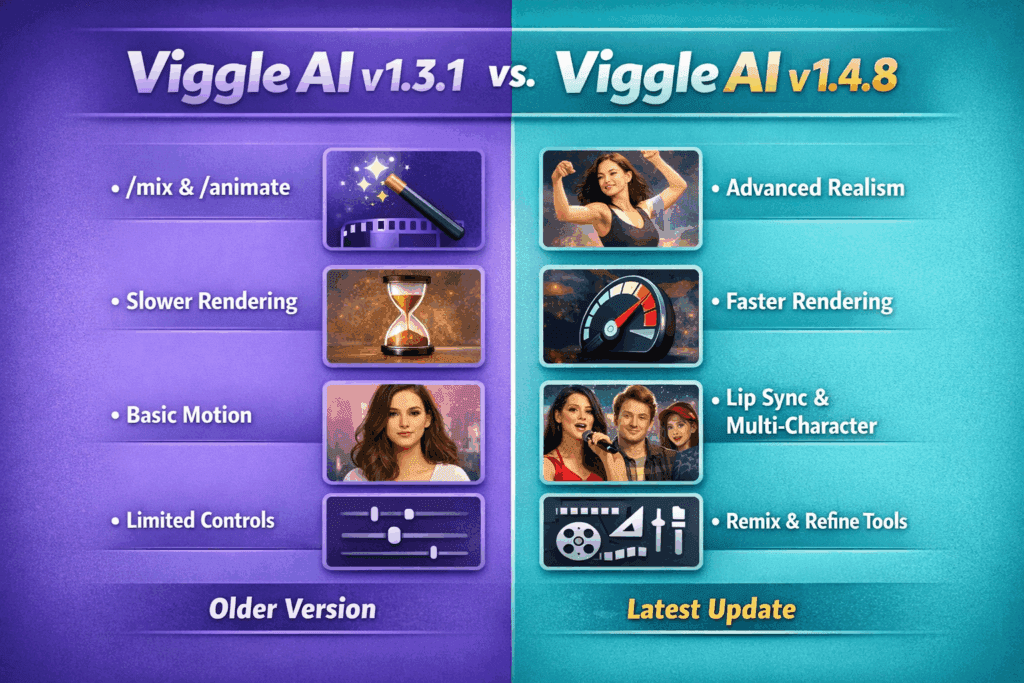
Viggle v1.3.1 — Stable Motion Foundation
Version 1.3.1 is widely considered the “stable baseline” build.
Key Strengths:
- Strong pose-to-character alignment
- More predictable motion transfer
- Better seed consistency (higher seed parity across reruns)
- Fewer latent drift issues during longer motion clips
For creators using Viggle as a motion layer inside ComfyUI, Runway, or Kling pipelines, v1.3.1 produces more deterministic outputs. When reusing the same seed and input pose, output variance is lower — which matters for:
- Multi-clip stitching
- Character continuity
- Template-based production workflows
If you rely on consistent Euler a or DPM++ sampling outputs downstream, this version behaves more predictably in post-processing.
Viggle v1.4.8 — Expanded Capability, Experimental Improvements
Version 1.4.8 introduced internal motion refinement and better responsiveness to complex pose inputs.
What’s New:
- Improved fast-motion interpolation
- Better handling of dynamic gestures
- Reduced limb distortion in high-energy sequences
- Slightly enhanced temporal smoothing
The update appears to improve internal latent motion mapping, meaning aggressive movements (dance, sports, fight choreography) render more fluidly.
However, these improvements come with trade-offs.
2. Known Bugs & Missing Features
v1.3.1 Limitations
- Struggles with fast directional changes
- Minor stiffness in high-tempo motion
- Occasional foot sliding in wide stance poses
- No advanced motion smoothing refinements
This version can feel “rigid” when pushing cinematic choreography. It works best for medium-tempo, controlled movement.
v1.4.8 Known Issues
This is where most confusion happens.
Users report:
- Increased randomness in repeated generations (lower seed parity)
- Occasional character proportion warping
- Rare frame jitter in longer renders
- Inconsistent output when batch rendering
For production creators running automated pipelines, that seed inconsistency is critical. If you depend on frame-perfect reproducibility for:
- Template monetization
- Loopable social content
- Multi-angle exports
v1.4.8 may introduce workflow friction.
In short:
- v1.3.1 = Stable & repeatable
- v1.4.8 = Flexible but less deterministic
3. Which Version Should You Use?
Choose v1.3.1 If You:
- Run structured production pipelines
- Need consistent outputs with identical seeds
- Use Viggle inside ComfyUI workflows
- Prioritize stability over experimental motion upgrades
- Create monetized template-based content
This version integrates better when you require controlled outputs before sending footage into tools like Runway Gen-3 or Sora for cinematic upscaling.
Choose v1.4.8 If You:
- Create dynamic dance or action edits
- Prioritize motion fluidity over repeatability
- Don’t rely on strict seed consistency
- Experiment with aggressive pose transitions
For TikTok-style edits, high-energy reels, and expressive content, v1.4.8 often produces more visually exciting results — even if technically less stable.
Final Recommendation
If you’re unsure:
- Install v1.3.1 for production work
- Test v1.4.8 for experimental motion projects
Advanced creators often keep both versions available — using 1.3.1 for structured pipelines and 1.4.8 when pushing creative boundaries.
The “best” version isn’t about newest — it’s about how predictable you need your AI motion system to be.
Choose based on workflow, not hype.
Frequently Asked Questions
Q: Is Viggle v1.4.8 better than v1.3.1?
A: Not necessarily. v1.4.8 offers improved motion fluidity and better fast-movement handling, but v1.3.1 is more stable and provides better seed consistency for repeatable results.
Q: Which Viggle version is best for consistent character outputs?
A: v1.3.1 is better for consistent character outputs because it maintains stronger seed parity and more predictable motion mapping across renders.
Q: Should I downgrade from v1.4.8 to v1.3.1?
A: If you rely on batch rendering, structured workflows, or monetized templates that require reproducible outputs, downgrading to v1.3.1 may improve stability.
Q: Can I keep both Viggle versions installed?
A: Many advanced creators maintain both versions — using v1.3.1 for stable production work and v1.4.8 for experimental or high-energy motion projects.