Wan 2.6: New Features, Improvements, and How It Compares to Wan 2.5
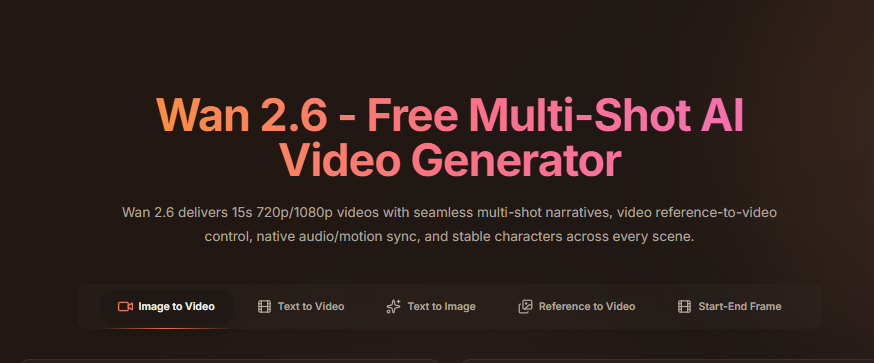
Wan 2.6 is the newest release of the Wan AI video generation model, built to solve practical issues creators faced in Wan 2.5. The update focuses on stronger motion control, improved scene stability, and better visual consistency across short clips. These changes make outputs easier to predict and easier to reuse in real workflows.
Wan 2.5 introduced native audio and basic motion handling, but creators often struggled with jitter, lighting shifts, and subject drift when scenes became more complex. Wan 2.6 refines these areas by improving how the model tracks subjects, holds camera framing, and manages light across frames. Videos feel smoother, cleaner, and more controlled from start to finish.
The update also improves how Wan handles short-form storytelling. Motion reads better in fast-scrolling feeds, products stay aligned during pans and rotations, and characters hold their shape and position more consistently. This matters for social videos, ad concepts, and creative drafts where clarity and repeatability matter.
This article explains what changed in Wan 2.6, how those changes compare to Wan 2.5 in real use, and which version fits different creator needs. You learn when Wan 2.6 adds real value and when Wan 2.5 still makes sense for faster, simpler outputs.
What’s New in Wan 2.6
Wan 2.6 introduces practical upgrades focused on stability and control rather than experimental features. These changes improve output quality for creators who rely on predictable results.
Improved Motion Accuracy
Wan 2.6 tracks movement more precisely than Wan 2.5. Subjects hold position better during camera pans, rotations, and slow movements. This reduces jitter and frame drift, especially in product and character shots.
Stronger Scene Consistency
Background elements remain more stable across frames. Wan 2.6 reduces object shifting and perspective changes that were more noticeable in Wan 2.5, resulting in cleaner visual flow.
More Consistent Lighting
Lighting stays balanced throughout the clip. Shadows follow the subject more naturally, and highlights remain controlled. This improves realism and brand safety for product visuals.
Cleaner Detail and Edges
Textures, edges, and facial details appear sharper. Wan 2.6 handles close-ups better than Wan 2.5, which helps when showcasing products or faces.
Faster Iteration
Generation speed improves slightly, allowing creators to produce more variations in less time. This supports testing and rapid creative iteration.
Wan 2.6 vs Wan 2.5: Key Differences
Wan 2.5 laid the foundation for stable short-form video, but Wan 2.6 refines the experience with better control and consistency.
| Feature | Wan 2.5 | Wan 2.6 |
| Motion control | Basic stability, occasional drift | Smoother, more accurate movement |
| Scene coherence | Some background shifting | Strong frame-to-frame consistency |
| Lighting behavior | Minor lighting jumps | Stable lighting across frames |
| Subject detail | Acceptable for wide shots | Cleaner details and close-ups |
| Generation speed | Standard | Faster iteration cycles |
| Best use case | Early concepts, rough drafts | Ads, polished social clips, testing |
Wan 2.6 does not radically change how the model works, but it delivers noticeable quality improvements that matter in commercial workflows.
Where Wan 2.6 Performs Best
Wan 2.6 fits creators and teams focused on speed and reliability.
Short-Form Social Videos
The model performs well for vertical clips used on TikTok, Instagram Reels, and Snapchat. Motion remains smooth and readable in fast feeds.
Product and Ad Concepts
Creators use Wan 2.6 to test camera angles, lighting, and motion before filming real footage. This reduces production risk.
Creative Ideation
Marketing teams generate moodboards, scene variations, and visual drafts quickly.
Agency Pitches
Wan 2.6 supports clean, presentable previews for client proposals and early approvals.
Limitations to Consider
Wan 2.6 still focuses on short clips, usually under 10 seconds. Longer videos require stitching or editing.
Prompt clarity remains critical. Vague instructions reduce output quality.
The model produces visuals only. It does not add captions, CTAs, or platform formatting.
Using Wan 2.6 in a Full Content Workflow
Wan 2.6 works best as a visual generation layer. Tools like VidAU handle the full ad build.
A practical workflow includes:
- Generate a short clip with Wan 2.6
- Upload the clip to VidAU
- Add hooks, captions, and CTAs
- Insert subtitles or translations
- Export platform-ready formats
- Test multiple ad variations
This approach turns AI visuals into performance-ready content.
Should You Upgrade from Wan 2.5 to Wan 2.6?
If you rely on Wan 2.5 for early drafts, Wan 2.6 offers clearer motion, stronger stability, and better lighting. The upgrade benefits creators producing social ads, product demos, and polished short-form videos. Wan 2.5 remains usable for rough ideation. Wan 2.6 fits creators who need cleaner results with fewer retries.
Conclusion
Wan 2.6 improves on Wan 2.5 by tightening motion control, scene consistency, and lighting stability. The update focuses on reliability rather than new complexity, making it easier to produce usable clips.
When paired with VidAU, Wan 2.6 becomes part of a complete workflow. The model generates motion and visuals. VidAU adds captions, CTAs, subtitles, and platform formatting. Together, they help creators move from concept to publish-ready content faster and with more control.
FAQ
What is the main difference between Wan 2.6 and Wan 2.5
Wan 2.6 improves motion accuracy, scene stability, and lighting consistency. Outputs feel smoother and more predictable than Wan 2.5.
Is Wan 2.6 better for ads and social videos
Is Wan 2.6 better for ads and social videos
Does Wan 2.6 support long videos
No. Wan 2.6 focuses on short clips, usually under 10 seconds. Longer videos need stitching or external editing.
Should you upgrade from Wan 2.5 to Wan 2.6
Upgrade if you create social ads, product demos, or client-ready previews. Wan 2.5 still works for rough drafts and fast ideation