Whisk AI and 20 Other Google AI Tools You Can Use for Free

Writing good prompts takes time. Whisk AI solves this by turning images into prompts fast. You upload three reference visuals, and Whisk blends them into a new image prompt without needing to write a single word. It’s part of Google’s experimental tools and helps you remix style, subject, and setting in seconds. Combine this with free Google AI tools and visual editors like VidAU, and you get a full creative stack: prompt-free image generation to auto-edited videos, without switching platforms.
What makes Whisk AI useful for content generation and automation?
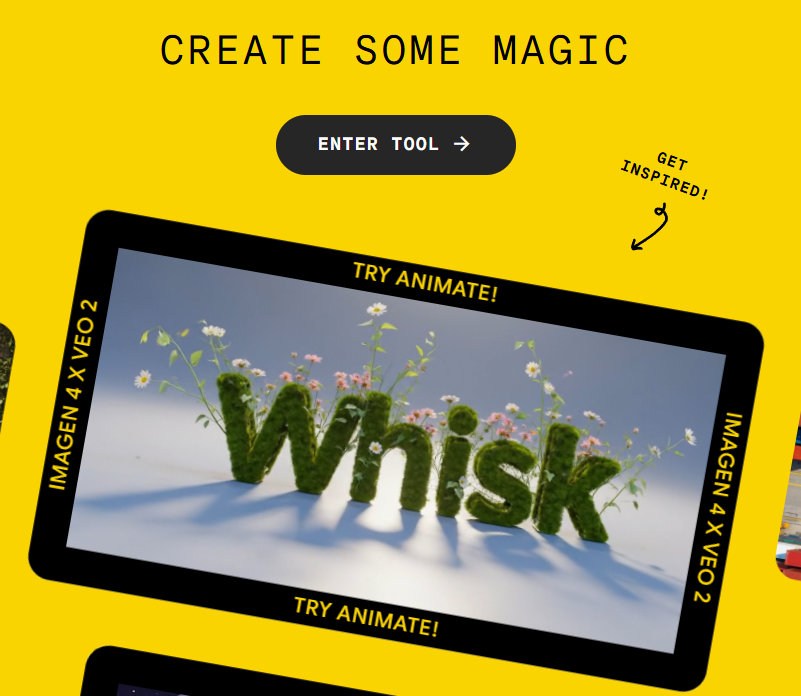
Whisk AI is a visual remix tool that helps creators generate new images without writing prompts. You start by uploading three images: one to define the subject, one to set the scene, and one to apply the visual style.
It’s especially useful when you want control over the look and feel of your images without trial-and-error prompting. Instead of tweaking words, you guide the output through visual examples.
Whisk AI is ideal for:
- Designers testing creative directions
- Creators exploring visual storytelling
- Marketers building quick concept visuals
It simplifies the image-generation process while giving you more control over results. You spend less time writing, and more time creating.
Whisk AI Workflow Table
| Step | Action | What It Does |
| 1 | Upload subject image | Sets the main object or character focus |
| 2 | Upload scene image | Defines the background or environment |
| 3 | Upload style image | Applies lighting, tone, and texture |
| 4 | Click “Remix” | Generates the final blended image |
You can place this table right under the H2 and follow with one or two short sentences:
This workflow removes the need for prompt writing. You guide the image by visuals, and Whisk handles everything else; fast, consistent, and easy.
Can you use Whisk AI for free, and what are its pricing limits?
Yes, Whisk AI is currently available as a free experimental tool through Google Labs. You don’t need a subscription or credit card to use it. You simply access the platform, upload your images, and start generating results.
Here’s what you need to know:
- Free access: Whisk is available at no cost as part of Google Labs experiments.
- No prompt writing needed: You use visuals to guide the AI.
- Image generation powered by Imagen 3: You get high‑quality image outputs.
- Web-only: The tool runs entirely in the browser, with no app version.
Top free Google AI tools that support creators and developers
Google provides a powerful ecosystem of AI tools covering writing, coding, image generation, and voice processing. Many of these are completely free or come with generous free tiers.
Below is a full breakdown of 20 Google AI tools. Each one is listed with an explanation of what it does, who it helps, what features it includes, and how much it costs to use.
1. Gemini 1.5 Pro
Gemini 1.5 Pro is Google’s most advanced large language model. It processes long documents, complex instructions, and gives strong written responses. It powers Gemini chat and is integrated into Google Workspace.
- Best For: Writers, marketers, researchers
- Features: Long input window, logical reasoning, summarization
- Pricing: Free for personal use at gemini.google.com
2. Google AI Studio
Google AI Studio is a testing platform for Gemini models. You use it to create prompts, test output quality, and design prompt flows.
- Best For: Developers, prompt engineers
- Features: Prompt design, model selection, context control
- Pricing: Free (quota-based usage)
3. Bard
Bard is the earlier conversational assistant from Google, now rolled into Gemini. It handles creative writing, explanations, and light productivity.
- Best For: Personal productivity and Q&A
- Features: Chat interface, export to Gmail/Docs, fast responses
- Pricing: Free
4. Imagen
Imagen is a text-to-image model from Google. It creates images based on captions, useful for mockups, thumbnails, or visual storytelling.
- Best For: Designers, content creators
- Features: Style-rich outputs, creative visuals
- Pricing: Free in Google AI Studio (quota applies)
5. MusicFX
MusicFX helps users create original music using prompts about genre, tone, and instrument type. You can use it for personal or commercial background music.
- Best For: Video creators, podcasters
- Features: Audio generation, WAV export
- Pricing: Free (Labs)
6. TextFX
TextFX is a suite of tools to improve and play with language. It’s aimed at poets, songwriters, and creative writers.
- Best For: Wordplay, tone editing
- Features: Text variation, metaphor creation
- Pricing: Free
7. Codey
Codey assists with code generation and debugging. It’s integrated into IDEs like VS Code and Google Colab.
- Best For: Developers, students
- Features: Code autocompletion, bug fixes, multi-language support
- Pricing: Free
8. Chirp
Chirp is a speech-to-text model that converts spoken language into accurate text. It supports many accents and languages.
- Best For: Captioning, meetings, podcasts
- Features: Real-time transcription
- Pricing: Free tier available (via API)
9. AlphaCode
AlphaCode is a model designed to solve complex programming problems. It simulates human-level competitive programming.
- Best For: Advanced coders, learners
- Features: Logic-based problem solving
- Pricing: Free in selected research environments
10. Med-PaLM 2
Med-PaLM 2 is trained on medical data and provides insights for health professionals. It is not meant for diagnosis.
- Best For: Medical researchers
- Features: Clinical question answering
- Pricing: Free for research partners
11. Google Colab
Colab is a browser-based notebook environment for Python. It supports ML experiments, model training, and data science.
- Best For: Students, developers, researchers
- Features: GPU/TPU access, Python support
- Pricing: Free (Pro version optional)
12. Vertex AI
Vertex AI is Google’s enterprise-grade AI platform. It allows model deployment, tuning, AutoML, and generative capabilities.
- Best For: Companies building AI solutions
- Features: ML pipelines, APIs, tuning
- Pricing: Free tier + pay-as-you-use model
12. TensorFlow
TensorFlow is Google’s open-source ML framework. It’s used to build, train, and deploy custom models.
- Best For: ML engineers, researchers
- Features: Full-stack ML development
- Pricing: Free
13. MediaPipe
MediaPipe helps developers build real-time computer vision apps. It supports face detection, gesture tracking, and more.
- Best For: AR apps, mobile devs
- Features: Pose tracking, hand detection
- Pricing: Free
14. AutoML
AutoML lets users build ML models without needing to code. You upload your data and train models with simple configuration.
- Best For: Non-technical teams
- Features: Drag-and-drop training
- Pricing: Free tier + usage charges
15. AI Test Kitchen
This sandbox lets you try Google’s experimental AI models before public release.
- Best For: Early adopters, creators
- Features: Hands-on testing, feedback tools
- Pricing: Free by invitation
16. Gemma
Gemma is a family of open models from Google for developers to fine-tune or use locally.
- Best For: Custom chatbot development
- Features: Lightweight, open weights
- Pricing: Free
17. Tuner.ai
Tuner.ai lets you fine-tune open-source AI models on your own data.
- Best For: AI engineers, agencies
- Features: Model customization, training interface
- Pricing: Free tier + paid for advanced compute
18. Google Cloud Vision AI
Vision AI processes images for labeling, OCR, and object detection.
- Best For: Media tagging, automation
- Features: Image analysis APIs
- Pricing: Free tier available
19. Google Cloud Translation AI
Translation AI provides fast and accurate translation at scale. It supports 100+ languages and document formats.
- Best For: Global content teams
- Features: Batch translation, glossary support
- Pricing: Free tier + pay-as-you-go
20. SynthID
SynthID is Google DeepMind’s watermarking tool that helps you label AI-generated images. It’s useful for maintaining transparency in creative workflows and ensuring viewers know what content is synthetic.
- Best For: Artists, content platforms, educators
- Features: Embeds invisible watermark, verifies authenticity, integrates with AI image tools
- Pricing: Free for research and integrated users (via DeepMind)
How to Use Whisk AI Images With VidAU for Fast Video Creation

VidAU allows you to upload or sync those Whisk-generated images and instantly convert them into dynamic videos. With its image-to-video feature, you can take a set of visuals, set the desired pacing, add transitions, and overlay script captions or voiceovers. There’s no timeline editing or complex setup required. This makes it especially useful for creators who want to turn idea boards, AI image batches, or content sequences into scroll-ready short videos.
Conclusion
Whisk AI helps you streamline content creation without the hassle of switching tools or rewriting prompts. When you add Google’s free AI tools like Gemini for writing, Imagen for visuals, and AI Studio for prompt testing, you get a full system that supports fast, structured content output.
VidAU completes the workflow by turning those outputs into clean, ready-to-share videos. You don’t need multiple subscriptions or complicated setups. With Whisk AI, Google’s tool stack, and VidAU, you get a smooth process from idea to video, simple, fast, and cost-free for most users.
FAQs
- What is Whisk AI used for?
Whisk AI helps automate content generation workflows using custom steps and prompts. It’s useful for creating structured outputs like briefs, outlines, or formatted scripts. - Is Whisk AI free to use?
Yes, Whisk AI has a free plan that includes 50 workflows per month. You can use it for personal or freelance work without upgrading. - Which Google AI tool works best with Whisk AI?
Gemini 1.5 Pro is ideal. It provides advanced text responses that you can feed into a Whisk to format and process consistently. - How does VidAU support Whisk AI users?
VidAU lets you take any output from Whisk (such as a video script) and turn it into a clean, scroll-stopping video without needing editors or motion designers. - Can I replace paid AI tools with free Google tools and Whisk AI?
Yes, in many cases. Tools like Gemini, Imagen, and Vision AI cover writing, visuals, and media processing, while Whisk and VidAU automate the workflow and video side.