AI Image to Video Generator · Free Daily Credits
5 Best AI Image to Video Generators with Free Daily Credits (No Watermarks)
Compare the best AI image to video generator tools for free daily credits, no-watermark exports, motion animation, commercial video ads, and product image workflows.
By the Sarah Iruoje · Updated 2026 · 10 min read
Turning a still image into a polished video used to require a full production team. The best AI image to video generator tools available in 2026 change that entirely, upload a photo, add a prompt, and get a video output in seconds.
But the category is messier than the marketing suggests. Most free tools either produce robotic, glitchy output that is unusable professionally, or bury their best features behind credits that vanish after two generations. The most important question when evaluating any AI video generator from image is not what the demo shows, it is what the free tier actually delivers, consistently, at usable quality.
This guide reviews five tools that genuinely deliver on the free-tier promise, no watermarks, real daily credit refreshes, and modern AI models capable of producing content you can actually use. It also covers the one critical mistake most creators make when choosing an image-to-video tool, and why VidAU is the strongest option when commercial output and volume are the priority.
Quick Summary
- The best AI image to video tools split into two categories: motion/animation generators and commercial video production tools, they solve different problems
- Kling AI delivers the most impressive free-tier image-to-video motion quality in 2026
- Pika offers the most creative effects system for animated social content
- Runway produces the most professional-grade output, but free credits are one-time only
- VidAU is the strongest tool for marketers turning product images into ready-to-run video ads at volume
- Always verify commercial rights before publishing AI-generated video commercially
In This Guide
- What is an AI image to video generator
- The two categories you must understand before choosing a tool
- What makes a genuinely free tool
- The 5 best AI image to video generators reviewed
- Platform comparison table
- How to turn images into video, step by step with VidAU.ai
- Prompt tips for better image-to-video output
- Common mistakes
- Advanced strategies
- Conclusion
- FAQ
What Is an AI Image to Video Generator?
An AI image to video generator is a tool that takes one or more static images as input and uses artificial intelligence to produce animated, motion-based video output.
Depending on the tool and workflow, this can mean:
- Animating a still photo, adding camera movement, object motion, or atmospheric effects to a single image
- Turning product photos into video ads, combining multiple images with a script, voiceover, and captions into a complete marketing video
- Creating AI-generated images and then converting them to video, a two-step workflow where you generate images first, then animate them
The distinction matters for tool selection. A tool that excels at animating a portrait photograph is not necessarily the right tool for turning five product photos into a 30-second ad. Understanding which workflow you need determines which platform you should use.
Key Definition
AI Image to Video Generator: Software that uses artificial intelligence to convert static images into video output, through motion animation, scene assembly, or full commercial video production, without requiring manual video editing skills.
The Two Categories You Must Understand
The tools fall into two distinct categories: talking photo generators, which animate a still image to speak a script with lip sync, and motion/animation generators, which add cinematic movement, effects, or scene animation to images. They solve different problems, and confusing the two is the most common mistake people make when evaluating this space.
For the purposes of this guide, we focus on the two most relevant categories for content creators and marketers:
Category 1: Motion and Animation Tools Upload an image, write a motion prompt, and the AI generates a short animated clip. Best for: social media clips, creative content, B-roll, product visualisation.
Category 2: Commercial Video Production Tools Upload product images, add a script or prompt, and the AI produces a complete ready-to-publish video ad with captions, voiceover, and music. Best for: e-commerce brands, marketing teams, social media advertising.
Most free tools reviewed online cover only Category 1. For creators who need Category 2, the ability to turn AI generated images to video in a production-ready commercial format, the tool landscape is narrower, and VidAU leads it.
| Category | Workflow | Best for |
|---|---|---|
| Motion and animation tools | Upload an image, write a motion prompt, and generate a short animated clip. | Social media clips, creative content, B-roll, product visualisation. |
| Commercial video production tools | Upload product images, add a script or prompt, and generate a complete video ad with captions, voiceover, and music. | E-commerce brands, marketing teams, social media advertising. |
What Makes a Genuinely Free AI Image to Video Tool
Before reviewing specific platforms, here is what separates genuinely free tools from those with hidden restrictions:
- Daily credit refresh, credits reset automatically, not one-time at signup
- No watermarks on free tier exports at least for standard outputs
- Usable output quality modern AI models, not 2022-era blurry animation
- Commercial rights available at free tier varies significantly by platform
Platforms tested here passed all four criteria. Each was evaluated using the same source images across consistent prompt types to assess quality, speed, and practical usability.
Watch out
A free image to video AI tool is only genuinely useful if the free tier refreshes, exports without watermarks, produces usable quality, and supports the rights you need for your publishing or commercial workflow.
The 5 Best AI Image to Video Generators
1. VidAU: Best AI Tool to Turn Images into Video Ads
What It Is: VidAU.ai is a purpose-built AI video production platform for marketers, brands, and e-commerce teams. It allows you to upload your own, specific, high-quality product photos, write your own script, and let the AI animate it into a polished video.
How the image-to-video workflow works: Upload your product images, select a template, choose an AI avatar and voice, and generate. VidAU produces a complete video with script, captions, voiceover, and music, in 9:16, 1:1, or 16:9 format, ready to publish directly to TikTok, Instagram Reels, or YouTube Shorts.
Why it leads for commercial use: VidAU is a next-generation AI video platform that turns any idea, image, or message into stunning, ready-to-run video ads in minutes, no complex tools or production teams required.
Its VidRemix feature converts product images into multiple ad variations with different hooks, styles, and formats, enabling teams to test multiple creative angles simultaneously.
Awards and recognition: Best AI Tool for Ad Creative, Extraordinary Awards 2025. #1 Product of the Month, Product Hunt, September 2025. Google Cloud Startup Program Grant, $350,000.
- Free tier: Available, try at VidAU.
- Best for: E-commerce brands, marketers, agencies, social media teams producing high-volume video ads.
- Watermark: No watermark on standard outputs.
2. Kling AI: Best for Motion Quality on a Free Plan
What It Is: Kling AI is an image-to-video motion generator with consistently strong output quality. Kling AI delivers the most impressive image-to-video results on a free plan.
Key features:
- Upload an image and write a motion prompt, Kling animates it with natural, cinematic movement
- Strong face consistency and natural body physics
- Handles complex motion prompts better than most free-tier alternatives
- Daily credit refresh system
Output quality: Kling’s motion realism is among the highest available without paying. Pika has established itself as one of the most accessible and versatile AI video platforms. It excels at turning simple text prompts or static images into dynamic, short-form videos. Kling goes a step further on realism specifically, motion feels more physically grounded than most competitors.
- Free tier: Daily credit refresh, no watermarks on standard outputs.
- Best for: Animating portraits, product visualisation, B-roll generation.
- Limitation: Short clip durations on free tier; not designed for full-length commercial video production.
3. Pika: Best Creative Effects for Social Content
What It Is: Pika specialises in stylised, effects-driven image animation. Where other tools focus on realistic motion, Pika focuses on creative transformation, and it is genuinely unique in this category.
Key features:
- Upload an image, select an object or region, apply an effect, inflate, melt, crush, explode, or animate
- Its unique effects system lets you transform objects in your image: inflate them, melt them, crush them, or explode them.
- Style transfer for consistent aesthetic across multiple images
- Free tier: Roughly 150 credits at signup, with daily credit replenishment
When to use Pika: For social content where the creative effect IS the content, product reveals, visual gags, eye-catching short-form clips. Not the right tool for realistic commercial video production.
- Free tier: ~150 credits at signup + daily refresh, no watermarks.
- Best for: Creative social content, TikTok trends, visual effects-driven clips.
- Limitation: Max 3–4 seconds per clip, the shortest in the category.
4. Runway — Best Professional-Grade Output
What It Is: Runway is the benchmark tool for professional-quality AI image-to-video output. Runway produces the most consistent and predictable results. It rarely produces the weird artifacts that other tools occasionally generate. Professional-grade output suitable for commercial projects.
Key features:
- Image-to-video with precise motion control
- Inpainting (Erase and Replace) for removing or changing elements in generated video
- Motion tracking for attaching text or effects to moving objects
- Style transfer and video-to-video transformation
The free tier caveat: The one-time credit system means your free experience is temporary. Once credits run out, the cheapest plan is $12/month. Runway does not offer ongoing daily credit refreshes, free credits are a trial, not a permanent tier.
- Free tier: One-time credits only, not a daily refresh system.
- Best for: Professional creative projects, filmmakers, high-quality commercial output.
- Limitation: Free credits are not renewable, budget for paid tier if using regularly.
5. Stable Video Diffusion (via DiffusionArt): Best for Technical Control
What It Is: Stable Video Diffusion is an open-source image-to-video model with strong community support. Accessible without local setup through platforms like DiffusionArt.
Key features:
- Stable Video Diffusion’s image-to-video capability is particularly strong, given a high-quality source image, it can produce remarkably smooth, consistent motion.
- Full parameter control: sampling steps, motion intensity, frame rate
- Unlimited generation, no credit system
- No watermarks
When to choose it: For creators comfortable with AI model parameters who need technical control over output, and want unlimited generation without credit restrictions.
- Free tier: Unlimited via DiffusionArt, no watermarks.
- Best for: Advanced users wanting technical control, unlimited iteration.
- Limitation: Steeper learning curve; not designed for commercial video production workflows.
Turn Your Product Images into Video Ads Free
Use VidAU to turn product images, scripts, AI avatars, captions, voiceovers, music, and multi-format exports into ready-to-run video ads for TikTok, Instagram Reels, YouTube Shorts, and commercial campaigns.
VidAU workflow
From product images to ready-to-run video ads
- Upload product images: Start with your own specific, high-quality product photos or AI-generated assets.
- Add a script or prompt: Write your own message or let VidAU generate one from your product description and goal.
- Select avatar, voice, and template: Choose commercial layers that fit the product, audience, and campaign angle.
- Generate multiple formats: Create videos in 9:16, 1:1, or 16:9 for TikTok, Instagram Reels, YouTube Shorts, feeds, and standard placements.
- Use VidRemix for variations: Generate different hooks, styles, formats, and creative angles for testing at commercial volume.
Platform Comparison Table
| Tool | Free Credits | Watermark | Best For | Commercial Use | Video Length |
|---|---|---|---|---|---|
| VidAU.ai | ✅ Free tier | ❌ None | Commercial video ads from images | ✅ Full | Complete ads |
| Kling AI | ✅ Daily refresh | ❌ None | Realistic motion animation | ✅ | 5–10 seconds |
| Pika | ✅ Daily refresh | ❌ None | Creative effects / social clips | ✅ | 3–4 seconds |
| Runway | ⚠️ One-time only | ❌ None | Professional-grade output | ✅ | Up to 10 seconds |
| Stable Video Diffusion | ✅ Unlimited | ❌ None | Technical / advanced users | Verify ToS | Variable |
How to Turn Images Into Video — Step by Step with VidAU
VidAU.ai is the strongest best ai tool to turn image into video for commercial workflows. Here is the full process:
Step 1 — Create your account
Go to VidAU and sign up. The free tier is available without a credit card.
Step 2 — Upload your images
Click “Image to Video” from the dashboard. Upload one or more product or subject images. VidAU supports JPG, PNG, and WEBP formats.
Step 3 — Add your script or prompt
Write the script for your video, or let VidAU generate one based on your images and a brief description of your product or goal.
Step 4 — Select your avatar and voice
Choose an AI avatar to deliver the script, or select voiceover only. Multiple languages and voice styles are available.
Step 5 — Choose your format
Select your output aspect ratio:
- 9:16 → TikTok, Instagram Reels, YouTube Shorts
- 1:1 → Instagram feed
- 16:9 → YouTube standard
Step 6 — Generate and export
Click Generate. VidAU produces a complete video with captions, voiceover, music, and your images assembled into scenes. Review, make adjustments, and export.
The full workflow from image upload to finished video ad typically takes under 5 minutes.
Prompt Tips for Better Image-to-Video Output
For Motion Animation Tools (Kling, Pika, Runway)
Be specific about motion type:
| Vague prompt | Specific prompt |
|---|---|
| Move the image | Slow zoom in on the subject’s face, soft bokeh background |
| Animate it | Camera pans left across the product, golden hour lighting |
| Add effects | Rain falling in the foreground, subject remains still |
Include camera direction: Use terms like dolly forward, pan left, zoom out, tilt up, handheld shake to guide motion precisely.
Specify atmosphere: Words like cinematic, dreamy, high-energy, slow motion change output style meaningfully. Add them deliberately.
Use negative prompts where supported: Specify what you do not want: blurry, distorted, flickering, watermark. This guides the AI away from common failure modes.
For Commercial Production Tools (VidAU.ai)
Focus on the product benefit in your script: The image provides the visual. Your script should deliver the hook, benefit, and CTA, not describe what is already visible.
Test multiple hooks: Use VidAU’s VidRemix to generate multiple versions of the same video with different opening lines. Test which hook drives the most engagement before scaling spend.
Tip
Prompting depends on the tool category. Motion tools need precise motion and camera instructions. Commercial production tools like VidAU need strong hooks, product benefits, and calls to action because the image already provides the visual foundation.
Common Mistakes When Using AI Image to Video Tools
Mistake 1: Confusing the two categories Using a motion animation tool (Pika, Kling) when you need a commercial production tool (VidAU.ai) wastes time and produces the wrong output. Define your goal first, animated clip or complete video ad, then select the appropriate tool.
Mistake 2: Expecting perfect output on the first generation AI generated images to video workflows almost always produce a strong draft, not a finished product. Plan to generate 2–3 variations and select the best, especially for commercial use.
Mistake 3: Ignoring commercial rights Free tiers vary significantly on commercial licensing. Runway’s free credits, for example, are intended for evaluation. Verify the current Terms of Service before using free-tier output in paid advertising.
Mistake 4: Using low-resolution source images Image quality directly affects video output quality. Always use the highest resolution source image available. A blurry input produces blurry output regardless of the tool’s quality ceiling.
Mistake 5: One tool for all workflows These tools complement rather than compete with each other. A business creator might use one tool for talking photo sales content and Pika for animated social posts using product images. The workflows do not overlap. Build a multi-tool stack matched to your workflow needs.
Mistake 6: Skipping prompt iteration The difference between generic output and strong output is almost always prompt specificity. Change one variable at a time and note what improves results.
Watch out
The biggest workflow mistake is choosing a motion tool when you need a complete commercial video ad. Animated clips and ready-to-run ads are different deliverables, and they require different platforms.
Advanced Strategies
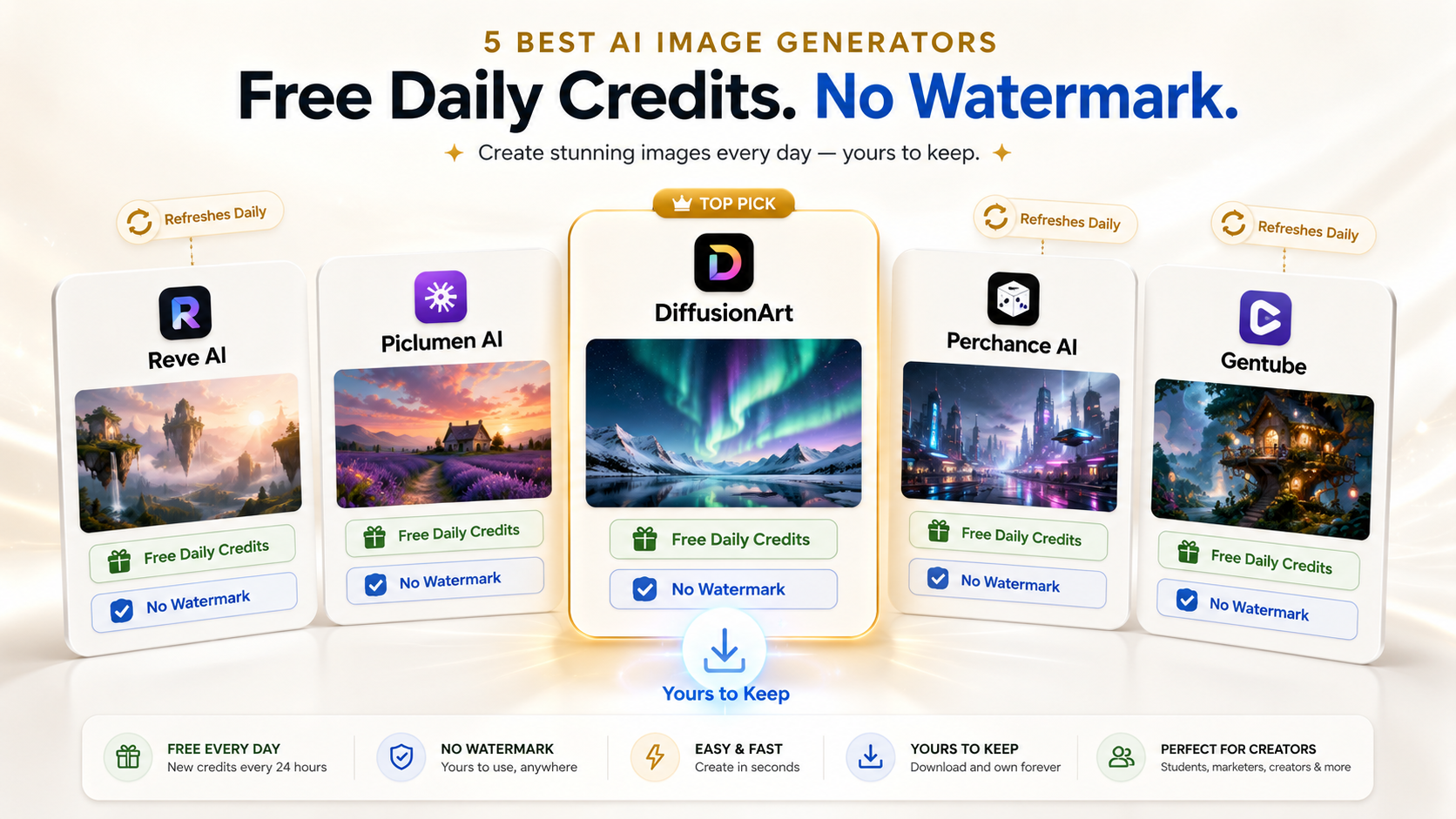
Strategy 1: The two-step image-to-video workflow Generate high-quality images first using tools like Piclumen AI or Reve AI, then feed those images into Kling or VidAU for video generation. This gives you full creative control over the visual input before animation begins.
Strategy 2: Product photo library → video ad stack Upload your existing product photography to VidAU.ai and generate multiple ad variations per product. A library of 10 product photos can yield 30+ distinct video ad versions in under an hour, covering different hooks, formats, and audience angles.
Strategy 3: Test with free tiers before committing Use Pika and Kling’s daily free credits for creative experimentation. Use Runway’s one-time credits for evaluating output quality on a specific project. Move to VidAU.ai paid tier only when you are producing at commercial volume.
Strategy 4: Combine AI video with manual captions Most AI image-to-video tools generate automated captions. Manually reviewing and refining captions before publishing consistently improves engagement, especially on platforms where most users watch without sound.
Key takeaway
Conclusion
The AI image to video generator category matured significantly in 2025 and 2026. The tools now available on free tiers produce output that would have required professional production budgets just two years ago.
The key is matching the right tool to the right workflow, For creative motion animation and social content, Kling AI and Pika are the strongest free options. For professional-grade output, Runway sets the quality benchmark, though its free credits are finite. For unlimited technical control, Stable Video Diffusion is the best open option.
But for the workflow that matters most to marketers and brands, turning product images into complete, commercial-ready video ads at volume, VidAU is the clear leader. For brands that need 50 video ads per month rather than 5 perfect shots, it is the strongest platform available in 2026.
FAQ
Here are answers to common questions about AI image to video generator tools, AI video generator from image workflows, AI-generated images to video, no-watermark free tiers, commercial rights, VidAU, Kling AI, Pika, Runway, and Stable Video Diffusion.
What is an AI image to video generator?
An AI image to video generator is a tool that takes static images as input and uses artificial intelligence to produce animated video output. Depending on the platform, this can mean animating a single photo with cinematic motion, combining multiple product images into a complete video ad, or converting AI-generated images into video sequences. The two main categories are motion/animation tools and commercial production tools, and they serve different workflows.
What is the best AI tool to turn image into video?
For commercial video production, turning product images into ready-to-publish video ads, VidAU.ai is the strongest option in 2026. It combines image-to-video with script generation, AI avatars, voiceover, captions, and multi-format export in one platform. For motion animation of a single image, Kling AI delivers the best free-tier quality. Try VidAU.ai free at VidAU.
How do I turn AI generated images into video?
The two-step workflow: first generate high-quality images using a tool like Piclumen AI, Reve AI, or Midjourney. Then upload those images to an image-to-video platform, VidAU.ai for commercial video production, or Kling/Pika for motion animation. Provide a clear prompt describing the desired motion or video structure and generate.
Do these tools add watermarks to free-tier exports?
Most tools reviewed here, VidAU, Kling AI, Pika, and Stable Video Diffusion, provide watermark-free exports on their free tiers for standard outputs. Runway does not add watermarks but offers only one-time free credits rather than a renewable daily tier. Always verify current terms before using outputs commercially.
How long does AI image to video generation take?
Generation time varies by tool and complexity. Short motion clips, usually 3–10 seconds, typically generate in 15–60 seconds on most platforms. Complete commercial videos through VidAU.ai typically take 2–5 minutes from image upload to finished export.
Can I use AI image to video tools for commercial advertising?
Commercial rights vary by platform and plan. VidAU.ai is explicitly built for commercial advertising use. Kling AI and Pika allow commercial use on their free tiers, verify current terms. Runway’s free credits are for evaluation; commercial use requires a paid plan. Always read the current Terms of Service before using free-tier output in paid campaigns.
What image resolution works best for AI video generation?
Use the highest resolution image available, minimum 1024×1024 pixels for motion animation tools. For commercial production tools like VidAU.ai, standard product photography resolution, typically 2000px+ on the longest edge, works well. Low-resolution inputs produce visibly degraded output regardless of tool quality.
How many free credits do these tools offer daily?
Kling AI and Pika both offer daily credit refreshes, typically enough for several short clips per day. VidAU offers a free tier accessible without a credit card. Stable Video Diffusion via DiffusionArt is unlimited. Runway provides one-time credits at signup with no automatic refresh. Credit amounts change, so check each platform’s current pricing page for exact figures.