Photo to Video AI Editor · Free & Paid Tools
9 Best Photo to Video AI Editor (Free & Paid Tools in 2026)
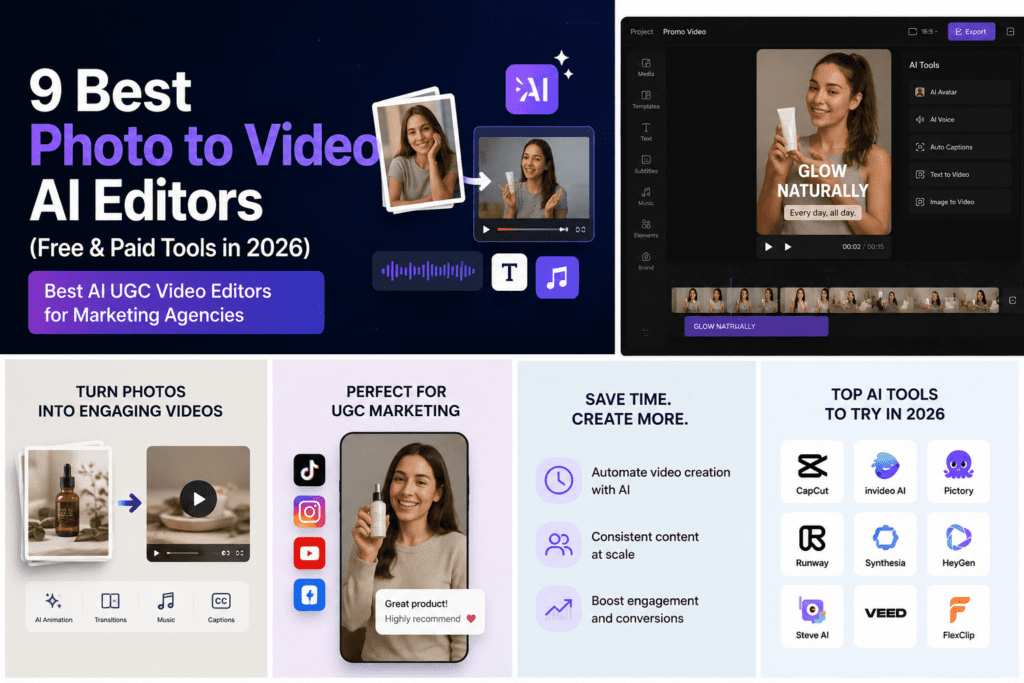
Compare the best photo to video AI editor tools for 2026, including Kling AI, Luma Dream Machine, Vidu, Runway Gen-3, Google Veo 3, Hailuo, Canva, Meta AI, Higgsfield AI, and VidAU AI.
By the VidAU Editorial Team · Updated 2026 · 16 min read
Finding the right photo to video AI editor is one of the most practical moves a content team or marketing agency can make in 2026. Static images lose attention in fast-scroll feeds, and full video production takes time and budget most teams cannot afford at scale.
The best photo to video AI editor animates your still images into short, dynamic video clips using artificial intelligence. No camera, no crew, no advanced editing skills required. Whether you are looking for the best AI UGC video editors for marketing agencies, a dedicated AI real estate video editor, or a flexible AI video editor with prompt control, this guide covers your options.
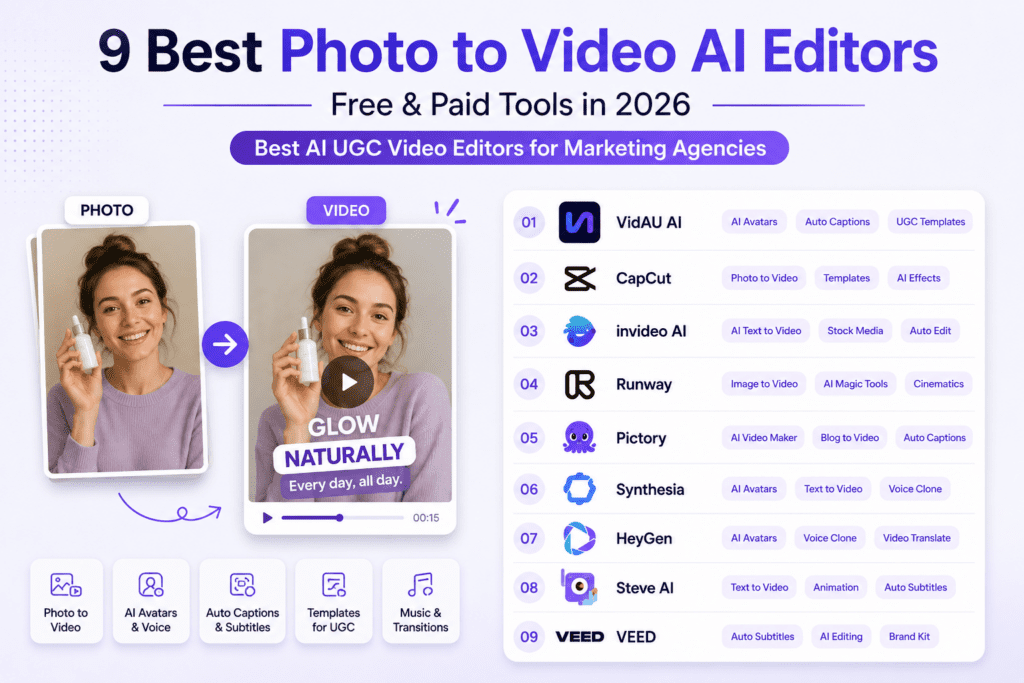
This guide reviews the 9 best photo to video AI editors available in 2026. You get honest tool assessments, realistic free tier expectations, and a clear framework for picking the right one for your workflow.
Quick Summary
- Photo to video AI editors animate static images into 3 to 10 second video clips using AI.
- Top tools in 2026 include Kling AI, Luma Dream Machine, Vidu, Runway Gen-3, Google Veo 3, Hailuo, Canva, Meta AI, and Higgsfield AI.
- Most tools offer limited free credits. Professional use typically requires a paid subscription.
- The best tool depends on your content purpose, budget, technical comfort, and quality requirements.
- AI-generated clips work best when combined with traditional video editing for final output.
In this guide
- What Are Photo to Video AI Editors?
- Why Photo to Video AI Matters in 2026
- Top 9 Photo to Video AI Editors
- Practical Workflow Considerations
- Use Cases: Social Media, Real Estate, and Marketing
- How to Choose the Right Tool
- Tips for Better Results
- VidAU AI in the Photo to Video Landscape
- The Future of Photo to Video AI
- Final Thoughts
- FAQ
What Are Photo to Video AI Editors?
A photo to video AI editor uses artificial intelligence to animate static images into short video clips, typically 3 to 10 seconds. The tool analyzes image content and applies motion, depth effects, and camera movements to generate dynamic video from still photographs.
Some Photo to video AI editor work through two main approaches:
- Automatic animation: The AI analyzes your image and applies motion without any input from you.
- AI video editor with prompt: You describe the desired motion, camera movement, or atmosphere in text, and the AI follows your direction.
Prompt-based tools give you the most control over brand-aligned output. Automatic tools work better for high-volume content where speed matters more than precision.
Key definition
A photo to video AI editor turns static photographs into short animated clips by applying motion, depth, camera movement, and scene animation. Prompt-based editors give more control, while automatic animation tools prioritize speed.
Why Photo to Video AI Matters in 2026
Video content consistently outperforms static images in engagement metrics across every major social platform. But traditional video production requires time, equipment, and editing expertise that most small teams and solo creators do not have.
Photo to video AI closes this gap. Here is who benefits most:
- Social media managers who need consistent video output without a full production team.
- Small business owners creating marketing content on limited budgets.
- Real estate professionals showcasing properties with dynamic walkthroughs.
- Content creators repurposing photography libraries into video format.
- Digital marketers testing video ad concepts before committing to expensive shoots.
Key takeaways
- Static images lose engagement in fast-scroll feeds. Video wins.
- AI animation removes the technical barrier to video production.
- These tools work best for short-form content: Reels, TikTok, Shorts, and ad concepts.
Top 9 Photo to Video AI Editors
Here is a quick comparison of all nine tools before diving into the details:
| Tool | Best For | Free Tier | Prompt Control | Standout Feature |
|---|---|---|---|---|
| Kling AI | Complex multi-element scenes | Limited credits | High | Camera language specs |
| Luma Dream Machine | Realistic natural motion | Monthly credits | Medium | Depth and parallax |
| Vidu | Personal brand content | Limited credits | Medium | Character reference |
| Runway Gen-3 | Creative direction and FX | Limited testing | High | Full AI video suite |
| Google Veo 3 | Beginners and natural language | Trial period | Low (guided) | Auto sound and narration |
| Hailuo | Narrative and human-centered | Trial credits | Medium | Cinematic restraint |
| Canva | Quick social media content | Pro only | Low | Design ecosystem |
| Meta AI Imagine | Instagram and Facebook content | Varies by region | Low | Platform integration |
| Higgsfield AI | Real estate and commercial | Credit packages | Medium | Virtual staging |
Kling AI
Kling AI is one of the most capable photo to video AI editors in 2026. It excels at understanding scene composition and applying realistic motion across a wide range of image types.
- Supports both automatic and prompt-based animation.
- Works as an AI video editor with prompt support for camera movements, lighting, and atmospheric effects.
- Handles complex scenes with multiple elements effectively.
- Free tier includes limited credits with longer processing queues.
- Video clips run 5 to 10 seconds, with options to extend through additional generations.
Turn Photos Into Videos
Luma Dream Machine
Luma Dream Machine focuses on smooth, natural-looking animations. It works well for agencies producing professional content for lifestyle, architecture, and travel clients.
- Analyzes depth and applies separate motion to foreground and background layers.
- Creates convincing parallax effects and dimensional movement.
- Works best with landscapes, architecture, and portrait photography.
- Free access includes limited monthly credits. Paid tiers offer higher resolution and priority processing.
Vidu
Vidu stands out for its character reference feature. Upload reference images of a subject and Vidu generates multiple video clips featuring that same person across different settings and actions. This makes it one of the best AI UGC video editors for marketing agencies running influencer or personal brand campaigns.
- Strong for consistent subject representation across UGC campaigns.
- Handles shallow depth of field effectively for cinematic-looking output.
- Free tier includes reduced credits and standard quality.
- Paid plans unlock additional credits, priority processing, and extended video lengths.
Runway Gen-3
Runway operates as a full AI video platform, with image-to-video as one component of a broader toolset. The Gen-3 model excels at interpreting creative direction.
- Functions as a powerful AI video editor with prompt documentation covering camera movements and lighting specs.
- Integrates image generation, animation, and video effects in one platform.
- Pricing follows a credit system across multiple subscription tiers.
- Best for teams managing high-complexity creative work across multiple formats.
Google Veo 3
Google Veo 3 is DeepMind’s latest video generation tool. It prioritizes natural language prompts, making it accessible for team members without technical prompt engineering experience.
- Gemini-powered prompt assistance helps refine descriptions for better results.
- Includes integrated narration generation and ambient sound effects.
- Requires a Google AI subscription after the free trial period ends.
Hailuo
Hailuo focuses on cinematic aesthetic and restrained realism. It works best for intimate, human-centered scenes and narrative content.
- Emphasizes subtle animation that enhances images without overwhelming their original character.
- Responds well to detailed atmospheric descriptions using the AI video editor with prompt approach.
- Free access includes trial credits. Continued use requires credit packages or monthly plans.
Canva Image to Video
Canva brings AI animation into its existing design platform. It is the easiest entry point for teams already using Canva for social media design.
- Converts static images into 5-second animated clips with minimal setup.
- Works well for Instagram Stories, TikTok backgrounds, and animated carousel posts.
- Requires Canva Pro. Free Canva users do not have access to this feature.
- Integrates directly with Canva’s design and video editing tools.
Meta AI Imagine Video
Meta’s photo to video AI editor is built for Instagram Reels and Facebook video. It generates animations optimized for vertical video formats.
- Quick generation times and simplified interface for rapid content creation.
- Convenient for teams publishing directly to Meta platforms.
- Availability varies by region. Some features remain in limited rollout.
Higgsfield AI
Higgsfield AI is the strongest dedicated AI real estate video editor in this list. It offers specific features for property showcasing and architectural visualization.
- Functions as an AI real estate video editor with virtual staging and architectural visualization built in.
- Handles architectural photography with appropriate camera movements for showcasing spaces.
- Combines virtual staging with video generation to create furnished property tours from empty rooms.
- Operates on a credit system. Professional use requires a paid plan.
Key takeaways
- Kling AI and Runway Gen-3 offer the most prompt control for advanced users.
- Canva and Google Veo 3 are the easiest starting points for beginners.
- Higgsfield AI is the strongest AI real estate video editor in this list.
- Vidu is the best option for UGC and personal brand campaigns.
Start Creating With VidAU
Use VidAU AI to create UGC videos, product videos, multilingual content, AI avatars, campaign assets, and marketing videos in one broader production workflow.
VidAU workflow
From photo animation to complete video production
- Start with your visual assets: Use product images, UGC references, real estate photos, brand visuals, or existing image libraries.
- Add production context: Define whether the output is for social media, real estate marketing, product videos, UGC campaigns, or multilingual content.
- Generate complete video layers: Combine AI avatars, product video templates, voiceovers, captions, multilingual options, and automated editing support.
- Create campaign-ready versions: Build assets for Reels, TikTok, Shorts, paid ads, property tours, UGC concepts, and marketing funnels.
- Polish for performance: Edit clips, add transitions, adjust timing, and export finished video assets suited to your distribution channel.
Practical Workflow Considerations
Generating a single clip is only part of the process. Here is what professional workflows with a photo to video AI editor actually look like.
Image Selection
Not all images animate equally well. Start with:
- Clear subjects with good composition.
- Higher resolution source images for better AI processing.
- Images with identifiable depth information, foreground and background separation.
Generation and Iteration
Expect to generate multiple versions of the same image with different prompts or settings. Plan workflows that allow for testing rather than expecting single-generation perfection.
Post-Processing Integration
Most AI-generated clips need additional editing for final use. Combine multiple clips, add transitions, and adjust timing in tools like DaVinci Resolve, Premiere Pro, or Final Cut Pro.
Tip
Treat AI-generated clips as production assets, not always final videos. The strongest workflow selects good images, generates multiple versions, then uses traditional editing software to build the final output.
Use Case: Social Media Content Creation
An AI real estate video editor like Higgsfield AI turns standard listing photos into dynamic property showcases without hiring a videographer.
- Combine virtual staging with video generation for furnished property tours from empty spaces.
- Animate architectural photography into walkthrough experiences.
- Generate multiple short clips from different angles, then edit them into one comprehensive property video.
Use Case: Real Estate Video Marketing
Real estate professionals use these tools to create dynamic property showcases from standard listing photos.
- Combine virtual staging with video generation for furnished property tours from empty spaces.
- Animate architectural photography into walkthrough experiences.
- Generate multiple short clips from different angles, then edit them into one comprehensive property video.
Use Case: Marketing and Commercial Content
Performance marketing teams use a photo to video AI editor to test and produce commercial content on limited budgets.
- Use an AI video editor with prompt control to test different visual styles for ad concepts from existing product photos.
- Repurpose existing photo libraries into video content for social platforms.
- Deliver consistent video output for clients without expanding the production team.
| Use case | How photo to video AI helps |
|---|---|
| Social media content creation | Turns static images into short-form content for Reels, TikTok, Shorts, ads, and fast-scroll feeds. |
| Real estate video marketing | Turns listing photos into property showcases, virtual staging clips, architectural walkthroughs, and furnished tours. |
| Marketing and commercial content | Helps teams test ad concepts, repurpose photo libraries, and deliver video output without expanding production teams. |
How to Choose the Right Tool
Use these five factors to narrow down your decision:
| Factor | What to Ask |
|---|---|
| Content Purpose | Is this for casual social media or professional commercial use? |
| Budget | How many videos do you need monthly? Can free credits cover that? |
| Technical Comfort | Do you want automation or detailed prompt control? |
| Integration | Do you already use a platform like Canva that has this feature built in? |
| Quality Standards | Does the output quality meet the standards for your distribution channel? |
Tips for Better Results
- Start with the best possible source images. Well-lit, well-composed photos give AI more to work with.
- Learn each platform’s preferred prompt format. Most offer documentation with examples.
- Generate multiple versions with slight prompt variations. Small changes produce significantly different results.
- Plan your content around short clip lengths. Most tools generate 3 to 10 seconds per image.
- Edit multiple AI-generated clips together in traditional software for professional final output.
Watch out
Single-generation perfection is not realistic. Plan to generate variations, compare results, and edit multiple AI clips together for a professional final video.
VidAU AI in the Photo to Video Landscape
VidAU AI offers a broader toolset for teams that need more than a basic photo to video AI editor. The platform includes AI avatars, product video templates, and multilingual video capabilities, making it one of the best AI UGC video editors for marketing agencies building complete video production operations.
If you need dedicated image animation, the nine tools above are strong options. If you need a full video production workflow covering UGC, product videos, and multilingual content, VidAU AI covers a wider range of content creation needs in one place.
Create UGC Videos Faster
Tip
Use dedicated photo to video AI editors when you only need image animation. Use VidAU AI when the workflow needs UGC, product videos, avatars, templates, multilingual content, and broader video production in one place.
The Future of Photo to Video AI
The shift from complex prompt engineering toward natural language continues across all major photo to video AI editors. Platforms increasingly prioritize ease of use without sacrificing output quality.
- Integration between AI generation and traditional editing tools continues to improve.
- Export options and format compatibility are getting better across all platforms.
- The quality gap between AI-generated motion and traditionally captured video keeps narrowing.
Key takeaway
Final Thoughts
A photo to video AI editor is one of the most practical tools available for content teams, marketing agencies, and real estate professionals who need video output without a full production budget. The nine tools in this guide cover a wide range of needs, from quick social UGC to dedicated AI real estate video editor workflows.
Test two or three tools with your own image library. Your best option depends on your workflow, content goals, and budget, not on rankings alone.
VidAU AI fits teams that need a broader production workflow covering UGC, product videos, templates, avatars, and multilingual video creation, while the dedicated photo to video tools above work well for focused image animation tasks.
FAQ
Here are answers to common questions about photo to video AI editors, free and paid image animation tools, AI video editor with prompt workflows, AI real estate video editor use cases, best AI UGC video editors for marketing agencies, and VidAU AI.
What is a photo to video AI editor?
A photo to video AI editor uses artificial intelligence to animate static images into short video clips, typically 3 to 10 seconds. The tool analyzes image content and applies motion, depth effects, and camera movements to create dynamic video from still photographs.
Are photo to video AI tools really free?
Most tools offer limited free access, not unlimited free service. Free tiers typically include restricted monthly credits, reduced quality, longer processing times, or watermarked output. Regular professional use requires a paid subscription.
Which photo to video AI tool is best for beginners?
Canva’s image-to-video feature is the most accessible for beginners already on the platform. For dedicated tools, Luma Dream Machine and Google Veo 3 have the shortest learning curves.
How long are videos generated by these AI tools?
Most tools generate clips between 3 and 10 seconds per image. Some platforms allow extensions or longer sequences, but typical output stays in this short range. You need multiple clips to build a complete video.
Can I use AI-generated videos commercially?
Commercial usage rights vary by platform and subscription tier. Most paid plans include commercial use rights. Free tiers often restrict commercial applications. Review each platform’s terms of service before using generated content commercially.
What image quality do I need for best results?
Higher resolution images with clear subjects and good composition produce better results. Well-lit photographs with identifiable depth information give AI more data to work with, resulting in higher quality output.
Do I need prompt engineering skills?
Not for every tool. Canva and Meta AI use automatic animation with no prompts required. Kling AI and Runway benefit from detailed prompts, but both increasingly support natural language descriptions rather than complex technical formatting.
How do these tools work for real estate videos?
Real estate professionals animate property photos into dynamic showcases. Higgsfield AI offers specific features for architectural visualization and virtual staging, creating property tours from standard listing photography without on-site videography.
Can I edit AI-generated videos in other software?
Yes. AI-generated clips export as standard video files compatible with DaVinci Resolve, Premiere Pro, or Final Cut Pro. Most professional workflows combine multiple AI clips through conventional video editing.
What is the difference between Kling AI and Luma Dream Machine?
Kling AI offers detailed prompt control and handles complex multi-element scenes effectively. Luma Dream Machine emphasizes natural realistic motion with strong scene understanding. Both produce quality results, with different approaches to user control and visual aesthetic.
How many credits do I need monthly for regular content creation?
Regular professional content creation typically requires a paid plan. Casual creators posting occasionally may manage with free tier credits. Account for iteration when calculating your needs: you will generate multiple versions per final video.
Will these tools replace traditional video production?
No. These tools complement traditional production. They excel at converting existing images into short clips but cannot match fully produced video for long-form content, complex motion, or cinematic work. They address specific use cases within a broader video strategy.