
AGENTIC CODING GUIDE · 2026
Agentic AI Coding Assistant: Step-by-Step Setup with Claude Code, Copilot, Gemini CLI, and CodeRabbit
Build an Agentic AI coding assistant across your editor, terminal, and pull request workflow using Claude Code, GitHub Copilot, Gemini CLI, CodeRabbit, and MCP-based tools.
By the VidAU Editorial Team · Updated 2026 · 14 min read
This guide shows exactly how to build an Agentic AI coding assistant that works in your editor and terminal—using Claude Code in VS Code with a CLAUDE.md file, GitHub Copilot’s agent mode for scaffolding, Gemini CLI for long-context tasks, and CodeRabbit for automated PR reviews. Follow the steps and success checks to prove each part works before you scale it.
You can build an Agentic AI coding assistant that actually improves day-to-day work by wiring three layers: IDE edits with Claude Code and GitHub Copilot, terminal planning and batch operations with Gemini CLI, and automated PR reviews with CodeRabbit. I reviewed and analysed recent hands-on tutorials and found a repeatable pattern: instruction files like CLAUDE.md, agent or plan modes, and CI-friendly checks make agentic workflows reliable.
Our team also noted the broader shift toward the Model Context Protocol (MCP). Tools like Runway are surfacing features via MCP so assistants can call them from coding environments. This trend reinforces setting explicit tools, guardrails, and memory so your agents act with context and constraints.
Quick summary
- Claude Code in VS Code with a focused CLAUDE.md and plan or agent mode is the fastest path to a working agentic workflow for everyday coding in 2026.
- GitHub Copilot’s agent mode is a strong alternate for rapid scaffolding, while Gemini CLI handles long-context planning, batch inputs, and iterative diffs in terminal.
- A minimal CLAUDE.md should define goals, tools such as MCP or local commands, constraints, coding style, and test expectations; CodeRabbit YAML should encode pull request review rules and checks.
- Solo developers and small teams building REST API features, unit tests, and CI-checked pull requests will see the clearest productivity lift from this stack.
Jump to section
- What an Agentic AI coding assistant is
- Who benefits and when to use agentic workflows
- Set up Claude Code with CLAUDE.md
- Use Gemini CLI for long-context tasks
- Scaffold and refactor with Copilot agent mode
- Automate pull request reviews with CodeRabbit
- Open-source option with OpenClaw
- Guardrails, pitfalls, and MCP tools
- Choose the right tool for each stage
- Reproducible AI Agents examples
- Build an Agentic AI coding assistant from scratch
- Final thoughts
- FAQ

What Is an Agentic AI Coding Assistant?
An Agentic AI coding assistant is a goal-driven helper that plans steps and takes actions—editing files, running tools, and proposing diffs—across your editor, terminal, and repo instead of only answering chat prompts. In practice, it combines instruction files, agent or plan modes, tool access such as MCP, and verification through tests and pull request reviews.
Suggested visual
A diagram of IDE, terminal, and pull request review layers with arrows for plan, act, and verify.
Who Is This For and When Should You Use It?
This setup fits US-based software engineers, indie developers, and technical teams who want reproducible workflows for REST APIs, unit tests, and CI-ready pull requests. Use it when tasks span multiple files or require iterative reasoning, and you want proof through tests, diffs, and automated reviews—not just chat outputs.
Key takeaways
- Use agents when you can define success through tests, lint, or expected HTTP responses.
- Keep tasks bounded and verify after each stage.
- Prefer instruction files over one-off prompts for stability.
How Do You Set Up Claude Code with CLAUDE.md?
How to Set Up Claude Code as a Beginner
Claude Code in Visual Studio Code provides plan and agent modes that act on files with repository context. I reviewed and analysed examples showing that adding a CLAUDE.md file makes outputs more consistent and reduces back-and-forth.
1. Install and authenticate Claude Code
Install Claude Code in VS Code and complete authentication so it can access your repository context.
2. Create CLAUDE.md at the repository root
Create a CLAUDE.md file at the root of the repository and use it to define goals, tools, constraints, coding style, and test expectations.
3. Start in plan mode
Use plan mode to see the proposed steps before any files change. Switch to agent mode for autonomous edits only after the plan looks correct.
4. Give the agent a bounded task
Prompt with a specific task, such as adding a new endpoint to a REST API with input validation and unit tests.
Minimal CLAUDE.md template
Purpose: REST API for products using Node, Express, and Jest.
Code style: ESLint Standard and strict TypeScript.
- Add
GET /products/:idwith validation and unit tests. - Maintain 95% or higher test coverage on controllers.
- Prefer built-in VS Code edits.
- Allowed terminal commands:
npm testandnpm run lint. - If unsure, propose a diff before applying.
- Do not introduce new dependencies without approval in the plan.
- Keep functions under 40 lines and require JSDoc on public methods.
- Always update or create tests for changed logic.
- Tests must pass locally.
- The endpoint must return 200 with a valid ID and 404 otherwise.
- The pull request description must include a summary of changes and test results.
Try it
- Plan mode prompt: “Plan changes to implement GET /products/:id with input validation and Jest tests. Show file-by-file steps.”
- Agent mode prompt: “Apply the approved plan. Propose diffs before writing. Then run npm test.”
Success criteria
- You see a clear plan referencing exact files.
- Agent mode proposes diffs or applies changes aligned to CLAUDE.md.
npm testpasses, or failing tests include actionable errors.
How Do You Use Gemini CLI for Long-Context Terminal Tasks and Diffs?
Gemini CLI complements IDE agents by handling very long inputs and batch workflows in terminal. In our review, Gemini CLI shines when you paste multi-file specifications, large logs, or want iterative diffs against a patch goal.
Setup and workflow
- Install Gemini CLI and authenticate.
- Create a context folder with your specification, logs, and code excerpts.
- Ask Gemini to plan and produce a patch, then apply it with git.
find src -name "*.ts" | xargs wc -l > context/size.txt

gemini plan \
--goal "Harden input validation and add unit tests for product controller" \
--context context/spec.md context/size.txt src/controllers/product.ts

gemini diff --target src/controllers/product.ts --tests test/product.spec.ts > patch.diff

git apply --3way patch.diff
npm test
Tips
- Feed failing test output back into Gemini CLI to refine the patch.
- Keep each iteration scoped to one module to reduce merge risk.
Success criteria
- A generated patch applies cleanly or with minimal conflicts.
- Tests pass after at most two iterations.
- The diff only touches intended files.
How Do You Scaffold and Refactor with Copilot’s Agent Mode?
GitHub Copilot’s agent mode is effective for scaffolding new components, routes, and basic tests quickly, then handing off deeper reasoning to Claude Code or Gemini CLI.
- In a clean feature branch, ask Copilot agent to scaffold a products router, controller, and Jest tests.
- Review the plan it proposes and confirm or edit the steps.
- Let it generate boilerplate files and a starter test suite.
- Switch to Claude Code or Gemini CLI for stricter validation logic or large refactors.
Verification tips
- Immediately run tests and lint after scaffolding.
- Ask Copilot to add JSDoc comments and example requests in README.
Success criteria
- New files are created where expected with passing starter tests.
- Routes are registered and reachable through localhost with sample data.
How Do You Automate Pull Request Reviews with CodeRabbit?
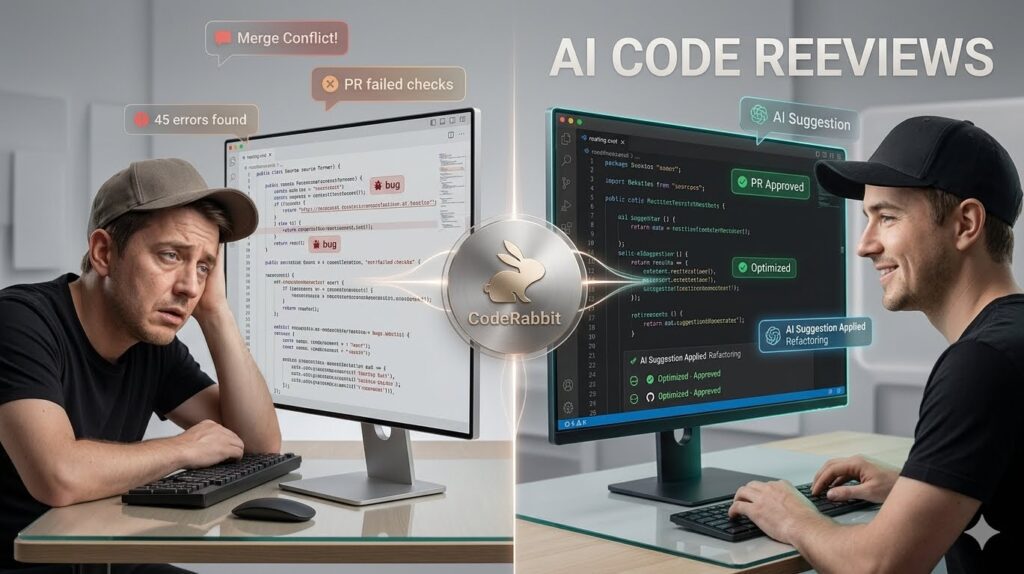
CodeRabbit provides AI-driven pull request reviews in GitHub and a CLI for local checks. Use it to enforce standards, surface risky diffs, and ask follow-up questions directly in the pull request.
Basic YAML configuration
Place .coderabbit.yaml in the repository root:
review:
  objectives:
    - Ensure new endpoints have unit tests and input validation.
    - Flag functions over 40 lines or missing JSDoc.
  severity:
    style: low
    testing: high
    security: high
  block_on:
    - missing_tests
    - introduced_dependency
  guidance:
    coding_style: "ESLint Standard, TypeScript strict"
    test_framework: "Jest"

cli:
  enabled: true
  commands:
    - npm ci
    - npm run lint
    - npm test
Local dry run before pushing a pull request
npx coderabbit review --local --branch feature/products-idGitHub integration
- Install the CodeRabbit GitHub app for the repository or organization.
- Open a pull request; CodeRabbit posts review comments, summaries, and fix suggestions.
- Reply in-thread to iterate, then rerun checks.
Success criteria
- The local CLI shows passing lint and tests plus a review summary.
- In GitHub, CodeRabbit flags missing tests or oversized functions according to the YAML configuration.
- After fixes, the pull request review status turns green.
What Does OpenClaw Add as an Open-Source Option?
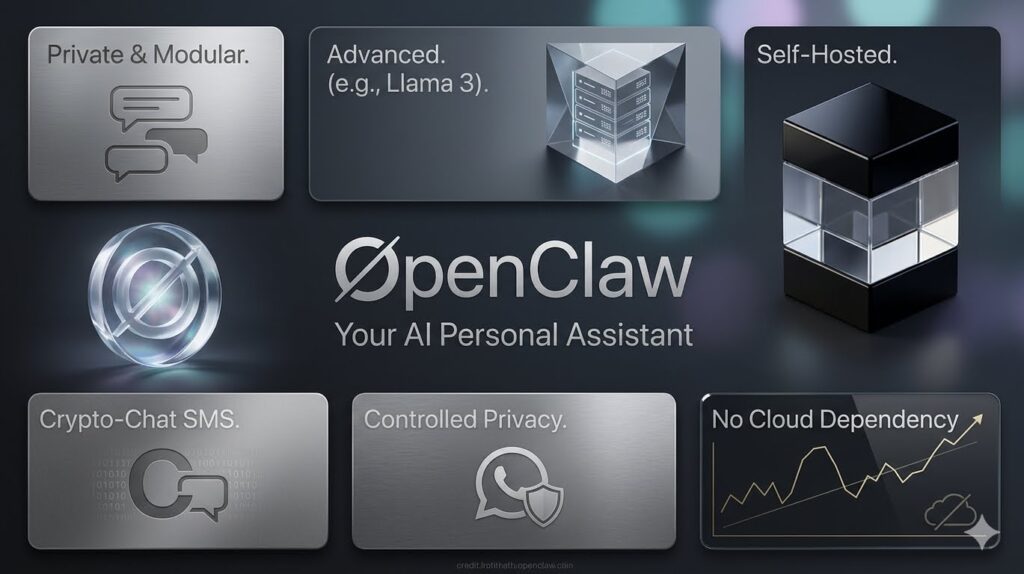
OpenClaw is a customizable, locally hosted assistant you can script for editor or system actions. Use it when you want open-source control, offline modes, or bespoke tools that vendor plugins do not expose.
Practical uses
- Run cron jobs to regenerate API docs from JSDoc.
- Batch-run contract tests across services overnight.
- Trigger local scripts when a pull request label is added.
Success criteria
- Your scripted actions run on schedule or on defined triggers.
- Logs show clear pass or fail statuses for each task.
Explore VidAU Agentic AI
Turn technical workflows, product updates, documentation, and release notes into clear narrated videos and reusable content.
How Do You Add Guardrails, Avoid Pitfalls, and Wire MCP Tools?
Guardrails keep agents safe and useful. From our internal checklists and recent examples, the most reliable setups define constraints in code and configuration, not just prompts.
Checklist
- CLAUDE.md: Define constraints, allowed commands, and the definition of done.
- Tests: Ensure coverage gates run in CI.
- CodeRabbit: Block on missing tests or risky dependencies.
- Git: Use feature branches and small pull requests; avoid multi-module sweeps.
- MCP: Define tool interfaces the agent can call, such as a local test runner or documentation search.
Why MCP matters
Our team observed vendors exposing capabilities through MCP so assistants in VS Code or terminals can call tools natively. For developers, this means fewer context switches and more reliable actions.
Common mistakes
- Letting the agent install packages without review.
- Using vague goals in CLAUDE.md with no tests or definition of done.
- Running huge refactors in one pull request, making reviews noisy.
Do not skip verification
Do not expand tool access or enable autonomous edits until tests, dependency policies, and pull request checks are already enforcing your intended boundaries.
Success criteria
- CI fails fast on missing tests or new dependencies without approval.
- Agents use only the tools you explicitly permitted.
- Pull requests are small, reviewable, and pass automated checks.
Which Tool Should Your Agent Use for Each Stage?
| Stage | Recommended tools | Why |
|---|---|---|
| Scaffolding | Copilot agent mode | Fast file generation |
| Focused edits | Claude Code plan or agent mode | Clear plans and guarded diffs |
| Long-context | Gemini CLI | Handles large specifications and logs |
| Pull request review | CodeRabbit | Enforces tests and style |
| Local automation | OpenClaw | Scriptable, open-source control |
Key takeaways
- Mix tools by stage: scaffold, refine, and verify.
- Keep context where it belongs: IDE for edits and CLI for long plans.
- Verification is non-negotiable: tests and pull request reviews gate merges.
Can You See AI Agents Examples That Prove It Works?
Yes. Here are compact AI Agents examples you can reproduce:
- REST API: Add
GET /products/:idwith validation and Jest tests, using Claude Code plan mode and then agent mode. - Refactor: Use Gemini CLI to propose a diff that extracts validation into a utility and updates tests.
- Pull request review: Push the branch and let CodeRabbit block merge until tests exist and functions stay under 40 lines.
Success criteria
- The endpoint returns 200 and 404 correctly.
- The test suite passes locally and in CI.
- The CodeRabbit review turns green with a concise summary.
Mid-article action
Lock in your guardrails now. Add CLAUDE.md and .coderabbit.yaml to your repository, run a local CodeRabbit review, and only then attempt larger agentic changes.
How Do You Build an Agentic AI Coding Assistant From Scratch End to End?
If you prefer a single flow for how to build AI Agents from scratch, use this checklist:
- Repository hygiene: Add tests, ESLint, and CI basics.
- Claude Code: Install it, write CLAUDE.md, and verify plan mode on a tiny task.
- Copilot: Scaffold boilerplate modules and starter tests in a feature branch.
- Gemini CLI: Iterate on long-context patches and apply diffs.
- CodeRabbit: Add YAML, run the local CLI, then integrate with GitHub for pull request reviews.
- MCP tools: Expose a documentation search or test runner so agents can call them explicitly.
Verification tips
- After each step, run
npm testand create a small pull request to validate signal quality. - Keep a CHANGELOG noting which steps are agent-generated versus human-edited.
Success criteria
Each stage produces a measurable artifact: a plan, a diff, a passing test run, or a pull request review.
Suggested visual
A screenshot sequence showing a passing test run, a diff view, and a pull request review comment thread.
Key takeaway
Final Thoughts
An Agentic AI coding assistant only earns its keep when every step is verifiable. Use CLAUDE.md to set intent and limits, Copilot’s agent mode to scaffold, Gemini CLI for long-context diffs, and CodeRabbit to enforce tests and style before merge. Start small, prove each stage, and scale once the signals are consistently green.
If you adopt MCP or add more tools later, keep the same discipline: explicit goals, allowed actions, and clear definitions of done.
Frequently asked questions
Agentic AI Coding Assistant FAQ
These answers cover the core setup, CLAUDE.md, Gemini CLI, CodeRabbit, MCP, tool permissions, GitHub Copilot agent mode, and verification practices.
What is an Agentic AI coding assistant in simple terms?
An Agentic AI coding assistant is a goal-driven helper that plans steps and takes actions across your codebase. Instead of only chatting, it edits files, proposes diffs, runs tests, and prepares pull requests using modes like plan and agent, guided by instruction files and verification checks.
How do I start if I want to know how to build AI Agents from scratch?
Start by establishing verification first: add tests, linting, and a CI run. Then install Claude Code, write a concise CLAUDE.md with goals and constraints, and validate plan mode on a tiny task. Add Copilot for scaffolding, Gemini CLI for long context, and CodeRabbit for pull request reviews.
What belongs in a good CLAUDE.md for plan or agent mode?
Include project purpose, coding style, allowed tools or commands, constraints such as function length or dependency rules, and a clear definition of done with tests. Add examples of acceptable diffs and require that agents propose changes before applying them when the risk is high.
When should I use Gemini CLI instead of my IDE agent?
Use Gemini CLI when you need to process long inputs, aggregate logs, or coordinate multi-file diffs. It excels at planning from large specifications and iterating on patches you can apply with git. Keep IDE agents for focused edits and quick refactors within a few files.
How does CodeRabbit improve pull request reviews?
CodeRabbit encodes review rules in YAML and applies them consistently. It flags missing tests, risky new dependencies, oversized functions, and style issues. You can run checks locally through the CLI before pushing and get threaded comments in GitHub pull requests for faster iteration.
Can I integrate tools through the Model Context Protocol?
Yes. MCP lets your assistant call predefined tools such as a test runner, documentation search, or local scripts. Defining tool interfaces improves reliability because the agent invokes explicit capabilities rather than guessing shell commands from prompts alone.
What are some AI Agents examples I can try today?
Try three quick ones: add a GET endpoint with validation and tests using Claude Code; use Gemini CLI to produce and apply a small refactor patch; then open a pull request and let CodeRabbit block merge until tests exist and style constraints pass. Each example has clear success criteria.
How do I keep agents from installing random dependencies?
Declare a dependency policy in CLAUDE.md and CodeRabbit YAML. Block merges if new packages appear without approval. Review plans in plan mode before agent mode applies changes, and keep each pull request small so dependency diffs are obvious.
Is GitHub Copilot agent mode enough on its own?
It is strong for scaffolding and simple refactors but may struggle with long-context reasoning or multi-file policy enforcement. Pair it with Claude Code for structured plans and Gemini CLI for large-context diffs, then use CodeRabbit to enforce tests and style in pull requests.
How do I prove my agentic workflow is working reliably?
Use objective checks after every stage: passing unit tests, clean diffs limited to intended files, and a green CodeRabbit review. Track these in CI, and keep pull requests small so each agentic change is reviewable and attributed with clear commit messages.






