
CALL CENTER AI · 2026
AI Agents in Action: What They Can Do in Call Centers Today (Plus IT Support and Job Applications)
AI agents in action are already resolving common call types end-to-end, from order status checks to appointment changes. This guide shows what they can do today in call centers, where humans stay essential, and how to pilot responsibly with clear handoff rules and KPIs.
By [Author] · Updated July 24, 2026 · 14 min read
AI agents in action are already resolving common call types end-to-end, from order status checks to appointment changes. This guide shows what they can do today in call centers, where humans stay essential, and how to pilot responsibly with clear handoff rules and KPIs.
AI agents in action can already resolve high-volume, low-complexity calls in US call centers, including order status, payment dates, and appointment changes. This article shows concrete workflows, sample dialogues, and where humans are still essential for sensitive issues, edge cases, and empathy-heavy conversations.
If you lead a CX team, BPO operation, help desk, or recruiting function, use this as a practical playbook. You’ll find pilot KPIs (containment rate, AHT, FCR, CSAT), conversation analytics tips, safe escalation rules, and brief sections on AI agents for IT support and AI agents for job applications.
Quick summary
- Call-center-ready AI agents can handle order status, simple billing Q&A, appointment changes, warranty checks, and shipping claims triage end-to-end in 2026 when data access and authentication are in place.
- Human-in-the-loop remains the strongest alternate pattern for sensitive topics, policy exceptions, cancellations, payments, and empathy-heavy conversations with a clear live-transfer path.
- Safe rollouts depend on authentication thresholds, PII redaction, do-not-automate lists, conversation analytics, and clear escalation within 2–3 turns when risk markers appear.
- US CX leaders, BPO managers, help desk teams, and recruiters benefit most when they target repeatable intents and track containment rate, AHT, FCR, and CSAT in a 30-day pilot.
Jump to section
- What Are AI Agents in Action?
- Which call-center workflows can AI agents handle today?
- Sample dialogues and verification steps for top intents
- How to measure containment, AHT, FCR, and CSAT in a 30-day pilot
- Rollout checklist, guardrails, and human handoff rules
- AI agents in action for IT support
- AI agents for job applications
- Automation vs escalation
- Final Thoughts
- FAQ
What Are AI Agents in Action?
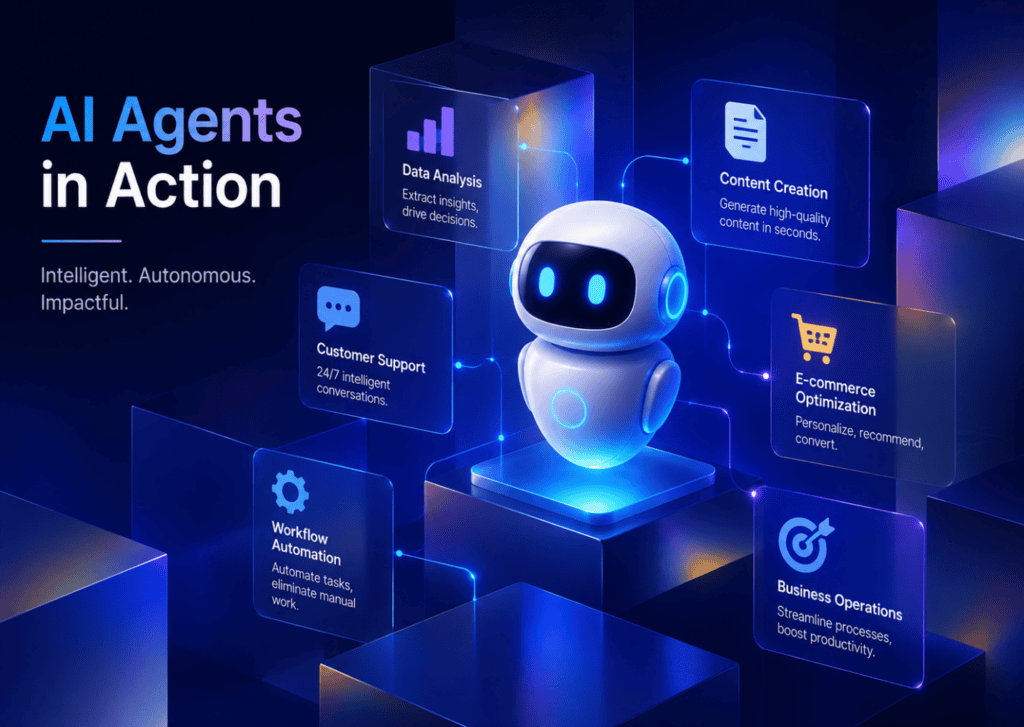
AI agents in action are task-focused conversational systems that resolve specific customer or employee requests end-to-end using a knowledge base, APIs, and workflow steps, with guardrails for authentication, redaction, and escalation. In call centers, they operate across voice IVR and chat, triage intents, complete routine tasks, and hand off to humans when risk, emotion, or complexity appears.
Key takeaways
- Start with routinized, high-volume intents.
- Connect to reliable data sources and runbooks.
- Add risk-aware handoff rules before you go live.
Which call-center workflows can AI agents handle today?
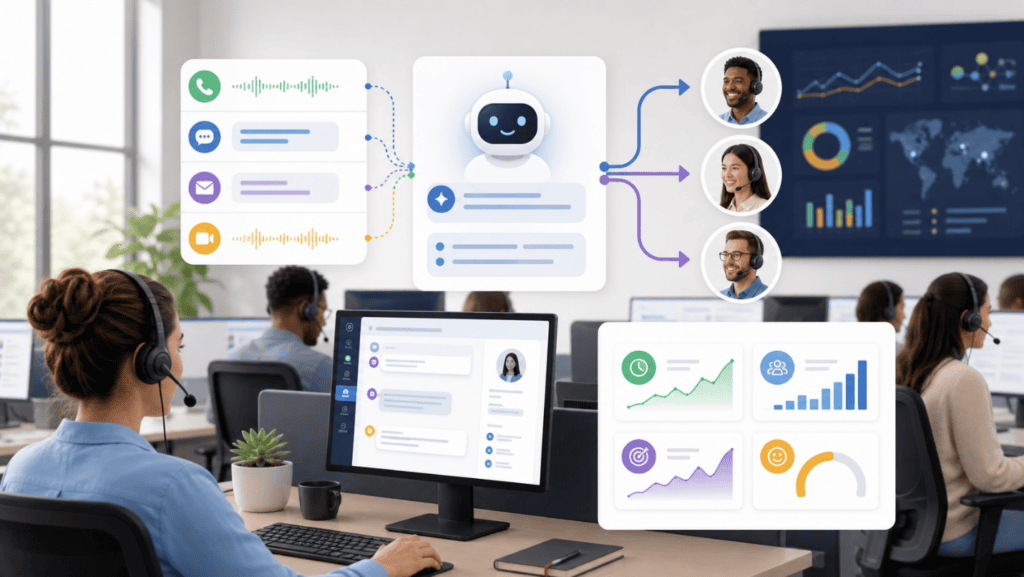
AI agents for call centers are strongest on structured, repeatable tasks with clear data sources and simple decisions. Below are ten workflows ready now, with prompts and verification steps.
1) Order status lookup
- What it does: Pulls order info, shipping carrier, and ETA from CRM/OMS.
- Verification: Email or phone match plus last 4 of order ID.
Sample dialogue
Caller: I need my order status.
Agent: I can help. What’s your email on the order?
Caller: jane@email.com
Agent: I sent a one-time code. What’s the 6-digit code?
Caller: 829144
Agent: Thanks. Order 4321 shipped via UPS. ETA Friday by 8pm. I’ve texted tracking.
2) Payment date and balance reminder
- What it does: Reads next due date, minimum payment, and balance.
- Verification: Phone or account match plus OTP.
- Guardrail: Never capture full card details; no changes to credit terms.
Sample dialogue
Agent: Your next due date is May 22. Minimum is $48. Would you like me to text a reminder link?
3) Appointment change (reschedule/cancel with rules)
- What it does: Fetches calendar slots, applies policy (e.g., 24-hour window), reschedules.
- Verification: Name plus confirmation code.
Sample dialogue
Agent: You’re booked Tue 2pm. I can move it to Wed 10am or Thu 3pm. Which works?
4) Warranty eligibility check
- What it does: Checks serial number, purchase date, and coverage tier.
- Verification: Serial number plus zip code.
- Guardrail: No policy exceptions; escalate when outside window.
Sample dialogue
Agent: Your unit is under standard warranty until Aug 12. I can email the RMA label. Proceed?
5) Basic billing Q&A
- What it does: Answers fees, plan features, and invoice line items from the knowledge base.
- Verification: Only needed for account-specific details.
- Guardrail: No plan cancellations or refunds without human review.
Sample dialogue
Agent: The $9.99 fee is a prorated charge from your mid-cycle upgrade.
6) Shipping claims triage
- What it does: Collects details, checks tracking status, opens a claim, and sends a reference number.
- Verification: Order ID and email match.
Sample dialogue
Agent: I filed claim CR-11872 with the carrier. You’ll get updates by email, and I’ll notify you if a reship is approved.
7) Address update (with strong authentication)
- What it does: Updates non-billing shipping address on file.
- Verification: OTP + last 4 of card on file or recent order ID.
- Guardrail: Never reveal full PII; redact sensitive fields in logs.
Sample dialogue
Agent: I’ve updated your shipping address to 456 Oak Street, Apt 5. You’ll receive a confirmation email.
8) Outage acknowledgment and ETA push
- What it does: Confirms known incident, shares ETA, subscribes the user for updates.
- Verification: Minimal; location or account lookup.
Sample dialogue
Agent: There’s a service outage in your area with an ETA of 3 hours. I can text you when it’s resolved.
9) Return label creation
- What it does: Generates prepaid label based on order, item, and policy.
- Verification: Order ID + OTP.
- Guardrail: Enforce return windows; escalate exceptions.
Sample dialogue
Agent: I’ve issued a return label to your email. Your RMA is R-90421.
10) Loyalty points and simple redemption
- What it does: Shares current points, redeems pre-approved awards.
- Verification: Account check + OTP.
- Guardrail: No manual point adjustments; escalate discrepancies.
Sample dialogue
Agent: You have 2,450 points. A $20 voucher is available. Should I email it now?
Suggested visual
A flowchart of the order-status workflow showing authentication, data fetch, confirmation, and optional SMS follow-up.
Sample dialogues and verification steps for top intents
Here are ready-to-use starter prompts you can adapt to your brand tone and runbooks.
- Authentication script: For your security, I sent a 6-digit code to the number ending in 4821. Please read it back so I can continue.
- Redaction note (system): Mask full SSN, full card PAN, and full DOB in logs; store only last 4 where required.
- Order status prompt: Confirm identity, fetch order and tracking, summarize ETA in one sentence, offer SMS with the link.
- Appointment change prompt: State current slot, present two alternatives, confirm selection, and push calendar confirmation.
- Claims triage prompt: Gather photos if needed; open claim; give reference number; set follow-up notification preference.
Practical tip
- Always lead with authentication before account actions.
- Keep prompts short, specific, and policy-aware.
- Offer a proactive next step (SMS, email, or ticket ref number).
How to measure containment, AHT, FCR, and CSAT in a 30-day pilot
You can quantify AI agents in action with four core KPIs using conversation analytics and consistent tagging.
- Containment rate: Percent of interactions resolved by the AI without human transfer. Target 40–70% on narrow intents.
- AHT (Average Handle Time): Time from connect to resolution or handoff. Target below human baselines on simple intents.
- FCR (First Contact Resolution): Issue fully solved on the first interaction. Track by intent; avoid partial solves.
- CSAT: Post-interaction rating. Ask a one-question survey and tag by outcome (resolved vs escalated).
Ticket-tagging scheme for pilots:
- Intent tag: order_status, appt_change, basic_billing, warranty_check, shipping_claims, address_update, outage_ack, return_label, loyalty_points, other.
- Outcome tag: resolved, escalated, abandoned, callback.
- Risk tag: pii_redacted, auth_failed, sentiment_negative, sensitive_topic.
30-day cadence:
- Week 1: Narrow intents live, heavy monitoring, daily review of 10–20 transcripts per intent.
- Week 2: Expand hours of operation; adjust prompts and runbooks.
- Week 3: Add one new intent; tune handoff thresholds.
- Week 4: Freeze scope; publish KPI deltas vs human baselines.
Suggested visual
KPI dashboard mockup highlighting containment, AHT, FCR, and CSAT by intent.
Rollout checklist, guardrails, and human handoff rules
A safe rollout balances speed with control. Use this checklist before scaling ai agents in action across a BPO or in-house team.
Guardrails
- Authentication: Require OTP or knowledge-based check before any account change.
- Redaction: Mask PII in logs; restrict access to raw transcripts.
- Do-not-automate list: Payments capture, cancellations, legal complaints, harassment, and any scenario requiring empathy-led resolution.
- Knowledge base: Centralize approved answers; add versioning; set freshness SLAs.
- Runbooks: Document step-by-step actions with API calls and error paths.
- Conversation analytics: Flag sensitive-topic detection and negative sentiment.
Watch out
Payments capture, cancellations, legal complaints, harassment, and any scenario requiring empathy-led resolution belong on the do-not-automate list.
Handoff patterns
- Two-turn rule: If identity can’t be verified within two attempts, transfer to a human.
- Escalation keywords: Cancel account, dispute charge, report fraud, legal, medical—transfer immediately.
- Live transfer data pack: Pass verified identity status, intent, summary, and previous steps to reduce repeat questions.
- Queue routing: Route to specialized teams (billing, claims, loyalty) based on intent tags.
Operational steps
- Pilot scope: Start with 3–5 intents and business hours only.
- QA: Sample transcripts daily; run redaction audits weekly.
- Training: Teach agents to acknowledge AI summary, then probe for nuance.
- Change control: Freeze prompts 24 hours before major campaigns or policy updates.
AI agents in action for IT support: help desk runbooks that work

AI agents for IT support can offload tier-0 and tier-1 requests when they follow clear help desk runbooks.
What they handle today
- Password resets and unlocks after identity verification.
- VPN setup and basic connectivity triage.
- Device enrollment guidance and software installs from a catalog.
- Ticket creation with structured diagnostics and log attachments.
Sample chat
User: My VPN won’t connect.
Agent: I can help. I’ve sent a push to your authenticator. After you approve, I’ll run three checks: network access, client version, and certificate status.
User: Approved.
Agent: Your client is outdated. I’ve queued the latest version and scheduled a restart at 6pm. I’ll follow up with a status email.
Guardrails
- Elevation of privilege: Never run admin actions without approval workflows.
- Sensitive systems: Escalate immediately for production outages or data-risk signals.
AI agents for job applications: screening, scheduling, and status updates
AI agents for job applications assist recruiters by handling consistent, rules-based tasks while humans make hiring decisions.
What they handle today
- Prescreen Q&A based on must-have criteria and knockout questions.
- Interview scheduling within calendar constraints.
- Status updates and FAQs about benefits or timelines.
- ATS updates: Add notes, tag skills, and move candidates to the next stage per rules.
Sample dialogue
Candidate: Did you get my application?
Agent: Yes, I see your application submitted yesterday. You meet our required certification. Would you like a 20-minute screen Thu 11am or Fri 2pm? I’ll email the invite once you choose.
Guardrails
- Fairness: Keep questions job-related and consistent; route subjective assessment to humans.
- Edge cases: Salary negotiations, immigration questions, and accommodation requests should live-transfer to recruiters or HR.
Put AI agents into action on a focused pilot
Start with narrow, high-volume intents, clear authentication, crisp handoff rules, and measurable KPIs.
Automation vs escalation: a quick comparison table
Use this as a snapshot of when to let AI finish the task versus when to hand off.
| Scenario | Automate Now | Why or When to Escalate |
|---|---|---|
| Order status | Yes | Data mismatch or auth failure |
| Appointment change | Yes | Policy exception or fee disputes |
| Basic billing Q&A | Yes | Refunds, cancellations, charge disputes |
| Warranty check | Yes | Edge-case eligibility or safety risk |
| Shipping claim triage | Yes | High-value items or fraud signals |
| Address update | Yes (strong auth) | Billing address or identity risk |
Prototype training and call flows fast
- Turn scripts and runbooks into quick explainer videos with VidAU AI Video.
- Generate natural voice prompts for IVR testing using VidAU Text to Speech.
- Create short policy refreshers with on-screen spokespeople via UGC Avatars.
- Convert knowledge base pages to internal briefing videos using URL to Video.
- Repurpose call recordings into training clips with VidAU Vid Remix and improve clarity using Video Enhancer.
- If you need scripted scenario demos, try Text to Video and extract narrations with Video to Audio.
Key takeaway
Final Thoughts
An effective AI program starts with AI agents in action on narrow, high-volume intents in call centers, backed by authentication, redaction, and crisp handoff rules. Measure containment, AHT, FCR, and CSAT weekly, and expand only after you see stable wins.
If you’re building training and internal enablement, prototype scripts, voices, and scenario walk-throughs quickly with VidAU’s creative tools, including VidAU AI Video, UGC Avatars, and VidAU Text to Speech. Keep humans in the loop for sensitive topics, and let AI carry the repetitive load.
FAQ
Answers to common questions about call-center pilots, IT support, job applications, authentication, PII safeguards, and human handoffs.
What can AI agents handle in call centers today?
AI agents can resolve structured, repeatable tasks like order status, appointment changes, warranty checks, basic billing Q&A, outage acknowledgments, return labels, shipping claims triage, and loyalty redemptions. They succeed when they have reliable data access, clear runbooks, and strong authentication. Sensitive cases, policy exceptions, and emotional conversations should transfer to humans.
How do I measure containment rate, AHT, FCR, and CSAT in a pilot?
Track outcomes with conversation analytics and consistent tagging. Containment is the share of issues fully resolved by AI. AHT measures total handle time. FCR tracks first-contact solves. CSAT comes from a brief post-interaction survey. Review transcripts weekly, tag resolved vs escalated, and compare baselines after 30 days.
What are safe handoff rules for AI agents?
Use a two-turn authentication rule, immediate escalation for cancellations, legal or harassment topics, and a human transfer when sentiment turns negative or the AI requests policy exceptions. Always pass a concise summary, verified identity status, and prior steps to the human to avoid repetition and reduce handle time.
Can AI agents authenticate callers securely?
Yes, for low-risk actions, agents can use OTPs, partial data matches, and device or account checks. For higher-risk changes, require multi-factor verification or human review. Redact PII in logs, and never request or store full credit card numbers or sensitive identifiers during the conversation.
Do AI agents reduce AHT without hurting CSAT?
They often reduce AHT on narrow intents by quickly fetching data and completing steps, while CSAT holds steady or improves for simple needs. Protect CSAT by detecting sensitive topics early, transferring within two to three turns when risk appears, and sending a clear confirmation of any action taken.
How do I start a 30-day AI agent pilot in a call center?
Pick 3–5 high-volume intents, connect to live data, draft short prompts, and set guardrails for authentication, redaction, and do-not-automate categories. Track containment, AHT, FCR, and CSAT with a tagging scheme. Review transcripts daily in week one, tune prompts weekly, and freeze scope in week four.
What can AI agents for IT support handle safely?
They can reset passwords, unlock accounts, guide VPN setup, collect diagnostics, install approved software, and open well-structured tickets. They should escalate production outages, risky elevation-of-privilege requests, and anything beyond predefined runbooks to human analysts with a full context summary.
How are AI agents for job applications used without bias claims?
Keep prescreening questions job-related and consistent, limit scope to rules-based checks, and route subjective assessments to recruiters. Let the agent schedule interviews, answer FAQs, update ATS stages, and send status messages while humans make final decisions and handle accommodations, salary discussions, and exceptions.
What safeguards prevent PII exposure with AI agents?
Apply redaction at capture, mask sensitive fields in logs, limit transcript access, and set strict retention schedules. Avoid collecting full card numbers or full SSNs. Use OTP-based authentication and configure conversation analytics to flag and quarantine any transcript that may contain unredacted PII.
Where should humans always stay in the loop?
Humans should handle payments capture, cancellations, legal or safety complaints, fraud or identity theft claims, medical or highly emotional situations, and any policy exception. They also review AI summaries for quality assurance and refine runbooks, prompts, and escalation rules based on conversation analytics.






